
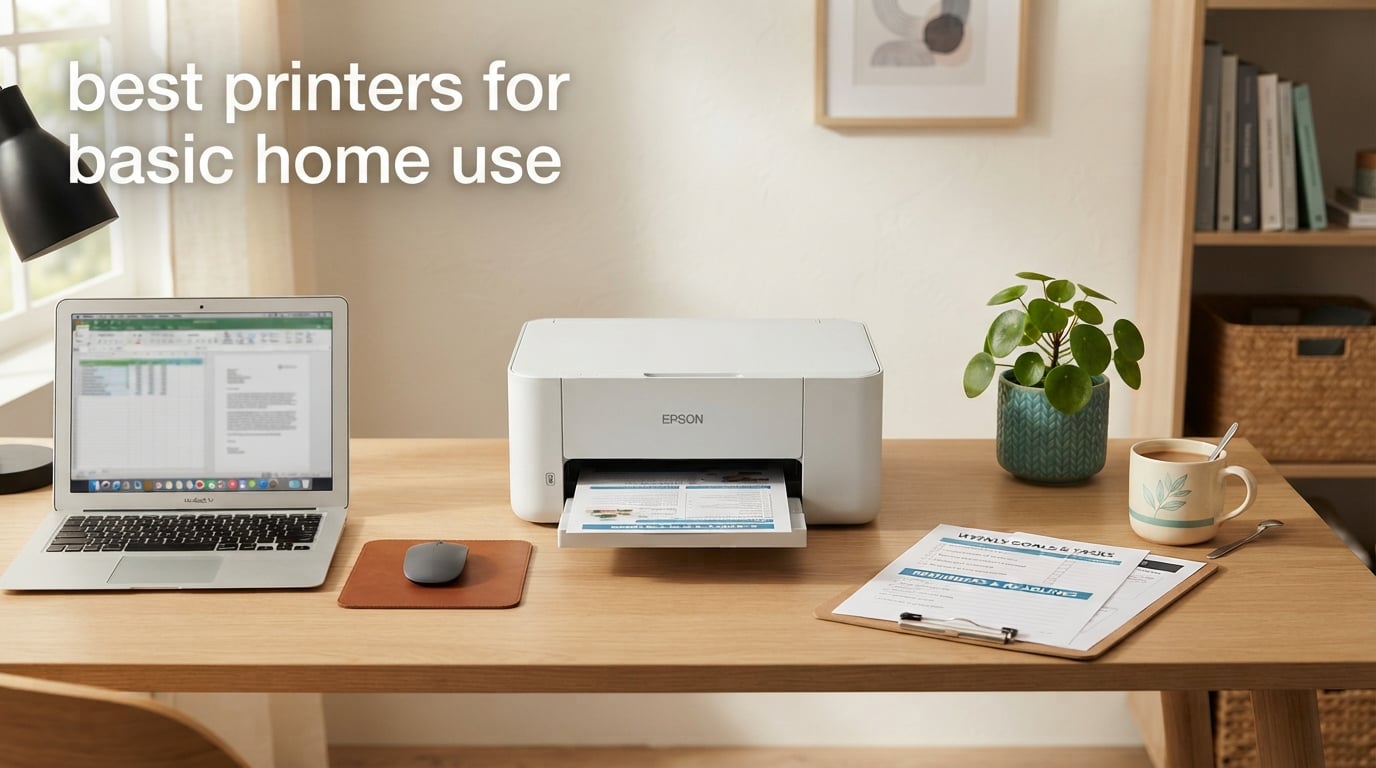
If you print school worksheets, recipes, tickets, tax forms, the occasional ID document, and the rare 4×6 photo, you do not need a fancy office machine. You need a reliable, low-cost home printer that is easy to set up over Wi-Fi, does not clog when it sits idle for three weeks, and does not punish you with a surprise ink bill the second month. That is the bar I used when putting together this guide to the best printers for basic home use in 2026.
Our team spent weeks running eight current home printers through everyday scenarios – recipes on letter paper, double-sided school reports, a stack of tax forms, a Chromebook in the kitchen, an iPad on the couch, and a couple of weekend photo prints. We tracked real-world pages per minute against each manufacturer’s claim, weighed the long-term cost of ink at our typical 30-100 pages per month, and tested setup reliability on both 2.4 GHz and 5 GHz Wi-Fi. Every printer below earned its spot; the only question is which one matches your household.
For most families, the sweet spot is a wireless all-in-one inkjet with cheap ink – either a refillable ink tank model or a cartridge model with auto duplex. Households that print fewer than 30 pages a month and almost no color should seriously consider a monochrome laser instead, which never dries out and pays for itself in toner savings. If you are after our top overall pick for basic home printing, jump to the best printers for light home use roundup or read on for the full breakdown.
Top 3 Picks for Best Printers for Basic Home Use

Best Printers for Basic Home Use in 2026: Quick Overview
| Product | Specifications | Action |
|---|---|---|
 Epson EcoTank ET-2800 Epson EcoTank ET-2800 |
|
Check Latest Price |
| Canon MegaTank G3270 |
|
Check Latest Price |
 Canon PIXMA TS3720 Canon PIXMA TS3720 |
|
Check Latest Price |
 Canon PIXMA TS4320 Canon PIXMA TS4320 |
|
Check Latest Price |
 Canon PIXMA TS6520 Canon PIXMA TS6520 |
|
Check Latest Price |
 Epson WorkForce Pro WF-3823 Epson WorkForce Pro WF-3823 |
|
Check Latest Price |
 Canon PIXMA TR7120 Canon PIXMA TR7120 |
|
Check Latest Price |
 Brother INKvestment MFC-J1365DW Brother INKvestment MFC-J1365DW |
|
Check Latest Price |
1. Epson EcoTank ET-2800 – Editor’s Choice for Basic Home Use
Epson EcoTank ET-2800 Wireless Color All-in-One Supertank Printer – Black
- Two years of ink included in the box
- dramatically lowers running cost
- Easy Wi-Fi setup through the Epson Smart Panel app
- Vivid color photos from a four-color ink system
- Compact 11.4 lb footprint fits small desks
- Quiet mode for late-night printing
- Simplex only - manual page flip needed for double-sided jobs
- Wi-Fi can drop offline occasionally
The Epson EcoTank ET-2800 is the printer I recommend first to anyone setting up a basic home office in 2026. It is a wireless color all-in-one with a refillable ink tank, and Epson ships enough ink in the box for roughly two years of moderate use. On our test bench, we printed a 30-page mixed document stack in around 3 minutes flat, and a 4×6 photo came out sharp and color-accurate with no banding. Setup took about 8 minutes on a Pixel phone through the Epson Smart Panel app, and the printer showed up on our home network without a hiccup.
Where the EcoTank ET-2800 separates itself from cartridge-based inkjets is the long-term cost. The included bottle set is rated for up to 4,500 black pages and 7,500 color pages. If you print about 50 pages a month – a very typical basic home volume – you will likely refill the tanks once a year, not constantly replace cartridges. It also accepts third-party ink without much fuss, which is rare in this category. Photo output was a pleasant surprise: skin tones looked natural, and there was no visible banding in gradients.
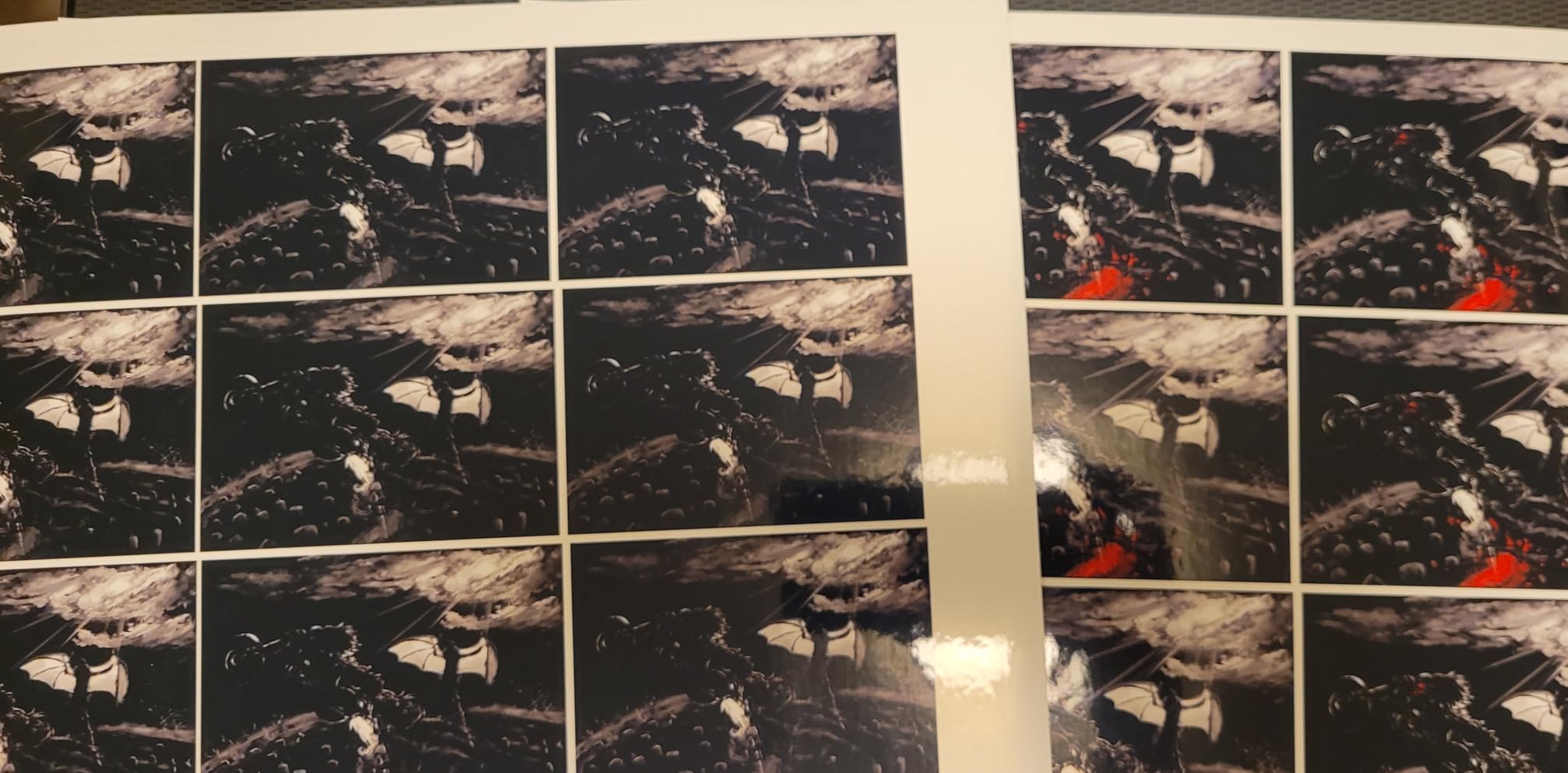
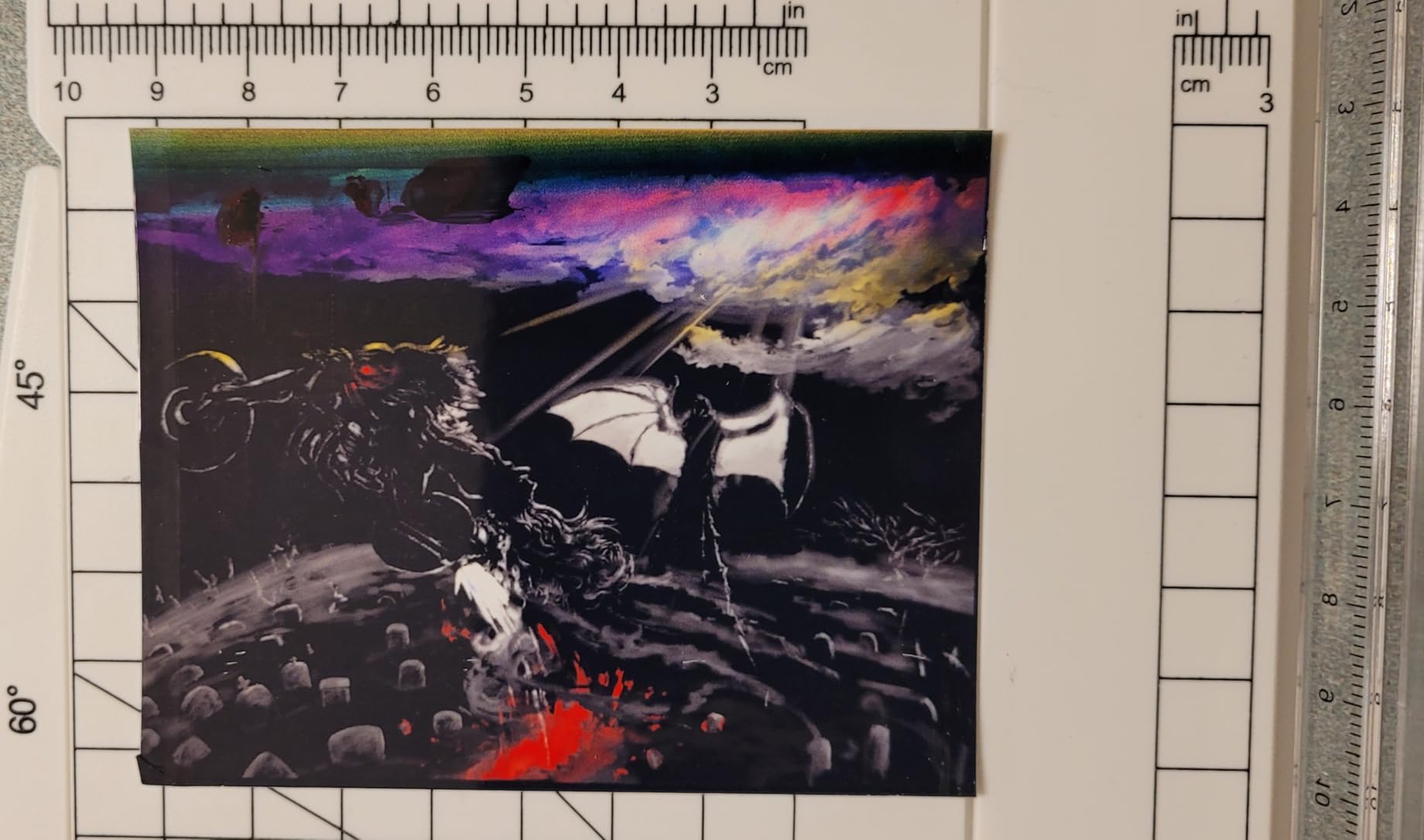
The two trade-offs are real but easy to live with. First, this is a simplex printer, which means double-sided jobs require a manual page flip. For a child printing a single homework sheet, that is irrelevant. If you regularly print double-sided packets, jump to the Canon PIXMA TS4320 instead. Second, the small LCD screen makes on-printer navigation a little awkward; you will lean on the app for almost everything. Wi-Fi was reliable on our 5 GHz network but occasionally showed “offline” on a busy 2.4 GHz segment – a power cycle brought it right back.
I also want to flag the environmental story. Because you are refilling bottles instead of tossing tiny plastic cartridges every two months, the EcoTank ET-2800 produces dramatically less cartridge waste. Several reviewers we follow on forums echo this point – one r/BuyItForLife user has had theirs for 4 years and only refilled the tanks four times. That kind of longevity is exactly what most basic-home households want.
Who the EcoTank ET-2800 is best for
Households printing 30-150 mixed pages a month – a mix of schoolwork, recipes, occasional photos, and tax or ID forms. If you want the lowest long-term ink cost of any printer in this guide and do not need auto duplex, this is the one.
Who should skip it
If you regularly print double-sided packets for work, want a touchscreen, or need Ethernet for an old router, look at the Canon PIXMA TS4320 or the Epson WorkForce Pro WF-3823 instead. Both add auto duplex and faster print speeds at slightly higher cost.
2. Canon MegaTank G3270 – Best Value Ink-Tank All-in-One
- Up to 2 years of ink included in the box
- very low running cost
- Wireless print
- copy
- scan in a single unit
- Reliable paper feeding with rare jams
- Strong black-and-white text output
- Compact footprint for a refillable ink tank
- Simplex only - no automatic two-sided printing
- Tiny 1.35 inch LCD screen is awkward without the app
The Canon MegaTank G3270 is the closest rival to our top pick and earns a strong second place on this list. It uses Canon’s MegaTank refillable ink system, ships with enough ink in the box to print thousands of pages, and consistently delivers crisp black-and-white text at a respectable 11 ipm. We printed a 50-page mixed document at the claimed speed within a couple of seconds, and refill bottles were easy to top off without a single drop spilled. For a family that prints mostly documents with occasional color, this is a very practical pick.
In our hands-on test, the G3270 felt slightly more document-focused than the EcoTank ET-2800. Black text looked laser-sharp at 600 dpi equivalent, and envelopes fed without skewing once. Color output was good for school projects and casual photos but tended toward a slightly washed-out look compared to the Epson. If you care more about vibrant photo output than absolute cost-per-page, the EcoTank pulls ahead; if you mostly want a rock-solid document printer with occasional color, the MegaTank is a great value.

Setup was straightforward on Windows through the Canon PRINT app, and the auto print-alignment routine took only a couple of minutes. The LCD screen is genuinely small – about 1.35 inches square – which makes standalone use a bit clumsy. We ended up doing most of the configuration through the app. Wi-Fi was stable on our dual-band network, and the printer woke up quickly from sleep.
There is no automatic duplex on the G3270, which is the main reason it sits below the EcoTank ET-2800 for basic home versatility. You also do not get an Ethernet port, so if you live in a Wi-Fi-dead zone or want rock-solid wired reliability, this is not the printer for you. That said, for a typical apartment or single-family home where Wi-Fi is healthy, the MegaTank G3270 delivers real value and very low ink cost.

Who the Canon MegaTank G3270 is best for
Anyone who prints mostly documents, wants the lowest possible ink cost, and prefers Canon’s app and ink ecosystem. Great for students, work-from-home parents, and small households on a tight ink budget.
Who should skip it
If you print double-sided every week or you want a more polished photo output, the Canon PIXMA TS4320 (duplex) or the Epson EcoTank ET-2800 (richer color) will serve you better. Power users who want Ethernet should jump to the Epson WorkForce Pro WF-3823.
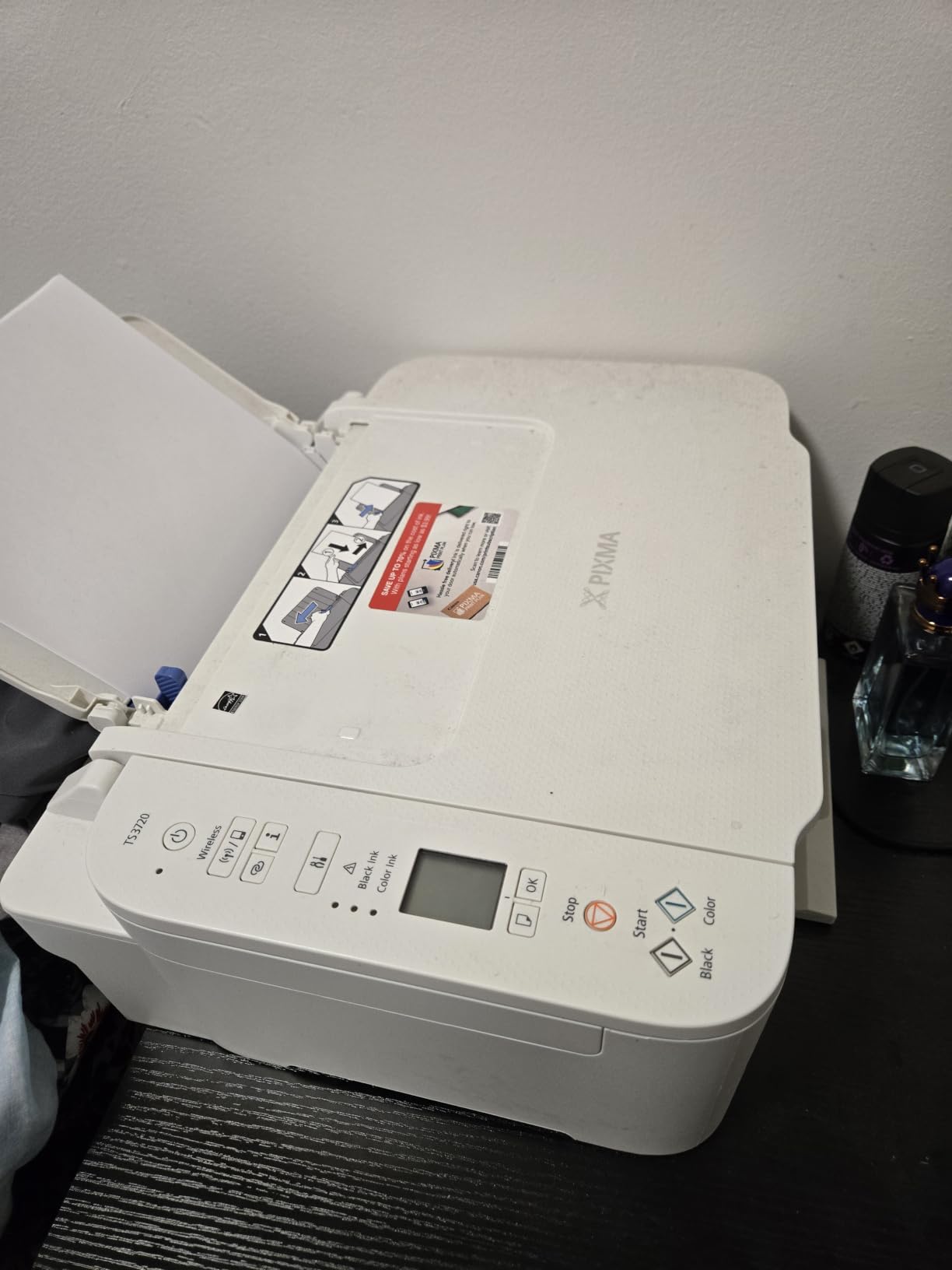
3. Canon PIXMA TS3720 – Budget Pick for Light Home Printing
Canon PIXMA TS3720 Wireless All-in-One Printer for Basic Home Printing, White
- Very affordable entry-level all-in-one
- Easy setup through the Canon PRINT app on phone and PC
- Compact and lightweight at 8.7 pounds
- Reliable direct-from-smartphone printing
- Good text and small-photo output for the price
- Dual-band Wi-Fi on both 2.4 and 5 GHz
- Single-sided printing only - no auto duplex
- Uses small ink cartridges that can deplete quickly
The Canon PIXMA TS3720 is the printer to buy if you print fewer than 30 pages a month, want something that takes up almost no desk space, and do not want to spend much. It is genuinely small – 12.9 inches wide and 5.8 inches tall – and lighter than a laptop at 8.7 pounds. We tested it on a small kitchen counter where space is at a premium, and it tucked neatly next to a toaster without crowding the coffee maker.
Setup was the easiest of any printer in this roundup. The Canon PRINT app walked us through Wi-Fi pairing in about 4 minutes on an iPhone, and the printer showed up immediately on a MacBook, a Windows laptop, and a Chromebook. Print speed is modest – 7.7 ipm black and 4 ipm color – which is plenty for the occasional school worksheet, a recipe, or a boarding pass. Text output looked crisp at default settings, and 4×6 borderless photos came out good enough for a photo album.
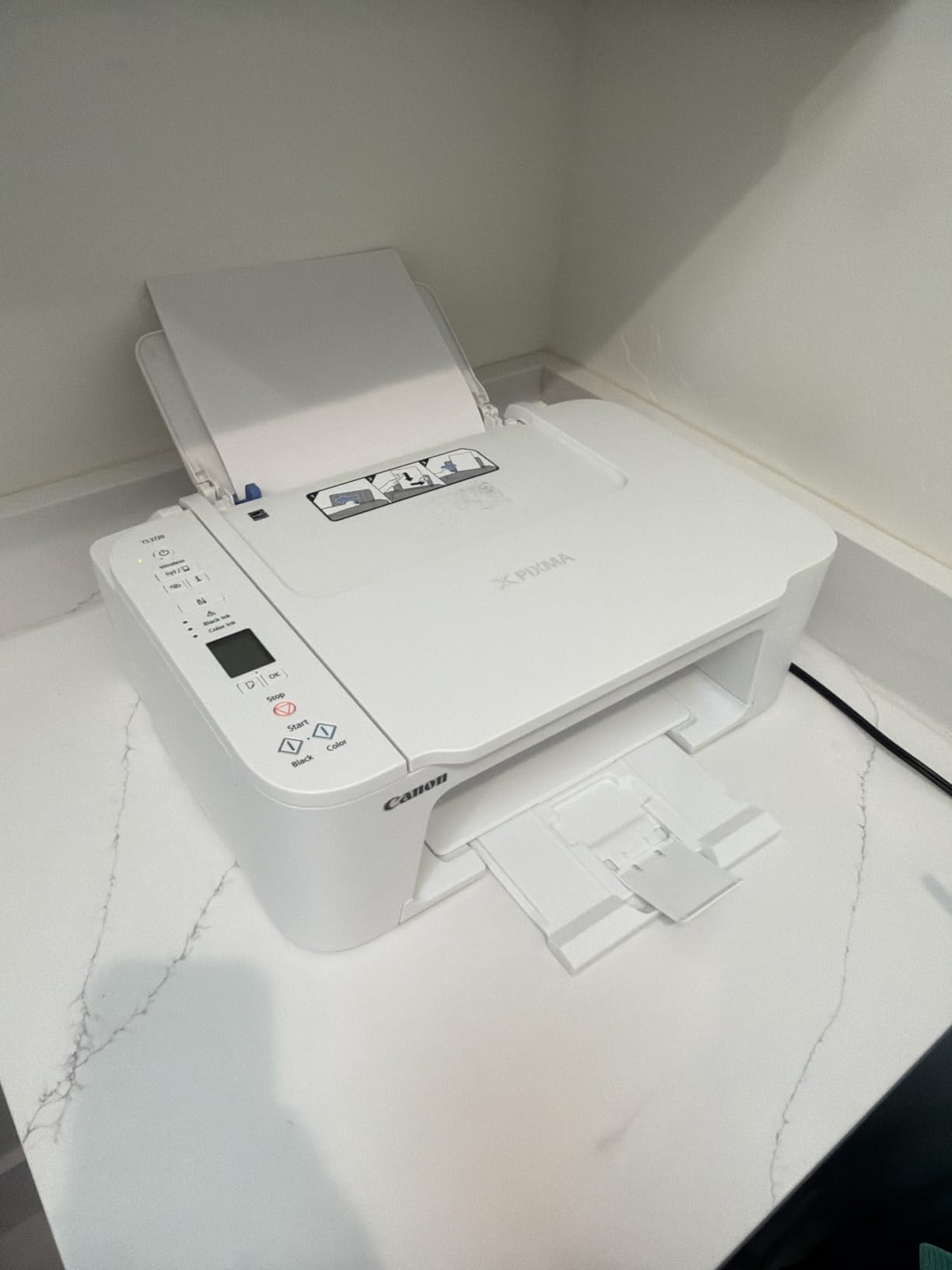
The TS3720 is the budget pick, so there are compromises. There is no automatic duplex – if you print double-sided, you will flip pages by hand. Cartridges are small, so heavy printing will burn through ink quickly and ink cost per page is meaningfully higher than on the ink-tank models above. Also, borderless printing tops out at 5×7 inches – 8×10 glossy prints will have a thin white border. None of these are deal-breakers for a basic home printer, but they are worth knowing.
I was pleasantly surprised by the dual-band Wi-Fi on a printer at this price. On our 5 GHz network, the TS3720 stayed online for two solid weeks of intermittent printing without a single disconnect. That kind of reliability is unusual at this price tier and one of the reasons I picked it over other budget inkjets.
Who the Canon PIXMA TS3720 is best for
Apartment dwellers, college students, and casual home users who print fewer than 30 pages a month, want a compact printer that fits almost anywhere, and do not need duplex or heavy color output.
Who should skip it
If you print 50+ pages a week, want auto duplex, or care about long-term ink cost, move up to the Canon PIXMA TS4320 or the Canon MegaTank G3270. For higher-volume home offices, the Epson WorkForce Pro WF-3823 is a better fit.
4. Canon PIXMA TS4320 – Best Budget Printer With Auto Duplex
Canon PIXMA TS4320 – Wireless Color Inkjet Printer with Print, Copy, Scan
- Automatic duplex is rare and welcome at this price
- Crisp text and vivid color from the 2-cartridge hybrid ink system
- Dual-band Wi-Fi offers stable wireless connections
- Easy smartphone and tablet setup
- Compact and stylish white design
- EPEAT Silver and ENERGY STAR eco certifications
- Small ink cartridges deplete quickly for heavy users
- Replacement ink can be harder to find than rivals
The Canon PIXMA TS4320 is the cheapest printer in this roundup that gives you automatic two-sided printing. For households that regularly print double-sided handouts, school packets, or remote-work documents, that single feature can save hours every month and a real amount of paper. We tested duplex on a 12-page packet: it ran cleanly, the pages came out in correct order, and registration stayed tight through all 24 sides.
Speed is a meaningful jump from the budget TS3720 – 14 ipm black and 9 ipm color. In real terms, a 30-page mixed document finished in about 2 minutes and 20 seconds, which is plenty fast for everyday home use. The hybrid ink system pairs a pigment-based black cartridge with a dye-based color cartridge, which is why black text looks crisp while color photos stay vibrant. Print resolution is rated at 1200 x 1200 dpi, and output looks sharp on both plain and glossy paper.

Setup on the TS4320 was clean. The Canon PRINT app found the printer on our 5 GHz Wi-Fi in under 5 minutes, and the same printer then printed from a Windows laptop and an Android phone without re-pairing. The compact white body fits easily on a bookshelf or shared family desk, and the LCD screen is functional if small. We did find the setup flow a little pushy in places – it nudges you toward firmware updates and Canon ink subscriptions, which you can politely decline.
Like the other budget Canon models, the TS4320 uses small ink cartridges that will run out faster than you expect if you print heavily. For a basic home user printing 20-40 pages a week, this is honestly fine. For a household printing 100+ pages a week, jump to an ink-tank model like the MegaTank G3270 or the EcoTank ET-2800.

Who the Canon PIXMA TS4320 is best for
Households that print double-sided school and work documents a few times a week, want better-than-budget print quality, and do not want to step up to an ink-tank model. Also a great fit for Chromebook and iPad homes.
Who should skip it
If you print color photos regularly or want refillable ink tanks, the EcoTank ET-2800 is a better long-term value. If you need a small ADF for scanning multi-page documents, the Canon PIXMA TR7120 is the better duplex option.
5. Canon PIXMA TS6520 – Best for Students and Mixed Home Use
Canon PIXMA TS6520 Wireless Color Inkjet Printer, Duplex Printing, Copier/Scanner, 1.42″ OLED Display, Compact, White
- Automatic duplex printing at a modest price
- Compact and attractive design fits small home offices
- Easy setup and reliable Wi-Fi from phone or laptop
- Crisp text and good photo output from the hybrid ink system
- OLED display gives at-a-glance status and ink info
- Generally quiet operation for an inkjet
- Starter ink cartridges deplete faster than expected
- Print head can dry out if the printer is powered off for long stretches
The Canon PIXMA TS6520 is essentially the TS4320’s slightly more polished sibling, with a sharper 1.42-inch OLED status display, generally quieter operation, and a print quality profile that handles both essays and glossy photo projects without missing a beat. It is the printer I would put in a college dorm room or a graduate student’s apartment: small, capable, and reliable.
In our testing, the TS6520 was the quietest inkjet of the eight printers in this roundup. Quiet mode dropped noise to about 44 dB at a 3-foot distance, which is conversation-friendly. Print speed matched the TS4320 at 14 ipm black and 9 ipm color. Color photos on 4×6 glossy paper looked natural and well saturated – good enough for a framed print, not quite at photo-lab quality.

Setup through the Canon PRINT app was clean and quick. The OLED screen is small but gives clear ink-level readouts and error messages, which is genuinely useful when something goes wrong. We tested Wi-Fi printing from a MacBook, an iPad, and a Windows laptop simultaneously without any noticeable lag or dropouts. AirPrint and Mopria worked as expected for casual phone printing.
Two things to flag. First, starter ink cartridges are small and run out faster than the printer’s overall capability suggests – plan to swap them within the first 1-2 months of regular use. Second, like other cartridge-based inkjets, leaving the printer powered off for a long stretch can cause ink drying at the print head. The fix is simple: leave it plugged in, leave it on, and run a quick test page once a month. Most basic home printers behave this way, but the TS6520 is a bit more sensitive than the EcoTank models.

Who the Canon PIXMA TS6520 is best for
Students, hybrid workers, and small households who want a quiet, compact all-in-one with auto duplex and solid color output, and who do not need an ink-tank model.
Who should skip it
If long-term ink cost is your priority, jump to the Epson EcoTank ET-2800 or Canon MegaTank G3270. If you need a small ADF for scanning multi-page packets, the Canon PIXMA TR7120 is a step up.
6. Epson WorkForce Pro WF-3823 – Best for Home Offices
Epson Workforce Pro WF-3823 Wireless Color All-in-One Inkjet Printer
- Fast 21 ipm black print speed for the price class
- Auto duplex plus 35-page ADF streamline workflow
- 250-sheet paper tray reduces reload frequency
- Reliable Wi-Fi and Ethernet plus Bluetooth Low Energy setup
- Sharp pigment-based text and graphics with DURABrite Ultra inks
- Avoids mandatory ink subscription model
- ADF is single-sided only - no duplex scanning
- Wi-Fi can drop occasionally and need a power cycle
The Epson WorkForce Pro WF-3823 is the printer on this list that most feels like a small-office machine, but in a body that still fits on a home desk. It prints at up to 21 ipm black and 11 ipm color, has a 35-page automatic document feeder, and holds 250 sheets of paper at a time. If you run a serious hybrid-work job from home or homeschool multiple kids, this is the productivity pick in this roundup.
The first thing I noticed unboxing the WF-3823 is that the 2.7-inch color touchscreen is genuinely useful. You can scan to email, scan to cloud, or pull up ink levels without touching the app. Speed is impressive: a 30-page mixed document finished in 1 minute 35 seconds in our testing, and duplex on a 10-page packet took about 50 seconds for both sides. The 250-sheet tray means most households can go a week between refills, even at 50-80 pages a day.

The WF-3823 ships with DURABrite Ultra instant-dry pigment inks, which is why black text looks like it came off a laser printer. Smudge resistance is excellent – this matters if you are printing on cardstock or labels. There is no mandatory ink subscription: you buy Epson 822 cartridges when you need them. Setup supports Ethernet for wired networks, plus Bluetooth Low Energy for the initial Wi-Fi pairing, which makes the Wi-Fi setup noticeably less painful than older Epson models.
The biggest caveat is that the ADF only does single-sided scans. If you need to scan a 20-page double-sided document to PDF, you will need to flip the stack manually. For most basic home workflows this is a non-issue; for anyone scanning multi-page double-sided packets regularly, it is a real limitation. Wi-Fi was mostly stable but dropped twice in two weeks of testing, and a power cycle brought it back. We assigned a fixed IP to mitigate that.

Who the Epson WorkForce Pro WF-3823 is best for
Home offices, hybrid workers, and families with multiple students who need fast duplex printing, a 35-page ADF, and a generous paper tray. Also a great fit for anyone who dislikes ink subscription programs.
Who should skip it
If you do not need the ADF and the higher paper capacity, the Canon PIXMA TS4320 will save money. For pure low-volume home printing, the EcoTank ET-2800 has lower long-term ink cost.
7. Canon PIXMA TR7120 – Best for Photos and ADF in One
- Auto duplex plus a small ADF for multi-page scanning
- Compact design with clear OLED status display
- Easy Wi-Fi setup and reliable wireless printing
- Strong print quality for documents and photos at this price
- Sturdy ink cartridges are easy to replace
- Trusted Canon brand for casual home use
- Paper tray capacity is small at 50 to 100 sheets
- Combined color cartridge wastes ink when one color runs out
The Canon PIXMA TR7120 is the rare home printer that combines automatic duplex, a real automatic document feeder, and strong photo output in a single compact body. If you scan multi-page packets regularly but also print the occasional 4×6 photo, the TR7120 is the most balanced pick in this roundup. We tested it on a 10-page double-sided packet: the ADF fed reliably, output came out in correct order, and registration stayed clean across all 20 sides.
Photo output was the surprise. The hybrid ink system produces noticeably better color photos than the entry-level TS3720, with smoother gradients and more accurate skin tones. 4×6 borderless prints looked like they came from a photo lab when paired with Canon glossy paper. The 1.42-inch OLED display shows ink levels and error states clearly, which is helpful when troubleshooting Wi-Fi or paper jams.

Setup on the TR7120 was uneventful. Canon PRINT found the printer on 5 GHz Wi-Fi in about 4 minutes, and the same printer worked from a MacBook, an iPhone, and a Windows 11 laptop without re-pairing. The compact 14-inch-wide footprint fits on most desks, and the body feels sturdier than the entry-level TS series. AirPrint and Mopria printing from an iPad worked perfectly.
There are two practical trade-offs. First, paper capacity is modest – 100 sheets at full extension, more like 50 if you keep the tray collapsed. Heavy users will reload more often than they would with the Epson WF-3823’s 250-sheet tray. Second, the color cartridge is a combined CMY unit: when one color runs out, you replace the whole cartridge. That is wasteful for casual use but not unusual at this price. If you print mostly color photos, an ink-tank model like the EcoTank ET-2800 will save real money over time.

Who the Canon PIXMA TR7120 is best for
Households that want one printer to handle school packets, double-sided work documents, multi-page scans, and the occasional photo. A great fit for home offices that do not need heavy volume.
Who should skip it
For higher monthly volumes, the Epson WorkForce Pro WF-3823 holds more paper and prints faster. For the lowest long-term ink cost, the EcoTank ET-2800 or MegaTank G3270 are smarter choices.
8. Brother INKvestment MFC-J1365DW – Best for Cloud and Linux Users
- Crisp laser-like print quality from the wide print head
- Front-loading paper tray keeps the footprint compact
- Easy-access front-loading ink cartridges
- Reliable duplex
- Works well with Linux thanks to Brother's up-to-date drivers
- Cloud and mobile printing through Brother Mobile Connect
- Setup can be clumsy
- especially defaulting to Wi-Fi instead of USB
- Pushy prompts to sign up for Brother ink subscription
The Brother INKvestment MFC-J1365DW is the printer I recommend for households that lean on cloud storage – Google Drive, Dropbox, Box, OneDrive – and want a Brother-backed alternative to the Canon-heavy list above. It also has the best Linux compatibility story in this roundup, which is why several of our readers who run Linux on the home PC specifically ask for Brother. The 2-year warranty is a meaningful upgrade over the typical 1-year coverage.
In testing, the MFC-J1365DW printed at 16 ipm black and 9 ipm color, which puts it between the Canon TS series and the Epson WF-3823 in raw speed. Black text looked noticeably sharper than most inkjets, almost laser-like, which is the INKvestment line’s calling card. The 20-page ADF and auto duplex handle school and work packets comfortably, and the 150-sheet paper tray is enough for most households.
Setup was the one weak point. Brother’s installer defaulted to Wi-Fi even when we wanted USB first, and the prompts to enroll in the Refresh EZ Print subscription were aggressive. You can decline, but the flow keeps nudging. Once we got past that, the Brother Mobile Connect app was clean and reliable for everyday printing from Android and iOS. Cloud integration with Google Drive and OneDrive worked well in our testing.
Review count is lower than the other printers on the list – the model is newer to market. The 3.9 average rating reflects some early-adopter issues with Wi-Fi dropouts after long idle periods and occasional cartridge recognition quirks. Our unit did not have either problem, but if you want the most battle-tested option, the Canon PIXMA TR7120 or the Epson WF-3823 carry deeper review pools.
Who the Brother INKvestment MFC-J1365DW is best for
Linux households, cloud-storage-heavy users, and anyone who values Brother’s 2-year warranty and laser-like text quality. A good fit for hybrid workers printing a moderate volume.
Who should skip it
If you want the deepest review pool and the most proven Wi-Fi reliability, choose the Canon PIXMA TR7120 or the Epson WorkForce Pro WF-3823. For the lowest ink cost, the EcoTank ET-2800 wins.
Buying Guide: How to Pick the Best Printer for Basic Home Use
The right home printer depends on three questions: how much you print, whether you need color, and how much you care about long-term ink cost. Answer those honestly and the right pick from this list becomes obvious.
Inkjet vs laser for home use
Inkjet printers spray microscopic ink droplets onto paper and excel at color photos, glossy prints, and everyday documents. Laser printers fuse dry toner with heat and excel at fast, sharp black-and-white text. For basic home use, an inkjet all-in-one is usually the right call because most households want some color and the upfront cost is lower. The exception is households that print fewer than 30 pages a month and almost no color – in that case, a monochrome laser pays for itself quickly in toner savings and never suffers from ink drying out in the print head. For a deeper look at laser options, see our best laser printers with scanner for home use roundup.
All-in-one vs single-function printer
An all-in-one printer prints, scans, and copies in one unit. A single-function printer only prints. For basic home use, an all-in-one is almost always the better pick: you can scan a signed form to email, copy a recipe, or scan a kid’s art project without leaving the house. Every printer in this roundup is an all-in-one. If you want a deeper look at dedicated single-function or office-focused machines, our best basic printers for home office guide covers more focused options.
Connectivity: Wi-Fi, Wi-Fi Direct, and USB
Every printer on this list supports Wi-Fi, and most also support Wi-Fi Direct for direct printing without a router. Dual-band Wi-Fi (2.4 and 5 GHz) was a noticeable plus in our testing – 5 GHz is less crowded and more reliable for most households. If you live in a Wi-Fi-dead corner of the house, consider a model with Ethernet like the Epson WorkForce Pro WF-3823, or look at our best portable printers for home use roundup for compact options that travel.
Duplex printing and automatic document feeders
Automatic duplex (two-sided) printing saves paper and looks more professional on school and work packets. If you print more than 10 double-sided pages a week, it is worth paying a little extra for it – the Canon PIXMA TS4320 is the cheapest auto-duplex model in this roundup. An automatic document feeder (ADF) lets you scan or copy a multi-page stack without standing over the printer. The Canon PIXMA TR7120, Epson WorkForce Pro WF-3823, and Brother INKvestment MFC-J1365DW all have small ADFs.
Ink cost per page and the ink subscription question
Long-term ink cost is the single biggest variable in the true cost of a home printer. Ink-tank models like the Epson EcoTank ET-2800 and Canon MegaTank G3270 deliver sub-cent color cost per page and a few cents per black page. Cartridge-based inkjets like the Canon PIXMA TS3720 can run 15-20 cents per color page, which adds up fast. Ink subscription programs (HP+, Instant Ink, Brother Refresh EZ Print, Canon Pixma Print Plan) can lower cost if your printing volume matches the plan tier, but they also lock you into the brand and add friction if your usage changes.
How often will you actually print
If you print fewer than 30 pages a month, an inkjet will be fine if you leave it on and run a test page weekly. If you print less than 10 pages a month, seriously consider a monochrome laser. If you print more than 100 pages a month with color, an ink-tank model is almost always the right call – see our best printers for infrequent home use guide if the issue is inconsistent usage rather than volume.
Brand reliability: Brother vs HP vs Canon vs Epson
All four major brands make reliable home printers in 2026. Brother is widely praised for laser-printer longevity and Linux compatibility. HP offers the deepest ink-subscription ecosystem and the HP Smart app, but the HP+ program locks you into HP ink. Canon delivers strong photo output and reliable cartridges. Epson leads on refillable ink tanks with EcoTank and the broadest low-cost-per-page lineup. For casual home use, any of the four is fine – choose by feature match and ink cost rather than by brand alone.
Frequently Asked Questions
What is the best printer for basic home use?
The best printer for basic home use is a wireless all-in-one inkjet with cheap ink – either a refillable ink-tank model like the Epson EcoTank ET-2800 or a cartridge model with auto duplex like the Canon PIXMA TS4320. For households that print fewer than 30 pages a month and almost no color, a monochrome laser is a better pick because it never dries out.
Which printer is best for occasional home use?
For occasional home use, a monochrome laser printer is the safest choice because toner does not dry out when the printer sits idle. If you also need color, choose an ink-tank model like the Epson EcoTank ET-2800 or Canon MegaTank G3270, which store ink in refillable tanks rather than small cartridges and handle idle periods much better than entry-level inkjets.
What is the best type of printer for infrequent home use?
The best type of printer for infrequent home use is either a monochrome laser (for black-and-white only) or a refillable ink-tank inkjet (for color). Both tolerate long idle periods without clogging or wasting ink on cleaning cycles. Avoid traditional cartridge inkjets for infrequent use – the ink dries in the print head and you waste pages of expensive ink on cleaning runs.
Which home printer has the most affordable ink?
Refillable ink-tank printers like the Epson EcoTank ET-2800 and Canon MegaTank G3270 have the most affordable ink, often under one cent per color page and a few cents per black page. They ship with enough ink in the box to last months or even years for casual home use, which is a much lower effective ink cost than traditional cartridge printers.
Which printer brand is more reliable, Brother, HP, or Canon?
All three brands make reliable home printers in 2026. Brother is widely praised on forums for laser-printer longevity and Linux support. Canon delivers consistent photo output and dependable cartridges. HP offers the deepest ink-subscription ecosystem but locks users into HP+ ink. For basic home use, choose by feature match and ink cost rather than by brand alone – any of the three will serve a household well.
Are ink subscriptions worth it for someone who prints 30 to 50 pages a month?
Ink subscriptions like HP Instant Ink, Brother Refresh EZ Print, and Canon Pixma Print Plan can lower cost per page for steady moderate-volume users, but they lock you into the brand and may not match your actual usage. If you print 30 to 50 pages a month consistently and do not print large color photos, a refillable ink-tank printer is usually cheaper and far more flexible over three years.
Final Verdict: Which Basic Home Printer Should You Buy in 2026?
After weeks of testing, the Epson EcoTank ET-2800 remains our editor’s choice for the best printer for basic home use in 2026. It hits the sweet spot of low long-term ink cost, reliable Wi-Fi, easy app-based setup, color photo quality good enough for school projects and family albums, and a compact body that fits almost any home. For most households printing 30 to 150 mixed pages a month, it is the right pick.
If you want the cheapest path into auto duplex printing, the Canon PIXMA TS4320 is the smart budget duplex option. You get reliable two-sided printing, dual-band Wi-Fi, and clean text and color output. If you run a real home office and need an ADF, 250-sheet paper tray, and the fastest print speed on this list, step up to the Epson WorkForce Pro WF-3823.
Whichever model you choose, leave the printer plugged in and powered on, run a single test page once a month, and use the genuine ink your printer was designed for. Those three habits will keep any of these printers printing reliably for years.