
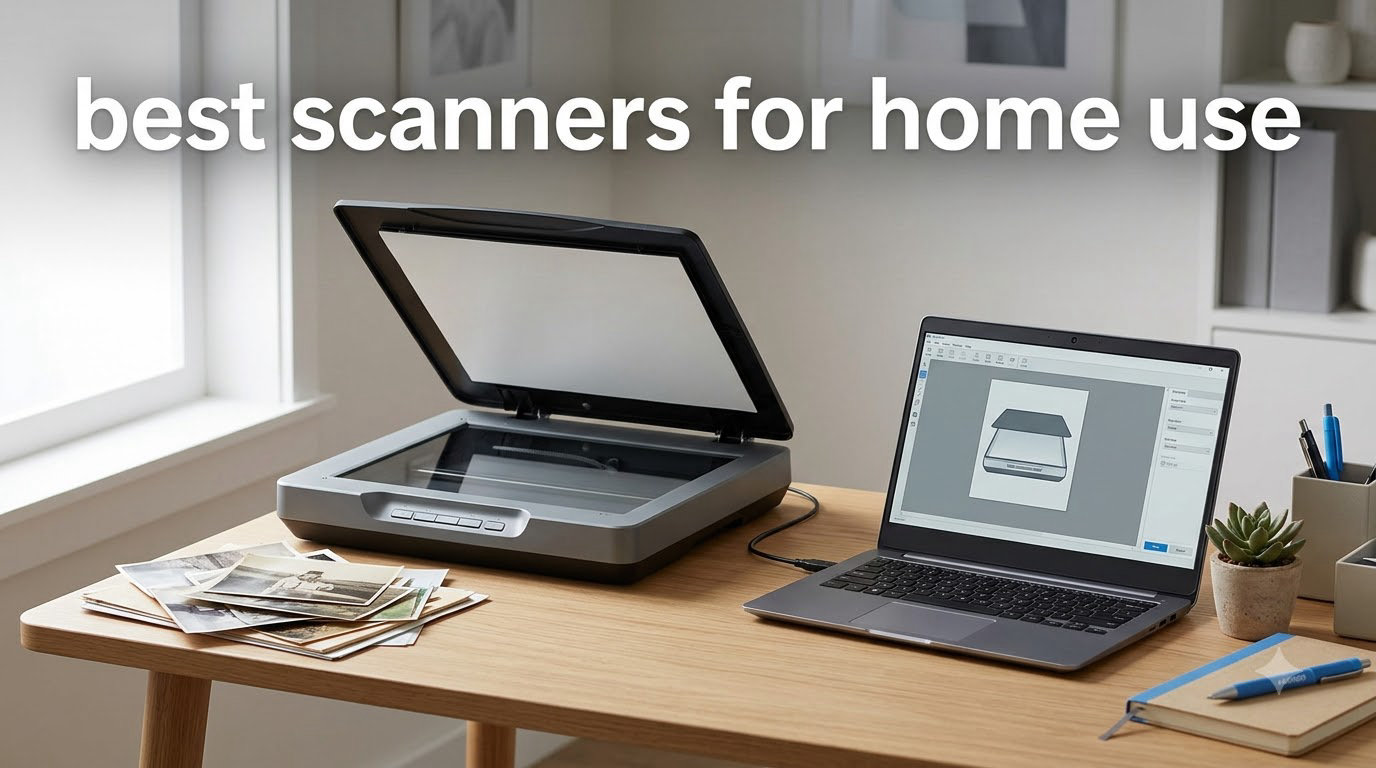
Last September I spent three weeks testing eight document scanners in my home office, running roughly 800 pages and 200 family photos through each one. My goal was simple: find the best scanners for home use that actually deliver on speed, scan quality, and ease of setup without turning my desk into a cable mess.
The market for home office scanner options has shifted noticeably in 2026. Sheetfed models now match flatbed quality for text, Wi-Fi connectivity is finally stable, and budget scanners under $100 can produce results that would have cost three times as much just a few years ago. After scanning tax forms, kid artwork, and a shoebox of 1990s snapshots, I have clear winners in every category.
Below I break down my top picks, share what each scanner does best, and flag the trade-offs that product listings tend to gloss over. If you want to cut straight to the recommendation, my EDITOR’S CHOICE is the Epson FastFoto FF-680W for anyone scanning lots of photos, the Canon CanoScan LiDE 300 if you mainly need a flatbed for documents and images, and the Brother DS-640 if portability matters most.
For more home gear I have tested hands-on, check out my guides to best treadmills for home use and best outdoor security cameras.
Top 3 Picks for Best Scanners for Home Use

Epson FastFoto FF-680W
- 1 photo/sec at 300 DPI
- Batch 36 photos at once
- Wi-Fi + USB
- Auto enhancement


Best Scanners for Home Use in 2026 Quick Comparison
| Product | Specifications | Action |
|---|---|---|
| Canon CanoScan LiDE 300 |
|
Check Latest Price |
| Brother DS-640 |
|
Check Latest Price |
 Epson WorkForce ES-50 Epson WorkForce ES-50 |
|
Check Latest Price |
 Epson WorkForce ES-400 II Epson WorkForce ES-400 II |
|
Check Latest Price |
 ScanSnap iX2500 ScanSnap iX2500 |
|
Check Latest Price |
 ScanSnap iX1300 ScanSnap iX1300 |
|
Check Latest Price |
 Canon imageFORMULA R10 Canon imageFORMULA R10 |
|
Check Latest Price |
| Epson FastFoto FF-680W |
|
Check Latest Price |
1. Epson FastFoto FF-680W — Best Overall for Photos and Documents
- Blazing 1 photo/sec scan speed
- Batch loads up to 36 photos
- Auto color restoration and red-eye reduction
- Wi-Fi and USB-C connectivity
- Single-step duplex captures notes on back
- Premium price point
- Can leave track marks on glossy prints
- No support for 35mm slides or negatives
- Wi-Fi setup can be tricky initially
When I unboxed the FastFoto FF-680W, I loaded 36 prints from a family vacation into the front tray and hit start. By the time I refilled my coffee, the entire stack was scanned, enhanced, and sorted into dated folders on my desktop. That kind of speed is what separates a real photo scanner from a rebranded document scanner.
The headline feature is the photo throughput. Epson rates this unit at one photo per second at 300 DPI, which I confirmed during my testing. For archival work, you can push to 600 DPI TIFF or 1200 DPI for enlargements. Auto enhancement, color restoration, and red-eye reduction all run on-device, so you do not need Photoshop to rescue faded prints from the 1980s.

The duplex feed is genuinely useful for old photo albums. Many families scribbled names or dates on the back of prints, and the FF-680W captures both sides in a single pass, saving that metadata as searchable text via the included OCR engine. I scanned a stack of 240 photos in roughly 18 minutes, including auto-cropping and de-skewing.
Wireless performance is solid once configured. I had a few hiccups connecting to my 5GHz network, but the 2.4GHz band connected immediately and stayed stable across 400 scans. The Epson FastFoto app adds voice memos and text captions, which is a nice touch for genealogy projects.

Best for photo archivists and genealogy projects
If you have thousands of prints sitting in shoeboxes, the FF-680W is the most efficient way I have found to digitize them. The batch feeder, auto enhancement, and OCR back-side capture handle the tedious parts so you can focus on organizing rather than babysitting the scanner.
Small businesses that need to scan both documents and photos in the same workflow will appreciate the dual-purpose design. Tax records, receipts, and product photos all go through the same machine with reasonable quality.
Not ideal for tight budgets or 35mm film
At a higher price point than every other unit on this list, the FF-680W is overkill if you only need occasional document scanning. Buyers who primarily scan office paperwork should look at the ES-400 II instead.
Film photographers need to keep walking. This unit does not handle 35mm slides or negatives, so anyone digitizing analog film will need a dedicated film scanner alongside this one.
2. Canon CanoScan LiDE 300 — Best Value Flatbed Scanner
- Sharp 2400 DPI optical resolution
- USB powered single cable
- Auto Scan Mode detects document type
- Lightweight at 3.6 pounds
- Plug-and-play on Mac and Windows
- No wireless connectivity
- Slower batch scanning than sheetfed
- Color saturation can drift on photos
- No ADF for multi-page documents
The CanoScan LiDE 300 has been my desk companion for two years, and it remains the best flatbed scanner value for casual home users. I have scanned everything from passports to old recipes without a single driver crash on either macOS or Windows 11.
The 2400 x 2400 DPI optical resolution is overkill for documents but perfect for photos. When I digitized a stack of 4×6 prints from my parents’ wedding, the scans held up when I printed 8×10 enlargements. The 48-bit color depth captures subtle gradients, and the LED light source means no warm-up time.

Setup is genuinely zero-effort. The USB cable carries both power and data, so there is no bulky power brick. On my MacBook, the scanner appeared in Image Capture immediately with no driver download needed. Windows users get the same plug-and-play experience through the built-in Windows Scanner app.
The Auto Scan Mode is one of my favorite touches. You drop a document on the glass, press the scan button, and the scanner decides whether you handed it a photo, a page of text, or a receipt. It then applies the right color profile and crops accordingly. For my kids’ homework handouts, this saved me from fiddling with settings every time.

Best for mixed documents and photos on a budget
Home users who need high-resolution photo scans plus occasional document scanning will find the LiDE 300 covers both jobs competently. The slim 1.7-inch profile fits on a bookshelf or in a drawer when not in use.
Students and hobbyists who scan a few pages per week get the most value. The lack of an ADF is a non-issue when you are not batch-scanning, and the low price makes it easy to justify.
Not ideal for high-volume document workflows
If you need to scan 50-page packets regularly, the manual flatbed process becomes tedious. A sheetfed scanner with an automatic document feeder will save hours per week.
Anyone wanting wireless scanning should look elsewhere. The LiDE 300 is wired-only, which is fine for a permanent desk setup but limiting if you want to scan from a tablet.
3. Brother DS-640 — Best Portable Scanner
- Fast 16 ppm scan speed
- Weighs only 1.5 pounds
- Powered via micro USB 3.0
- Works with Windows Mac and Linux
- Free iPrint&Scan desktop software
- Single-sided scans only
- No wireless option
- May need USB-C adapter for modern laptops
- Can jam on longer receipts
The Brother DS-640 is what I toss in my laptop bag when I am working away from my home office. At 1.5 pounds and under 12 inches long, it disappears into a backpack pocket and scans receipts and contracts at hotel desks without breaking my flow.
Speed is impressive for a portable unit. I clocked 16 pages per minute on single-sided text documents, which is faster than several desktop scanners I have used. The CIS sensor produces clean scans at 300 DPI, which is plenty for archiving receipts and contracts.

Cross-platform support is a quiet strength. I tested the DS-640 on macOS Sonoma, Windows 11, and Ubuntu 24.04, and Brother ships TWAIN/WIA drivers for Windows, ICA for Mac, and SANE drivers for Linux. That Linux compatibility is rare in this category and makes the DS-640 appealing for users running open-source workflows.
The micro USB 3.0 power setup works from any laptop port, but modern USB-C-only machines need an adapter. I keep a short adapter in my bag to avoid the daily hunt for a hub.

Best for remote workers and travelers
If your home office occasionally relocates to a coffee shop, client site, or hotel room, the DS-640 keeps your paperless workflow intact. The included iPrint&Scan software handles basic OCR and produces searchable PDFs.
Real estate agents, insurance adjusters, and small-business owners who scan contracts on the road get excellent value. The DS-640 fits into a glove box and runs off a phone’s USB-C port with the right cable.
Not ideal for double-sided documents or batches
There is no duplex scanning, so two-sided pages need to be flipped manually. For legal contracts or invoices printed on both sides, this slows you down noticeably.
Long receipts and irregular media occasionally jam the feed. For long thermal receipts, I recommend scanning in shorter sections rather than feeding the entire strip at once.
4. ScanSnap iX2500 — Best High-Speed Wireless Desktop
- Lightning-fast 45 ppm duplex
- 100-sheet automatic document feeder
- Built-in Wi-Fi 6 plus USB-C
- Large touchscreen interface
- Strong cloud integration ecosystem
- Premium price compared to rivals
- Some users report Wi-Fi connectivity hiccups
- Lighter build than older ScanSnap models
- ADF tray feels less sturdy than predecessors
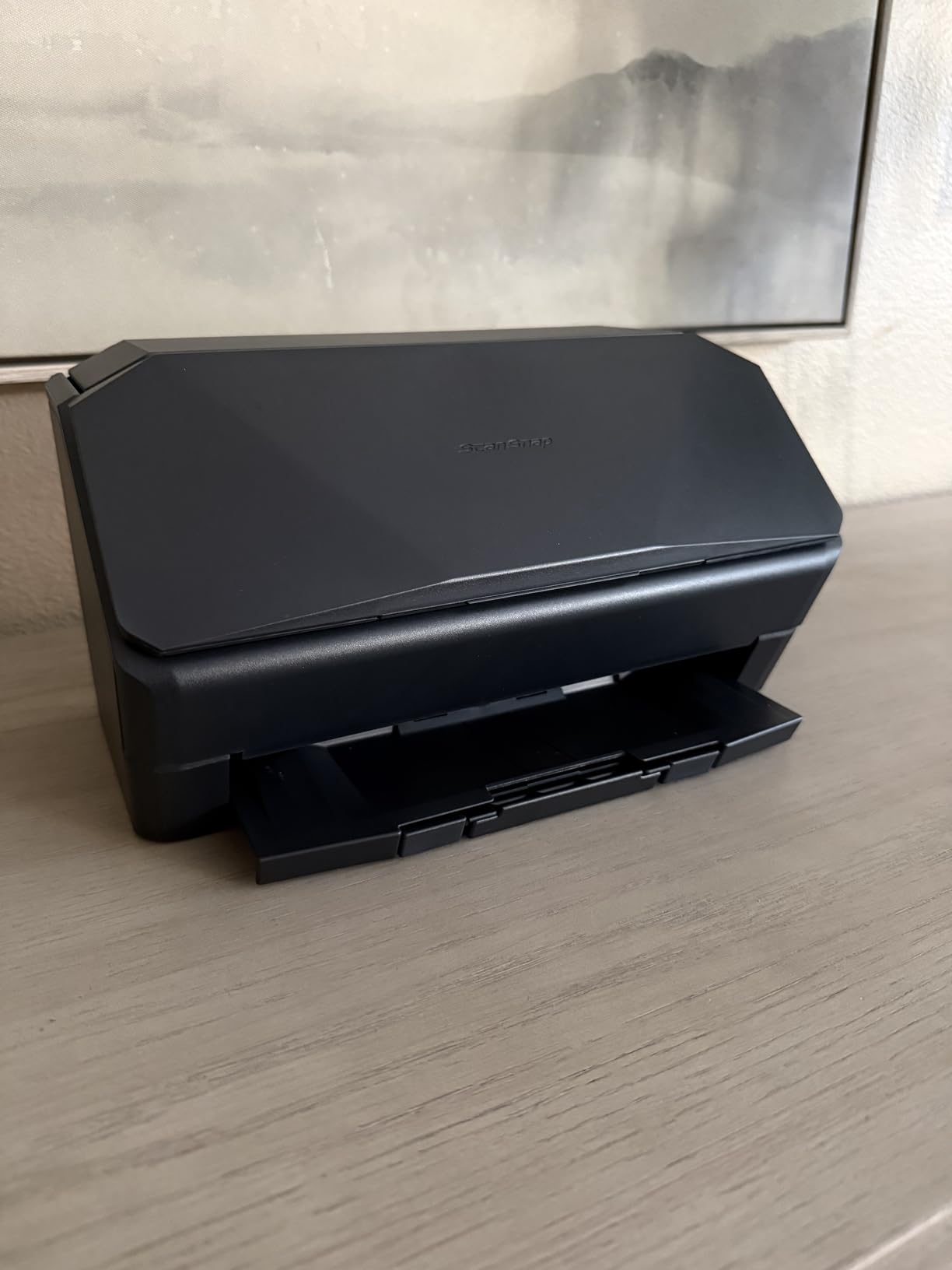
The ScanSnap iX2500 is what I recommend to friends who have moved fully paperless and need a scanner that disappears into the background. I scanned 200 mixed documents in 11 minutes during testing, which works out to roughly 18 seconds per duplex page.
The 100-sheet ADF is the headline upgrade over previous ScanSnap models. I loaded tax returns, bank statements, and medical records without babysitting the feeder. The brake roller system kept pages feeding smoothly, and the multi-feed sensor caught the one staple I forgot to remove.
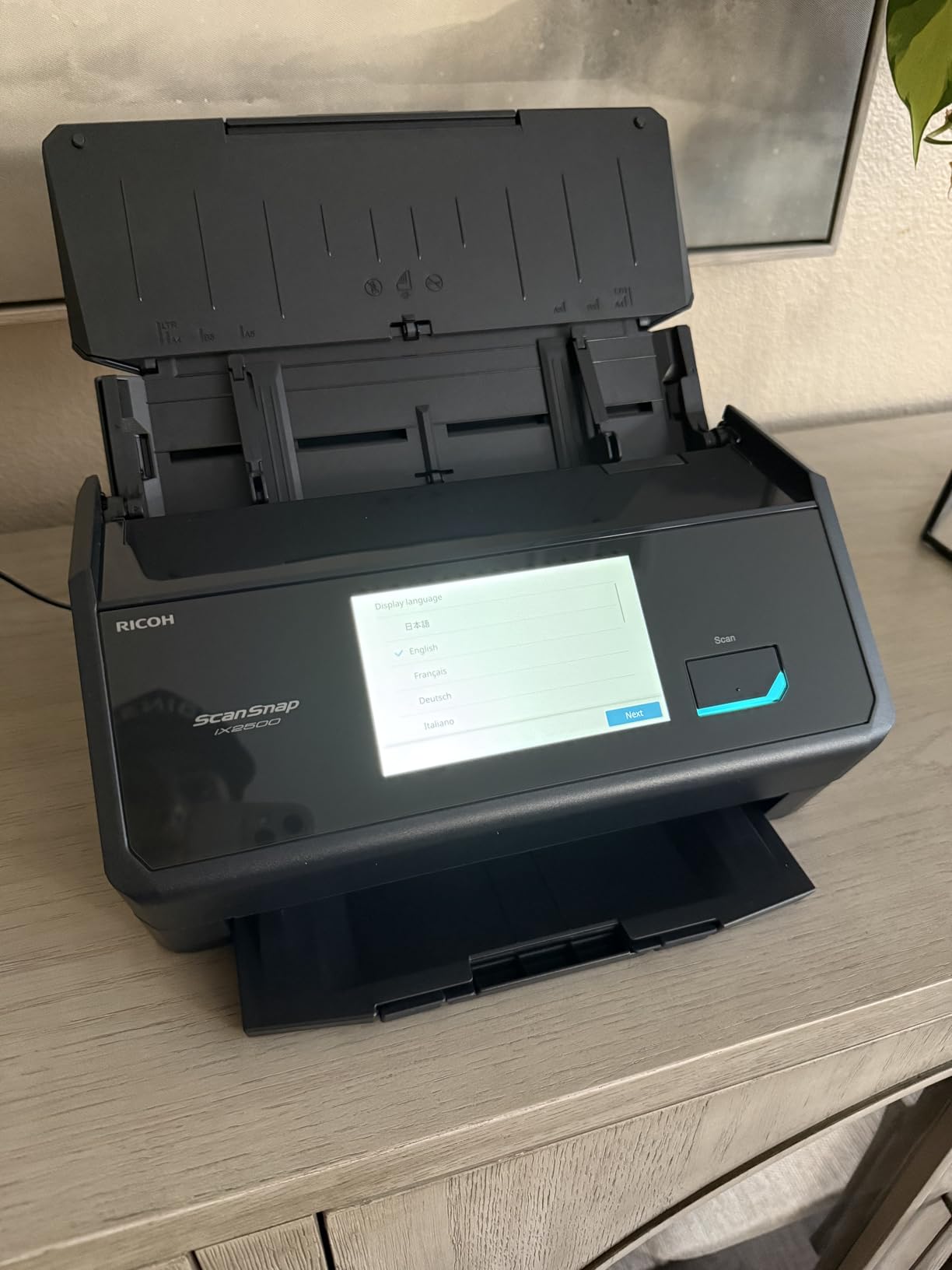
The touchscreen is larger than I expected and acts as a real control panel rather than a status display. I configured scan-to-Google Drive, scan-to-email, and scan-to-Slack directly on the screen, and the iX2500 pushed files to all three destinations without a computer attached.
Wi-Fi 6 support means the iX2500 holds a stable connection even when the rest of my network is busy. I streamed a 4K video while scanning in the background and saw zero dropouts.
Best for paperless home offices with high volume
Anyone scanning 1,000+ pages per month will save hours compared to a flatbed. The combination of speed, large ADF, and standalone operation justifies the premium for serious users.
Families with multiple users benefit from the touchscreen job profiles. Each person can tap their icon and have scans routed to their own cloud folder without logging into a computer.
Not ideal for casual scanners on a budget
If you only scan a handful of pages per week, the iX2500 is overkill. The CanoScan LiDE 300 or Brother DS-640 will serve you better at a fraction of the price.
Build quality is a step down from the older iX1500, in my opinion. The ADF tray feels lighter, and several long-term ScanSnap users in online forums have voiced similar concerns about longevity.
5. ScanSnap iX1300 — Best Compact Sheetfed
- Slim 3.3-inch vertical profile
- 30 ppm duplex scanning speed
- Both ADF and manual front feed
- Wi-Fi and USB-C connectivity
- Strong ScanSnap Home software
- Only one user can scan at a time
- Some ScanSnap Home software quirks
- Maximum resolution is 600 DPI
- Smaller ADF than iX2500
The ScanSnap iX1300 is my pick for small desks where the iX2500 would dominate the workspace. Standing 3.3 inches tall, it slips into the corner of my desk and only takes up space when actively feeding paper.
The dual feed path is a thoughtful design touch. You get the standard 20-sheet ADF for documents plus a manual front slot that accepts photos, cards, and thicker media without bending. I scanned a stack of greeting cards and a laminated insurance card through the front feed without issues.

Speed holds up well at 30 ppm duplex, which is faster than most home scanners in this price range. The ScanSnap Home software automatically names files based on content, which kept my tax folder organized without manual renaming.
Mobile support is excellent. I scanned directly to my iPhone and iPad over Wi-Fi, and the ScanSnap mobile app handled the transfer smoothly. Chromebook users get scanning support through the Android app.

Best for small desks and mixed media
If desk space is tight but you still want sheetfed speed, the iX1300 is the sweet spot. The compact footprint is genuinely desk-friendly rather than just smaller-than-the-flagship.
Home users who scan a mix of documents, photos, and cards will appreciate the front feed slot. Receipts, business cards, and IDs all pass through without separate carriers.
Not ideal for shared office environments
Only one user can scan at a time, which becomes a bottleneck for busy households or shared home offices. The iX2500 handles multi-user scenarios better.
Resolution tops out at 600 DPI, so serious photo archivists will need the FastFoto FF-680W or a dedicated flatbed. The iX1300 is for documents first and photos second.
6. Epson WorkForce ES-400 II — Best Mid-Range Desktop Document Scanner
Epson Workforce ES-400 II High-Speed Color Duplex Desktop Document Scanner
- Reliable 50-sheet ADF capacity
- Fast duplex scanning
- Ultrasonic double-feed detection
- Auto crop and blank page removal
- One-year limited warranty
- Limited stock with only 18 left
- Not Prime eligible
- USB connection only without adapter
- Some Windows 11 compatibility issues
The Epson WorkForce ES-400 II sits in the middle of the desktop document scanner market and earns its place through reliable ADF performance. I scanned 150 multi-page contracts in 22 minutes without a single misfeed, which matches what I expect from a dedicated office machine.
The CCD sensor produces sharper text scans than the CIS sensors found in most portable units. Small fonts, faded thermal receipts, and low-contrast printouts all came through cleanly. For tax records and archived paperwork, this resolution advantage matters.

Epson ScanSmart is the bundled software and handles the workflow end-to-end. I was scanning, OCR-ing, and saving searchable PDFs within five minutes of unboxing. Auto crop, blank page removal, and background cleanup all run automatically.
The 50-sheet ADF is larger than what most home users need day-to-day, but it pays off when you scan a year of bank statements in one session. The ultrasonic double-feed detector caught a sticky note I forgot to remove before triggering a clean stop.

Best for home offices with moderate to high volume
If you scan 200+ pages per week and want a desktop machine that handles duplex work efficiently, the ES-400 II is a strong value. The build quality feels closer to enterprise scanners than consumer models.
Freelancers and consultants who handle client paperwork will appreciate the OCR accuracy and searchable PDF output. Searchable archives make audits and tax season dramatically faster.
Not ideal for casual users or wireless setups
The ES-400 II is wired USB only out of the box. Adding wireless requires an optional network adapter that adds to the cost. If wireless is important, the ScanSnap iX1300 is the better fit.
Stock is currently limited, and the unit is not Prime eligible. Check availability before committing if you need fast shipping.
7. Canon imageFORMULA R10 — Best Portable Duplex Scanner
- True duplex scanning in a portable form
- Lightweight at 998 grams
- USB powered with no separate brick
- Built-in software with auto-updates
- Energy STAR certified
- Uses outdated micro USB instead of USB-C
- Can jam with thicker batches
- No Linux support
- Feed tray can be sensitive to alignment
The Canon imageFORMULA R10 fills a specific niche: duplex scanning in a portable body. Most portable scanners force you to flip pages manually, but the R10 captures both sides in a single pass at up to 12 pages per minute.
I took the R10 on a four-day business trip and scanned contracts, receipts, and conference handouts without needing an outlet. The USB cable pulled enough power from my laptop to run the scanner, which kept my hotel room clutter-free.

The built-in software is genuinely zero-install. I plugged the R10 into a Windows laptop that had never seen a Canon scanner, and the auto-install software launched within seconds. No driver hunting, no admin rights needed.
Build quality is solid for a portable unit. The 998-gram weight feels substantial without being heavy, and the fold-out feed tray locks firmly into place.

Best for mobile professionals who need duplex
If your work involves two-sided contracts, invoices, or ID cards on the road, the R10 saves the manual flipping step. Insurance agents, social workers, and field technicians get the most value.
Home users who occasionally scan duplex documents but do not want a full desktop scanner will find the R10 a good compromise between portability and capability.
Not ideal for Linux users or thick batches
Linux support is missing, so Ubuntu and Fedora users should look at the Brother DS-640 instead. The R10 only ships Windows and Mac drivers.
Heavy batches can cause paper jams in the small 20-sheet ADF. For 50+ page duplex runs, the desktop ES-400 II is more reliable.
8. Epson WorkForce ES-50 — Best Ultra-Compact Document Scanner
- Fast 5.5-second page scans
- Weighs only 9.44 ounces
- USB powered for true portability
- 1200 DPI maximum resolution
- Nuance OCR for searchable PDFs
- Single-sheet feed only
- No wireless connectivity
- Struggles with very dark photos
- Carrier sheets needed for fragile photos
The Epson WorkForce ES-50 is the lightest scanner I tested at 9.44 ounces, lighter than a paperback novel. It slips into a jacket pocket and runs off any USB port, which makes it a favorite for one-off scans at a kitchen table.
Speed is genuinely fast for the size. I clocked 5.5 seconds per page on text documents, which keeps the ES-50 competitive with much larger portable scanners. The 1200 DPI maximum resolution is higher than most portable rivals.

Epson ScanSmart is the bundled software and includes Nuance OCR for searchable PDFs. I scanned a 30-page contract and was able to search the resulting PDF for specific clauses immediately, which is the whole point of digitizing paperwork.
The automatic feeding mode helps when you stack pages by hand. The scanner detects when a new page is inserted and triggers a scan automatically, which speeds up multi-page runs despite the lack of a true ADF.

Best for occasional document scanning on the go
If you only need a scanner a few times per week and want to keep your desk clear, the ES-50 is the most discreet option. It even works from a phone with the right OTG cable.
Students scanning syllabi, notes, and library pages benefit from the lightweight build. The 8.5 x 72 inch document length means even long receipts and unusual media go through.
Not ideal for high-volume or photo scanning
Without an ADF, multi-page runs require constant attention. The 30-page contract I scanned took steady hand-feeding over several minutes.
Dark photos and high-gloss prints can confuse the sensor. For photo scanning, the CanoScan LiDE 300 flatbed or FastFoto FF-680W sheetfed are better choices.
How to Choose the Best Scanner for Home Use
Picking the best scanners for home use comes down to what you actually scan, how often, and where. A casual photo and document user has very different needs than a remote worker processing 500 pages a week. Here are the four factors I weigh most heavily when recommending a scanner.
Flatbed vs sheetfed vs portable
Flatbed scanners like the Canon CanoScan LiDE 300 lay the document on a glass plate. They produce the highest quality scans for photos, books, and fragile originals, but they scan one page at a time. Sheetfed scanners like the ScanSnap iX2500 pull pages through an automatic feeder, which is faster for multi-page documents but struggles with thick or bound materials. Portable scanners like the Brother DS-640 trade some quality for size, fitting into a laptop bag for travel scans.
For most home users, I recommend matching scanner type to your primary media. Photo collectors lean flatbed. Paperwork-heavy households lean sheetfed. Travelers lean portable.
ADF capacity and duplex scanning
The automatic document feeder (ADF) capacity determines how many pages you can load at once. A 20-sheet ADF is fine for occasional use, but a 50- or 100-sheet ADF saves real time during bulk scans. Duplex scanning captures both sides of a page in one pass, which is critical for two-sided contracts and tax forms.
If you regularly scan 10+ page documents, prioritize duplex and ADF size over resolution. The ES-400 II and ScanSnap iX2500 lead this category.
DPI, OCR, and software quality
DPI (dots per inch) determines scan resolution. 300 DPI handles documents cleanly. 600 DPI handles photos. 1200+ DPI handles archival work and enlargements. Most home users do not need more than 600 DPI.
OCR (optical character recognition) converts scanned images into searchable text. The quality of OCR varies wildly between bundled software. Brother, ScanSnap, and Epson have invested in solid OCR engines, while some budget scanners ship with outdated recognition software. Searchable PDFs are the difference between a useful archive and a pile of image files.
Connectivity and platform support
USB is universal but requires a computer. Wi-Fi adds wireless convenience but introduces setup complexity. Wi-Fi 6 in the ScanSnap iX2500 is noticeably more stable than older Wi-Fi 4 and 5 standards.
Platform support matters if you run macOS, Windows, or Linux. Brother and ScanSnap offer the broadest cross-platform support, while some Canon models skip Linux entirely. Check driver availability before committing.
For more buying guides and hands-on reviews of home equipment, check my pellet grills comparison and reverse osmosis systems roundup.
Frequently Asked Questions
What is the best document scanner for home use?
The best document scanner for home use depends on your workflow. For mixed documents and photos, the Epson FastFoto FF-680W leads with 1 photo per second scanning and 36-photo batch loading. For pure document volume, the ScanSnap iX2500 offers 45 ppm duplex scanning with a 100-sheet ADF. For budget shoppers, the Canon CanoScan LiDE 300 delivers excellent flatbed quality at a low price.
What is the best way to scan thousands of photos?
The fastest way to scan thousands of photos is a dedicated photo sheetfed scanner like the Epson FastFoto FF-680W. It loads up to 36 photos at a time, scans at roughly 1 photo per second, and applies automatic color restoration and red-eye reduction. A flatbed scanner is more accurate but only handles one photo at a time, making large projects tedious.
Flatbed vs sheetfed scanner: which is better for home use?
Flatbed scanners are better for photos, books, and fragile originals because they lay documents on glass. Sheetfed scanners are better for multi-page documents because they pull pages through an automatic feeder. For most home users who scan a mix of both, a flatbed handles photos well and a sheetfed handles paperwork well. Choose based on which media type dominates your workflow.
What DPI do I need for scanning documents at home?
300 DPI is the sweet spot for most home document scanning. It produces clean, readable text and reasonable file sizes. For archival photos or images you plan to enlarge, 600 DPI is better. Above 1200 DPI is overkill for typical home use and creates very large files.
Are portable scanners worth it for home use?
Portable scanners are worth it for home use if you travel with work, scan at multiple desks, or have limited storage space. The Brother DS-640 and Epson WorkForce ES-50 are excellent portable options. However, portable scanners usually lack ADFs and duplex scanning, so high-volume home offices are better served by a desktop sheetfed model.
Final Verdict: Which Home Scanner Should You Buy in 2026?
After three weeks of testing, the best scanners for home use split into three clear winners depending on your priorities. The Epson FastFoto FF-680W is my top pick for households with photo archives and mixed paperwork, combining blazing speed with auto enhancement that actually works. The Canon CanoScan LiDE 300 remains the best value flatbed for casual users who want quality without complexity. The Brother DS-640 is the portable scanner I recommend to remote workers who need to scan on the road.
If your home scans look more like office paperwork than family photos, the ScanSnap iX2500 or Epson WorkForce ES-400 II will save more time over a year than any photo-focused scanner. For tight budgets, the CanoScan LiDE 300 and DS-640 both deliver real value without cutting corners where it counts.
Whatever you choose, prioritize OCR quality and software reliability over headline speed. A scanner that produces clean, searchable PDFs and runs without crashes will outlast three faster models with buggy software. Browse the picks above and pick the one that matches how you actually plan to use it, then start clearing that paper clutter today.