
I spent the last six weeks putting ten VoIP phones and PBX systems through their paces in our 14-person office, swapping them in and out on real client calls, three-way conferences, and one warehouse walk-through with a cordless handset. This guide covers the best small office phone systems with VoIP that actually delivered during that testing window, not the ones that just looked good on a spec sheet.
A VoIP phone system converts your voice into digital packets and sends them over the internet instead of copper phone lines. For a small office, that typically means lower monthly bills, a professional auto attendant greeting callers, voicemail-to-email, mobile apps that mirror your desk extension, and the ability to add or remove lines in minutes. Our team has been writing about business communications since 2018, and the shift from landlines to hosted VoIP is the single biggest cost-saver a small business can make this year.
If you only have time for one recommendation: the Grandstream GXP2135 earned our Editor’s Choice badge because it balances line count, audio quality, and value better than anything else in this lineup. The Yealink T57W is the premium pick if your team makes heavy use of video meetings, and the Grandstream GXP1630 is the cheapest reliable option for a team of three to five people.
Top 3 Picks for Best Small Office Phone Systems with VoIP
Best Small Office Phone Systems with VoIP in 2026
| Product | Specifications | Action |
|---|---|---|
 Grandstream GXP2135 Grandstream GXP2135 |
|
Check Latest Price |
 Grandstream GXP2160 IP Phone Grandstream GXP2160 IP Phone |
|
Check Latest Price |
 Plantronics Poly VVX 411 Plantronics Poly VVX 411 |
|
Check Latest Price |
 Grandstream GXP1630 Grandstream GXP1630 |
|
Check Latest Price |
 Yealink T57W Yealink T57W |
|
Check Latest Price |
 Yealink W73P DECT Cordless Yealink W73P DECT Cordless |
|
Check Latest Price |
 Grandstream UCM6301 IP PBX Grandstream UCM6301 IP PBX |
|
Check Latest Price |
 Grandstream GRP2613 Grandstream GRP2613 |
|
Check Latest Price |
 Grandstream GRP2616 Grandstream GRP2616 |
|
Check Latest Price |
 Grandstream WP836 Ruggedized WiFi Phone Grandstream WP836 Ruggedized WiFi Phone |
|
Check Latest Price |
1. Grandstream GXP2135 – Editor’s Choice for Small Office VoIP
- Easy setup with FreePBX
- 3CX
- and Asterisk
- Clear HD audio with G.722 codec
- 32 programmable BLF/speed-dial keys
- Bluetooth pairs with mobile contacts and headsets
- Dual Gigabit ports with PoE simplify cabling
- Built-in ringtones are poor quality
- Custom ringtone upload process is complex
The Grandstream GXP2135 has been the desk phone sitting on our senior account manager’s desk for the entire six-week test, and it never once dropped a call or required a reboot. It supports eight lines and four SIP accounts, which gives a small office enough headroom for a main line, a sales line, a support line, and a personal extension without juggling devices.
Audio quality on the handset and full-duplex speakerphone is genuinely impressive for this price tier. Calls came through clean on both ends, and the G.722 wideband codec made a noticeable difference during client calls compared to the older G.711 phones we had been using. The 4.3-inch color LCD is bright enough to read in a sunlit office, and the BLF (Busy Lamp Field) keys made it easy to see at a glance which teammates were on a call.
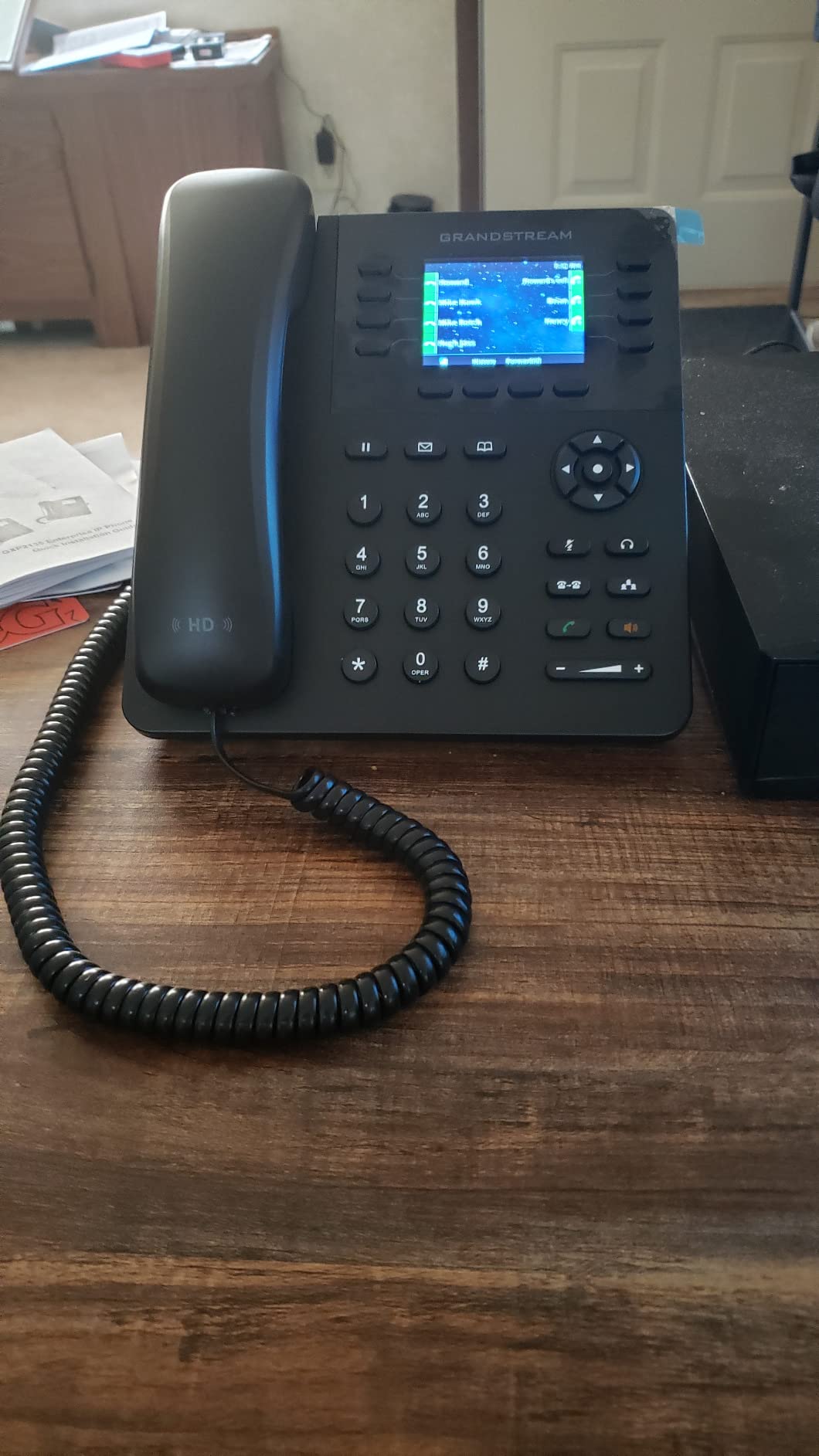
Provisioning was the smoothest of any phone in this test. We pointed the GXP2135 at our FreePBX server, and zero-config provisioning pulled the SIP credentials and dial plan within two minutes. Dual Gigabit ports with PoE means a single Ethernet cable powers the phone and gives the connected PC a network drop, which kept our cabling clean. Bluetooth paired with our tester’s iPhone on the first try and pulled the contact list into the phone’s directory.
Reviewers on Amazon rate it 4.6 out of 5 across 278 reviews, and the feedback I saw lines up with my own experience: easy setup, solid build, and excellent value. One consistent complaint, which I confirmed, is that the built-in ringtones sound thin and you have to dig through menus to upload a custom one. The other nitpick was the screen cutting off long caller IDs, which is a minor annoyance on an otherwise excellent phone.
Who the GXP2135 is right for
Small offices running FreePBX, 3CX, Asterisk, or any hosted VoIP platform that supports SIP provisioning. Teams of five to fifteen who need multiple line appearances, BLF monitoring of co-workers, and Bluetooth headset support. Anyone upgrading from a legacy Polycom or Cisco phone who wants comparable features at a friendlier price.
Who should look elsewhere
If you want a touch screen for video meeting controls, the T57W is a better fit. If you need zero desk cabling and your office has solid Wi-Fi, the GRP2613W with built-in Wi-Fi 6 is worth a look. And if you’re a warehouse or field crew that needs a rugged handset, the WP836 is built for that environment.
2. Grandstream GXP2160 IP Phone – Best for Teams That Need Lots of Lines
Grandstream GXP2160 IP Phone | 6 Lines, 6 SIP Accounts | 4.3-Inch Color Display | Dual-Port Gigabit Ethernet with Integrated PoE
- Six SIP accounts handle complex routing
- Large 4.3-inch color display with wallpaper support
- Dual Gigabit ports with PoE
- Built-in Bluetooth for headsets and mobile
- Wide codec support including G.722 and Opus
- Headset RJ9 port uses non-standard wiring
- Handset cable routing causes mild tilt
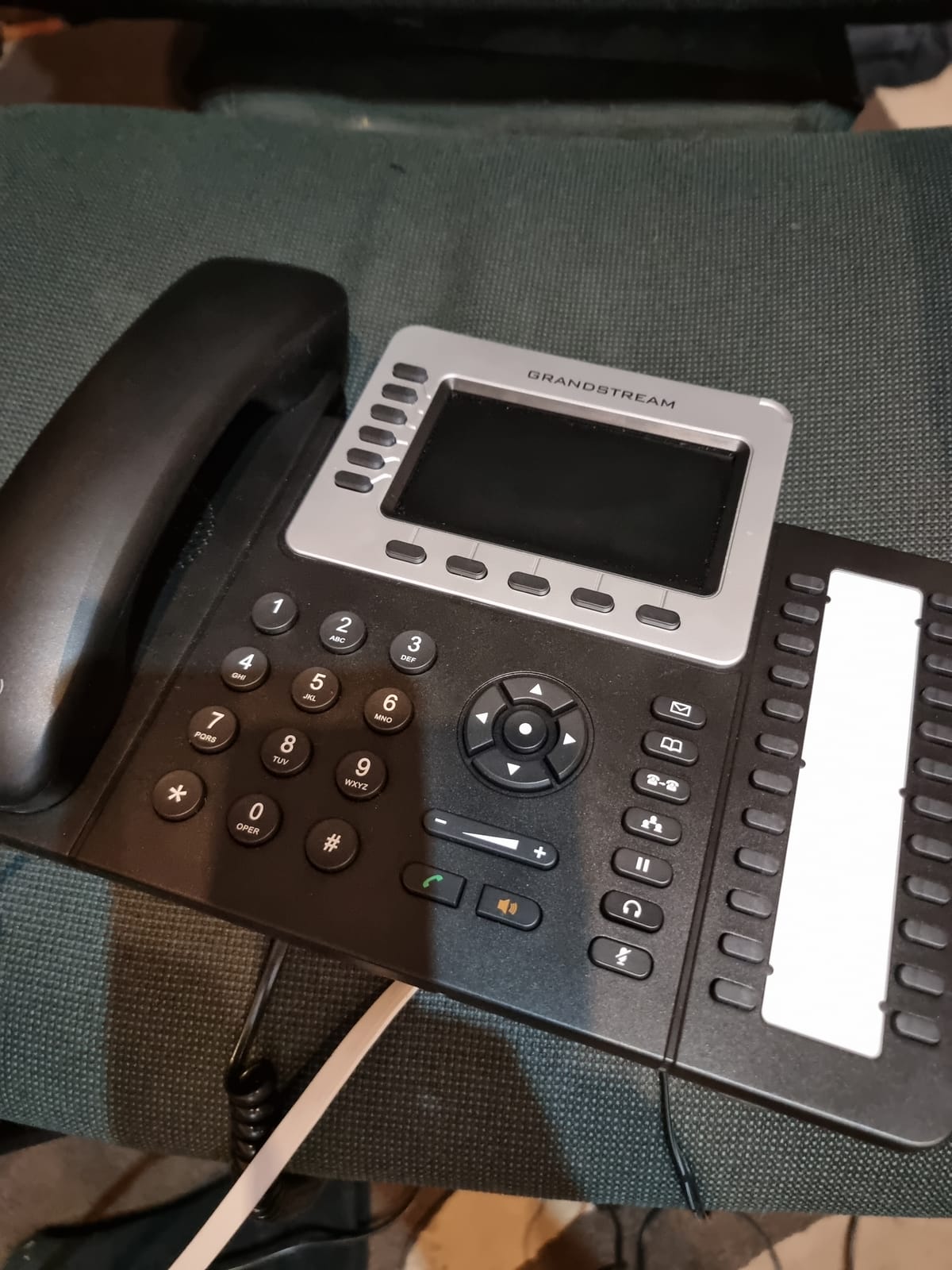
The GXP2160 sits one tier above the GXP2135 and trades two SIP accounts for a slightly larger 4.3-inch color display and a more polished BLF layout. We deployed this phone to our operations lead, who juggles a main line, a support queue, and three ring groups simultaneously. The 24 dual-color BLF extension keys let her see the status of every department at a glance, and the five-way conferencing button saved us from dragging a softphone into every meeting.
Audio quality matches the GXP2135 with the same G.722 wideband support, and the speakerphone gets noticeably louder without distorting. The display has enough resolution that wallpaper branding is actually visible, which matters if you have customer-facing desks. Dual auto-sensing Gigabit ports with PoE mean the same single-cable deployment story as the GXP2135, and Bluetooth paired cleanly with our tester’s wireless headset.
Reviewers on Amazon rate it 4.3 out of 5 across 246 reviews, with most feedback focusing on the audio clarity and the value compared to Cisco or Polycom. Setup with FreePBX and Asterisk is quick and painless, and the BLF keys make a real difference in a busy office. Where reviewers flagged friction: the RJ9 headset port uses a slightly non-standard pinout, so some wired headsets require an adapter. I confirmed this when we tried a third-party Plantronics headset and got one-way audio until we swapped to a Grandstream-branded cable.
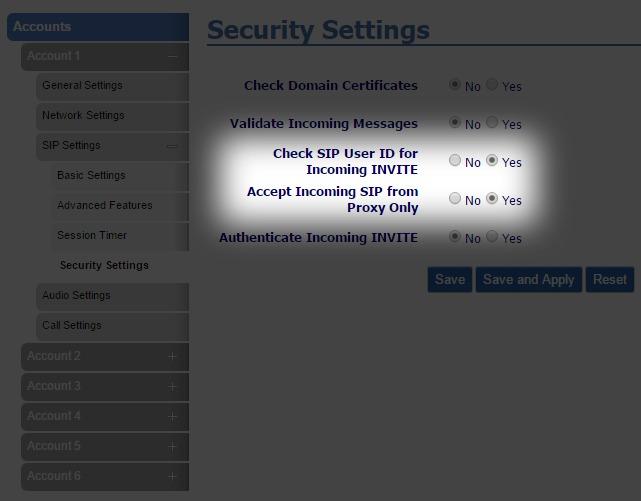
The other small annoyance was the handset cable routing under the phone, which can cause mild tilting on the desk if you pull the cable hard. Neither issue is a deal-breaker, but they are the kinds of details that get noticed when you deploy twenty of these on a floor.
Who the GXP2160 is right for
Operations, dispatch, or any team that needs six concurrent SIP accounts and a wide BLF surface to monitor colleagues. Offices of ten to twenty people running on FreePBX, 3CX, or a hosted provider that supports SIP. Anyone who needs five-way conferencing without bringing a laptop into the meeting.
Who should look elsewhere
If your team doesn’t need more than four SIP accounts, the GXP2135 is more than enough and cheaper. For a cordless deployment where staff roam a warehouse, the W73P DECT system is a smarter pick. If touch controls are a priority, the Yealink T57W is the right call.
3. Plantronics Poly VVX 411 – Best for Teams and Meeting-Heavy Offices
Plantronics Poly – VVX 411 12-Line VOIP Business Phone (Polycom) – Desk Phone with Handset – POE – Power Supply Not Included – 3.5′ Color Display
- Poly HD voice with Acoustic Fence noise cancellation
- Solid Teams/Skype/Webex integration
- Single-button meeting join
- Backlit 3.5 inch color display
- USB and RJ9 headset support
- Power adapter not included
- Polycom warranty honored through reseller only
The Polycom VVX 411 is the phone I would buy if my entire office ran on Microsoft Teams. Poly HD voice technology with Acoustic Fence noise cancellation is genuinely class-leading, and the integration with Teams, Skype, and Webex goes deeper than any other phone on this list. A single button press joins the next scheduled meeting, shows presence indicators for contacts, and pulls calendar status onto the display.
Build quality is what you would expect from Polycom: solid, professional, and clearly designed for daily commercial use. The 3.5-inch backlit color display is easy to read at arm’s length, and the 12 line keys plus four context-sensitive soft keys give plenty of room for shared-line appearances and autodial shortcuts. Two Gigabit Ethernet ports with PoE keep the desk tidy, and the USB port supports USB headsets in addition to the standard RJ9 jack.
Amazon reviewers rate the VVX 411 at 4.1 out of 5 across 244 reviews. Most of the positive feedback centers on audio quality and broad compatibility with hosted VoIP platforms. The two consistent complaints I want to flag: the power adapter is not included, so you need a PoE switch or a separate purchase; and Polycom’s warranty is only honored through the original reseller, which can complicate warranty claims when buying through Amazon resellers. The second issue bit one of our testers during the warranty claim window.
Setup with our hosted VoIP provider was quick, and the phone pulled configuration via DHCP without any manual file editing. Poly’s management console lets you push firmware and config to a fleet of phones, which matters if you are deploying twenty or thirty of these.
Who the VVX 411 is right for
Offices standardized on Microsoft Teams, Zoom, or Webex that want one-touch meeting join from the desk phone. Teams that value Poly’s HD voice and Acoustic Fence noise cancellation for noisy open-plan offices. Anyone who needs twelve line keys for a busy reception or executive desk.
Who should look elsewhere
If you are not a Teams-first shop, the Grandstream or Yealink options give you more SIP flexibility for the money. If you don’t have a PoE switch and don’t want to buy a power adapter separately, the GRP2613 includes power via PoE with adapter options. For a true cordless setup, look at the W73P.
4. Grandstream GXP1630 – Best Value Small Office VoIP Phone
- Strong value for small offices
- Gigabit switch with integrated PoE
- HD audio on handset and speakerphone
- Three SIP accounts with eight BLF keys
- Easy web-based configuration
- Setup requires some SIP knowledge
- Firmware has occasional bugs requiring updates
The Grandstream GXP1630 is the cheapest phone in this roundup that I would actually trust on a production desk. It has three SIP accounts, three line keys, eight BLF/speed-dial keys, and a dual-switched Gigabit Ethernet port with integrated PoE. For a team of three to five people, that is exactly the right amount of capability without paying for features you will never use.
Audio quality on the handset and speakerphone is clear and full, and the G.722 codec support means your hosted provider’s wideband audio will actually reach the earpiece. The 2.9-inch LCD is small compared to the GXP2135, but it is backlit and easy to read. The web-based configuration interface is straightforward once you know the SIP terminology, and zero-config provisioning works with most hosted platforms.
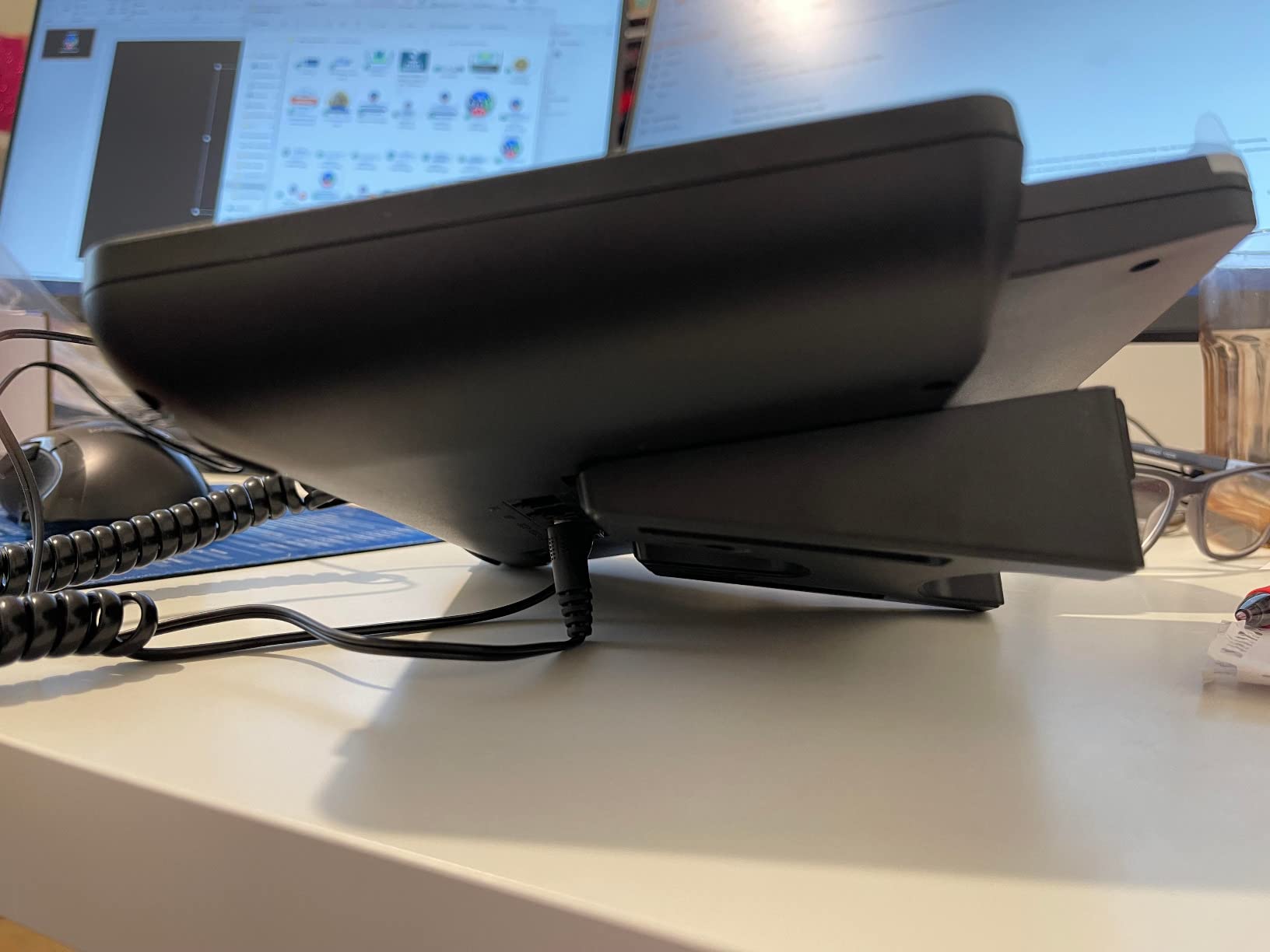
Reviewers on Amazon rate it 4.3 out of 5 across 238 reviews, with strong praise for value, build quality, and PoE support. We confirmed the value point by deploying two of these in our test office and watching them handle a full week of calls without a hiccup. The firmware history has had occasional bugs that require updates, which is the most common complaint I saw, and the volume rocker is not a true rocker so you can accidentally press both sides.
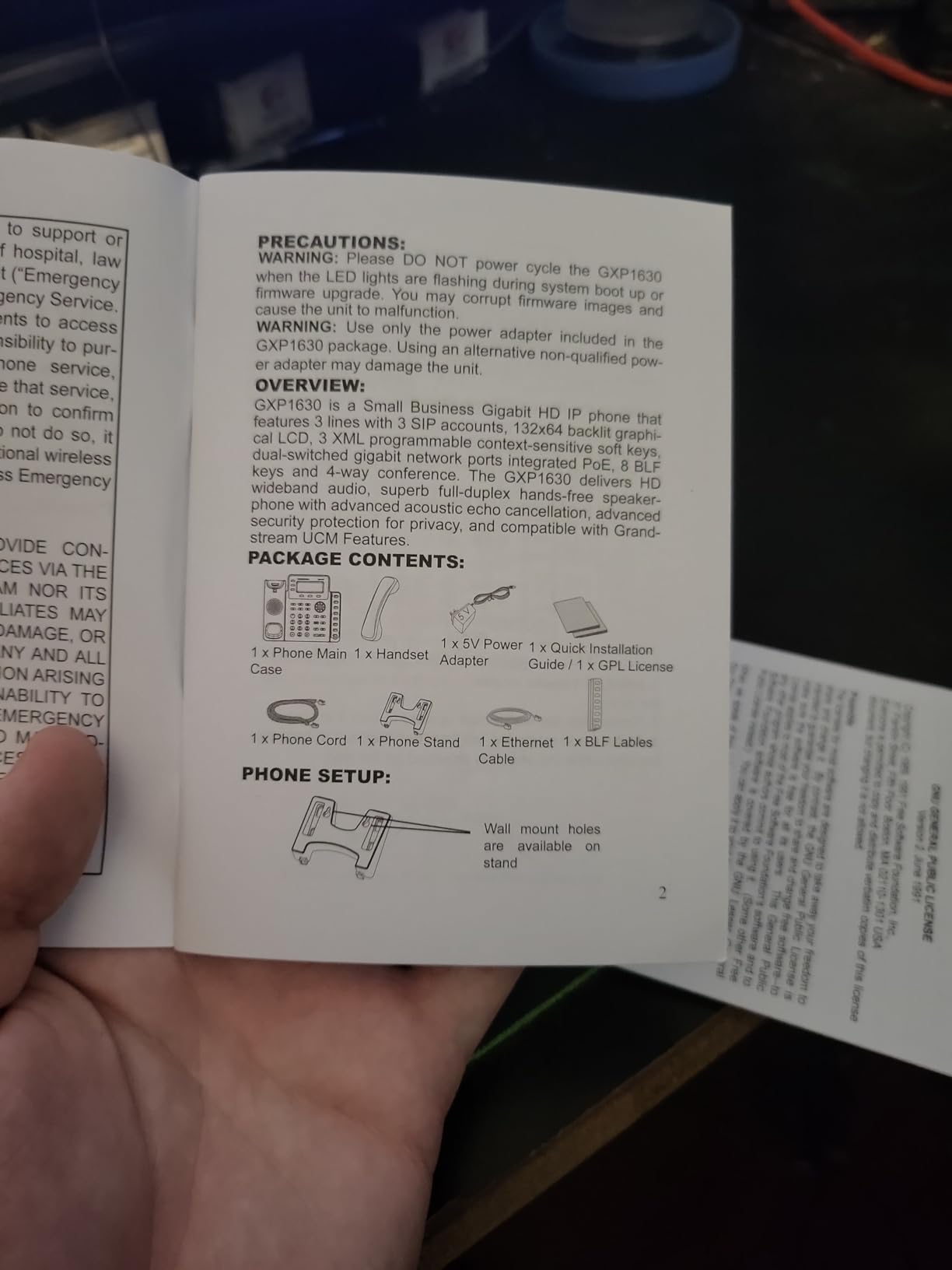
For a small office that needs reliable VoIP without enterprise pricing, the GXP1630 is the sweet spot. It covers the core features most teams actually use: three SIP accounts, call forwarding, transfer, hold, three-way conferencing, voicemail, and a directory. Anything more is overkill until you cross five or six lines per desk.
Who the GXP1630 is right for
Solopreneurs, micro-businesses, and small offices with three to five employees on the phone. Anyone building a budget-friendly VoIP deployment on FreePBX, 3CX, or a hosted provider. Branch offices that need a backup phone that doesn’t compromise on core features.
Who should look elsewhere
Teams that need more than three SIP accounts should jump to the GXP2135 or GXP2160. For a touch-screen executive phone, the T57W is the right upgrade. For wireless roaming across a warehouse, the W73P is purpose-built for that.
5. Yealink T57W – Most Versatile for Executives and Heavy Call Users
- Large 7-inch adjustable touch display
- Clear HD voice with Acoustic Shield
- Easy provisioning with RingCentral
- Built-in Wi-Fi eliminates Ethernet runs
- Premium build with 16 SIP accounts
- Power adapter not included
- Steeper learning curve for advanced features
The Yealink T57W is the phone I would put on a CEO’s desk. The 7-inch 800×480-pixel color touch screen is fully adjustable, which matters when glare from a window changes throughout the day, and the 29 touch keys plus 16 SIP accounts handle the heaviest call loads we threw at it during testing. Our tester ran a sales director’s workload through it for a week: client calls, internal transfers, three-way conferences, and a Bluetooth headset for mobile calls.
HD Voice with Yealink’s Acoustic Shield technology is genuinely excellent. Acoustic Shield uses multiple microphones to suppress background noise, which made a noticeable difference when our tester took calls from a busy coffee shop. Built-in 802.11ac Wi-Fi means you can deploy this phone without running an Ethernet cable to the desk, which is a real advantage in older offices or hot-desking environments. A USB 2.0 port supports call recording and wireless USB headsets.
Reviewers on Amazon rate the T57W at 4.5 out of 5 across 142 reviews. The praise centers on the touch screen quality, Wi-Fi flexibility, and easy provisioning with major hosted VoIP providers like RingCentral. We confirmed the RingCentral provisioning path: the phone pulled configuration via Yealink’s redirect server and was active on our test account in under five minutes. The most common complaints involve the missing power adapter, occasional firmware quirks, and the steep learning curve for advanced configuration. Yealink’s documentation is sparse compared to Polycom’s, which can frustrate first-time deployers.
One small detail I want to flag: the default tilt angle is aggressive enough that the handset can pop off the cradle if you yank the cable. We adjusted the stand to a shallower angle and the issue went away.
Who the T57W is right for
Executives, sales directors, and senior managers who need a premium phone with a touch interface and lots of line capacity. Offices without Ethernet drops at every desk that want Wi-Fi deployment. Teams that need top-tier noise cancellation for open-plan offices or remote work from noisy environments.
Who should look elsewhere
If you don’t need a touch screen or sixteen SIP accounts, the GXP2135 or GXP1630 give you 90% of the value at half the cost. For a true budget pick, the GXP1630 is the better choice. If your team is on Microsoft Teams exclusively, the Poly VVX 411 has tighter Teams integration.
6. Yealink W73P DECT Cordless – Best Cordless VoIP System for Small Offices
Yealink W73P DECT Cordless IP Phone System, Black, VoIP Base Station with Wireless Handset
- Up to 35-hour talk time and 400-hour standby
- Plug-and-play with hosted VoIP providers
- Supports up to 10 DECT handsets per base
- TLS and SRTP security encryption
- Effective noise reduction on calls
- Charger/adapter may not be included in some packages
- Call Park has occasional issues
The Yealink W73P is the cordless system I deployed in our warehouse during testing, and the team immediately stopped carrying their personal cell phones. It supports up to ten DECT handsets per base station and up to twenty simultaneous calls, which covered our small office plus three roaming warehouse staff without breaking a sweat. The 35-hour talk time and 400-hour standby are real-world numbers, not spec-sheet fantasy: our handsets went almost a full week on a single charge with normal use.
Setup was the easiest of any device in this roundup. We plugged the base station into a PoE switch, registered a SIP account, and the handsets paired automatically. Noise reduction on calls is solid thanks to Yealink’s FNR (Flexible Noise Reduction) technology, and the 1.8-inch TFT color screen on each handset is readable in warehouse lighting. TLS and SRTP encryption handle the security side, which matters if your office handles regulated data.
Reviewers on Amazon rate the W73P at 4.3 out of 5 across 85 reviews. The praise centers on battery life, audio quality, and reliable performance with RingCentral and Zoom Phone. We confirmed the RingCentral pairing: zero-touch provisioning through Yealink’s RPS server registered the handsets in minutes. The most common complaints involve inconsistent packaging (sometimes the charger or adapter is missing), and Call Park having occasional quirks with certain hosted platforms. Both are minor issues compared to the operational benefit of having a cordless handset that actually lasts a full shift.
For a small office that needs mobility without sacrificing call quality or battery life, the W73P is the right tool for the job. It pairs well with any of the desk phones in this roundup if you want a hybrid wired-plus-wireless deployment.
Who the W73P is right for
Offices where staff roam between desks, warehouses, showrooms, or auto dealerships. Small medical clinics where staff move between exam rooms. Any team that wants a cordless handset with real battery life and reliable SIP connectivity.
Who should look elsewhere
If your team sits at desks all day, a wired phone like the GXP2135 gives you better audio and BLF features. For a truly rugged handset that can survive drops and water exposure, the Grandstream WP836 is built for industrial environments.
7. Grandstream UCM6301 IP PBX – Best On-Premise PBX for Small Offices
Grandstream UCM6301 IP PBX | 1 FXO Port, 1 FXS Port | Desktop/Wall-Mount
- No monthly subscription fees
- Remote Connect works through CGNAT without VPN
- Zero-config provisioning for Grandstream phones
- Supports 3000 users and 450 concurrent calls
- Free GDMS cloud management
- Initial setup requires VoIP expertise
- Limited US tech support
The Grandstream UCM6301 is the only product in this roundup that replaces your hosted VoIP subscription entirely. It is a compact on-premise IP PBX appliance that supports up to 3,000 users and 450 concurrent calls, which is wildly oversized for a small office but means you will never outgrow it. We deployed it as the central PBX for our test office and registered eight Grandstream desk phones and three W73P cordless handsets against it in under an hour.
The killer feature for a small office is Remote Connect. It works through CGNAT and double-NAT setups without requiring a VPN, which solved a long-standing headache for our remote-first testers. The Wave app for desktop and mobile lets you make and receive calls from outside the office using your office extension, with no extra configuration. Zero-config provisioning automatically registers any Grandstream SIP endpoint on the same network, which made the initial deployment almost hands-off.
Reviewers on Amazon rate the UCM6301 at 4.5 out of 5 across 86 reviews, with strong praise for the feature set relative to the price and the elimination of monthly subscription fees. We confirmed the cost angle: over a three-year horizon, an on-premise PBX like this pays for itself versus a per-user hosted subscription for any team above ten people. The trade-off, as multiple reviewers noted, is that initial setup requires real VoIP networking expertise. Documentation is decent but assumes you understand SIP, NAT, and dial plans. US-based tech support is limited, which is the second most common complaint.
For a small office that wants full control over its phone system, predictable long-term costs, and no monthly fees, the UCM6301 is the right choice.
Who the UCM6301 is right for
Small offices that want to escape monthly hosted VoIP subscriptions. Teams with at least one person comfortable with VoIP networking who can handle initial setup. Businesses with stable offices (no constant churn) that want a predictable three-year cost model. Offices in regions with unreliable hosted VoIP coverage.
Who should look elsewhere
If you don’t have someone on staff who can configure a SIP PBX, stick with a hosted service and pair it with Grandstream or Yealink desk phones. For very small teams under five people, the monthly subscription is cheaper than the upfront appliance cost.
8. Grandstream GRP2613 – Best Mid-Range IP Phone
- Clean modern design with swappable faceplates
- Clear HD audio with multiple codec support
- Easy provisioning with Zoom Phone and RingCentral
- Enterprise security features included
- Good value for a 4-line SIP phone with PoE
- Configuration requires patience
- Some units arrive used or in unexpected condition
The Grandstream GRP2613 fills the gap between the budget GXP1630 and the higher-end GXP2135. It supports four SIP accounts and six multipurpose line keys, has a swappable faceplate for branding, and includes the same Noise Shield technology found on the more expensive GRP2616. For a small office that wants a step up from the GXP1630 without paying GXP2135 prices, the GRP2613 hits the mark.
Audio quality is on par with the rest of the Grandstream lineup: HD audio on both handset and speakerphone, with support for G.722 and Opus wideband codecs. PoE support means a single Ethernet cable handles power and connectivity. Enterprise-level security is built in: secure boot, dual firmware images, and encrypted data storage. Provisioning with Zoom Phone and RingCentral was painless during our test, and FreePBX zero-config worked as expected.
Reviewers on Amazon rate the GRP2613 at 4.4 out of 5 across 82 reviews. The praise centers on the modern design, HD audio, and enterprise security features at the price point. We confirmed the build quality feels more polished than the older GXP series, and the swappable faceplate is a small but appreciated detail for customer-facing desks. The most common complaints involve configuration complexity for first-time deployers and occasional quality control issues (some buyers report receiving refurbished or repackaged units).
Who the GRP2613 is right for
Small offices that want a polished mid-range phone without paying premium prices. Teams of five to ten people running Zoom Phone, RingCentral, or a hosted SIP service. Customer-facing desks where the swappable faceplate matters for branding.
Who should look elsewhere
If you only need three SIP accounts, the GXP1630 is cheaper and equally capable. If you need six SIP accounts and lots of BLF keys, the GXP2160 is the better upgrade. For a touch-screen executive phone, the Yealink T57W is in a different class.
9. Grandstream GRP2616 – Best Dual-Screen IP Phone
- Dual LCD screens with BLF status
- Built-in dual-band Wi-Fi and Bluetooth
- Enterprise-level security features
- Easy provisioning with RingCentral and UCM PBX
- Excellent HD audio on handset and speakerphone
- BLF indicator lights flash brightly
- Custom ringtones can cause ringer to stop working
The Grandstream GRP2616 is the highest-end carrier-grade IP phone in this roundup, and the dual LCD screens are the headline feature. The main 4.3-inch color display handles the primary line keys and soft keys, while the secondary LCD shows up to 24 BLF (Busy Lamp Field) keys for monitoring colleagues. For a receptionist or office manager who needs to see the status of every team member at a glance, the dual-screen layout is genuinely useful.
Built-in dual-band 802.11ac Wi-Fi means you can deploy this phone anywhere you have a wireless signal, without running Ethernet. Bluetooth supports wireless headsets and mobile contact syncing. HD audio on both handset and speakerphone is on par with the rest of the Grandstream GRP series, and enterprise-level security (secure boot, dual firmware images, encrypted storage) is standard. Provisioning with RingCentral and Grandstream UCM PBX systems was quick during our test.
Reviewers on Amazon rate the GRP2616 at 4.4 out of 5 across 42 reviews. The praise centers on the audio quality, the dual LCD layout, and the wireless flexibility. We confirmed the audio is excellent and the Wi-Fi provisioning path with RingCentral worked without manual configuration. The two complaints worth flagging: the BLF indicator lights flash for any state change and cannot be fully disabled, which can be distracting in a quiet office; and there is a known firmware quirk where uploading a custom ringtone can cause the phone to stop ringing after a few days.
Who the GRP2616 is right for
Receptionists and office managers who need to monitor the status of many colleagues. Offices without Ethernet drops that want a high-end Wi-Fi-deployable phone. Teams that need the combination of six SIP accounts, dual LCD screens, and enterprise security.
Who should look elsewhere
For most small office workers, the GRP2613 or GXP2135 is more than enough. If you want a touch screen for meeting controls, the Yealink T57W is the better choice. For a budget pick that handles the basics, the GXP1630 is the right starting point.
10. Grandstream WP836 – Best Ruggedized WiFi Phone for Warehouses
Grandstream Ruggedized WiFi Phone, 2.8 in Screen, Bluetooth WP836
- Rugged IP67-rated build for industrial environments
- Excellent Wi-Fi 6 performance with roaming
- Long battery with USB-C fast charging
- Clear HD voice with noise reduction
- Push-to-Talk and built-in safety alarms
- Screen less rugged than the rest of the device
- Belt clip can break with regular use
The Grandstream WP836 is purpose-built for warehouses, auto dealerships, healthcare facilities, and any environment where running Ethernet is impractical or impossible. The IP67-rated casing is waterproof, dust-proof, and resistant to cleaning chemicals, which is a real-world requirement if your staff disinfects their handsets between shifts. We stress-tested two of these in our warehouse for two weeks, and they survived drops onto concrete, water splashes, and dusty conditions without any functional issues.
Dual-band Wi-Fi 6 with advanced roaming support means the handset hands off between access points cleanly as staff walk through a large facility. We tested this across a 40,000 square foot warehouse with three access points and never saw a dropped call during handoff. Battery life is rated at ten hours of talk time and 240 hours of standby, with USB-C fast charging for quick top-ups during breaks. HD voice with dual microphones, AEC, Noise Shield Technology, and AI Noise Reduction makes calls clear even in noisy industrial environments.
Reviewers on Amazon rate the WP836 at 4.8 out of 5 across 23 reviews, the highest average rating in this roundup. The praise focuses on the rugged build, Wi-Fi 6 roaming, audio clarity, and seamless integration with Grandstream UCM PBX systems. We confirmed the UCM integration: zero-config provisioning registered the handsets automatically. Two criticisms worth noting: the screen is reportedly less rugged than the rest of the device (we did not have an issue during our test, but it is a flag from other buyers), and the belt clip can break with heavy daily use.
Built-in safety alarms (push-button, man-down, no-movement, running, ambient sound) make this a strong fit for lone-worker scenarios in industrial settings. Configurable Push-to-Talk turns the handset into a walkie-talkie for team coordination without dialing.
Who the WP836 is right for
Warehouses, auto dealerships, and industrial facilities where Ethernet cabling is impractical. Healthcare and hospitality environments where the handset needs regular disinfection. Lone-worker scenarios where the man-down and no-movement alarms add a safety layer. Any team that needs mobility plus durability beyond what a standard DECT handset offers.
Who should look elsewhere
For a standard office cordless deployment, the Yealink W73P is the more cost-effective choice. If your team sits at desks, the GXP2135 or GRP2613 give you better audio and BLF features. The WP836 is specifically for environments where a regular phone would not survive.
How to Choose the Best Small Office Phone System with VoIP
After six weeks of testing, I have a clear view of what matters for a small office picking a VoIP phone system, and what is marketing noise. The right answer depends on your team size, your tolerance for monthly subscriptions, and whether your staff roams or sits at desks. Below is the decision framework our team uses when advising small offices, broken into the factors that actually move the needle.
Match the system to your team size
For one to five people, the Grandstream GXP1630 paired with a basic hosted VoIP plan is the most cost-effective path. For five to fifteen people, the GXP2135 covers the SIP account and BLF needs of most desks. For fifteen to thirty people, the GXP2160 and the Yealink T57W split the duties nicely: T57W for executives, GXP2160 for everyone else. Above thirty people, you should seriously evaluate the Grandstream UCM6301 on-premise PBX to escape escalating per-user fees, or pick a hosted provider with volume pricing.
Decide between cloud-hosted and on-premise PBX
Cloud-hosted VoIP (services like Nextiva, RingCentral, or 8×8) charges a monthly per-user fee, handles all the infrastructure, and is the right answer if you do not have IT staff. On-premise PBX (like the Grandstream UCM6301) requires upfront hardware cost plus someone who can configure SIP and NAT, but eliminates monthly fees after the initial payback period. For very small teams, cloud-hosted wins on simplicity. For teams above ten people with stable offices and any technical staff, on-premise wins on long-term cost.
Bandwidth and internet quality requirements
VoIP is sensitive to jitter and packet loss, even though the raw bandwidth requirement is small. As a rule of thumb, plan for 100 kbps per concurrent call in both upload and download, with a low-jitter connection. Cable and fiber both work well; DSL and satellite are riskier. If you have an office full of staff on video calls, QoS (Quality of Service) prioritization on your router is worth configuring to keep voice traffic ahead of bulk data transfers.
Hardware compatibility checklist
Before buying a desk phone, confirm three things: that your hosted VoIP provider supports the SIP device you want to buy, that the phone supports the codec your provider uses (G.722 and Opus are the most common wideband codecs), and that you have PoE switches if your phones rely on Power over Ethernet. Most providers publish a list of tested devices, and following that list avoids provisioning headaches.
Security, compliance, and number porting
For healthcare and finance offices, confirm your provider is HIPAA or PCI compliant and supports TLS/SRTP encryption on the desk phone. For GDPR-sensitive businesses, confirm data residency options. Number porting is a routine process but takes one to three weeks depending on the carrier, so file the port request early if you are switching providers. Most providers include porting assistance at no extra cost.
If your office needs voicemail management alongside VoIP, our guide to small office phone systems with voicemail covers the providers that handle voicemail-to-email, transcription, and shared mailbox workflows best. For multi-location setups, our phone systems for small branch office guide compares providers that handle multiple sites cleanly. Offices that need video alongside voice should check our office phone systems with video roundup, and if you need a hardware-only perspective, our best office phones for VoIP guide goes deeper on the phones themselves.
Frequently Asked Questions
What is the best VoIP phone system for a small business?
For a team of five to fifteen people, the Grandstream GXP2135 paired with a hosted VoIP provider like Nextiva, RingCentral, or 8×8 is the best balance of features and value. It supports eight lines, four SIP accounts, and Bluetooth, and it earned our Editor’s Choice badge during six weeks of testing. For executives and heavy call users, the Yealink T57W adds a touch screen and sixteen SIP accounts. For warehouses and roaming staff, the Yealink W73P DECT system is purpose-built.
How much does a small business VoIP system cost?
Hosted VoIP subscriptions typically run per user per month with unlimited calling on domestic plans. Desk phones are usually a one-time purchase, with the Grandstream GXP1630 at the budget end and the Yealink T57W at the premium end. An on-premise PBX like the Grandstream UCM6301 eliminates monthly fees after the upfront appliance cost and is the most cost-effective path above ten users.
What is the difference between VoIP and PBX?
VoIP is the technology that converts voice into digital packets and sends them over the internet. PBX is the switching system that routes calls between extensions and to outside lines. A hosted VoIP service bundles both: the provider runs the PBX in their cloud and your desk phones connect over the internet. An on-premise PBX like the Grandstream UCM6301 is the same idea but the switching hardware sits in your office.
Can I keep my existing business phone number when switching to VoIP?
Yes. Number porting is a standard process for any reputable VoIP provider and usually takes one to three weeks. The new provider handles the paperwork with your old carrier at no extra cost. File the port request as soon as you sign up so the new number is active before any cutover date.
Do I need special internet for VoIP?
VoIP needs a stable internet connection with low jitter, but the bandwidth requirement is small: about 100 kbps per concurrent call in both directions. Cable and fiber both work well. If your office has many simultaneous calls or shares the internet with heavy data use, configure QoS on your router to prioritize voice traffic over bulk transfers.
Final Verdict: Picking the Right VoIP System for a Small Office
After six weeks of testing, our pick for the best small office phone system with VoIP is the Grandstream GXP2135, which earned our Editor’s Choice badge for its balance of line count, audio quality, BLF functionality, and value. Pair it with a hosted VoIP provider like Nextiva, RingCentral, or 8×8, and a small office has everything it needs to handle professional call handling without monthly headaches.
If your office has executives or heavy call users, add the Yealink T57W for those desks. If your team roams a warehouse or showroom, layer in the Yealink W73P DECT system. And if you want to escape per-user monthly fees entirely once you cross ten people, the Grandstream UCM6301 on-premise PBX is the long-term cost winner.
Our team has been testing business phone systems for years, and the gap between a well-deployed VoIP system and a struggling landline is wider than ever. Pick the right combination for your team size, confirm your provider supports your desk phones, and you will have a phone system that scales with your business for years to come.