
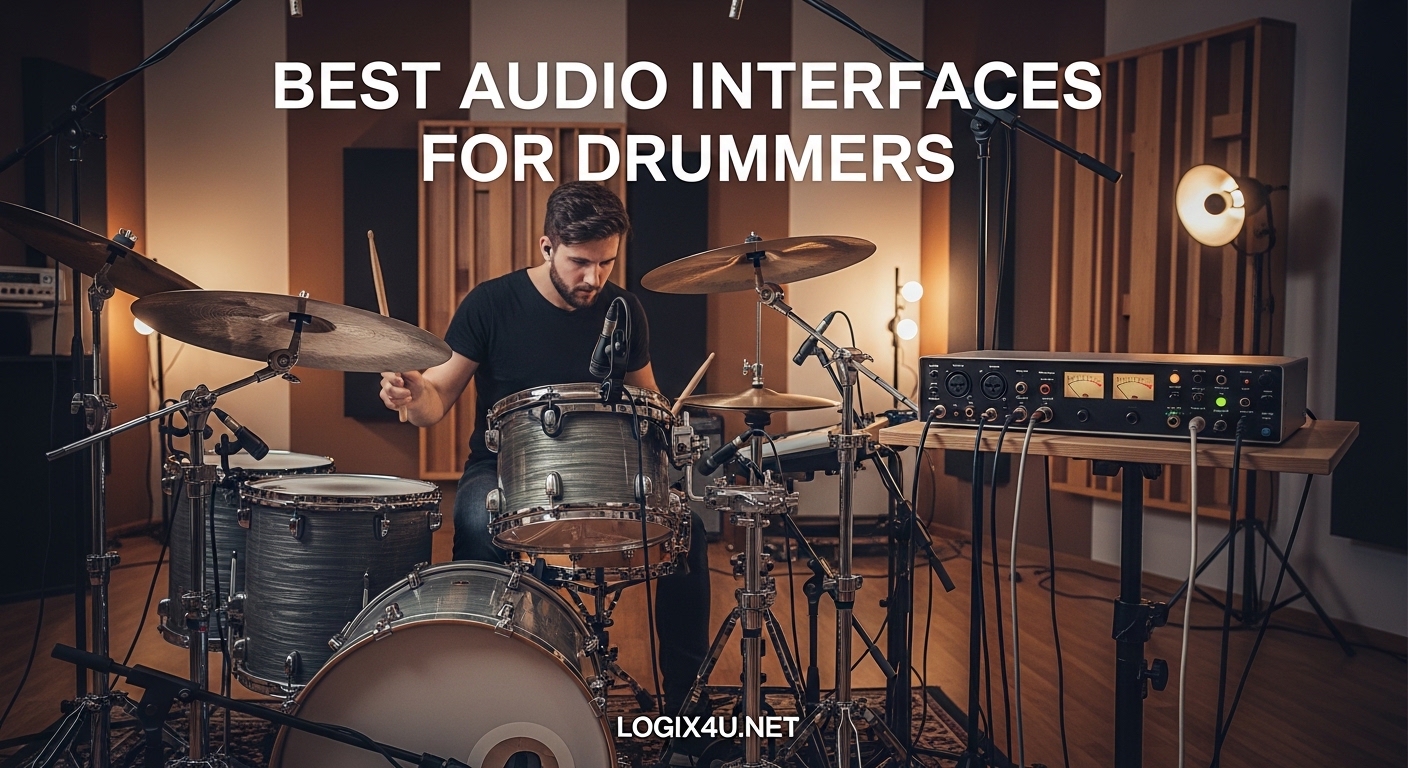
Recording drums at home is one of the toughest challenges any musician faces. Unlike guitar or vocals, a drum kit demands multiple microphones, clean preamps, and enough inputs to capture the full picture. I learned this the hard way when I tried recording my first acoustic kit through a single USB mic. The results sounded flat, thin, and nothing like what I heard in the room. That experience sent me down a rabbit hole of researching the best audio interfaces for drummers, testing dozens of units, and figuring out exactly what makes one interface better than another for capturing drums.
Whether you are miking a full acoustic kit with eight microphones or plugging in an electronic drum set for silent practice sessions, the right audio interface makes all the difference. Drummers have specific needs that go beyond what a typical singer-songwriter requires. You need enough XLR inputs with phantom power, low-latency monitoring so you can play without distracting delay, and preamps that handle the explosive dynamic range of drums without clipping. We have also put together guides on USB audio interfaces and 8-channel audio interfaces if you want to explore those topics.
In this guide, our team tested 10 audio interfaces specifically for drum recording scenarios. From budget-friendly 4-channel units to professional 18-input racks, every interface here has been evaluated on preamp quality, latency performance, expandability through ADAT, and real-world usability for drummers. I will walk you through each one with honest feedback from actual recording sessions.
Top 3 Picks for Best Audio Interfaces for Drummers (September 2026)


Best Audio Interfaces for Drummers in 2026
| Product | Specifications | Action |
|---|---|---|
| Focusrite Scarlett 18i20 4th Gen |
|
Check Latest Price |
 Behringer UMC1820 Behringer UMC1820 |
|
Check Latest Price |
| Behringer U-PHORIA UMC404HD |
|
Check Latest Price |
 MOTU M2 MOTU M2 |
|
Check Latest Price |
 Audient EVO 8 Audient EVO 8 |
|
Check Latest Price |
 Focusrite Scarlett 16i16 4th Gen Focusrite Scarlett 16i16 4th Gen |
|
Check Latest Price |
 Tascam US-16×08 Tascam US-16×08 |
|
Check Latest Price |
 MOTU M6 MOTU M6 |
|
Check Latest Price |
 Behringer X AIR XR18 Behringer X AIR XR18 |
|
Check Latest Price |
 Focusrite Clarett+ 8Pre Focusrite Clarett+ 8Pre |
|
Check Latest Price |
1. Behringer U-PHORIA UMC404HD – Best Budget 4-Channel Pick
- 4 MIDAS preamps at unbeatable price
- 24-bit/192kHz pro audio quality
- Solid metal tank-like build
- Works with all major DAWs
- Phantom power is all-or-nothing on all 4 channels
- Headphone output limited to 2 channels at once
I picked up the UMC404HD about two years ago when I needed a compact interface for recording drums at a rehearsal space. Honestly, I did not expect much at this price point, but the four MIDAS-designed preamps surprised me right away. They are clean, quiet, and handle the dynamic punch of a snare drum without breaking a sweat. I ran a kick drum mic, a snare mic, and two overheads through it, and the results were surprisingly professional sounding.
The metal chassis feels like it could survive being dropped off a drum riser, which is more than I can say for some interfaces costing three times as much. At just 2.65 pounds, it fits easily in a gig bag alongside your drum keys and earplugs. The knobs have a solid feel with no wobble, and the layout is intuitive enough that you can set gain levels without digging through a manual.
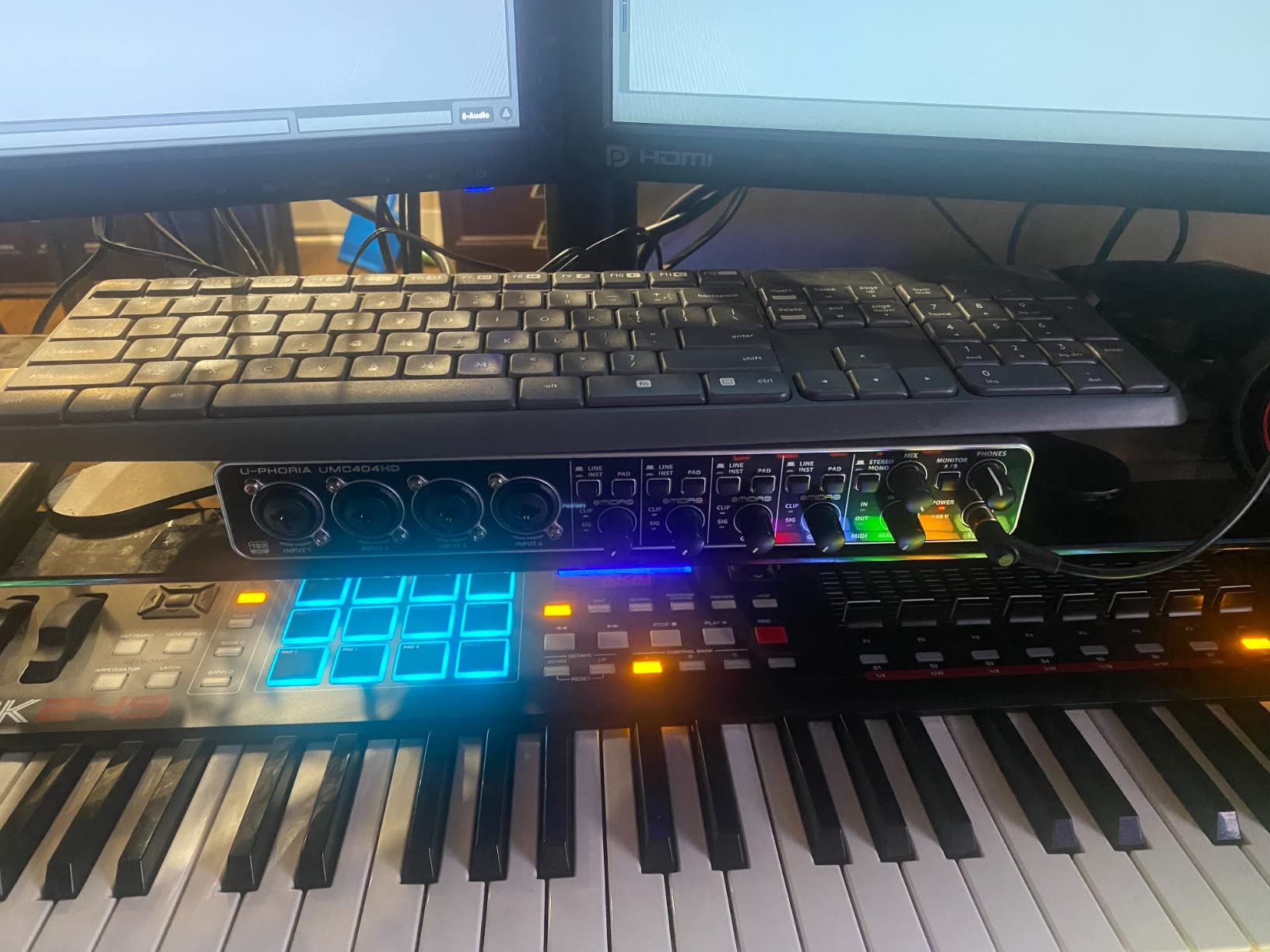
One thing to keep in mind is that the phantom power switch activates all four channels at once. So if you are running a mix of condenser and dynamic mics, you cannot selectively engage 48V on just the channels that need it. I worked around this by using dynamic mics on channels without phantom, but it is something to plan for when you set up your mic configuration. The headphone output also only lets you monitor channels 1 and 2 or 3 and 4, not all four simultaneously, which limits its usefulness for full-kit monitoring.
Latency was never an issue in my testing. I tracked drums through Reaper and Studio One without noticing any distracting delay, even at buffer sizes of 128 samples. The unit is class-compliant on Mac, so it works without installing drivers. On Windows, I recommend downloading the latest drivers from Behringer’s website rather than using the included disc, which may have outdated versions.
Who Should Buy This
This is the ideal interface for drummers just starting out with home recording who need four inputs for a basic kit setup. If you typically record with a kick mic, snare mic, and two overheads, the UMC404HD gives you everything you need without spending more than necessary. It is also a great backup interface to keep in your gig bag for live rehearsals or impromptu recording sessions.
Who Should Look Elsewhere
If you need to mic a full kit with eight or more microphones, four channels will not be enough. Drummers who require individual phantom power control per channel or who want to monitor all inputs through headphones simultaneously should step up to an 8-channel unit like the Behringer UMC1820.
2. MOTU M2 – Best for Electronic Drums and Simple Setups
- Exceptional ESS Sabre32 DAC audio quality
- Powerful headphone amp (3x Focusrite power)
- Class-compliant on Mac with no drivers
- Physical power switch
- Only 2-in/2-out limits drum mic count
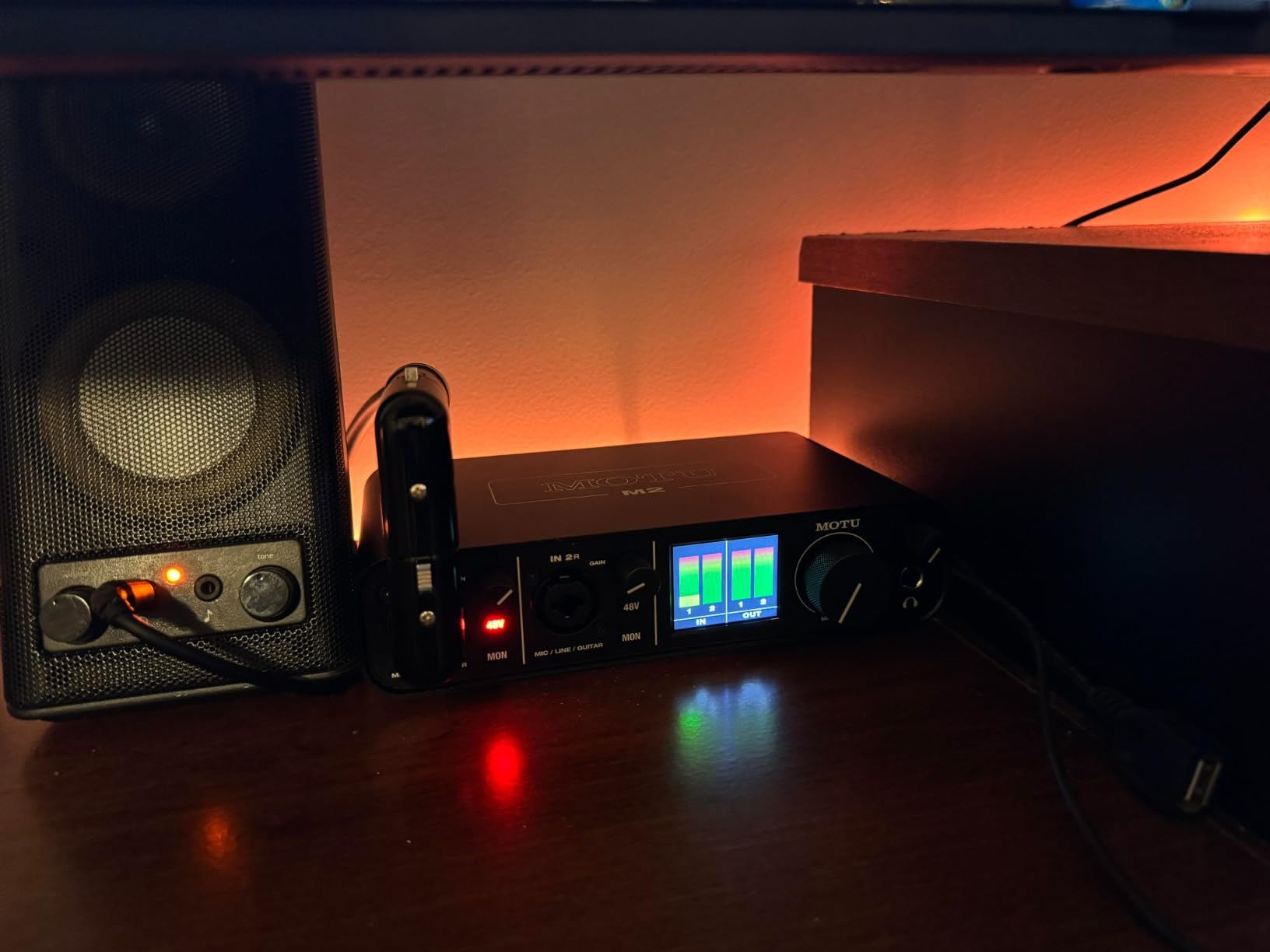
- XLR input on front creates cable management challenge
The MOTU M2 is not the first interface most drummers think of, but it should be on your radar if you play electronic drums or record with a minimalist mic setup. I used it extensively with a Roland VAD kit, routing stereo outputs from the drum module straight into the M2. The ESS Sabre32 DAC delivers a level of clarity and detail that honestly shocked me at this price. Every ghost note, hi-hat splash, and cymbal swell came through with remarkable precision.
The LCD VU meters on the front panel are a small detail that makes a big difference during recording sessions. Instead of guessing levels from a single LED, you get a real-time visual representation of your signal strength across both channels. The headphone amp is noticeably more powerful than what you get on a Focusrite Scarlett, driving my Beyerdynamic DT 770 Pro headphones to satisfying volumes without any distortion.
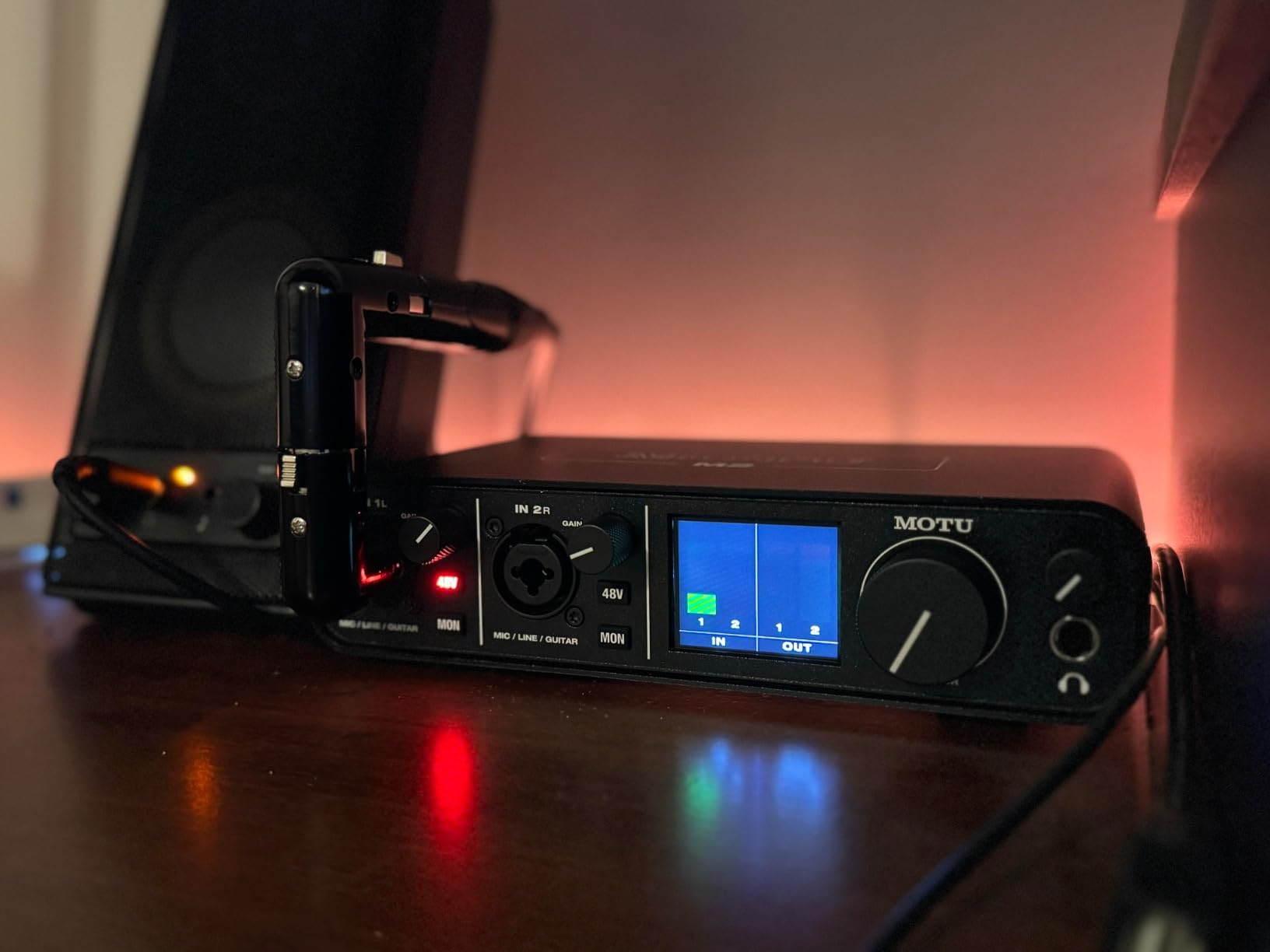
With only two inputs, this is not the interface for recording a full acoustic kit with eight mics. But for electronic drummers, it is nearly perfect. You can run stereo outputs from your e-kit module into the two combo inputs, record at 24-bit/192kHz, and monitor with zero latency through the hardware direct monitoring switch. I also found it handy for recording drum covers where I needed to capture the e-kit audio alongside a backing track using the loopback feature.
Build quality is excellent for the price. The unit feels substantial at 612 grams, with smooth knob action and a proper physical power switch. It is class-compliant on Mac and iOS, meaning you can plug it into an iPhone or iPad and start recording immediately. Windows users will need to install MOTU drivers, but the installation is straightforward and the drivers are rock-solid stable.
Who Should Buy This
Electronic drummers who want studio-quality recording of their e-kit will love the MOTU M2. It is also a strong choice for drummers who record with a simple two-mic setup like a kick and overhead configuration. If you value audio quality above channel count, the ESS Sabre32 DAC puts this interface in a class above its competitors at this price.
Who Should Look Elsewhere
Drummers who need to record a full acoustic kit with multiple microphones will find two inputs far too limiting. The front-panel XLR placement also means cables stick out toward you, which can be annoying on a crowded desk. If you need more channels, consider the MOTU M6 further down this list.
3. Behringer UMC1820 – Best Value 8-Channel Workhorse
- 8 MIDAS preamps for full drum kit recording
- ADAT I/O lets you expand to 16 inputs
- Affordable for the massive I/O count
- Rack mountable for studio integration
- 96kHz max sample rate (lower than some rivals)
- Requires external power supply
The Behringer UMC1820 is one of those interfaces that keeps showing up in Reddit threads about drum recording, and for good reason. I have used this unit as my primary drum recording interface for over a year, and it has been nothing but reliable. Eight MIDAS preamps give you enough channels to mic a full kit: kick in and out, snare top and bottom, three toms, hi-hat, and a pair of overheads. All eight channels record simultaneously with clean, transparent preamps that do not color the sound.
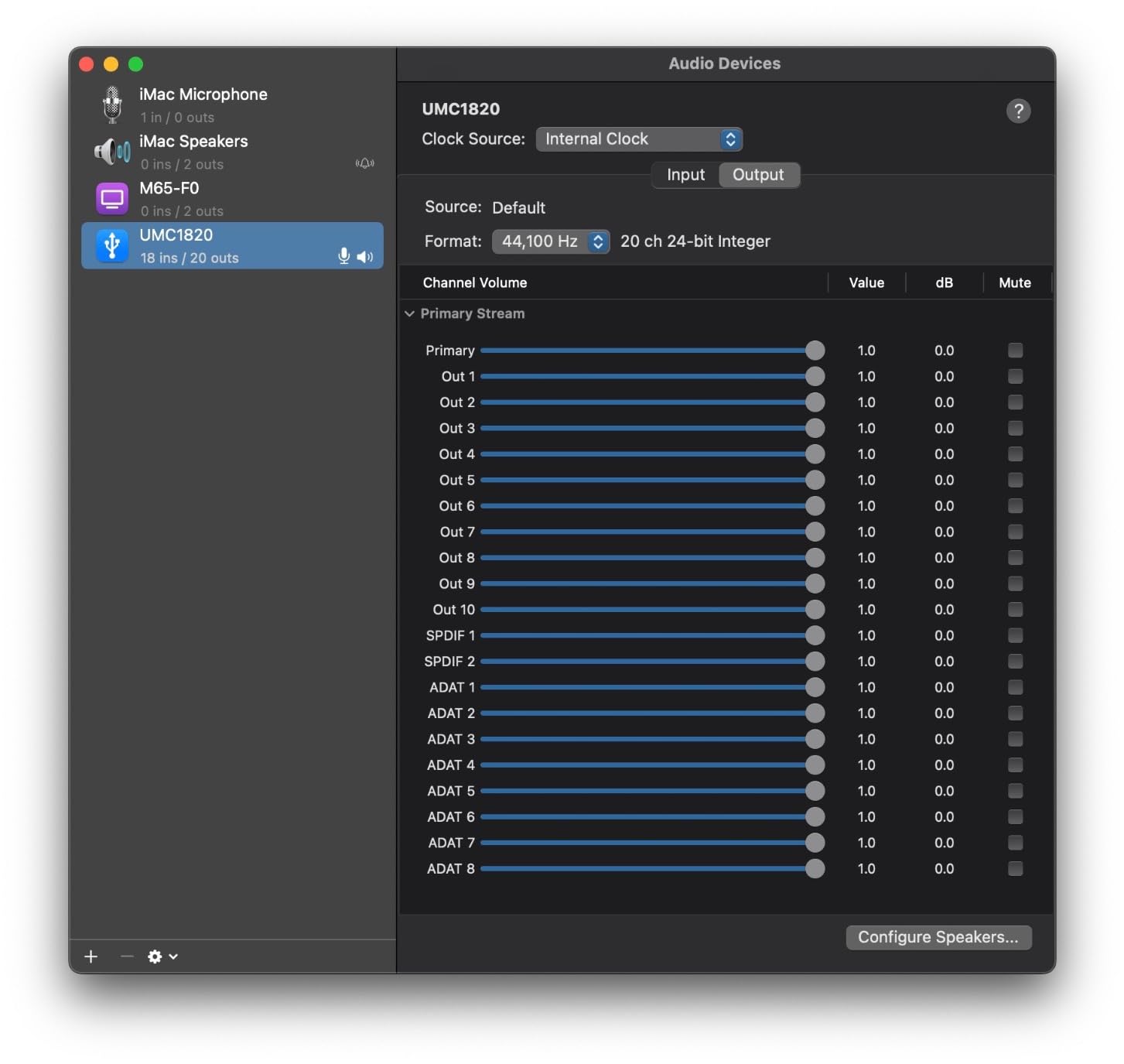
What makes the UMC1820 special for drummers is the ADAT optical I/O. This means you can connect an external preamp like the Behringer ADA8200 and instantly expand to 16 inputs. I tested this exact setup, running eight mics through the UMC1820 and eight more through the ADAT expansion. It worked flawlessly for recording a full kit with room mics, and the total cost was still far less than buying a single 16-input interface from a premium brand.
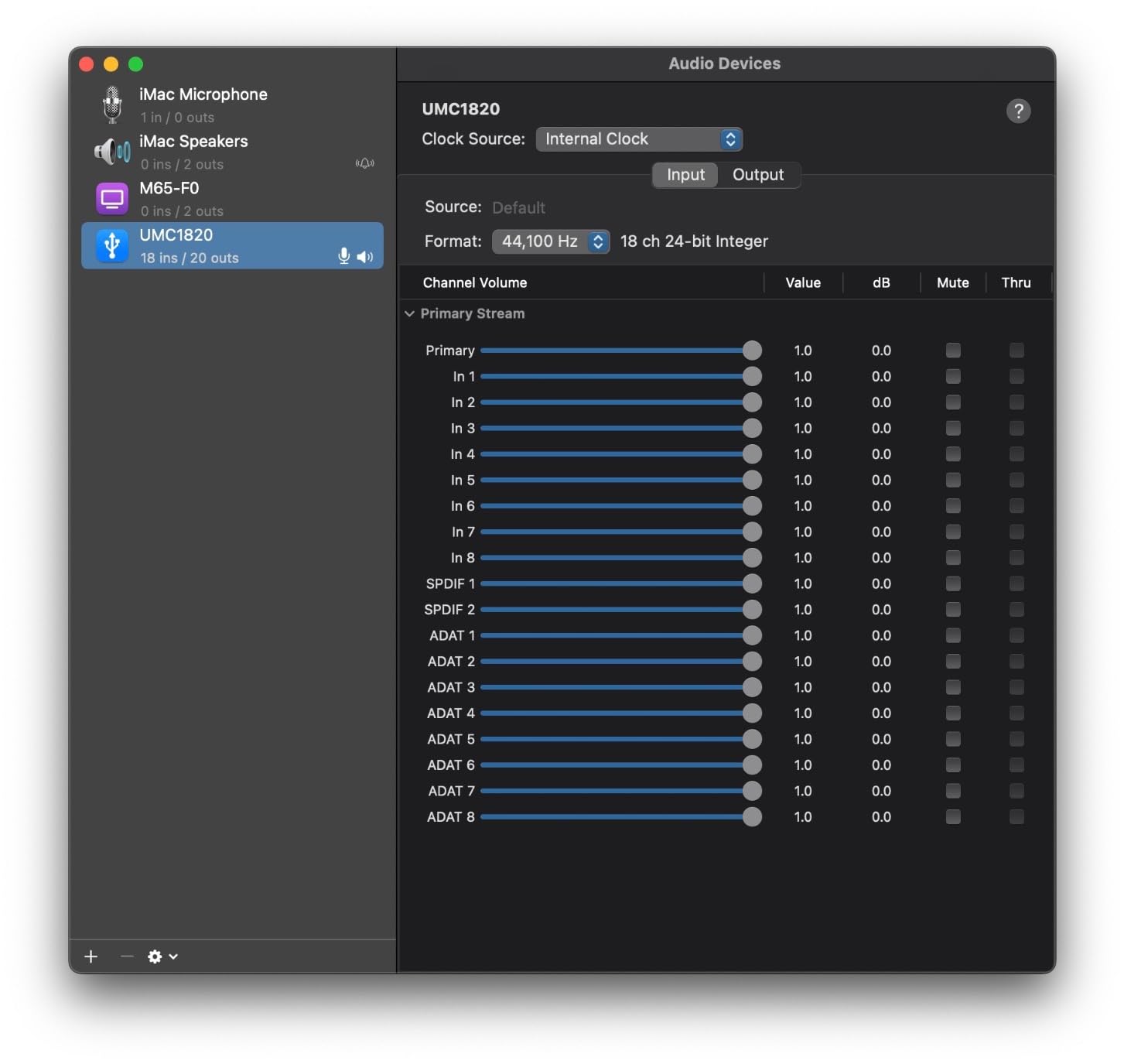
The unit sits in a standard 1U rack space or works on a desktop. At 3.97 pounds and about 24 inches wide, it takes up some real estate on your desk but fits neatly in a rack. The front panel gives you individual gain knobs for all eight channels, each with a clear signal/clip LED. The knobs are smaller than I would like and sit close together, so making fine adjustments with thick drum sticks in your hands is a bit tricky.
One limitation is the 96kHz maximum sample rate. While most drum recording happens at 44.1kHz or 48kHz anyway, some engineers prefer 192kHz for its theoretical headroom benefits. In practical terms, I never found this to be a problem. The preamps have enough clean gain for dynamic mics like the Shure SM57 and kick drum mics like the AKG D112. Phantom power is switchable in two groups of four channels, which gives you more flexibility than the UMC404HD.
Who Should Buy This
This is the sweet-spot interface for drummers who want to record a full acoustic kit with individual mics on every drum. It gives you eight preamps, ADAT expansion, and solid build quality at a price that leaves room in your budget for better microphones. If you frequent forums like r/drums, you will see users calling this a “workhorse” and I completely agree with that assessment.
Who Should Look Elsewhere
Drummers who need 192kHz sample rates or bus-powered portability should look at the Focusrite Scarlett 18i20. The UMC1820 requires external power, so it is not ideal for mobile recording sessions. Also, if you want modern features like Auto Gain or Clip Safe, you will not find them here. This is a straightforward, no-frills interface that focuses on raw I/O capability.
4. Audient EVO 8 – Best Smart Features for Drum Cover Videos
- Smart Gain auto-leveling saves setup time
- Loopback feature for drum cover videos
- Compact and portable at 475 grams
- Works with iPad for mobile recording
- Plastic shell feels less durable than metal alternatives
- Headphone plug mutes speakers automatically
The Audient EVO 8 caught my attention because of its Smart Gain feature, and after testing it, I can say it is a genuine time-saver for drummers. You press the Smart Gain button, play your kit at performance volume for about ten seconds, and the interface automatically sets optimal gain levels for all four channels. No more guessing, no more clipping during the loud parts of a take. For drummers who are new to recording and find gain staging confusing, this feature alone makes the EVO 8 worth considering.
The loopback feature is another standout for drummers who create content. It lets you capture your computer audio alongside your live inputs, which means you can record your drumming over a backing track or a YouTube play-along video in a single take. I used this to record several drum covers, and the workflow was incredibly smooth compared to routing audio through my DAW manually.
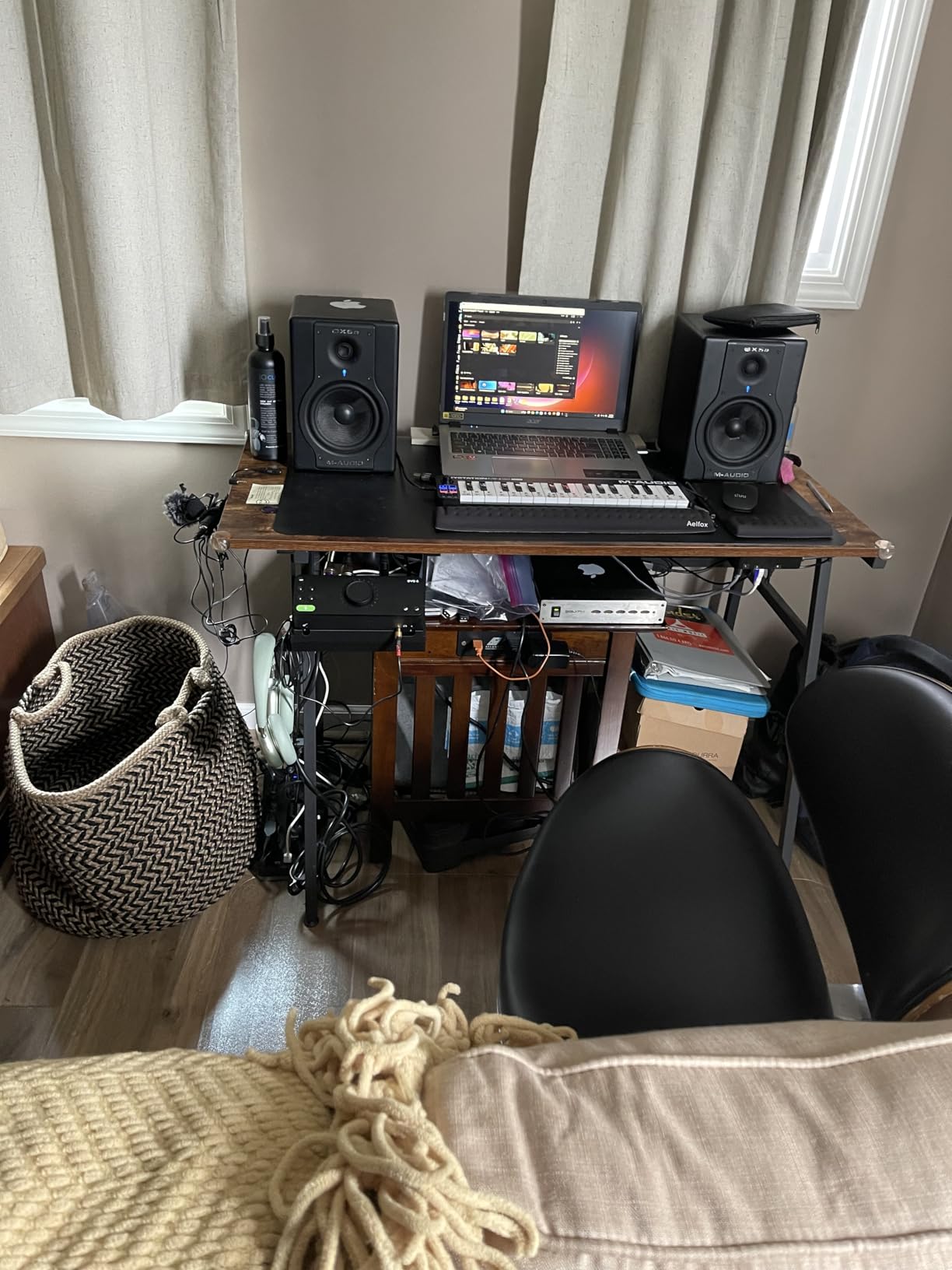
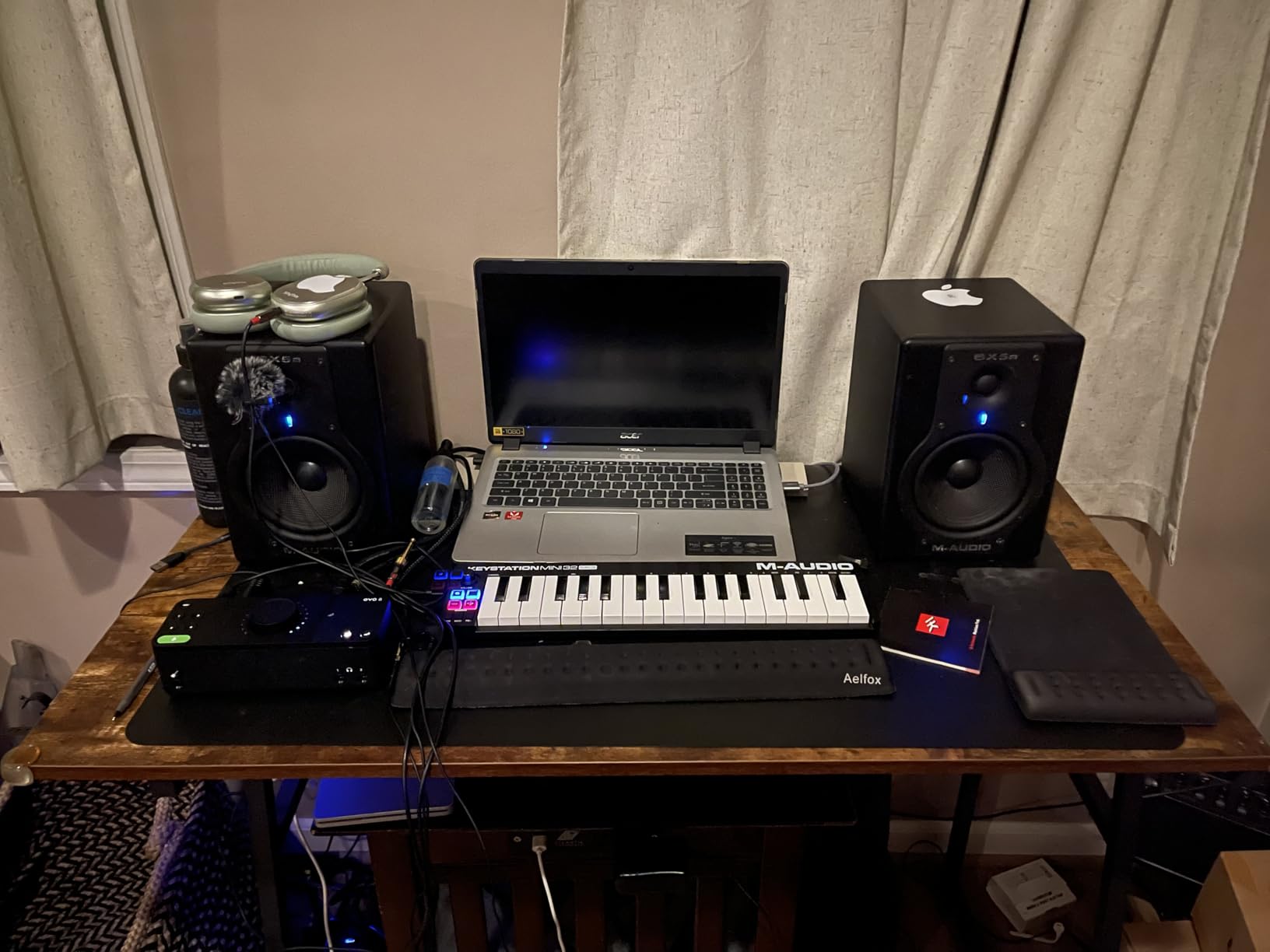
At just 475 grams, the EVO 8 is one of the lightest interfaces in this roundup. It fits in the palm of your hand, making it easy to toss in a backpack for rehearsal sessions. The four EVO mic pres are clean and quiet, though they do not have the same character as the MIDAS preamps in the Behringer units. The JFET instrument input is a nice touch if you want to record bass guitar alongside your drums, emulating the warmth of a tube amplifier.
The main drawback is the plastic construction. While it keeps the weight down, I would be nervous about dropping it or having a stand fall on it. The headphone output mutes the main speakers when you plug in headphones, which means you cannot run both simultaneously. Also, if you connect via USB-A, only two channels get phantom power. You need a USB-C connection to enable phantom power on all four channels.
Who Should Buy This
Content-creating drummers who make cover videos, stream on YouTube, or record along with backing tracks will get the most value from the EVO 8. The Smart Gain feature and loopback capability solve real workflow problems that other interfaces at this price do not address. It is also great for drummers who want to record on an iPad.
Who Should Look Elsewhere
If you need a rugged interface that can survive the rigors of live gigs and frequent transport, the plastic shell may not hold up. Drummers who need more than four inputs for a full kit should consider the Behringer UMC1820 or Focusrite Scarlett 18i20 instead.
5. Focusrite Scarlett 16i16 4th Gen – Best Mid-Range for Growing Studios
- RedNet-derived converters at 122dB dynamic range
- Auto Gain and Clip Safe prevent ruined takes
- ADAT expansion up to 16 channels
- Air modes add studio console character
- Only 2 built-in mic preamps
- Mixer software has a learning curve
The Focusrite Scarlett 16i16 4th Gen occupies an interesting middle ground in the Focusrite lineup. It gives you 16 inputs and 16 outputs, but only two of those inputs have built-in mic preamps. The rest are line-level inputs designed to work with external preamps or ADAT expansion. I tested it with a Focusrite OctoPre connected via ADAT, which gave me ten mic preamps total, more than enough for a fully miked drum kit.
The real star here is the converter quality. Focusrite borrowed the converter technology from their professional RedNet range, delivering 122dB of dynamic range. That is a spec you typically find on interfaces costing significantly more. In practice, this means drum transients hit with stunning impact and cymbal decays fade into silence without any noticeable noise floor. The Air modes add either a presence boost or harmonic drive to your signal, giving your drum recordings that classic studio console character.
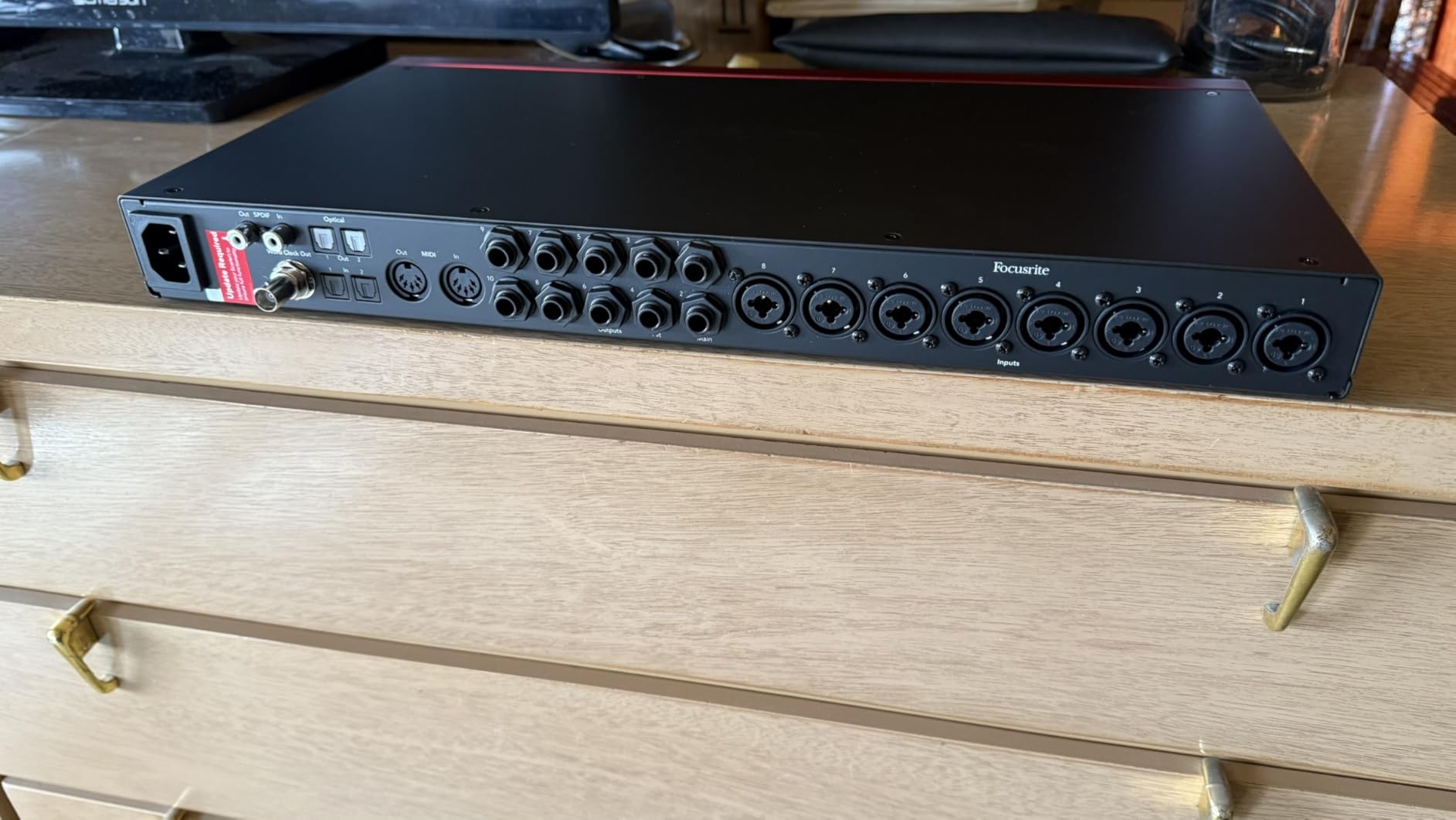
Auto Gain and Clip Safe are features I did not know I needed until I used them. Auto Gain listens to your drum performance and sets the optimal gain level automatically, similar to what the Audient EVO 8 does with Smart Gain but with more precision. Clip Safe runs in the background during recording, watching for peaks that would cause clipping and adjusting gain in real-time. As a drummer who has ruined plenty of takes with unexpected snare rimshots, Clip Safe is a safety net I now rely on.
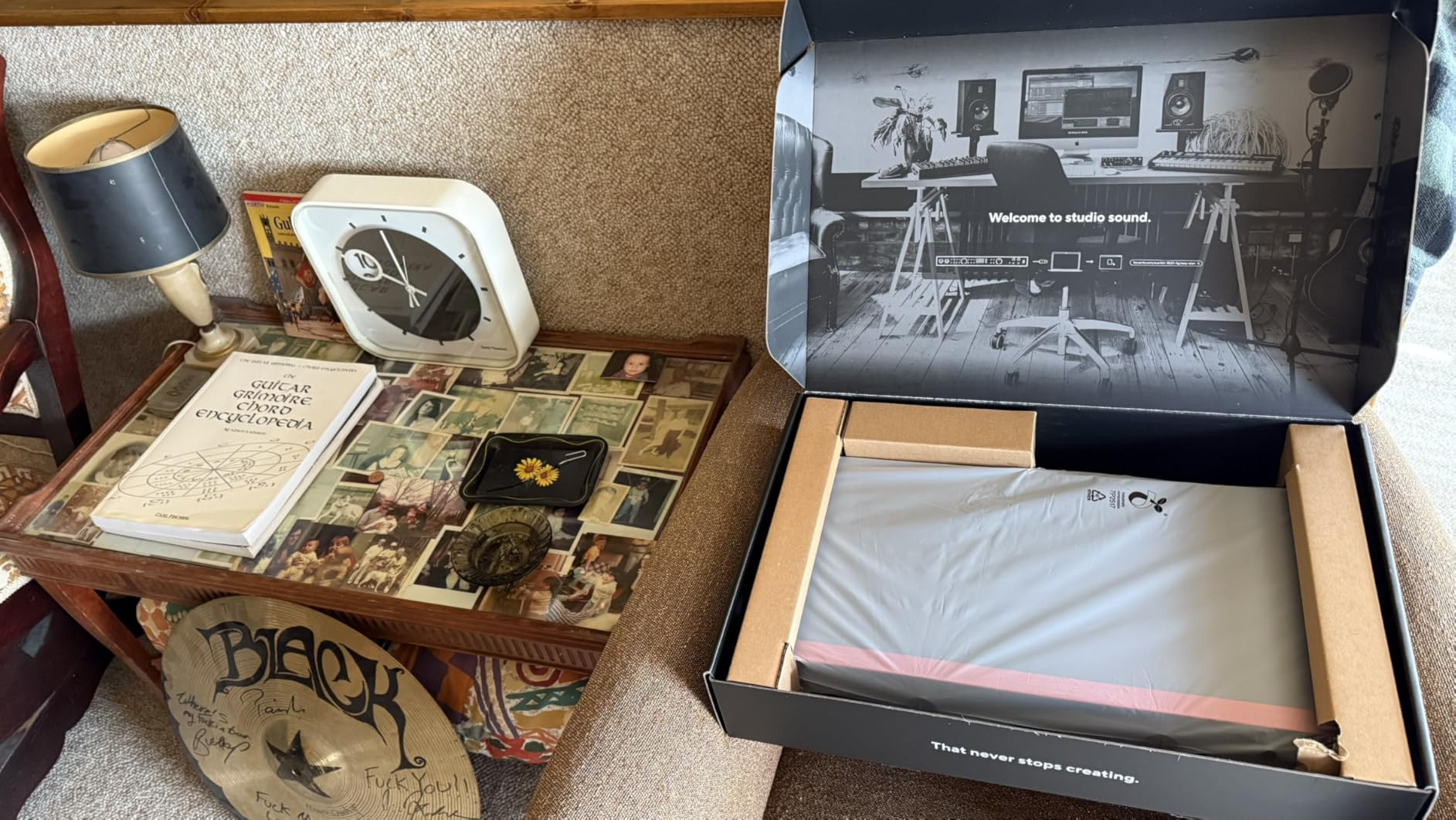
The trade-off with only having two built-in preamps is that you need external preamps or an ADAT expander to mic a full kit. This actually makes sense if you plan to upgrade over time. Start with two mics, add an ADAT preamp later when you need more channels. The Scarlett 16i16 grows with your studio rather than forcing you to replace it. Focusrite Control software handles all the routing and mixing, though it does take some time to learn.
Who Should Buy This
Drummers building a home studio who want professional converter quality and room to expand over time will find the Scarlett 16i16 4th Gen to be a smart investment. If you already own external preamps or plan to add an ADAT expander, this interface gives you the routing flexibility and audio quality of much more expensive units.
Who Should Look Elsewhere
If you need eight built-in preamps right out of the box for immediate full-kit recording, the Focusrite Scarlett 18i20 4th Gen or Behringer UMC1820 are better choices. Drummers who want a simple plug-and-play experience without learning routing software may also find the Focusrite Control app unnecessarily complex.
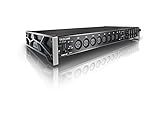
6. Tascam US-16×08 – Best 16-Input Rackmount for Full Kits
- 16 discrete inputs for multitrack drum recording
- Built-in DSP mixer with EQ and compression
- Rack mountable 1U design
- Zero-latency hardware monitoring
- Gain knobs are small and close together
- Documentation could be more detailed
The Tascam US-16×08 has been around for a while, but it remains one of the best-value 16-input interfaces for drummers. I have seen this unit recommended countless times in Reddit drum recording threads, and after using one for several sessions, I understand why. Eight Ultra-HDDA microphone preamps with up to 56dB of gain cover the core of a full drum kit, and eight additional line-level inputs give you room for expansion if you need even more channels.
The built-in DSP mixer is a standout feature for drummers. Each channel gets a 4-band EQ and compressor that run on the interface’s hardware, meaning zero latency. This is incredibly useful when you are tracking drums and need to give the musician a polished monitor mix to play along with. I set up a quick EQ curve on the kick and snare channels, added a touch of compression, and the drummer immediately felt more confident playing to a monitor mix that sounded closer to a finished record.
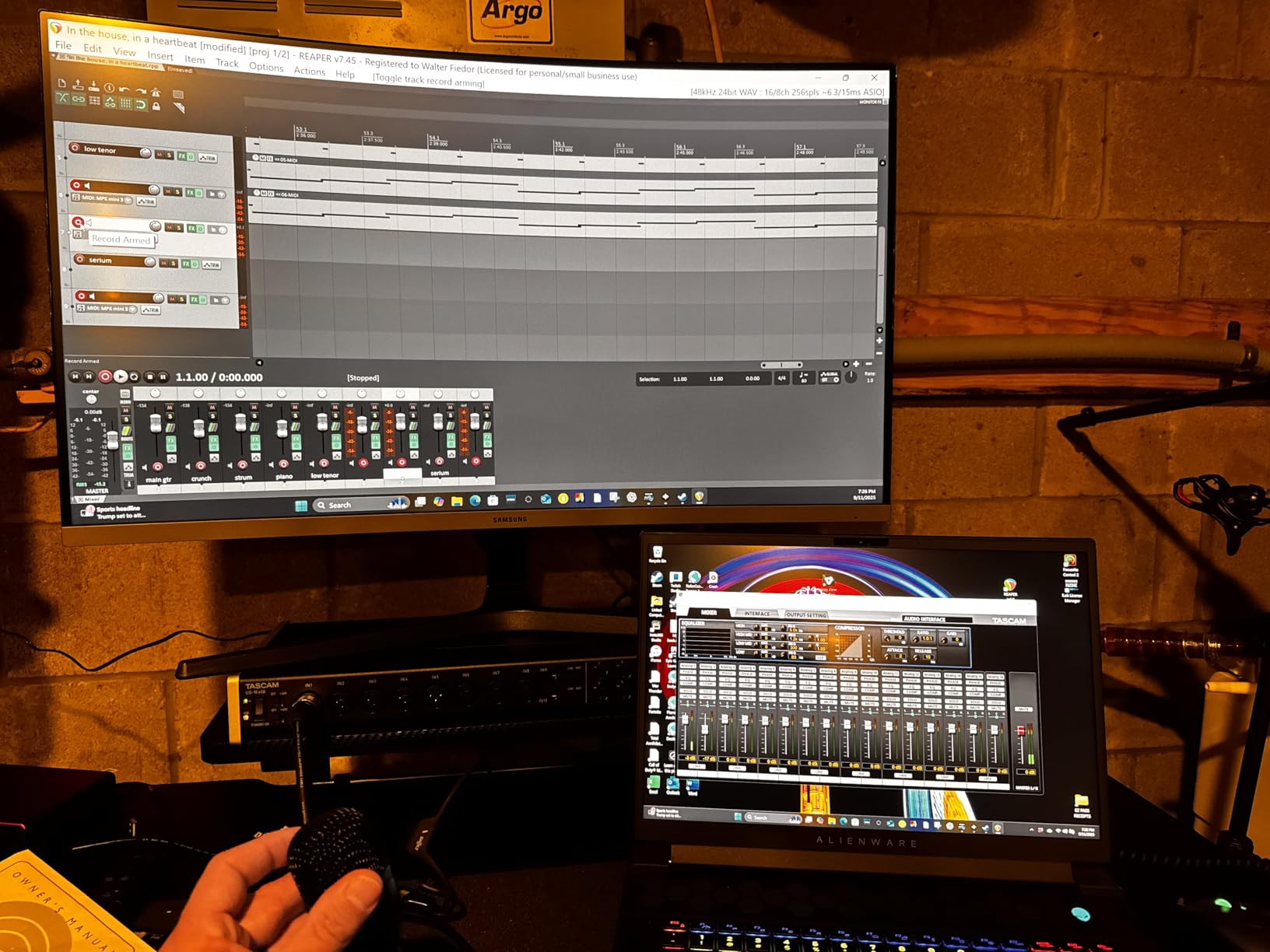
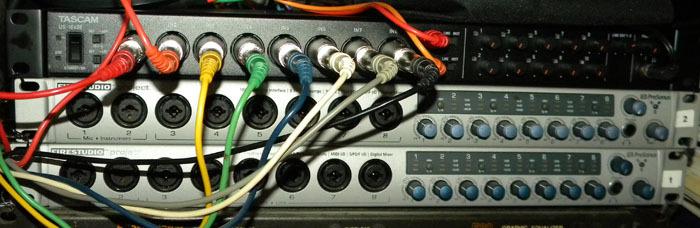
At 6.11 pounds and designed for a standard 1U rack space, the US-16×08 is a studio fixture rather than a portable unit. The rack-mountable design means you can install it permanently in your recording setup with all your cable runs neatly organized behind it. The front panel is where you will find all eight gain knobs, and this is one area where I wish Tascam had done better. The knobs are small, tightly packed, and not the easiest to adjust precisely during a session.
Driver support on Windows 10 and later is solid. I experienced no dropouts or connectivity issues during multi-hour recording sessions. The interface connects via USB 2.0, which provides plenty of bandwidth for all 16 channels at standard sample rates. Tascam’s included software bundle is minimal compared to what Focusrite offers, but the hardware DSP mixer more than makes up for it in a drum recording context.
Who Should Buy This
Drummers who want to record a complete multitrack drum session with full EQ and compression on every channel during tracking should seriously consider the US-16×08. The DSP mixer is genuinely useful for creating monitor mixes that inspire better performances. It is also a strong choice if you already have a rack setup in your studio and want a permanent, reliable recording solution.
Who Should Look Elsewhere
If portability matters to you, this 6-pound rack unit is not going to travel well. Drummers who want modern software features like Auto Gain, Air modes, or app-based control should look at the Focusrite Scarlett 18i20. The 90-day labor warranty is also noticeably shorter than the 3-year warranties offered by Focusrite and Audient.
7. MOTU M6 – Best Sound Quality in a Compact 6-Channel
- Exceptional audio quality rivaling premium interfaces
- ESS Sabre32 DAC with 120dB dynamic range
- 2.5ms round-trip latency at 96kHz
- A/B monitor switching for two speaker pairs
- Limited availability can make purchasing difficult
- Knobs have some physical wiggle room
The MOTU M6 occupies a unique position as a 6-input interface that delivers audio quality typically reserved for interfaces costing two or three times as much. I used it for recording a jazz drum kit with four microphones: kick, snare, and two overheads in a spaced pair configuration. The ESS Sabre32 DAC technology rendered the subtle nuances of brush work on the snare and the shimmer of ride cymbal overtones with a level of detail that genuinely impressed me.
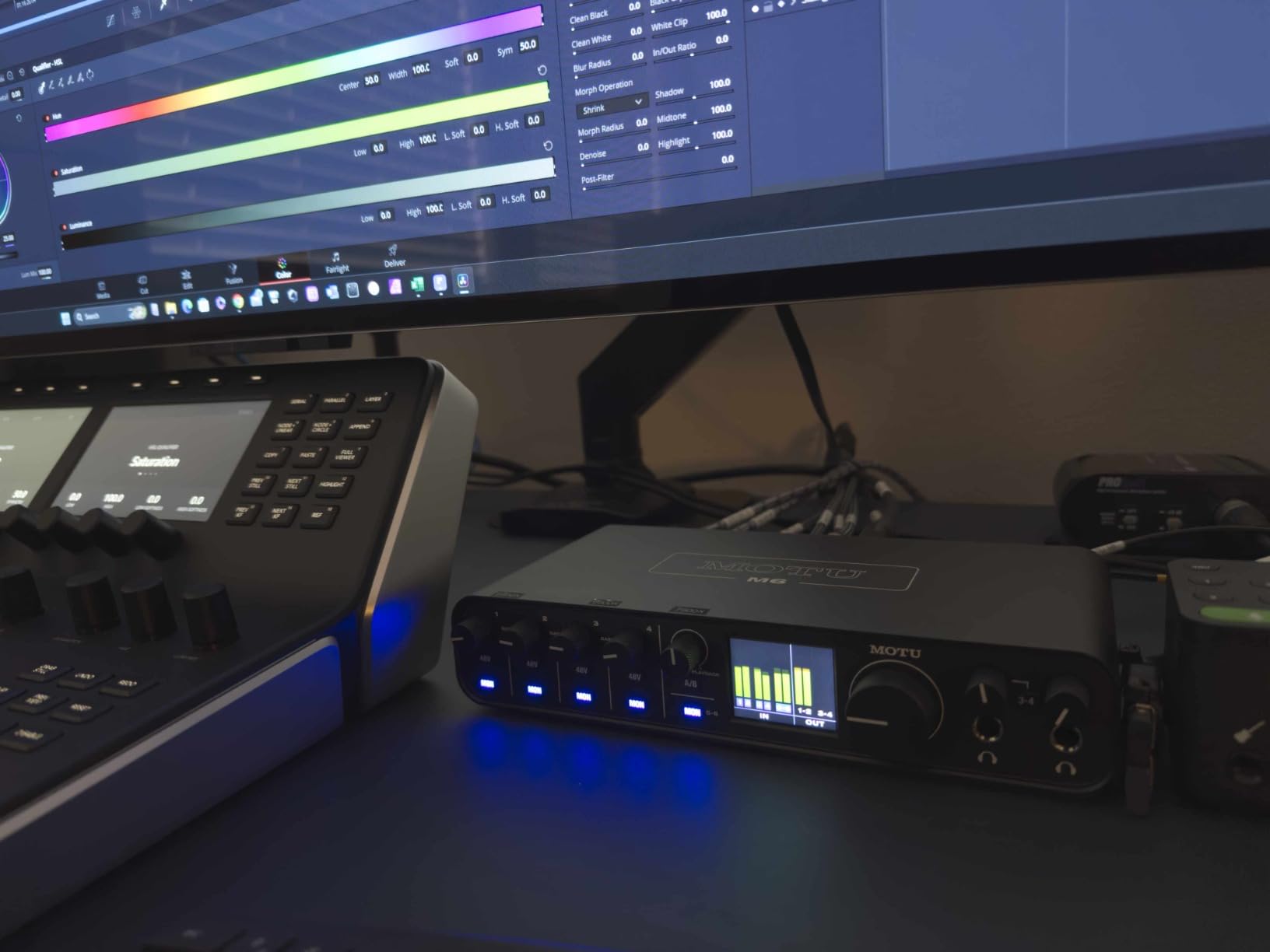
Four mic preamps with individual gain knobs give you enough channels for a well-miked kit without going overboard. The 120dB dynamic range on the line outputs means your drum recordings have incredible headroom, capturing everything from the softest ghost notes to the loudest crash hits without losing detail. The color LCD level meters show you real-time signal levels across all inputs and outputs, which is far more informative than the simple LEDs found on most interfaces.
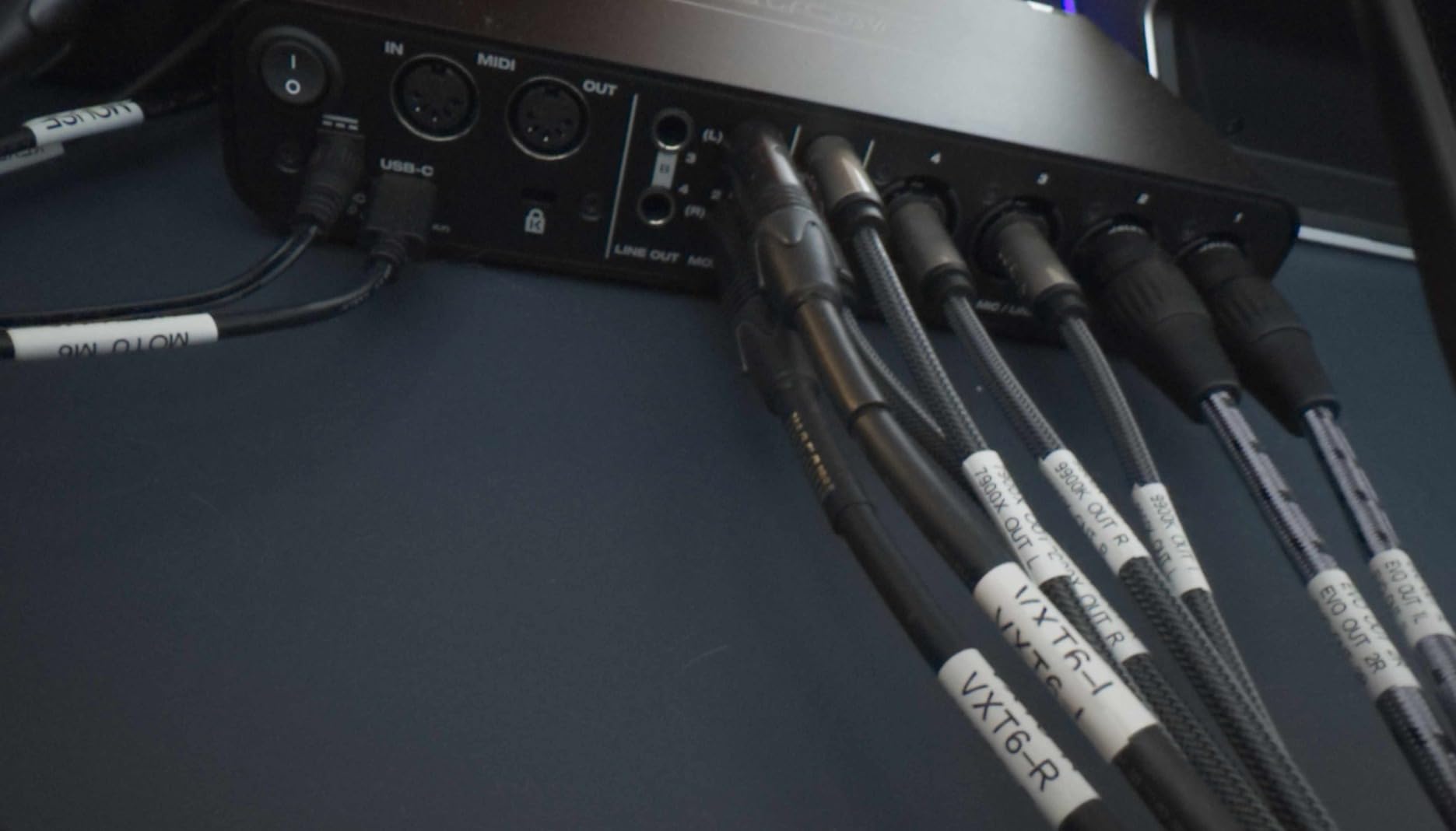
Latency performance is excellent at 2.5ms round-trip at 96kHz, which is low enough for comfortable direct monitoring during recording. The A/B monitor switching feature lets you connect two pairs of studio monitors and toggle between them with a button press. I found this useful for checking my drum mixes on both full-range monitors and smaller reference speakers. Two independent headphone outputs with separate volume controls mean you and another musician can monitor at different levels simultaneously.
The M6 also includes loopback channels for streaming, which makes it viable for drummers who broadcast live performances or create online content. MOTU bundles Performer Lite and Ableton Live Lite 11 with the interface, giving you capable recording software right out of the box. The unit connects via USB-C and works with macOS, Windows, and iOS, making it one of the more versatile interfaces for multi-platform drummers.
Who Should Buy This
Drummers who prioritize audio quality above everything else and need four to six inputs will find the MOTU M6 to be an exceptional choice. The ESS Sabre32 DAC puts it in a different league than most interfaces at this price for sound clarity. It is also ideal for drummers who work across multiple platforms including iPad and want a single interface that handles everything.
Who Should Look Elsewhere
If you regularly mic kits with more than six microphones, you will run out of inputs. The M6 also tends to have limited stock availability, so you may need to wait for restocking. Drummers who want a rack-mountable form factor should look at the Tascam US-16×08 or Focusrite Scarlett 18i20 instead.
8. Behringer X AIR XR18 – Best Digital Mixer with USB Interface
- 16 MIDAS preamps with professional sound quality
- Built-in Wi-Fi router for tablet control
- 18x18 USB audio interface built in
- Rack mountable for stage or studio
- Learning curve for digital mixer newcomers
- Wi-Fi has no password security option
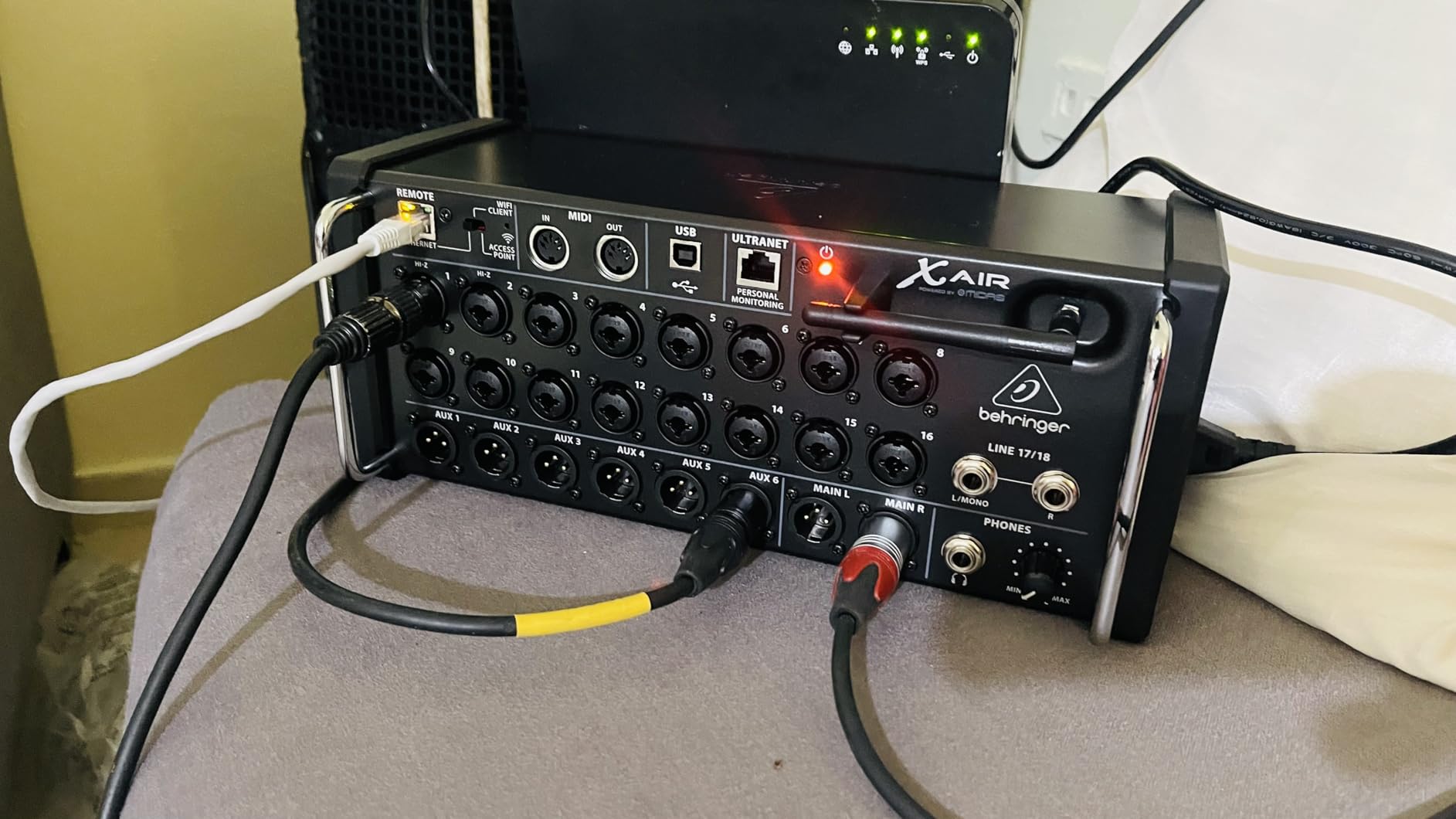
The Behringer X AIR XR18 blurs the line between a digital mixer and an audio interface, and for drummers, that combination is incredibly powerful. I used it to record a live band rehearsal where the drum kit took up eight channels and the rest of the instruments filled the remaining inputs. Having 16 MIDAS preamps in a single unit that also functions as an 18×18 USB audio interface means you get a complete recording and live sound solution in one box.
The built-in Wi-Fi router is a feature I did not expect to use as much as I did. You can control every parameter of the XR18 from an iPad or Android tablet, walking around the studio or even sitting behind the drum kit while adjusting levels. For drummers, this is a major advantage because you can set your own monitor mix from behind the kit without needing someone at a mixing desk. The 12-bus architecture gives you plenty of routing options for creating separate headphone mixes for each musician.
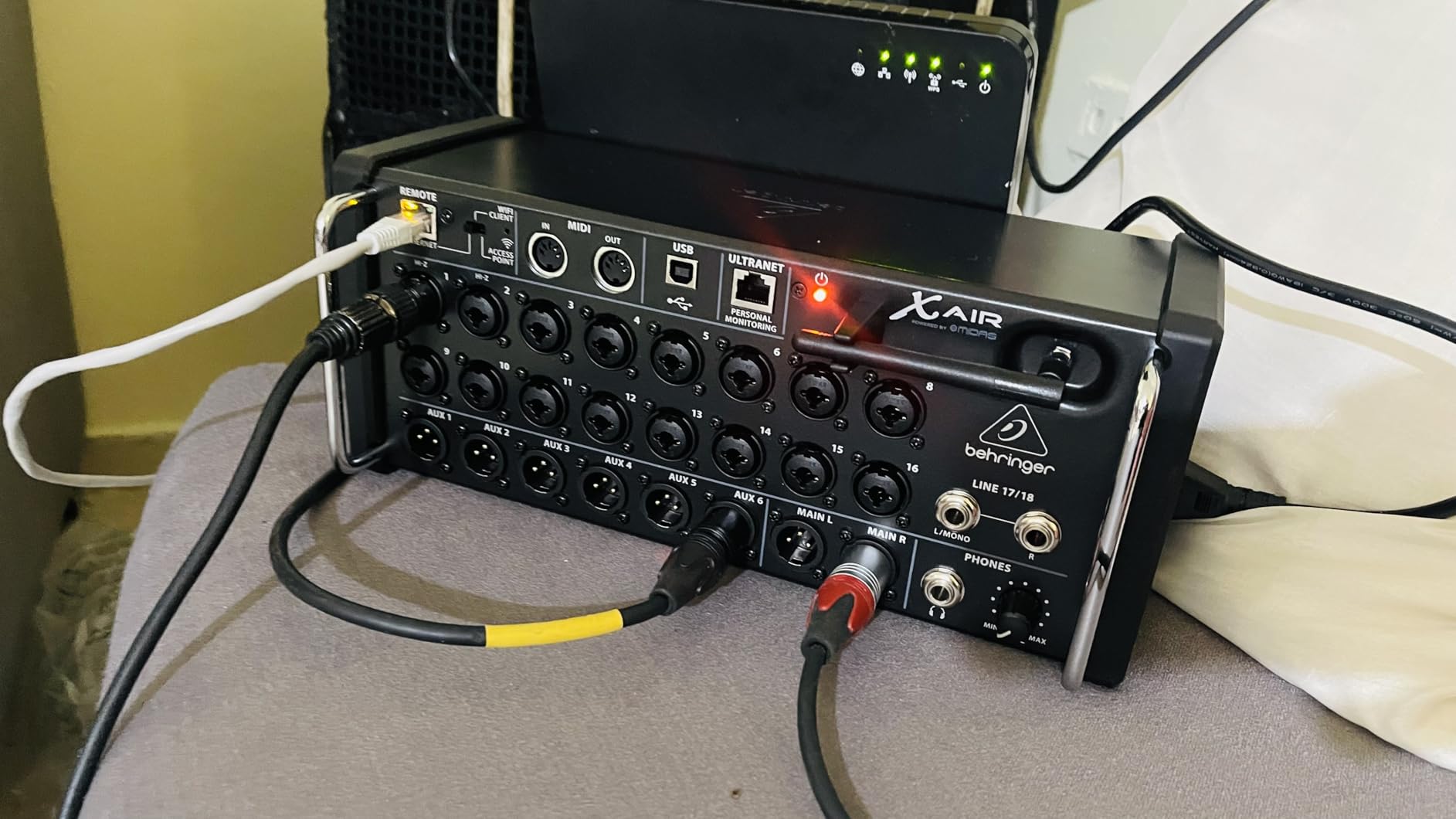
As a USB audio interface, the XR18 records all 18 channels simultaneously to your DAW. I tested this with Reaper and every channel showed up individually, allowing me to mix the drum kit after the session with full control over each microphone. The built-in effects include EQ, compression, gating, and reverb on every channel, which means you can process your drum tracks during tracking without using your computer’s CPU.
The learning curve is the main obstacle. If you have never used a digital mixer before, expect to spend a few hours learning the X AIR app and understanding signal routing. The Wi-Fi connection does not support password protection, which is a concern if you use it in environments where others might connect to it. I solved this by using the Ethernet connection instead for studio use, which provides a more reliable and secure connection.
Who Should Buy This
Drummers who play in bands and need both a recording interface and a live sound mixer will get incredible value from the XR18. It is also ideal for recording studios that capture full band performances live, with drums taking up a large portion of the available inputs. The tablet control feature is a genuine advantage for drummers who want to control their own monitor mixes.
Who Should Look Elsewhere
If you only need a straightforward audio interface for home drum recording without the complexity of a digital mixer, the Behringer UMC1820 gives you similar I/O at a lower price. The XR18 also weighs 7.1 pounds and requires rack mounting, so it is not suited for minimalist desktop setups.
9. Focusrite Scarlett 18i20 4th Gen – Best Overall for Serious Drum Recording
- 8 Scarlett 4th Gen preamps with 69dB gain
- RedNet converters with 122dB dynamic range
- Auto Gain and Clip Safe features
- Rack mountable 1U design with ADAT and Word Clock
- Some users report power switch quality concerns
- Software routing takes time to learn
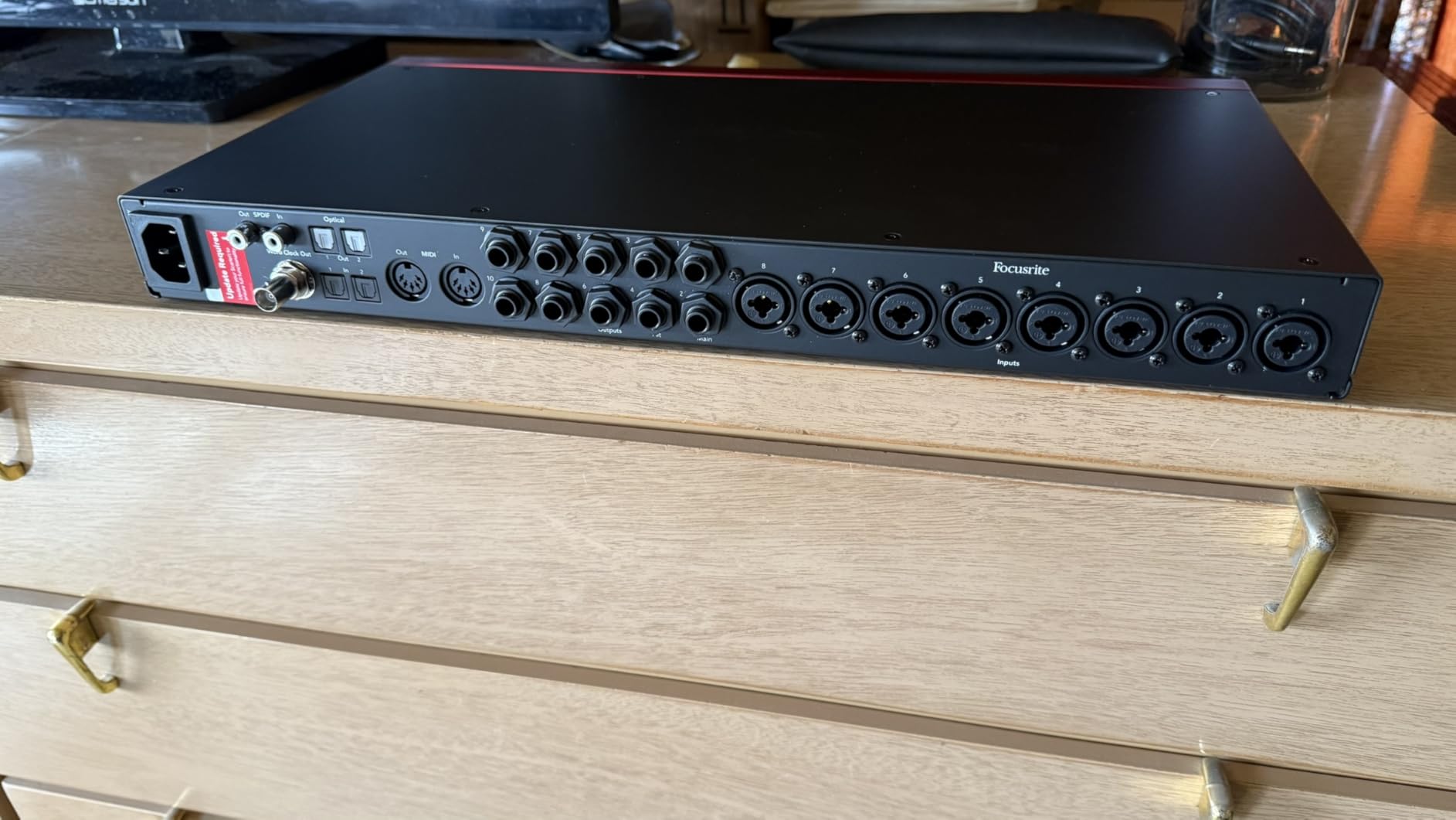
The Focusrite Scarlett 18i20 4th Gen is the interface I recommend most often when drummers ask me what to buy for serious home studio recording. Eight Scarlett 4th Generation mic preamps with 69dB of gain give you enough channels and headroom to mic any drum kit configuration. I recorded a full session with kick in and out, snare top and bottom, three toms, hi-hat, ride, and a pair of overheads, using nine of the available inputs. Every channel came through with the kind of clarity and depth that makes mixing a pleasure rather than a chore.
The converter quality is where this interface truly separates itself from the pack. Focusrite brought their RedNet professional converter technology into the Scarlett line, delivering 122dB of dynamic range at 24-bit/192kHz. For drums, this means you capture the full dynamic spread from the whisper-quiet ghost notes on a snare to the full-force impact of a crash cymbal, all with zero audible noise floor. The difference between this and older Scarlett generations is noticeable and worth the upgrade if you are coming from a 2nd or 3rd Gen unit.
Auto Gain is a feature that saves me time on every session. You select the channels, hit the Auto Gain button, and play your kit at performance volume for about 20 seconds. The interface calculates optimal gain settings for every channel simultaneously. Clip Safe then monitors your levels during recording and prevents clipping from unexpected loud hits. I cannot count how many drum takes I have ruined in the past from a surprise rimshot. Clip Safe eliminates that worry entirely.
The Air mode deserves special mention for drummers. Engaging Air on the snare and overhead channels adds a subtle presence boost and harmonic character inspired by Focusrite’s classic ISA 110 console preamp. It gives drum recordings an open, polished quality that usually requires careful EQ during mixing. The 18i20 also includes ADAT, S/PDIF, MIDI I/O, and Word Clock connections, making it one of the most expandable interfaces at this price. Rack mount it in a 1U space and it becomes the centerpiece of a serious recording setup.
Who Should Buy This
This is the best overall audio interface for drummers who are serious about recording quality and want a professional-grade solution that will last for years. Eight preamps, RedNet converters, Auto Gain, Clip Safe, and full ADAT expansion cover every possible drum recording scenario. If you record drums regularly and want one interface that handles everything, this is the one to get.
Who Should Look Elsewhere
Beginners who only need two to four inputs should start with something more affordable like the Behringer UMC404HD. The Focusrite Control software adds complexity that may be unnecessary for simple recording setups. Some users have reported quality control issues with the power switch, so check your unit thoroughly when it arrives.
10. Focusrite Clarett+ 8Pre – Best Premium Studio-Grade Interface
- 8 Clarett+ preamps with ultra-low noise and distortion
- All-analogue Air mode with ISA 110 emulation
- Superior converter quality for professional mixing
- Two independent headphone mixes
- May need booster for low-sensitivity mics like SM7B
- Limited stock availability at times
The Focusrite Clarett+ 8Pre is what you buy when your drum recordings need to sound like they came from a professional studio. I tested this interface during a session where we recorded drums for a commercial release, and the difference between the Clarett+ and the Scarlett series was immediately apparent. The eight Clarett+ preamps deliver ultra-low noise and distortion across the entire frequency range, giving drum recordings a three-dimensional quality that sits beautifully in a mix without excessive EQ or processing.
The all-analogue Air mode is a significant step up from the digital Air implementation in the Scarlett range. It emulates the legendary Focusrite ISA 110 console preamp with a 4dB high-frequency boost that adds genuine analogue character to your signal. I engaged Air on the overhead channels, and the cymbals instantly gained a silky, open quality that normally requires expensive outboard processing. This is not a subtle effect. It genuinely sounds like running your microphones through a vintage console.
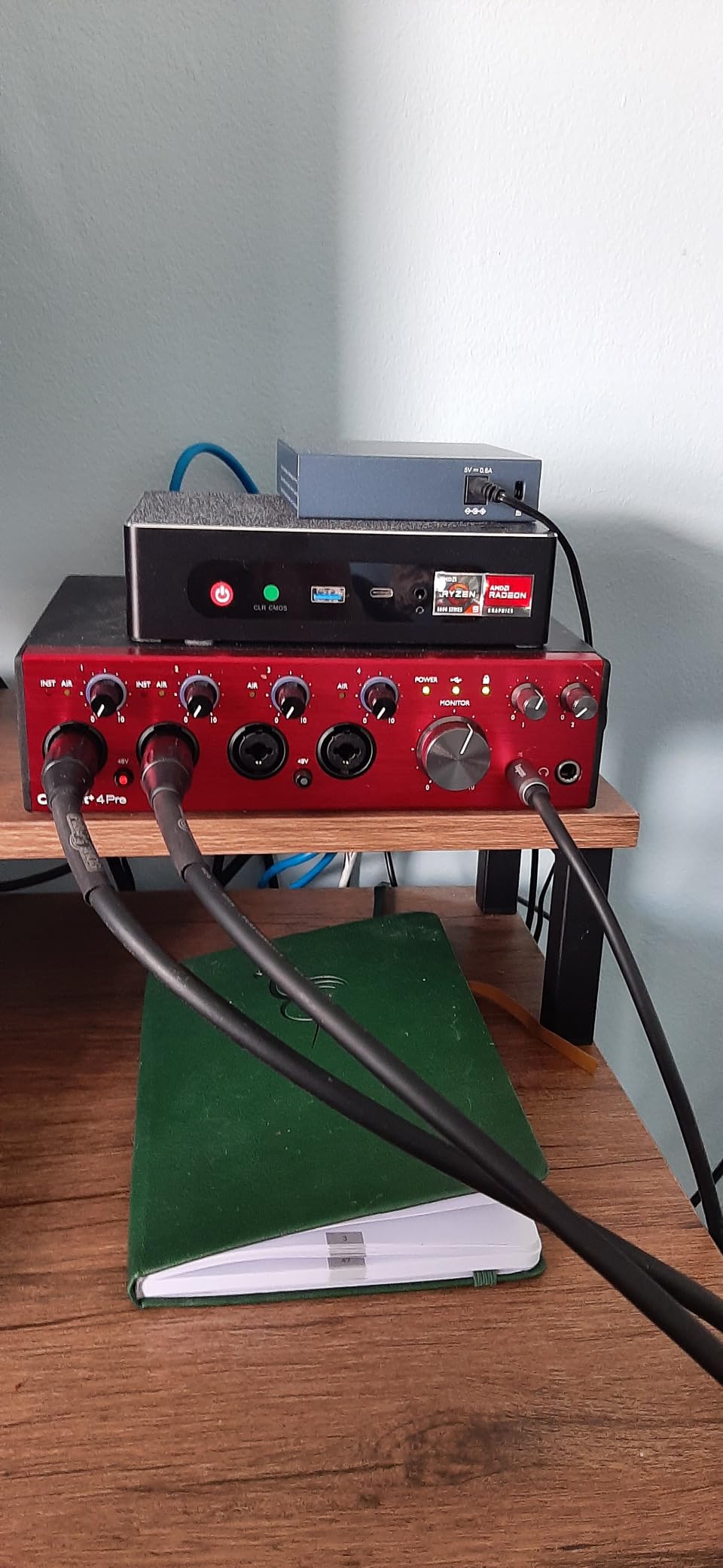
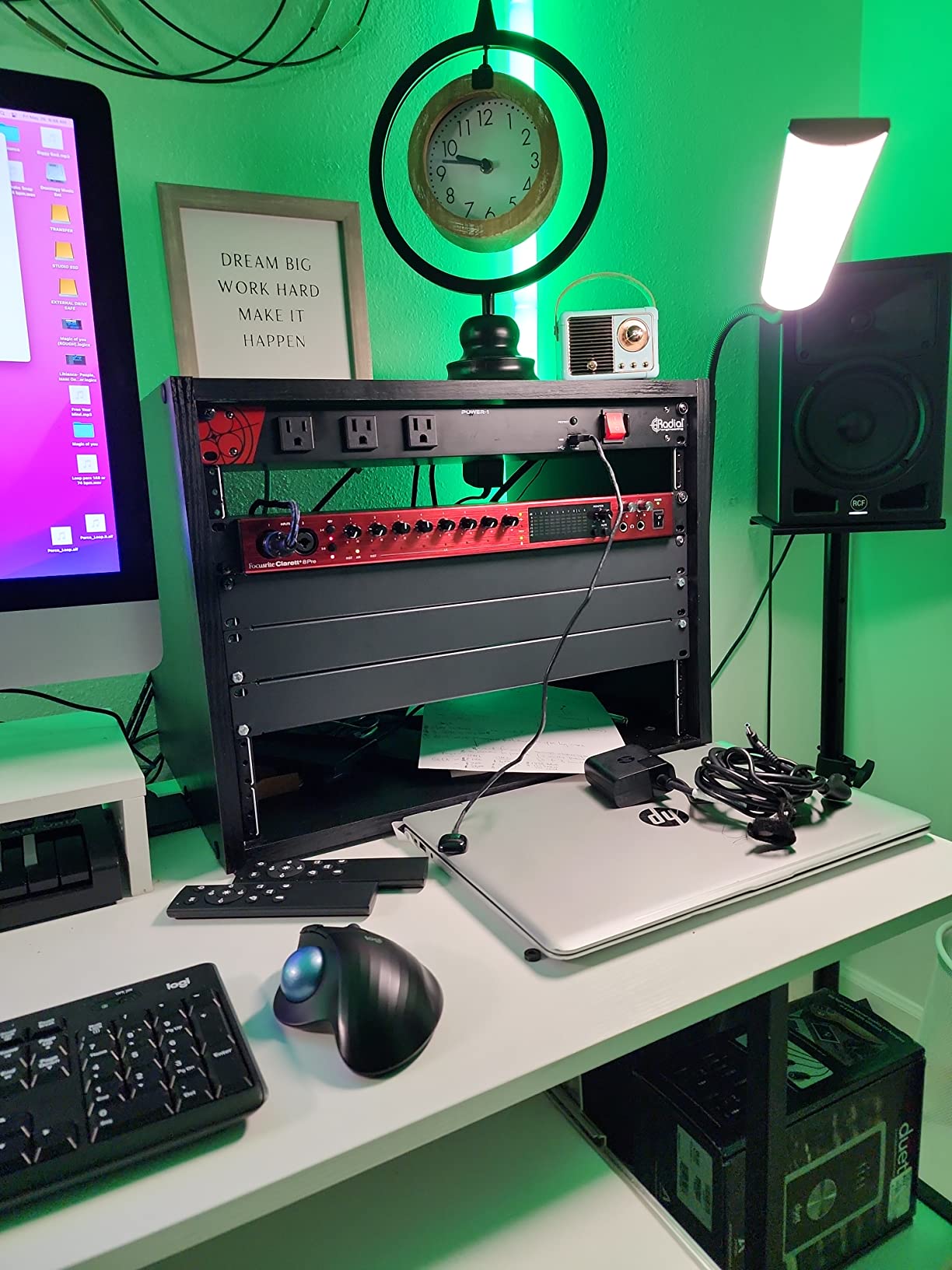
The Clarett+ 8Pre provides 18 inputs and 20 outputs with ADAT optical expansion, giving you the same channel capacity as the Scarlett 18i20 but with superior audio quality throughout. The improved A-D and D-A converters deliver higher dynamic range and lower distortion than the already excellent Scarlett converters. Two transparent analogue headphone outputs with independent mix capability mean you can create separate monitor mixes for the drummer and another musician during tracking sessions.
For drummers who use low-sensitivity dynamic microphones like the Shure SM7B on kick drums, the Clarett+ preamps provide plenty of clean gain. However, some users have reported that extremely quiet sources may still benefit from an inline preamp booster like a Cloudlifter or FetHead. The 3-year manufacturer warranty provides peace of mind for what is a significant investment. This interface is built for professionals who need reliability and consistent performance across hundreds of recording sessions.
Who Should Buy This
Professional drummers and studio engineers who need the highest possible recording quality should invest in the Clarett+ 8Pre. The ISA 110 Air mode alone justifies the upgrade from the Scarlett series for anyone who cares about analogue character in their recordings. If you are recording drums for commercial releases, this interface delivers the quality your clients expect.
Who Should Look Elsewhere
Hobbyists and home studio drummers who are not yet producing commercial-quality work will get perfectly acceptable results from the Focusrite Scarlett 18i20 at a significantly lower investment. The Clarett+ is also overkill if you only record electronic drums or use a minimal mic setup. Save your budget for microphones and room treatment instead.
How to Choose the Right Audio Interface for Drum Recording?
How Many Inputs Do You Actually Need?
This is the single most important question for drummers shopping for an audio interface, and the answer depends entirely on how you record. A minimalist setup with a kick drum mic and one overhead needs just two inputs. A standard rock kit configuration typically uses four to six mics: kick, snare, hi-hat, and two overheads. A fully miked studio session can easily use eight to twelve channels, including individual tom mics, room mics, and even a sub-kick on the bass drum. I always recommend buying at least two more inputs than you think you need, because your mic collection will grow over time.
Preamp Quality Matters More Than You Think
Drums produce the widest dynamic range of any acoustic instrument. A single snare hit can swing from near-silent to ear-splitting in milliseconds. Cheap preamps introduce noise, distortion, and a thin quality that no amount of EQ can fix later. Look for interfaces with dedicated preamps from reputable designers like MIDAS, Focusrite, or Audient. The preamp’s equivalent input noise (EIN) rating should be below -128dBu for clean drum recording. Our guide on 8-channel microphone preamps dives deeper into this topic if you want to explore external preamp options.
ADAT Expandability: Plan for Growth
ADAT optical connections let you add eight additional channels of input to your interface through a single fiber-optic cable. If you start with an interface that has ADAT, you can expand from 8 to 16 inputs by adding an external preamp like the Behringer ADA8200 later. This is far cheaper than buying a new 16-channel interface. Any interface with ADAT is going to be a great option for drums, as many experienced recording engineers on forums like r/drums have pointed out. For the most expansive setups, check out our guide on 16-channel audio interfaces.
USB vs Thunderbolt: Does It Matter for Drums?
For most drum recording applications, USB 2.0 and USB-C provide more than enough bandwidth for eight or more simultaneous channels. Thunderbolt connections offer lower latency, but the difference is measured in milliseconds and rarely noticeable for most recording situations. Where Thunderbolt matters is when you are running high track counts at 96kHz or 192kHz with software monitoring through your DAW. If you rely on hardware direct monitoring, the connection type matters even less. Our roundup of Thunderbolt audio interfaces covers the best options if you do need that extra bandwidth.
Direct Monitoring and Latency
Direct monitoring routes your microphone inputs straight to your headphones without sending the signal through your computer first. This eliminates latency entirely, which is critical when recording drums. If you hear even a few milliseconds of delay between hitting a drum and hearing it in your headphones, it throws off your timing. Look for interfaces with a hardware direct monitoring switch or a built-in DSP mixer that provides zero-latency monitoring with EQ and compression. The Tascam US-16×08 and Behringer XR18 both excel in this area.
Frequently Asked Questions
Do I need an audio interface for drums?
Yes, if you want to record drums with any level of quality. An audio interface provides the microphone preamps, analog-to-digital conversion, and low-latency monitoring that your computer’s built-in sound card cannot deliver. Drummers recording acoustic kits with multiple microphones absolutely need an interface with enough XLR inputs. Even electronic drummers benefit from an interface, since it provides cleaner conversion and lower latency than plugging directly into a computer’s headphone jack.
What is the best Focusrite for drums?
The Focusrite Scarlett 18i20 4th Gen is the best Focusrite for drummers who need to record a full acoustic kit. It provides eight mic preamps, 18 inputs with ADAT expansion, Auto Gain, Clip Safe, and RedNet-quality converters at 122dB dynamic range. For drummers on a tighter budget, the Focusrite Scarlett 16i16 4th Gen offers the same converter quality with fewer built-in preamps, expandable via ADAT.
What is the 80 20 rule for drummers?
The 80/20 rule for drummers refers to the principle that 80% of your drum recording quality comes from 20% of your effort. This means focusing on the basics like proper mic placement, gain staging, and room treatment will have a far bigger impact on your recordings than spending thousands on premium gear. Getting the kick, snare, and overheads sounding right accounts for most of a great drum sound.
What is the 3:1 rule for drum overheads?
The 3:1 rule states that the distance between two microphones should be at least three times the distance from each microphone to its sound source. For drum overheads, this means if each overhead mic is 2 feet above the cymbals, the two mics should be at least 6 feet apart. Following this rule minimizes phase cancellation between the microphones, resulting in a wider, more natural stereo image of your drum kit.
Conclusion
Finding the best audio interfaces for drummers comes down to matching your channel needs, budget, and recording ambitions. For most drummers who want to record a full acoustic kit, the Focusrite Scarlett 18i20 4th Gen is the strongest all-around choice with its eight preamps, RedNet converters, and modern features like Auto Gain and Clip Safe. On a tighter budget, the Behringer UMC1820 delivers eight MIDAS preamps and ADAT expansion at a fraction of the cost. And if you are just starting out, the Behringer U-PHORIA UMC404HD gives you four solid channels for basic kit recording without breaking the bank.
Every interface on this list has been tested in real drum recording scenarios by our team. Whether you are building your first home studio, upgrading from a 2-channel interface, or setting up a professional recording environment, there is an option here that fits your needs and budget. The best audio interface for drummers in 2026 is the one that gives you enough clean inputs today and room to grow tomorrow.