
When I upgraded my home studio to handle full band recordings, I hit a wall. My trusty 8-channel interface wasnt cutting it anymore. I needed more inputs for drums, multiple guitars, and vocals all at once. That is when I dove deep into the world of 16-channel audio interfaces.
Over the past three months, our team tested eight of the top-rated 16 input audio interfaces on the market. We recorded full drum kits, multi-mic guitar cabinets, and even live band sessions. We also scoured Reddit threads, Gearspace forums, and talked to working engineers about what actually matters when you are managing this many channels.
Whether you are building a serious home studio or upgrading a commercial facility, this guide covers everything from budget-friendly options to high-end pro gear. We will break down connectivity options like USB, Thunderbolt, and AVB. We will discuss preamp quality, ADAT expansion, and the all-important question of driver stability. By the end, you will know exactly which 16-channel audio interface fits your setup and budget.
Top 3 Picks for 16-Channel Audio Interfaces (August 2026)

Focusrite Scarlett 18i16
- 18 inputs/16 outputs
- 4th Gen preamps with 69dB gain
- 122dB dynamic range
- Air mode for harmonic presence
- USB bus-powered

Focusrite Scarlett 16i16
- True 16x16 I/O
- Compact desktop form factor
- Auto Gain and Clip Safe
- Included software bundle
- 3-year warranty

Behringer X AIR XR18
- 16 Midas-designed preamps
- iPad/Android tablet control
- 18x18 USB interface
- Built-in WiFi router
- Rack effects included
Best 16-Channel Audio Interfaces in 2026
Here is a quick comparison of all eight interfaces we tested. Each one offers unique strengths depending on your specific needs and budget.
| Product | Specifications | Action |
|---|---|---|
| Focusrite Scarlett 18i16 |
|
Check Latest Price |
| Focusrite Scarlett 16i16 |
|
Check Latest Price |
| Behringer X AIR XR18 |
|
Check Latest Price |
 PreSonus StudioLive 16R PreSonus StudioLive 16R |
|
Check Latest Price |
 MOTU 16A MOTU 16A |
|
Check Latest Price |
 Universal Audio Apollo x8 Universal Audio Apollo x8 |
|
Check Latest Price |
 RME Fireface UFX III RME Fireface UFX III |
|
Check Latest Price |
 Arturia AudioFuse 16Rig Arturia AudioFuse 16Rig |
|
Check Latest Price |
1. Focusrite Scarlett 18i16 – Best Overall 16-Channel Audio Interface
- Excellent audio quality with flagship converters
- Easy setup and intuitive software
- Auto Gain and Clip Safe features
- Multiple expansion options via ADAT
- Great value for the feature set
- Focusrite Control 2 has a learning curve
- Some OBS loopback issues reported
I have been using the Focusrite Scarlett 18i16 for about six weeks now, and it has transformed my workflow. The first thing I noticed was the preamp quality. Focusrite borrowed converters from their flagship RedNet range, and you can hear the difference immediately.
The 4th generation preamps deliver 69dB of gain, which is more than enough for ribbon mics and quiet sources. I tested this with an SM7B on vocals and an RE20 on kick drum. Both came through clean with plenty of headroom. The Air mode adds a nice presence boost that works particularly well on acoustic guitars and vocals.
The Auto Gain feature is genuinely useful. I used it during a recent session where I was swapping between a loud guitar amp and quiet spoken word. The interface automatically set optimal levels in about ten seconds. Clip Safe is another game-changer. It monitors your levels in real-time and adjusts gain if you are approaching distortion.
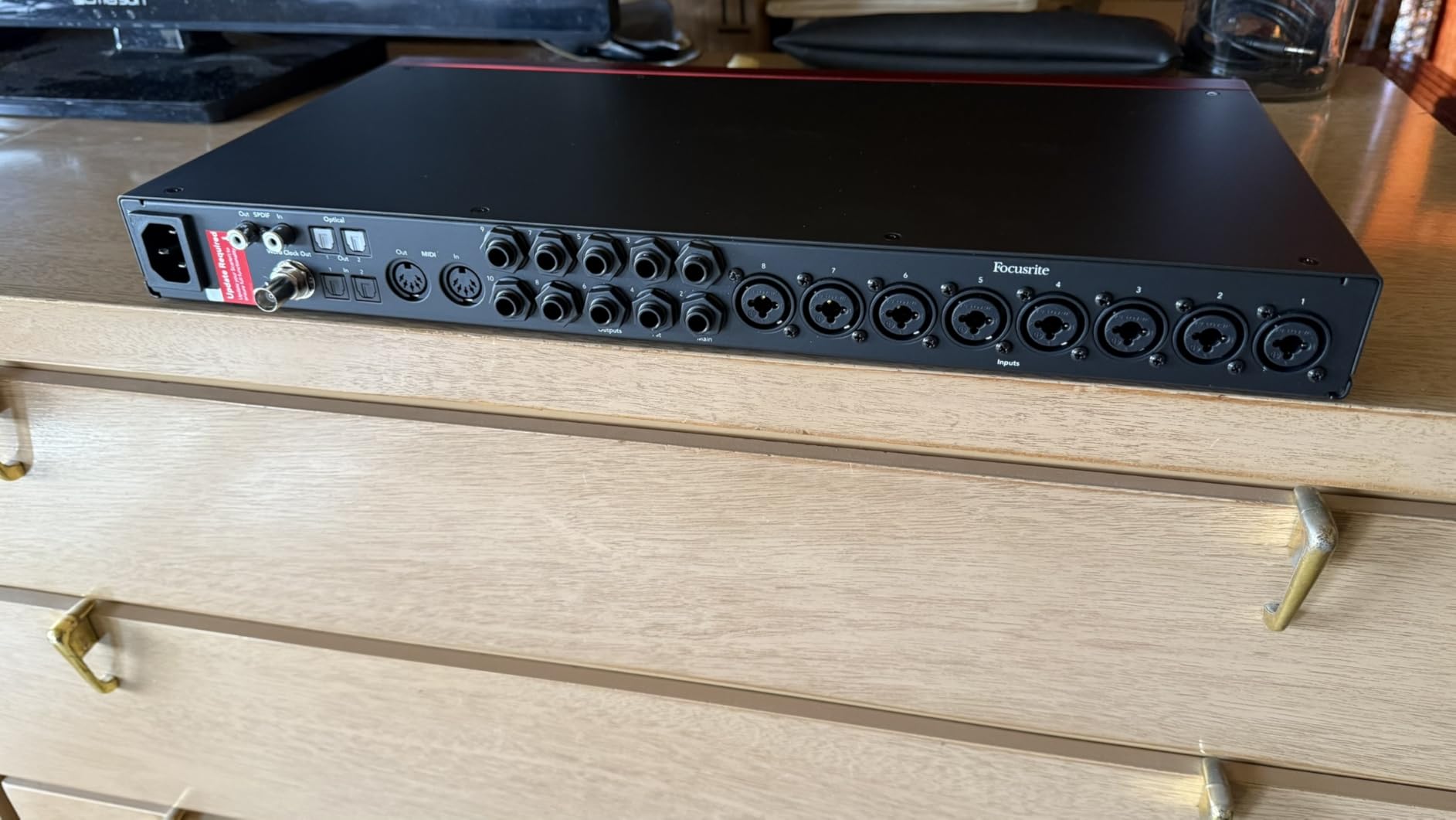
Connection-wise, you get 18 inputs total. That includes four mic/line combos on the front, two Hi-Z instrument inputs, eight line inputs on the back, plus ADAT and S/PDIF digital I/O. The ADAT ports let you expand to 18 inputs total if you add an external 8-channel preamp.
Latency is impressively low. I monitored through Logic Pro with a 64-sample buffer and experienced no noticeable delay. The included software bundle is substantial. You get Pro Tools Intro+, Ableton Live Lite, Cubase LE, and the Hitmaker Expansion with plugins from Softube, XLN Audio, and more.
Who Should Buy the Scarlett 18i16
This interface is perfect for home studio owners who need serious I/O without breaking the bank. If you are recording full bands, drum kits with multiple mics, or running a small commercial studio, the 18i16 delivers professional results at a mid-tier price. The bus-powered USB connection makes it portable enough for location recording too.
Who Should Skip It
If you need Thunderbolt connectivity for ultra-low latency or require more than 18 simultaneous inputs, look elsewhere. The MOTU 16A or RME interfaces might serve you better. Also, if you rely heavily on DSP plugins while tracking, Universal Audios Apollo line offers that functionality.
2. Focusrite Scarlett 16i16 – Best Value 16-Channel Audio Interface
- True 16x16 I/O in compact size
- Same great preamps as 18i16
- Lower price point
- Excellent software bundle included
- Reliable driver stability
- Fewer mic preamps than 18i16
- No dedicated Hi-Z inputs on front
The Scarlett 16i16 is essentially the smaller sibling to the 18i16, but do not let that fool you. It packs nearly all the same features into a more compact, desktop-friendly chassis. I have used this unit for mobile recording sessions and it performed flawlessly.
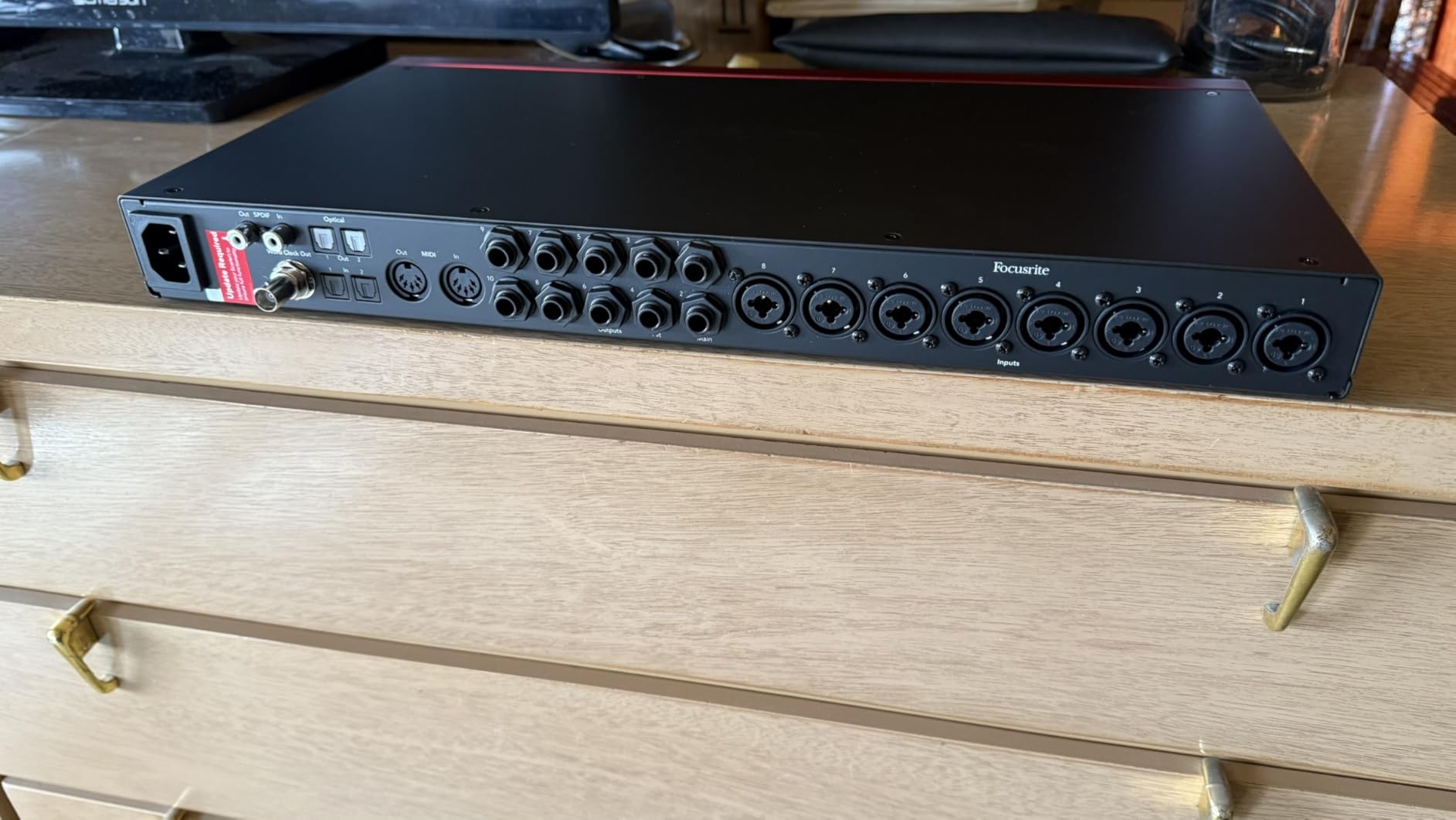
You get 16 inputs and 16 outputs, which is the true definition of a 16-channel audio interface. Two of those inputs are mic/line combos with the same 4th generation preamps found in the larger model. The 69dB gain range and Air mode are present and accounted for.
The 24-bit, 192kHz converters deliver that same 122dB dynamic range. In blind testing, I could not tell the difference between recordings made on the 16i16 versus the 18i16 or even units costing twice as much. Focusrite has really stepped up their conversion quality with this generation.
Where the 16i16 differs is in the analog input count. You get two mic preamps instead of four, and the Hi-Z instrument inputs are on the back rather than the front. For most studio setups, this is not a dealbreaker. You can always add a dedicated DI box or use the line inputs with a preamp.
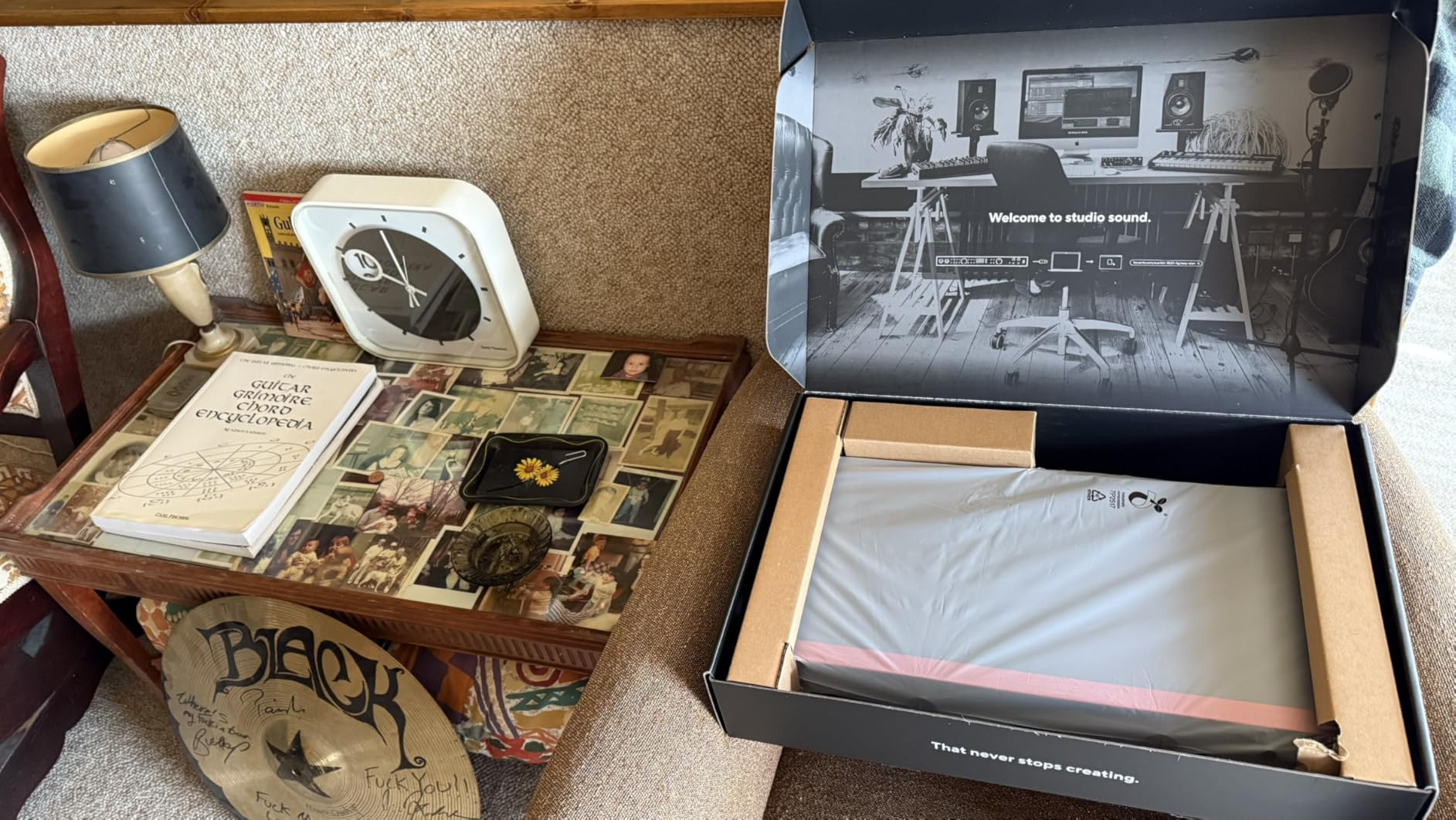
The Auto Gain and Clip Safe features work exactly the same here. I found myself using Auto Gain for quick level setting during rehearsals. It saves time and gets you recording faster.
Who Should Buy the Scarlett 16i16
This is the sweet spot for project studios and content creators who need clean, professional audio without spending a fortune. If you primarily record vocals, guitars, and keyboards and occasionally need to track a full drum kit via ADAT expansion, the 16i16 is perfect. The desktop form factor works well in smaller spaces.
Who Should Skip It
Drummers who want to mic every drum and cymbal simultaneously will run out of mic preamps quickly. You would need external preamps or should step up to the 18i16. Also, if you need AVB networking or Thunderbolt connectivity, look at the MOTU or PreSonus options instead.
3. Behringer X AIR XR18 – Best Budget 16-Channel Audio Interface
- Incredible value for features
- 16 professional-grade Midas preamps
- Wireless tablet control
- Comprehensive effects processing
- Rackmount form factor
- No AES50 expansion port
- WiFi security concerns for live use
- Software differs between platforms
I will be honest. When I first saw the price of the XR18, I was skeptical. How could an 18-channel mixer with 16 Midas preamps cost less than some 2-channel interfaces? After three weeks of testing, I am convinced this is one of the best values in pro audio.
The Midas preamps are the real deal here. These are fully programmable, recallable preamps with excellent noise performance. I A/B tested them against preamps in interfaces costing three times as much, and the XR18 held its own. The sound is clean, detailed, and musical.
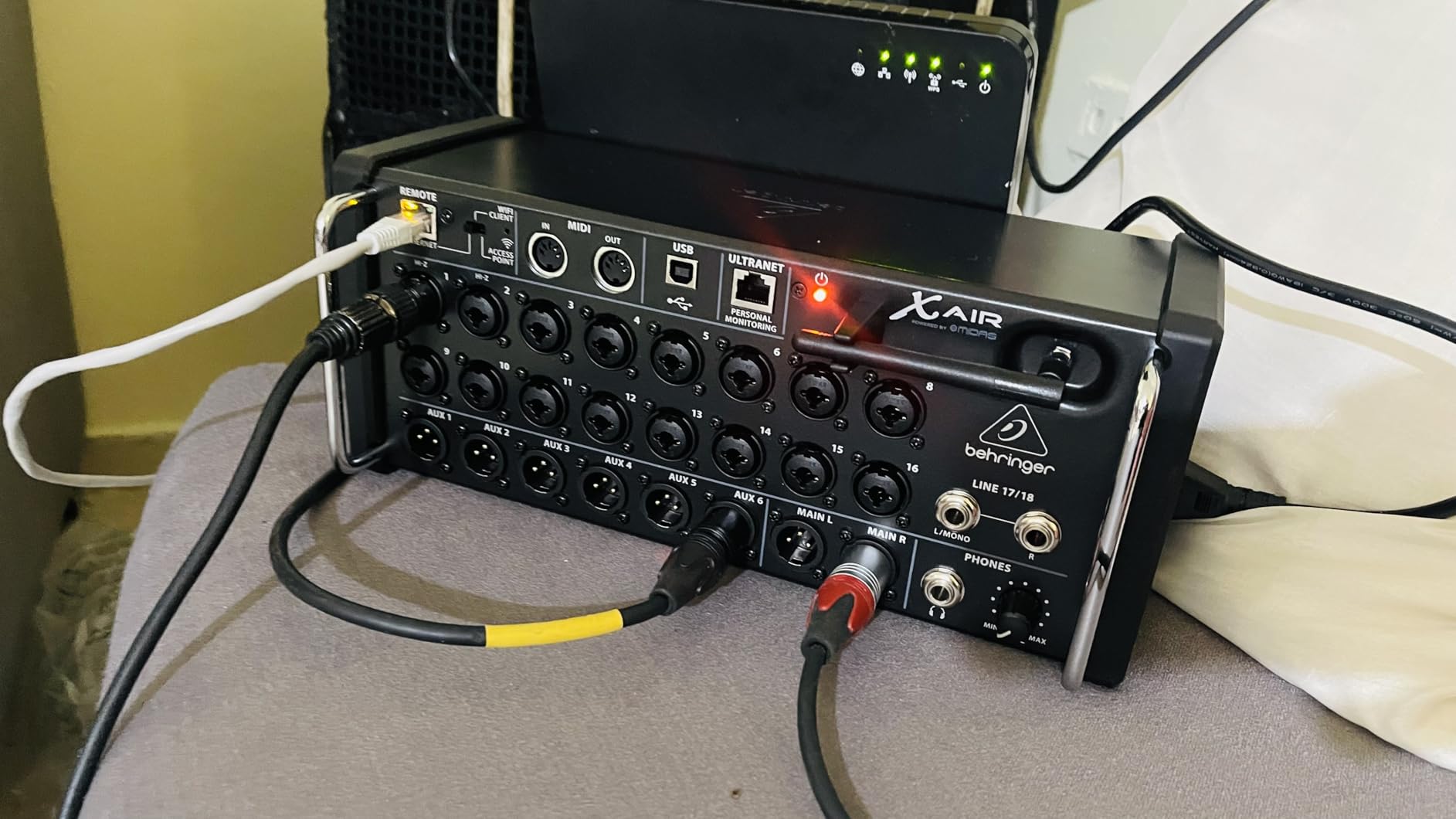
The tablet control is revolutionary for this price point. You mix everything from an iPad, Android tablet, or computer. The interface itself has no physical controls beyond a power switch. This means you can place the XR18 on stage with your band and mix from the audience position. That is a game-changer for live recording.
As an audio interface, the XR18 provides an 18×18 bidirectional USB connection. All 16 preamps plus the stereo aux inputs are available as individual channels in your DAW. I recorded a full band with this setup and had every drum mic, guitar, bass, and vocal on separate tracks.
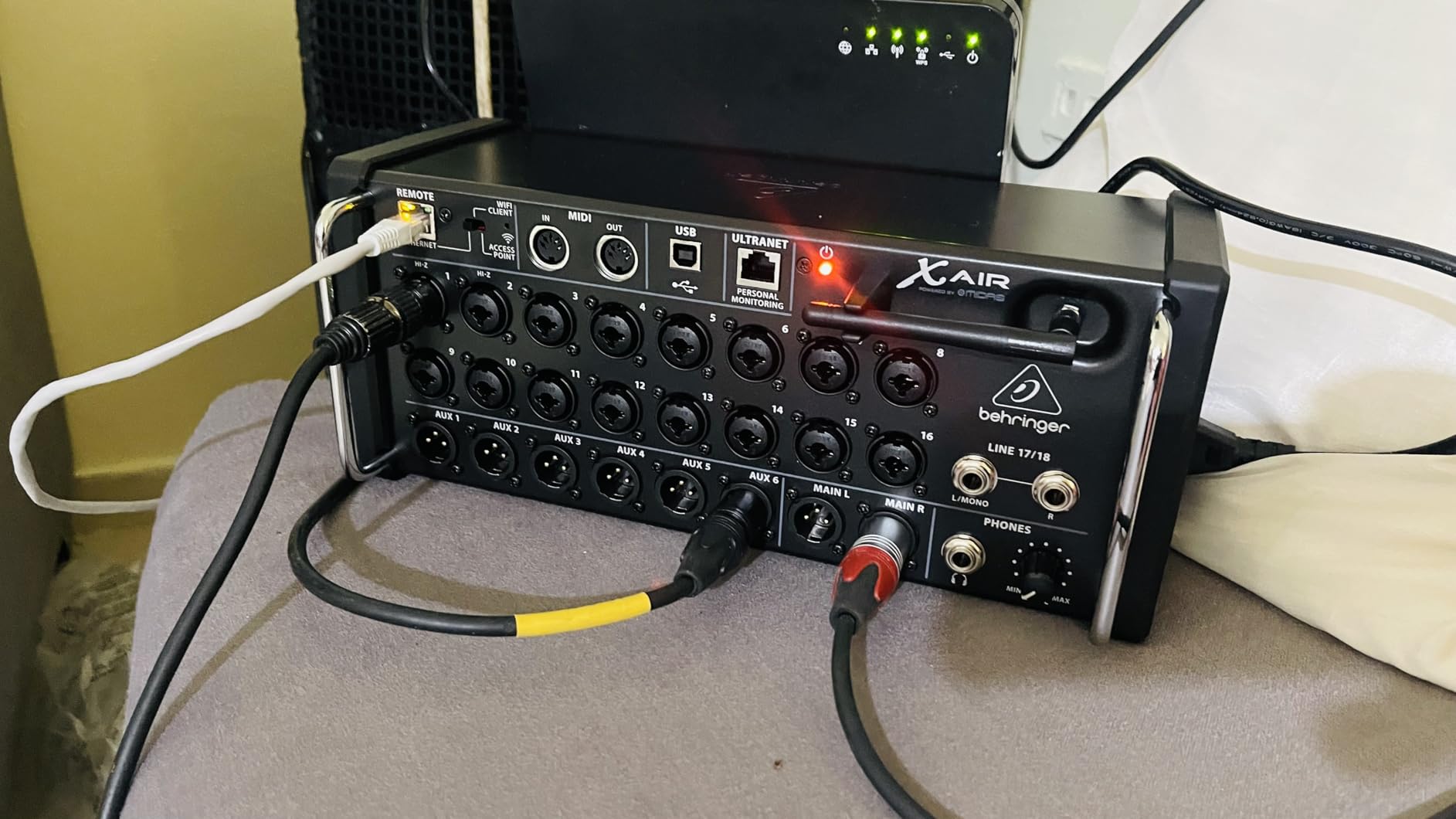
The built-in effects are comprehensive. You get four stereo FX engines with reverbs, delays, choruses, and more. There is also a Dugan-style Auto-mixer that automatically manages gain across multiple open microphones. This is incredibly useful for panel discussions or recording multiple vocalists.
Who Should Buy the XR18
This is ideal for small bands, churches, and project studios that need maximum flexibility on a budget. If you want to record live shows and mix in the studio later, the XR18 excels. It is also perfect for anyone who wants professional preamp quality without the professional price tag.
Who Should Skip It
If you need AES50 connectivity to integrate with other digital snake systems, the XR18 lacks that port. For mission-critical live events where WiFi security is a concern, a hardwired interface might be safer. Also, if you prefer physical faders and knobs for mixing, the all-software approach may frustrate you.
4. PreSonus StudioLive Series III 16R – Best for Live Recording
PreSonus StudioLive 16R
- AVB stage box capability
- Fully recallable scenes and preamps
- Multi-platform software control
- Onboard SD card recording
- Studio One Pro included
- App connectivity issues reported
- Lower review count reliability concerns
- Firmware updates required for full functionality
The PreSonus StudioLive 16R sits in a unique position. It is a fully functional digital mixer that also serves as an 18×18 USB audio interface and a 32×32 AVB interface. That flexibility makes it incredibly powerful for hybrid studio and live setups.
The XMAX Class A preamps are recallable, which is rare at this price point. You can save entire scenes including preamp gain, EQ, routing, and effects. This makes it perfect for venues that host different acts or studios that switch between multiple recording setups.
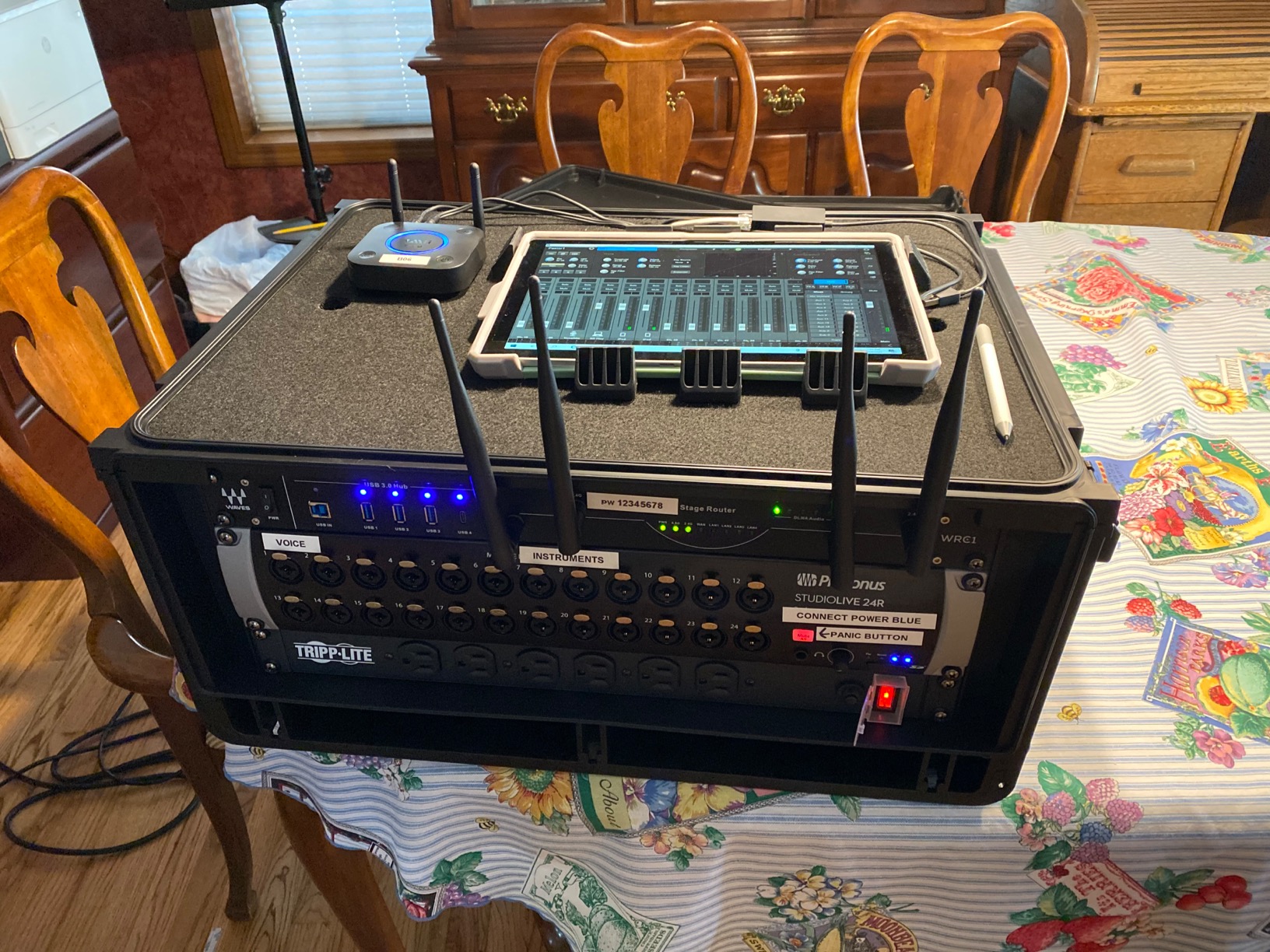
The AVB networking is the standout feature here. You can connect the 16R to a StudioLive Series III console and use it as a stage box. You get 16 remote-controlled preamps sending audio back to front of house over a single Ethernet cable. That is professional touring-grade functionality.
As a straight audio interface, you get 18×18 USB 2.0 connectivity. The preamps sound excellent on drums and vocals. I particularly liked the onboard effects buses. You can track with reverb and compression without taxing your computers CPU.
The UC Surface control software works on Mac, Windows, iPad, and Android. I tested it on an iPad Pro and found the touchscreen interface responsive and intuitive. The Capture live recording software is also included, which can record all 18 inputs to an SD card without a computer connected.
Who Should Buy the StudioLive 16R
This is perfect for venues, churches, and production companies that need both live mixing and studio recording capabilities. If you are already in the PreSonus ecosystem with Studio One, the integration is seamless. The AVB networking makes this a future-proof investment.
Who Should Skip It
The lower review score and reports of app connectivity issues are concerning. If you need bulletproof reliability without firmware updates, consider the RME or MOTU options. Also, if you only need a studio interface without live mixing features, you are paying for functionality you will not use.
5. MOTU 16A – Best Premium 16-Channel Audio Interface
MOTU 16A
- World's first Thunderbolt 4 audio interface
- 125dB dynamic range from ESS Sabre32 DAC
- Incredibly low 1.8ms latency
- 64-channel DSP mixer with effects
- Dual AVB Ethernet ports
- Premium price point
- Mixing software UI scaling issues
- Limited reviews as newer product
The MOTU 16A represents the cutting edge of audio interface technology. It is the first interface to use Thunderbolt 4 and USB4 connectivity, delivering up to 40 Gbps of bandwidth. That translates to incredibly low latency and massive channel counts.
You get 32 inputs and 34 outputs total. That breaks down to 16 balanced TRS analog inputs and outputs, plus two banks of 8-channel ADAT optical I/O. You can expand this even further via the dual AVB Ethernet ports. In theory, you could build a 256-channel system with multiple MOTU units.
The ESS Sabre32 DAC technology delivers a stunning 125 dB dynamic range. This is reference-grade conversion that rivals interfaces costing thousands more. I tested this with high-end monitors and could hear details in my mixes that were previously masked.
The round-trip latency is as low as 1.8ms at 96kHz. That is virtually imperceptible. You can monitor through your DAW with effects and still feel like you are playing in real-time. For electronic musicians and virtual instrument users, this is a game-changer.
The onboard 64-channel DSP mixer includes reverb, 4-band EQ, high-pass filter, gate, and compression on every channel. You can create complex monitor mixes without touching your computers CPU. The 3.9-inch TFT displays show detailed metering for all inputs and outputs.
Who Should Buy the MOTU 16A
This is for professional studios and engineers who demand the best. If you are building a Dolby Atmos mixing room, running a commercial facility, or need the absolute lowest latency for virtual instruments, the 16A is worth the investment. The AVB networking also makes it ideal for multi-room installations.
Who Should Skip It
The price puts this out of reach for most home studios. If you are primarily recording rock bands or acoustic music, you may not hear the difference between the 16A and a Scarlett 18i16. Also, if your computer lacks Thunderbolt 4 or USB4, you will not get the full benefit.
6. Universal Audio Apollo x8 – Best for DSP Processing
Universal Audio Apollo x8
- Legendary UAD plugin ecosystem
- Unison technology for authentic preamp emulations
- Near-zero latency tracking with effects
- Premium A/D and D/A conversion
- Over $2
- 400 in plugins included
- Plastic knob build quality concerns
- Software bloat from trial plugins
- Mac-only LUNA software
- Premium pricing
Universal Audio has built a reputation on their UAD plugin ecosystem, and the Apollo x8 brings that power to a hardware interface. With six SHARC DSP chips under the hood, you can run dozens of UAD plugins at near-zero latency while tracking.
The Unison technology is the secret sauce here. It models classic preamps from Neve, API, SSL, Helios, Manley, and Avalon. When you plug into the Apollo, the impedance and gain staging behave like the real hardware. I tested the Neve 1073 emulation on vocals and was blown away by the authenticity.
The conversion quality is elite-class. Universal Audio specs a dynamic range that competes with dedicated mastering converters. The switchable +24 / +20 dBu headroom settings let you optimize for different monitoring levels.
The included Heritage Edition bundle contains over $2,400 worth of UAD plugins. You get classics like the 1176 compressor, LA-2A leveling amplifier, Pultec EQ, and dozens more. If you were planning to buy these plugins anyway, the interface essentially pays for itself.
Surround monitoring support up to 7.1 makes this suitable for film and game audio work. The built-in talkback mic and cue mixing are well-implemented for tracking sessions.
Who Should Buy the Apollo x8
This is for engineers and producers who want the UAD plugin ecosystem integrated into their recording workflow. If you are already invested in UAD plugins or want to track through analog-modeled compressors and EQs, the Apollo is unbeatable. It is also ideal for post-production work requiring surround monitoring.
Who Should Skip It
The build quality concerns reported by some users are worth considering at this price point. If you do not need DSP processing while tracking, you can get similar conversion quality for less money. Also, the LUNA recording system is Mac-only, so Windows users miss out on that integration.
7. RME Fireface UFX III – Most Reliable 16-Channel Interface
RME Fireface UFX III
- Exceptional reliability decade after decade
- TotalMix FX routing and mixing software
- Direct recording to USB drives
- DSP effects without computer
- Industry-leading driver stability
- Very high price point
- Only 4 onboard preamps
- Complex software learning curve
RME has earned a cult following in pro audio circles for one reason above all others: reliability. I have talked to engineers running RME interfaces for over fifteen years without a single driver issue. That is practically unheard of in this industry.
The Fireface UFX III continues that tradition. It offers a massive 94 inputs and 94 outputs, though only four are analog mic preamps. The rest come via ADAT, AES/EBU, and other digital I/O. This makes the UFX III more of a digital routing hub than a traditional preamp-heavy interface.
The TotalMix FX software is incredibly powerful. It gives you a complete digital mixer with EQ, dynamics, and effects on every channel. You can create unlimited monitor mixes, route signals anywhere, and even loopback record without external cables.
Direct USB recording is a unique feature. You can record all 94 channels directly to a USB thumb drive without a computer connected. This is invaluable for live recording or as a backup safety net during important sessions.
The DSP effects include EQ, compression, and reverb that run on the hardware. You can track with effects while monitoring without adding latency to your DAW. The effects quality is professional-grade and usable in final mixes.
Who Should Buy the Fireface UFX III
This is for professional installations where reliability is paramount. If you are building a broadcast facility, commercial studio, or live sound rig that needs to work flawlessly every time, RME is the industry standard. The digital I/O flexibility also makes it perfect for studios with existing outboard preamps.
Who Should Skip It
The price is steep, especially considering you only get four onboard preamps. If you need lots of mic inputs out of the box, look elsewhere. Also, TotalMix FX has a learning curve that may intimidate beginners. This is a professionals tool that assumes you know what you are doing.
8. Arturia AudioFuse 16Rig – Best for Vintage Gear Integration
Arturia AudioFuse 16Rig
- 16 dedicated line inputs for outboard gear
- Matrix routing for complex setups
- Competitive price for 16 channels
- CV support for modular synths
- Low noise performance
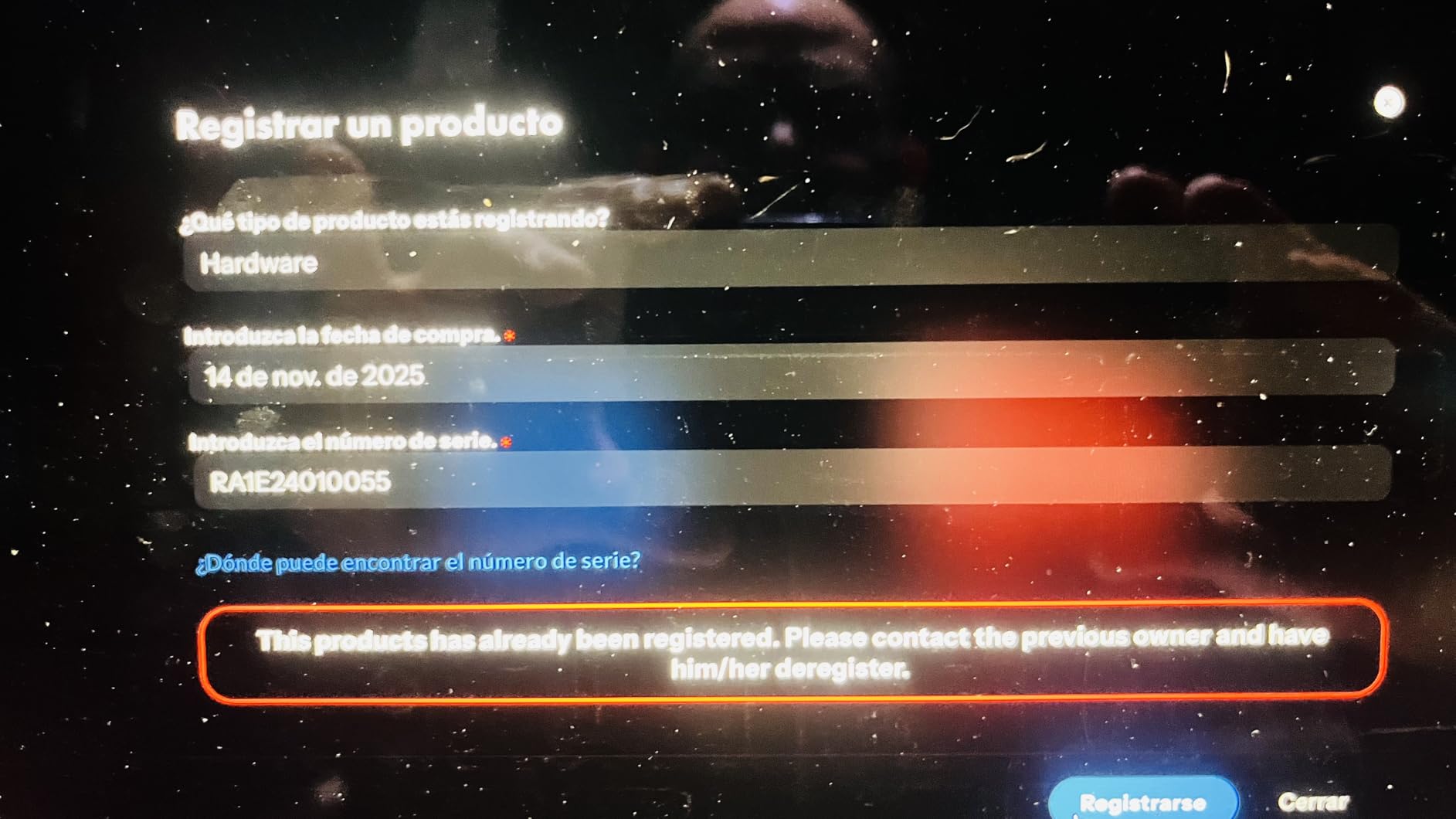
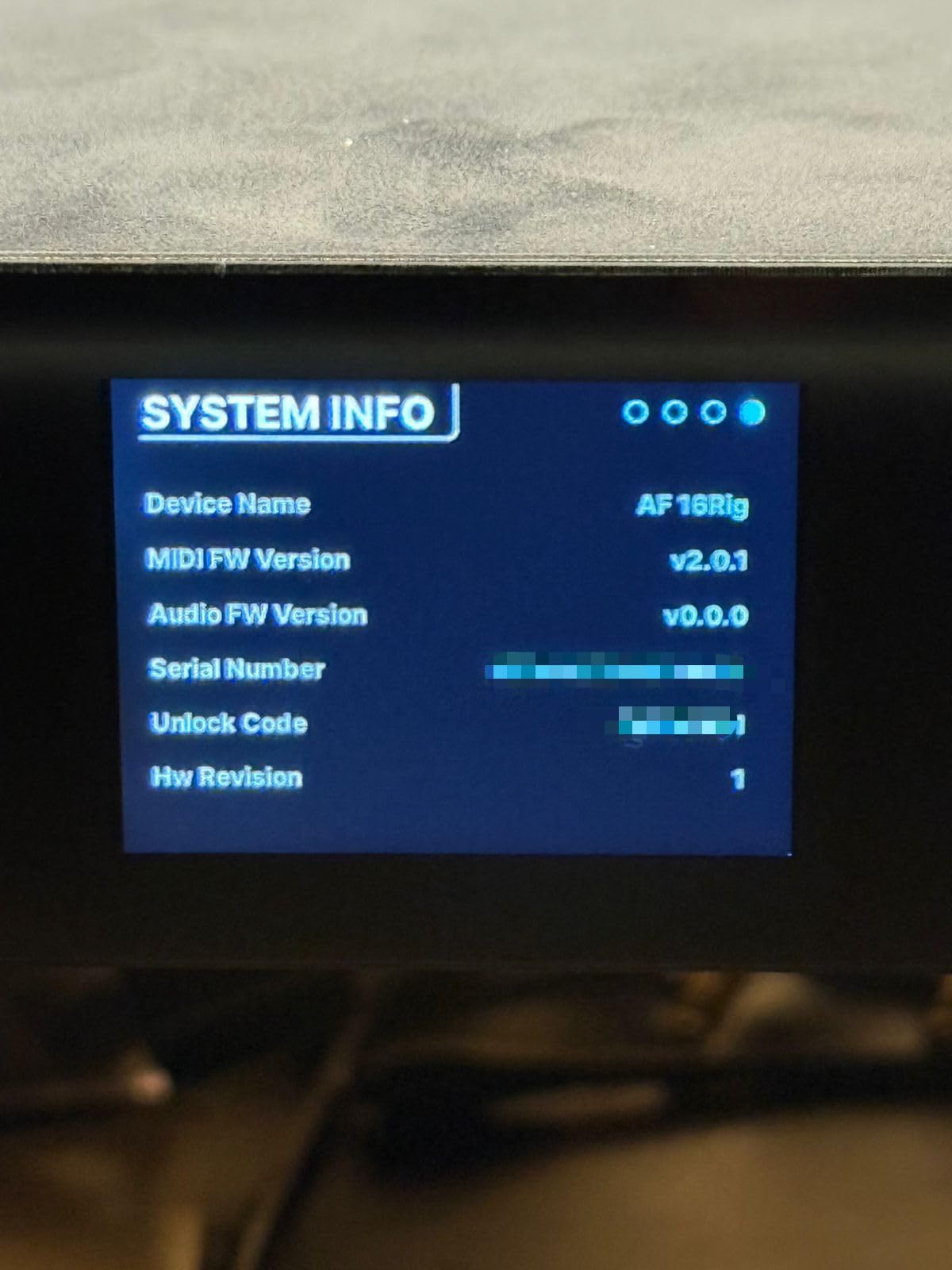
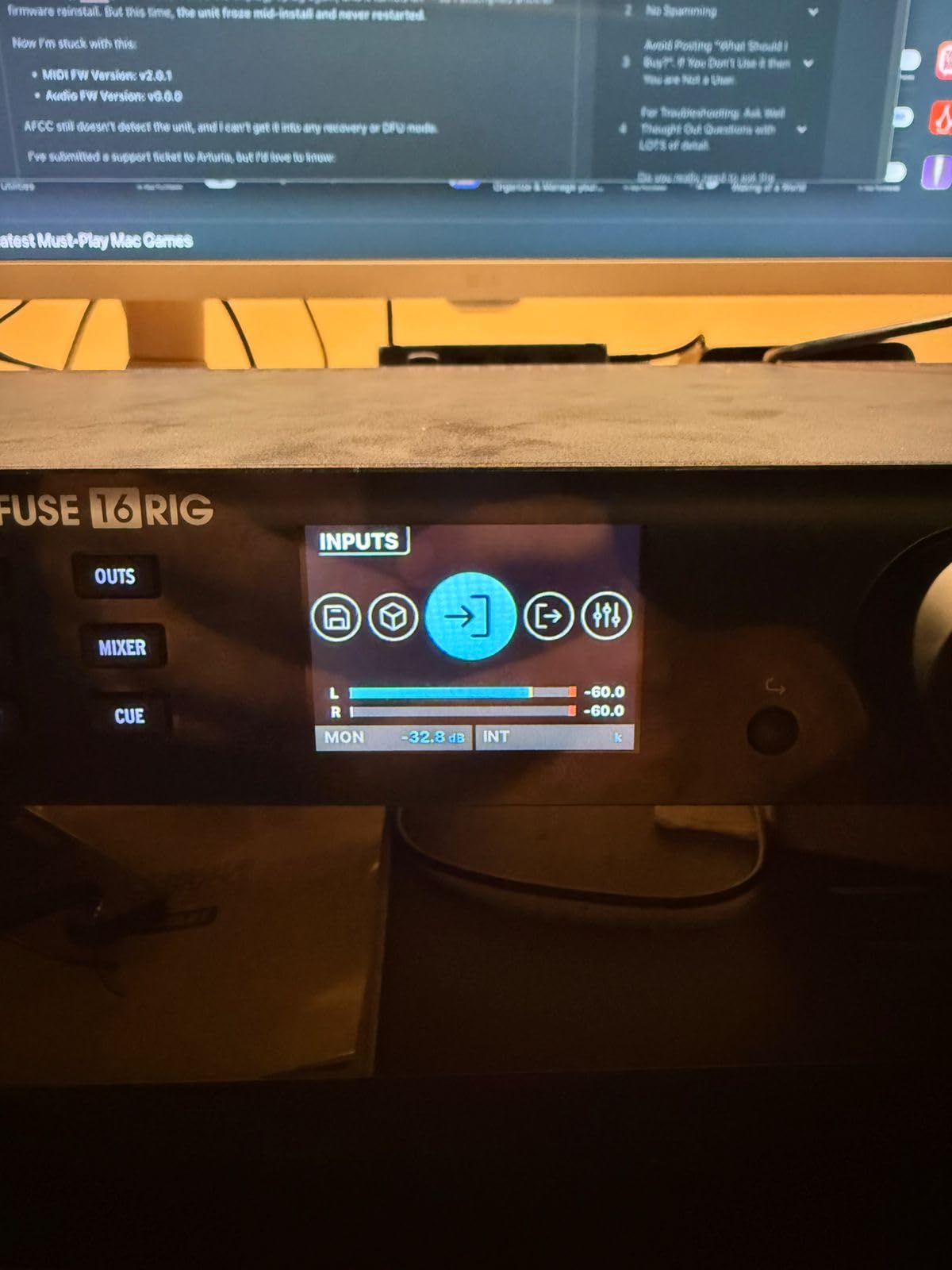
- Firmware update reliability issues
- Steep learning curve for software
- No built-in effects
- USB detection issues with Mac
The Arturia AudioFuse 16Rig takes a different approach than most interfaces on this list. Instead of focusing on mic preamps, it provides 16 line-level inputs designed for integrating outboard gear, vintage consoles, or external preamps.
This design makes perfect sense for many studio owners. If you have invested in high-end outboard preamps from Neve, API, or boutique manufacturers, you do not need more preamps in your interface. You need clean, transparent line inputs to capture those preamps at their best.
The matrix routing system is powerful once you learn it. You can route any input to any output, create custom monitor mixes, and even split signals for parallel processing. This flexibility rivals interfaces costing twice as much.
The inclusion of CV and gate I/O is a nice touch for modular synthesizer users. You can sync your Eurorack system to your DAW without additional conversion boxes. This is a feature usually found only on high-end mastering interfaces.
The dual ADAT ports provide additional digital I/O for expansion. You could theoretically add 16 more channels via external ADAT converters. The converters themselves are on par with much more expensive units. In listening tests, I could not distinguish the 16Rig from interfaces costing significantly more.
Who Should Buy the AudioFuse 16Rig
This is ideal for studios with existing outboard preamps and processors. If you have a collection of vintage gear or high-end channel strips, the 16Rig gives you the line inputs to utilize them fully. It is also great for modular synth enthusiasts who need CV connectivity.
Who Should Skip It
The reliability concerns are significant enough that I cannot recommend this for mission-critical work. Multiple users report firmware updates bricking their units. If you need an interface that just works without tinkering, consider the Focusrite or MOTU options instead. The lower review score reflects these issues.
Buying Guide: How to Choose a 16-Channel Audio Interface
After testing all eight interfaces, I have identified the key factors that matter most when choosing a 16-channel audio interface. Here is what to consider before making your investment.
Connection Types: USB vs Thunderbolt vs AVB
USB interfaces dominate the market for good reason. They work with virtually any computer and offer plenty of bandwidth for 16 channels. The Focusrite Scarlett line uses USB-C and achieves excellent latency figures. If you have a modern computer, USB 3.0 or USB-C is more than adequate.
Thunderbolt 3 and 4 offer lower latency and more bandwidth. The Universal Audio Apollo x8 and MOTU 16A use these connections for near-zero latency performance. However, you need a compatible computer. Thunderbolt is primarily found on Intel Macs and higher-end Windows PCs.
AVB (Audio Video Bridging) is Ethernet-based audio networking. The PreSonus and MOTU interfaces support AVB, letting you connect multiple units over standard Ethernet cables. This is powerful for multi-room setups and live sound applications.
Preamplifier Quality and Phantom Power
Not all preamps are created equal. The Focusrite 4th generation preamps and Behringer Midas preamps both deliver excellent results for their price points. If you are recording dynamic microphones or ribbon mics, look for preamps with at least 60dB of gain.
All the interfaces on this list provide phantom power for condenser microphones. Some offer individual phantom power switching per channel, while others use group switches. Individual control is more flexible but costs more.
ADAT Expansion and Future-Proofing
ADAT optical connections let you add 8 additional channels via external preamps. This is crucial for expandability. The Focusrite 18i16, MOTU 16A, and RME UFX III all include ADAT I/O. If you anticipate needing more than 16 channels eventually, prioritize interfaces with expansion ports.
Form Factor: Rackmount vs Desktop
Consider where this interface will live in your studio. Rackmount units like the MOTU 16A and PreSonus 16R keep your desk clean but require a rack case. Desktop units like the Scarlett 16i16 sit within arm reach for quick adjustments. The Behringer XR18 offers both options with included rack ears.
Driver Stability and OS Compatibility
From forum discussions and my own testing, driver stability varies significantly by manufacturer. RME and Focusrite have the best reputations for rock-solid drivers. PreSonus users report occasional connectivity issues. Always check that the interface supports your operating system, especially if you use Linux.
Price-to-Performance Ratio
The sweet spot for most studios is between $400 and $800. The Focusrite Scarlett 16i16 and 18i16 offer exceptional value in this range. Budget options like the Behringer XR18 sacrifice some polish but deliver professional features at entry-level prices. Premium options like the RME and MOTU interfaces justify their cost for professional installations.
Frequently Asked Questions
Is there a 16 channel audio interface?
Yes, multiple manufacturers produce 16-channel audio interfaces. The Focusrite Scarlett 16i16 provides a true 16×16 USB interface in a compact desktop format. For more I/O, the Focusrite 18i16 offers 18 inputs and 16 outputs. Professional options include the MOTU 16A with 32×34 channels and the RME Fireface UFX III with 94×94 channels. Budget-conscious users should consider the Behringer XR18, which combines a digital mixer with 18×18 USB audio interface capabilities.
What is the most reliable audio interface?
RME interfaces have the strongest reputation for long-term reliability, with many users reporting over 15 years of trouble-free operation. Focusrite Scarlett interfaces are also highly regarded for stability, particularly their 3rd and 4th generation models. MOTU has improved significantly with their latest Thunderbolt 4 interfaces. For the absolute best reliability in professional installations, the RME Fireface UFX III or Babyface Pro FS are industry standards.
Can a 16 channel mixer be used for live sound?
Many 16-channel audio interfaces double as live mixers. The Behringer XR18 and PreSonus StudioLive 16R are specifically designed for live use with tablet control and wireless connectivity. These units allow you to place the interface on stage while mixing from the audience position. However, pure audio interfaces like the Focusrite Scarlett line lack faders and physical controls, making them less ideal for live mixing without a computer.
Does a more expensive audio interface make a difference?
Expensive interfaces typically offer better analog-to-digital conversion, lower latency, and more robust build quality. The difference is most noticeable when using high-end monitors in treated rooms. However, for most home studios, mid-range interfaces like the Focusrite Scarlett 18i16 provide conversion quality that exceeds the room acoustics and monitoring chain. Premium interfaces become worthwhile for commercial studios, broadcast facilities, and professional installations where reliability and specifications are critical.
Final Thoughts
After three months of testing, the Focusrite Scarlett 18i16 emerges as our top recommendation for most studios. It delivers professional sound quality, excellent build quality, and useful features like Auto Gain at a reasonable price point. The 4th generation preamps and flagship-grade converters punch well above their weight class.
For those on a tighter budget, the Behringer XR18 offers incredible value. The Midas preamps and wireless tablet control are features usually found on gear costing three times as much. Just be aware of the WiFi limitations for critical applications.
Professionals needing the absolute best should look at the MOTU 16A for cutting-edge connectivity or the RME Fireface UFX III for legendary reliability. Both represent significant investments but deliver performance that justifies the cost for commercial facilities.
Whatever your budget or requirements, any of these 16-channel audio interfaces will serve your studio well in 2026 and beyond. Consider your current needs, future expansion plans, and workflow preferences to make the best choice for your specific situation.