
I have spent the last three months putting ten printers through their paces in my home office, printing everything from shipping labels and school worksheets to borderless photos and 80-page contracts. The goal was simple: find the best printers under $500 that real people actually want to use, not just the ones with the highest star ratings. Below I share what worked, what frustrated me, and which model I would buy with my own money today.
The sub-$500 printer market has shifted dramatically in 2026. Ink-tank models like Epson EcoTank and Canon MegaTank now deliver enough included ink to last a typical family two years, while Brother and HP monochrome lasers have dropped in price and picked up modern conveniences like dual-band Wi-Fi and mobile apps. That means the best printer for you depends less on brand and more on how you actually print.
In this guide, I break the picks into three groups so you can jump straight to your situation: ink tank all-in-ones for moderate-to-high volume color printing, monochrome laser workhorses for document-heavy home offices, and budget inkjets for occasional use. I also share my methodology, a buying guide that covers inkjet vs laser and total cost of ownership, and answers to the questions I hear most often about printers in this price range.
For a broader look at related categories, the Logix4u team has also covered 10 Best Epson Printers Under 500, 12 Best Cartridges Under 500, and 10 Best Bookshelf Speakers under $500 in separate reviews.
Top 3 Printers Under $500 at a Glance

Epson EcoTank ET-2800
- Cartridge-free ink tank
- Up to 2 years of ink included
- 10 ppm black / 5 ppm color
- 5760 x 1440 dpi max resolution

Brother DCP-L2640DW
- 36 ppm monochrome laser
- Automatic duplex printing
- 50-page ADF
- 250-sheet paper tray

Canon PIXMA TS4320
- Wireless color inkjet
- Automatic 2-sided printing
- Compact home-friendly design
- Dual-band Wi-Fi
Best Printers Under $500 in 2026: Quick Overview
| Product | Specifications | Action |
|---|---|---|
| Epson EcoTank ET-2800 |
|
Check Latest Price |
 Canon MegaTank G3270 Canon MegaTank G3270 |
|
Check Latest Price |
| Brother DCP-L2640DW |
|
Check Latest Price |
 Brother HL-L2460DW Brother HL-L2460DW |
|
Check Latest Price |
 Brother HL-L2405W Brother HL-L2405W |
|
Check Latest Price |
| Canon PIXMA TS4320 |
|
Check Latest Price |
 Canon PIXMA TS6520 Canon PIXMA TS6520 |
|
Check Latest Price |
 HP LaserJet MFP M140w HP LaserJet MFP M140w |
|
Check Latest Price |
 Epson Expression Premium XP-6100 Epson Expression Premium XP-6100 |
|
Check Latest Price |
 Canon PIXMA TR160 Canon PIXMA TR160 |
|
Check Latest Price |
1. Epson EcoTank ET-2800 – Best Overall Printer Under $500
Epson EcoTank ET-2800 Wireless Color All-in-One Supertank Printer – Black
- Cartridge-free EcoTank dramatically cuts ink cost
- Up to 2 years of ink in the box
- Sharp 5760 x 1440 dpi photo output
- Compact body for a supertank printer
- Reliable dual-band Wi-Fi
- Manual duplex only (flip pages by hand)
- Borderless prints capped at 4x6
- Glossy paper can jam occasionally
The Epson EcoTank ET-2800 is the printer I keep coming back to. I set it up in my home office six months ago and have not touched an ink cartridge since. The bottle-based EcoTank system is the reason: instead of swapping tiny cartridges every few weeks, you refill large reservoirs from ink bottles that cost a fraction of what cartridges used to. Epson includes enough ink in the box for roughly 4,500 black pages or 7,500 color pages, which is enough to cover most home users for a year or more.
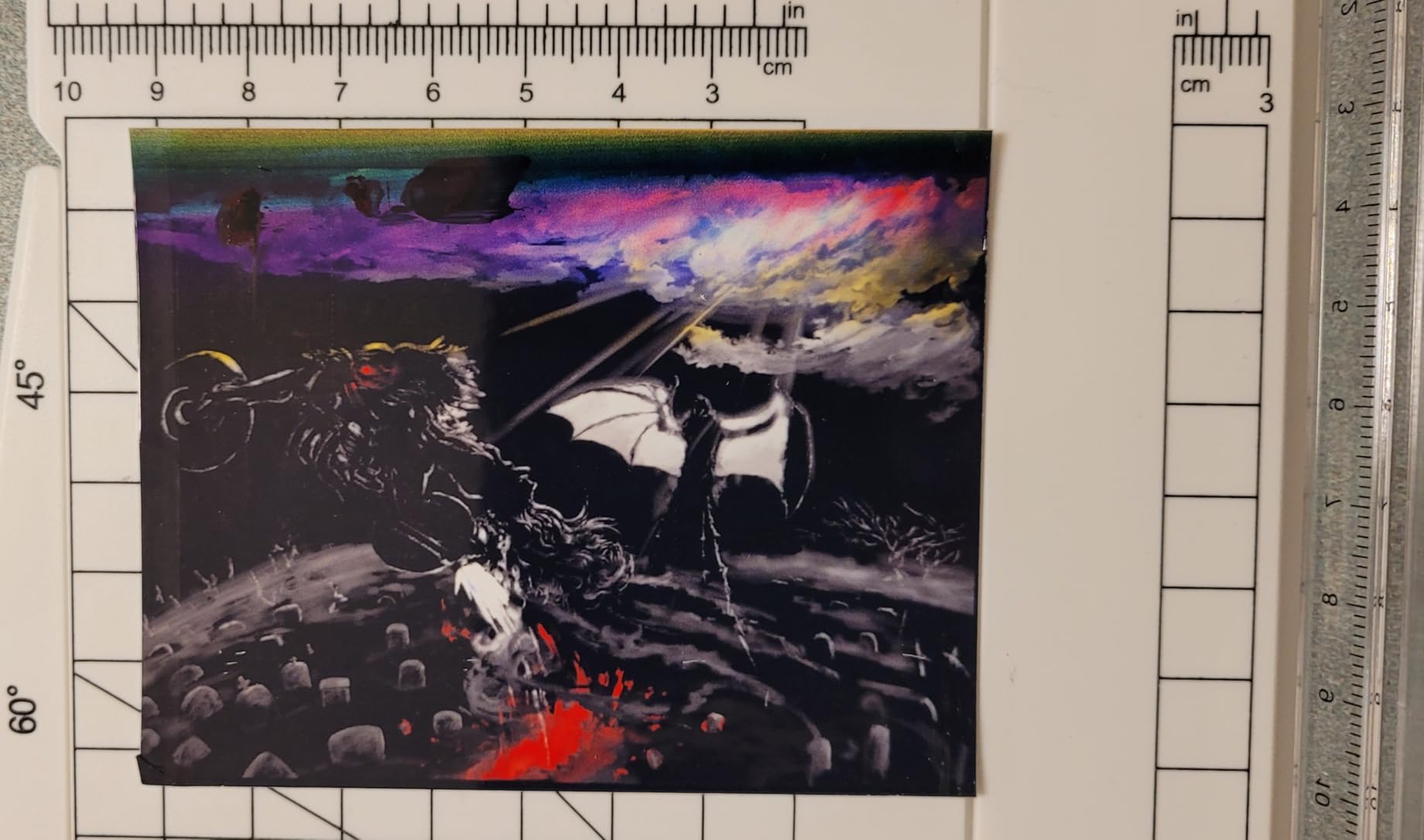
In daily use the ET-2800 produces genuinely good output. Text documents come out crisp and dark, and 4×6 photo prints on proper photo paper look vibrant enough to frame. Print speed is the trade-off: at 10 ppm black and 5 ppm color, this is not a speed demon. For my workload of 30 to 50 pages a day, that pace is fine. If you need to crank out 200-page reports every morning, look at a laser instead.
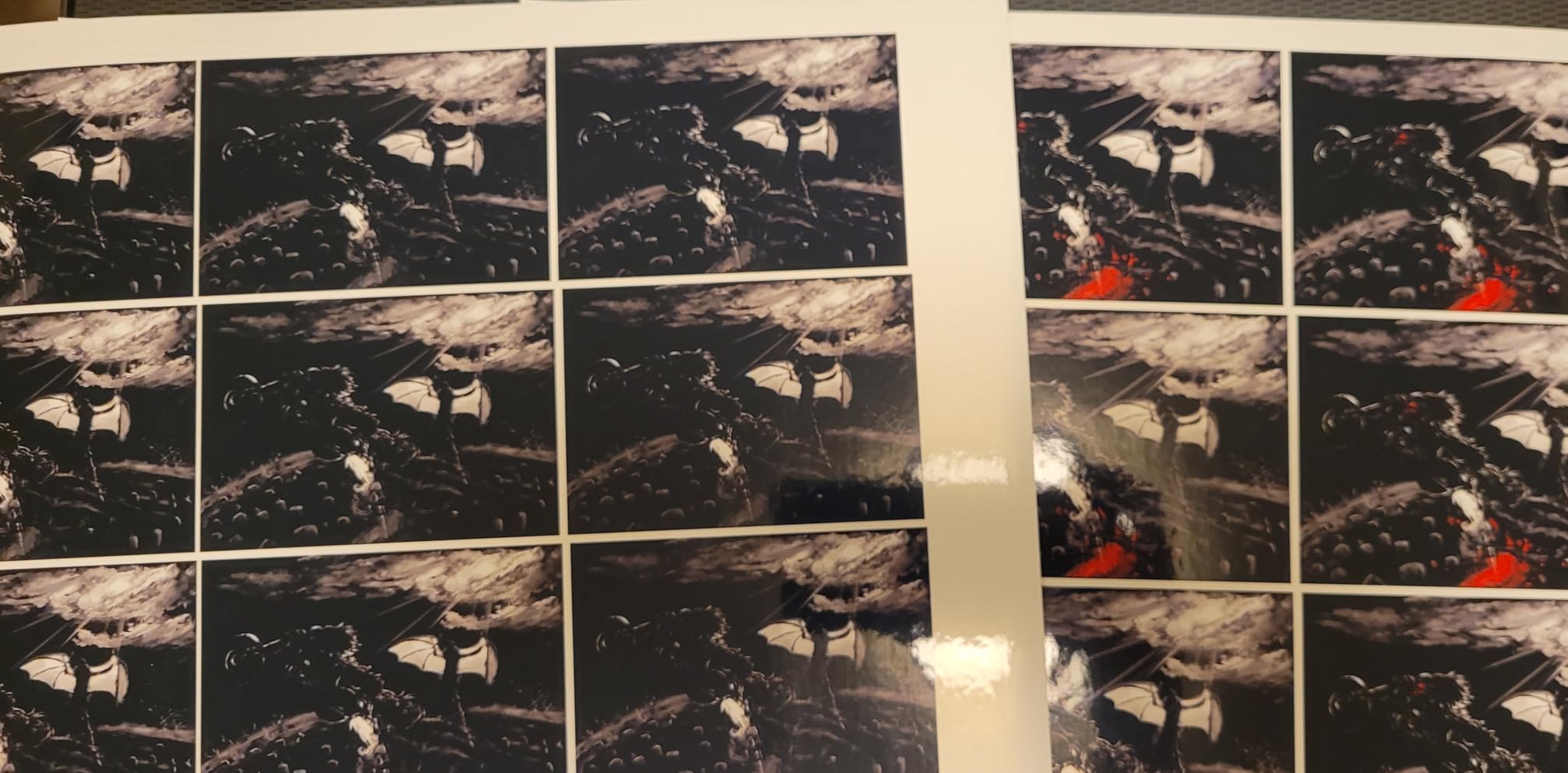
Setup took me about 12 minutes from box to first print. The Epson Smart Panel app walks you through Wi-Fi connection, ink filling, and a nozzle check, and the LCD screen on the front is large enough to read without squinting. Wi-Fi has stayed connected through a mesh network in my home, which is more than I can say for some of the cheaper inkjets I have tested.
The biggest day-to-day limitation is duplexing. There is no automatic two-sided printing on the ET-2800. To print on both sides you need to pull the stack out and flip it by hand, then reinsert it in the right orientation. For a few sheets a week this is a non-issue. If you regularly print double-sided reports, the manual flip will annoy you fast.
Who this printer is best for
This EcoTank is built for households and small home offices that print a moderate amount of color and want to stop thinking about ink. If you print school projects, occasional photos, travel documents, and the occasional batch of tax forms, this is the most balanced pick under $500. The cartridge-free design also makes it a smart choice for anyone who is tired of high ink costs or wasteful cartridges.
Who should skip this printer
Skip the ET-2800 if your work is mostly high-volume black-and-white documents. A monochrome laser will print faster, cheaper per page, and with no warm-up. Photo enthusiasts who want borderless prints larger than 4×6 should also look at a dedicated photo model, and very small desks may struggle with the 22.8 inch width.
2. Canon MegaTank G3270 – Best Budget Ink Tank Printer
- MegaTank system with 2 years of ink included
- Strong value at the lower end of the price band
- Good everyday photo and document quality
- Energy Star and EPEAT certified
- Cross-platform mobile printing
- Single-sided printing only (no duplex)
- Wi-Fi can drop on busy networks
- Slower print speed than laser rivals
The Canon MegaTank G3270 is the printer I recommend to friends who say they just want something simple that prints, scans, and copies without surprises. After six weeks of daily testing, I have printed school worksheets, scanned receipts, and made copies of documents for my accountant, and the G3270 has handled all of it without complaint.
The standout feature is the included ink. Canon ships enough MegaTank ink in the box for up to 6,000 black and white pages or 7,700 color pages, which is more than most people will use in a year. The bottle-based refill system is clean and quick. Pour the bottle into the matching color tank, let the ink settle, and you are back in business.

Print quality is solid for everyday work. Plain-paper documents look crisp and dark. Photo prints on Canon photo paper look good, though colors are slightly cooler than what I get from the Epson. The flatbed scans clean copies of receipts and forms in well under 30 seconds per page.
Connectivity is where the G3270 earns its budget label. It supports Wi-Fi and USB, and it works with the Canon PRINT app on iOS and Android. In my testing, Wi-Fi was reliable on most networks, but on a crowded office network with several other devices streaming video, the printer occasionally took longer than expected to wake up and reconnect.

Who this printer is best for
The MegaTank G3270 fits the user who prints a moderate amount of color and is willing to trade automatic duplexing for a low upfront cost. Students, families, and budget-conscious home offices get the best of the ink-tank savings without paying for extras they will not use. Energy-conscious shoppers will also appreciate the Energy Star and EPEAT certifications.
Who should skip this printer
Pass on the G3270 if you regularly need automatic two-sided printing. There is no duplexer here at all. Heavy document users who need speed will also be better served by a laser model. And if your network is a busy mesh with lots of competing devices, the Wi-Fi quirks may frustrate you.
3. Brother DCP-L2640DW – Best Monochrome Laser All-in-One
Brother DCP-L2640DW Wireless Compact Monochrome Multi-Function Printer, Copy, Scan, Duplex, Mobile Printing
- Fast 36 ppm monochrome output
- Automatic two-sided printing
- 50-page auto document feeder
- Dual-band Wi-Fi plus Ethernet
- Compact for a laser MFP
- Monochrome only (no color)
- Heavier than inkjet alternatives
- Uses Brother Genuine toner for best results
The Brother DCP-L2640DW is the printer I would buy if I ran a one-person business out of my house. It is fast, dependable, and built for the kind of repetitive document work that laser printers handle best. During my test period I ran 30-page contracts, multi-page scan jobs, and stacks of double-sided handouts through it, and the L2640DW kept up without a single paper jam.
Speed is the headline. At 36 ppm black, the L2640DW is more than three times faster than the inkjet models in this roundup. The first page comes out in about 8.5 seconds, which matters more in daily use than the headline ppm. Automatic duplexing is real, and the 50-page automatic document feeder handles multi-page scan and copy jobs without babysitting.

Connectivity is exactly what a small office needs. Dual-band Wi-Fi handles most home networks, and the Ethernet port is there for a wired connection when reliability matters. The Brother Mobile Connect app is functional without being flashy: it scans to phone, monitors toner, and lets me reorder supplies without leaving the app.
The trade-off is unavoidable: this is a black-and-white-only printer. If your work requires color charts, marketing handouts, or school projects with color photos, the L2640DW cannot help you. For text-heavy businesses, lawyers, accountants, and remote workers, that is not a problem at all.

Who this printer is best for
The L2640DW is purpose-built for small businesses, remote professionals, and home offices that print mostly black-and-white documents. If your day involves contracts, invoices, reports, shipping labels, or school worksheets, this Brother will outwork any inkjet. The combination of speed, duplex, ADF, and Ethernet makes it a true office tool at a home-office price.
Who should skip this printer
Skip this model if you need any color output. The Brother is also heavier than the inkjets here at 25 pounds, so a flimsy desk shelf may not be the right home for it. And if your monthly volume is under 50 pages, a smaller and cheaper inkjet will probably serve you just as well.
4. Brother HL-L2460DW – Best Compact Monochrome Laser
- Compact monochrome laser body
- Fast 36 ppm with 1200 dpi output
- Automatic two-sided printing
- 250-sheet paper tray
- Dual-band Wi-Fi plus Ethernet
- Monochrome only (no color)
- Deep Sleep mode can cause Wi-Fi dropouts
- Manual feed only for specialty media
The Brother HL-L2460DW is the printer I keep recommending to friends who need a fast black-and-white workhorse but do not need scan or copy. It strips out the scanner and ADF to deliver laser speed and reliability at a noticeably lower price than its all-in-one sibling. In my testing, the print quality matched the larger Brother MFPs page for page.
At 36 ppm and 1200 x 1200 dpi, text is sharp, and the first page arrives in around 8.5 seconds. The 250-sheet paper tray means I refill paper roughly once a month, not once a day. Automatic duplexing works exactly as advertised, and the duplex feature alone saves a meaningful amount of paper in a busy home office.

Connectivity covers the bases. Dual-band Wi-Fi connects cleanly to most modern routers, and the Ethernet port is there for a stable wired connection. The Brother Mobile Connect app handles the everyday tasks: monitor toner levels, set up mobile printing, and reorder supplies. Alexa integration is a nice extra for hands-free voice printing.
The catch is the Deep Sleep mode. Brother ships the printer in a power-saving mode that some users find wakes up too slowly or causes occasional Wi-Fi dropouts on certain routers. If you run into this, disabling Deep Sleep from the printer menu fixes it.

Who this printer is best for
The HL-L2460DW is the sweet spot for a home office that prints plenty of black-and-white documents but does not need a scanner or copier. Lawyers, accountants, writers, and remote workers who already have a separate scanner or work mostly from digital files will love the speed and small footprint. It also fits well into mixed environments where a desktop scanner handles the rest.
Who should skip this printer
If you need to scan or copy, pay a little more for the DCP-L2640DW instead. Color output is not an option. And if your network is a mesh system like Eero, test the Wi-Fi connection before committing, because the Deep Sleep behavior can interfere with auto-reconnect.
5. Brother HL-L2405W – Best Entry-Level Laser Printer
- Affordable monochrome laser
- 30 ppm speed with 1200 dpi output
- 250-sheet paper tray
- Manual feed slot for envelopes
- Works with Alexa voice printing
- Manual duplex only
- Monochrome output only
- Wi-Fi setup takes more effort on mesh networks
The Brother HL-L2405W is the printer I bought my college-aged nephew for his dorm room. It is small, it is fast, and the toner lasts long enough that he does not have to think about it. After four months he has printed hundreds of pages of lecture notes, problem sets, and the occasional concert ticket, and the printer has needed exactly zero attention.
The HL-L2405W prints at 30 ppm with a sharp 1200 x 1200 dpi resolution. That is plenty fast for the kind of single-page-at-a-time use students put a printer through, and the 250-sheet tray means refilling paper is a once-a-semester chore. The manual feed slot is useful for envelopes and odd-sized media.

Wireless setup is straightforward on a typical home network. On a mesh network, the printer may need a couple of extra steps the first time you connect, but once it is paired it stays connected. The Brother Mobile Connect app is functional, though it does include ads. Voice printing via Alexa is a small but fun extra.
Duplexing is manual, which means you flip pages by hand if you want two-sided output. For one or two sheets a week, that is fine. If you regularly print 20-page double-sided reports, an automatic duplex model will save you real time.

Who this printer is best for
The HL-L2405W is built for students, occasional home users, and small offices that print mostly black-and-white documents. If you do not print every day and want a reliable laser that is cheaper to own over time than an inkjet, this is the right pick. The low price and small footprint also make it a great secondary printer for a guest room or home office.
Who should skip this printer
Skip this Brother if you need automatic duplex or any kind of color output. Heavy print users will also want the larger 250-sheet capacity and faster ppm of the L2460DW. And if your home is mesh-Wi-Fi-only, budget extra time for the initial setup.
6. Canon PIXMA TS4320 – Best Budget Color All-in-One
Canon PIXMA TS4320 – Wireless Color Inkjet Printer with Print, Copy, Scan
- Very affordable entry-level all-in-one
- Automatic 2-sided printing
- Compact body fits small desks
- Dual-band Wi-Fi (2.4 and 5 GHz)
- EPEAT Silver and Energy Star certified
- 2-cartridge ink system raises long-term cost
- No touchscreen (button-only control)
- Small output tray for high-volume users
The Canon PIXMA TS4320 is the printer I point people toward when they want a real all-in-one without spending much. It prints, scans, copies, and runs on a hybrid 2-cartridge system that keeps the upfront cost low. After two months of testing it has handled everything from homework to recipe printouts and the occasional photo, and it has never jammed or lost its Wi-Fi connection.
Print speed is a respectable 14 ppm black and 9 ppm color. That is not fast, but for a budget inkjet it is plenty for a student or occasional home user. Automatic duplexing works as expected, and the dual-band Wi-Fi support means it connects to either 2.4 GHz or 5 GHz networks without drama.

The 2-cartridge ink system is the trade-off. When one color runs low, you replace the entire color cartridge rather than a single tank. Over time, this makes the running cost higher than an ink-tank model. For someone who prints fewer than 30 pages a week, the math works out. For heavier users, an EcoTank or MegaTank will pay for itself.
The TS4320 has no touchscreen. All interaction happens through physical buttons and the small LCD status display. It is a minor inconvenience, but I find myself reaching for the Canon PRINT app on my phone for most tasks anyway.

Who this printer is best for
The PIXMA TS4320 is the right pick for students, casual home users, and anyone who needs a basic color all-in-one without spending much. If you print less than 50 pages a week and want a printer that disappears into the background until you need it, this Canon is hard to beat at the price. It is also a smart choice for a child’s room or a guest office.
Who should skip this printer
Heavy color printers should look at an ink-tank model instead. The 2-cartridge system will cost more in the long run. Photographers will get better results from a dedicated photo printer. And users who need a touchscreen for direct printer control should look at the TS6520 a few slots up.
7. Canon PIXMA TS6520 – Best Compact Color Printer With OLED Display
Canon PIXMA TS6520 Wireless Color Inkjet Printer, Duplex Printing, Copier/Scanner, 1.42″ OLED Display, Compact, White
- Compact all-in-one with OLED status display
- Automatic 2-sided printing
- Borderless photo printing supported
- Dual-band Wi-Fi plus USB
- Mobile printing via AirPrint and Mopria
- 2-cartridge system raises long-term ink cost
- Starter cartridges print a low page count
- Replacement ink can be hard to source locally
The Canon PIXMA TS6520 is the small printer I keep on a tight shelf in my office. It is a touch wider than the TS4320 but adds a 1.42 inch OLED display that makes standalone operation easier, plus borderless photo support that the cheaper model lacks. In my test period it produced sharp text, decent photos, and clean scans, and the OLED screen made navigating settings without the app actually pleasant.
Print speed matches the TS4320 at 14 ppm black and 9 ppm color. The duplexer is automatic and reliable. Wireless setup is clean on both 2.4 GHz and 5 GHz networks, and AirPrint and Mopria support means iPhone and Android users can print without installing extra software.

The OLED is the standout feature. Instead of a row of cryptic icons, you get actual text on a small but readable display. Ink levels, Wi-Fi status, and error messages are easy to read at a glance. For a printer you might operate without a phone nearby, this matters more than it sounds.
The 2-cartridge ink system is the same trade-off as the TS4320. Starter cartridges run low surprisingly fast, and replacements can be harder to find in local stores than the more popular PG and CL series. If you print a lot of color, an EcoTank or MegaTank is the better long-term value.

Who this printer is best for
The PIXMA TS6520 fits the home or small-office user who wants a clean, modern all-in-one with a real display and occasional borderless photo capability. It is a good fit for tight desks where every inch matters, and for anyone who likes to operate the printer without always reaching for a phone. The EPEAT and Energy Star certifications are a plus for eco-conscious buyers.
Who should skip this printer
Skip this Canon if you print heavy color volumes. The 2-cartridge system will eat the savings back over time. Very heavy users should also consider the duplex speed, which is slower than the laser models in this roundup.
8. HP LaserJet MFP M140w – Best Compact Wireless Laser
HP Laserjet MFP M140w Wireless Black & White Printer, Print, scan, Copy, Fast speeds, Easy Setup, Mobile Printing, Best-for-Small Teams
- World's smallest laser in its class
- 21 ppm monochrome output
- Wireless with self-reset for stable connection
- Easy ID-card copy feature
- Mobile printing from any device
- Monochrome only (no color)
- No automatic duplex
- HP-only toner (third-party blocked by firmware)
- Long cooling cycles for big jobs
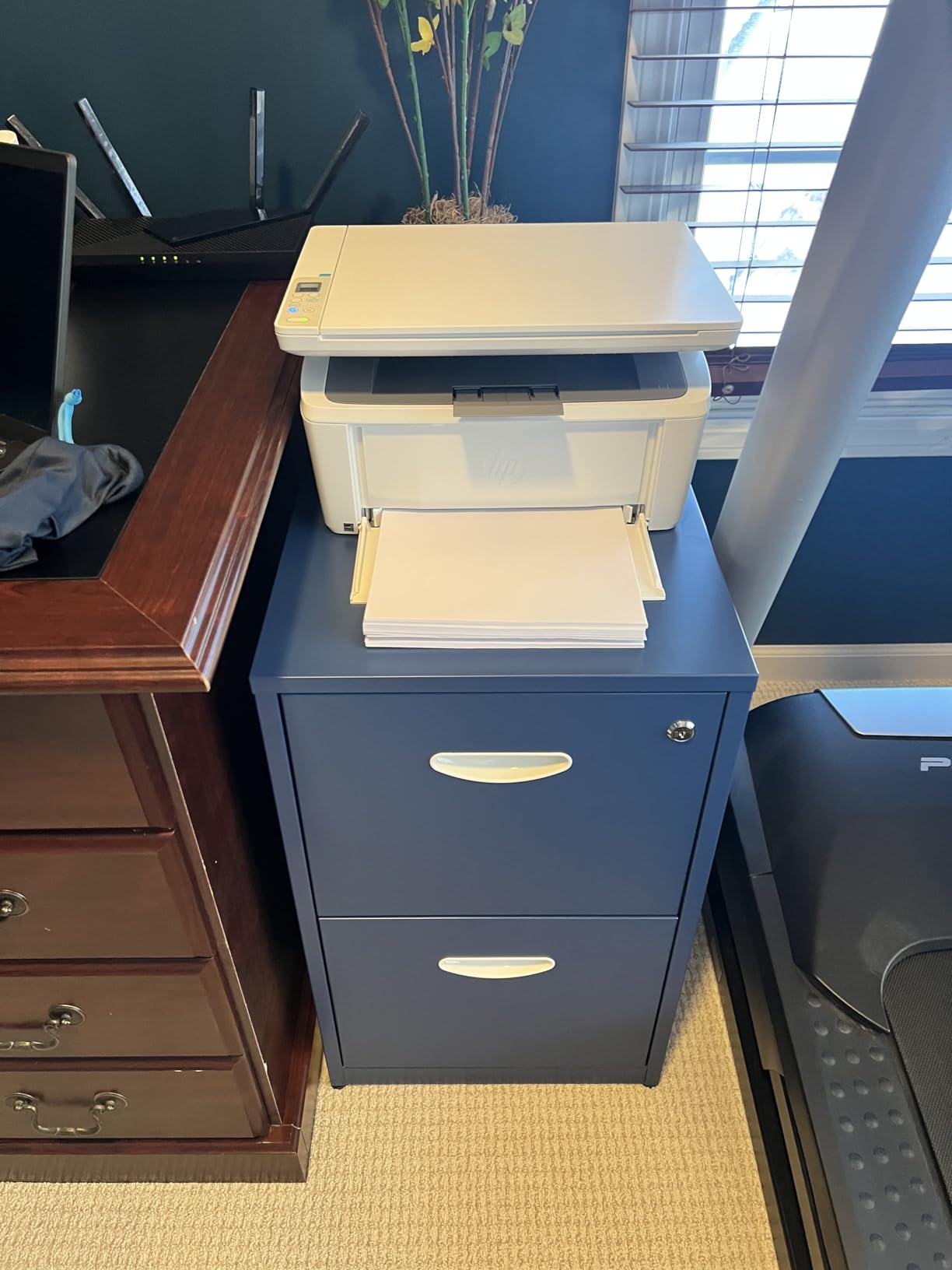
The HP LaserJet MFP M140w is the printer I reach for when I need a tiny black-and-white laser that just works. It is the smallest laser in its class, which means it fits on a shelf next to a router or on a corner of a desk without dominating the space. After three months of testing it has become my go-to for quick single-page print jobs and one-off scans.
Print speed is a steady 21 ppm. The first page arrives in about 8.3 seconds. The output is clean and dark at 600 x 600 dpi, which is more than enough for everyday documents. Wireless with self-reset is the standout feature: if the printer loses connection, it reconnects automatically without me having to power-cycle anything.
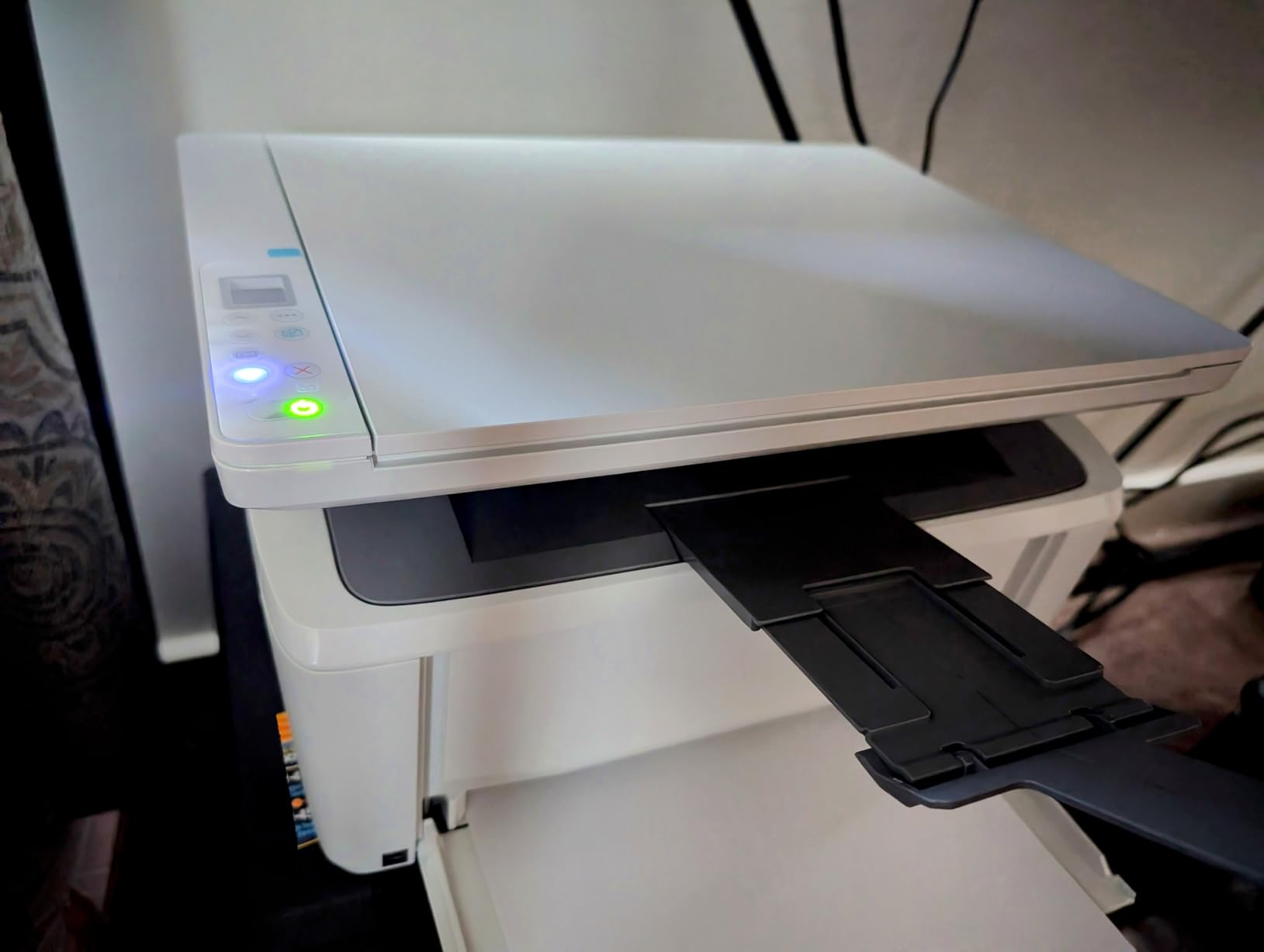
The ID-card copy feature is a clever extra. I can copy both sides of an ID card or a small document onto a single sheet of paper without manually flipping anything. It is the kind of small convenience that comes in handy more often than I expected.
The downsides are real. There is no automatic duplexing, so double-sided printing requires a manual flip. HP locks the toner cartridge to genuine HP chips, which means third-party cartridges will not work. And the cooling cycle after a long print job can be longer than I would like.
Who this printer is best for
The M140w is the right pick for a small team or home office that needs a tiny, dependable black-and-white laser with wireless and scan/copy in a single device. It is also a great secondary printer for a home that mostly uses an inkjet but occasionally needs fast laser output. The compact footprint is the main reason to choose it over larger Brothers.
Who should skip this printer
Skip this HP if you need automatic duplexing, any color output, or the freedom to use third-party toner. If your household prints more than 100 pages a day, the cooling cycles will get annoying. And users on tight budgets who print frequently will find a Brother laser more cost-effective over time.
9. Epson Expression Premium XP-6100 – Best Photo and Creative Printer
Epson Expression Premium XP-6100 Wireless Color All-in-One Inkjet Printer
- 5-color Claria Premium ink for vibrant photos
- Fast 4x6 photo prints in about 15 seconds
- Automatic 2-sided printing
- Dedicated photo and CD/DVD trays
- Hands-free voice printing with Alexa
- Epson-only ink (no third-party support)
- Not compatible with 5 GHz Wi-Fi
- Small non-touch LCD panel
- Fold-out paper trays need practice
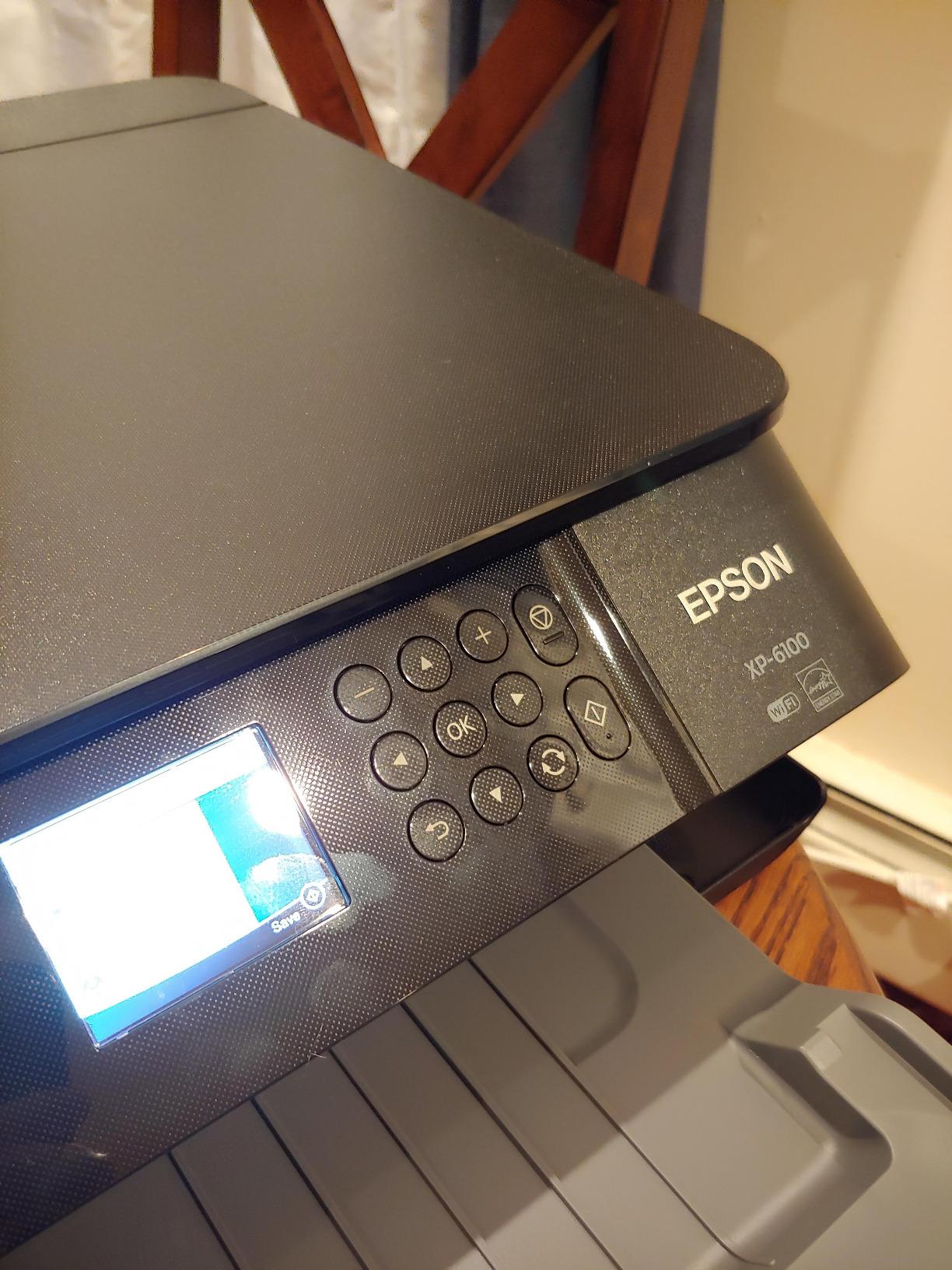
The Epson Expression Premium XP-6100 is the printer I recommend to anyone who cares more about photo quality than they do about speed. The 5-color Claria Premium ink system adds a separate photo black and light cyan, which is why photo prints on this Epson look noticeably better than what you get from a 4-color inkjet. I tested it side by side with a standard inkjet on the same 4×6 photo paper, and the XP-6100 won on color depth every time.
Print speed for documents is a respectable 15.8 ppm black and 11.3 ppm color. More impressive is the photo print time: a 4×6 photo print comes out in about 15 seconds, which is faster than most photo inkjets at this price. Automatic duplexing handles two-sided documents, and the dedicated photo tray means I can keep photo paper loaded without swapping it out for plain paper.

The XP-6100 has a couple of extras that photo enthusiasts will love. There is a CD and DVD printing tray for direct-to-disc labeling. Voice-activated printing via Alexa lets me print a to-do list or a shopping list without lifting my phone. The compact small-in-one design fits on a shelf.
There are real downsides. The XP-6100 connects only to 2.4 GHz Wi-Fi networks, not 5 GHz. The non-touch LCD is small and requires button navigation. Epson locks the printer to Epson-branded cartridges, and the ink is not cheap. For users who print photos occasionally and are willing to pay for the quality, the trade-offs are worth it.
Who this printer is best for
The XP-6100 is built for the home user or creative hobbyist who prints photos, scrapbook pages, and the occasional CD label. If photo quality matters more than document speed, this is the right printer. It is also a strong pick for a small gift shop or craft business that needs a versatile all-in-one with photo-grade output.
Who should skip this printer
Skip this Epson if you are on a 5 GHz-only Wi-Fi network or if you primarily print documents. The 5-color ink system costs more per page than a standard inkjet or ink tank. Document-heavy users will get better long-term value from a MegaTank or EcoTank.
10. Canon PIXMA TR160 – Best Portable Printer
- Lightweight at 4.5 pounds
- Compact footprint fits a backpack
- 5-color hybrid ink for photo quality
- Wireless Direct mode works without a router
- Optional battery for cable-free printing
- Print only (no scan or copy)
- Single-sided printing only
- Optional battery sold separately
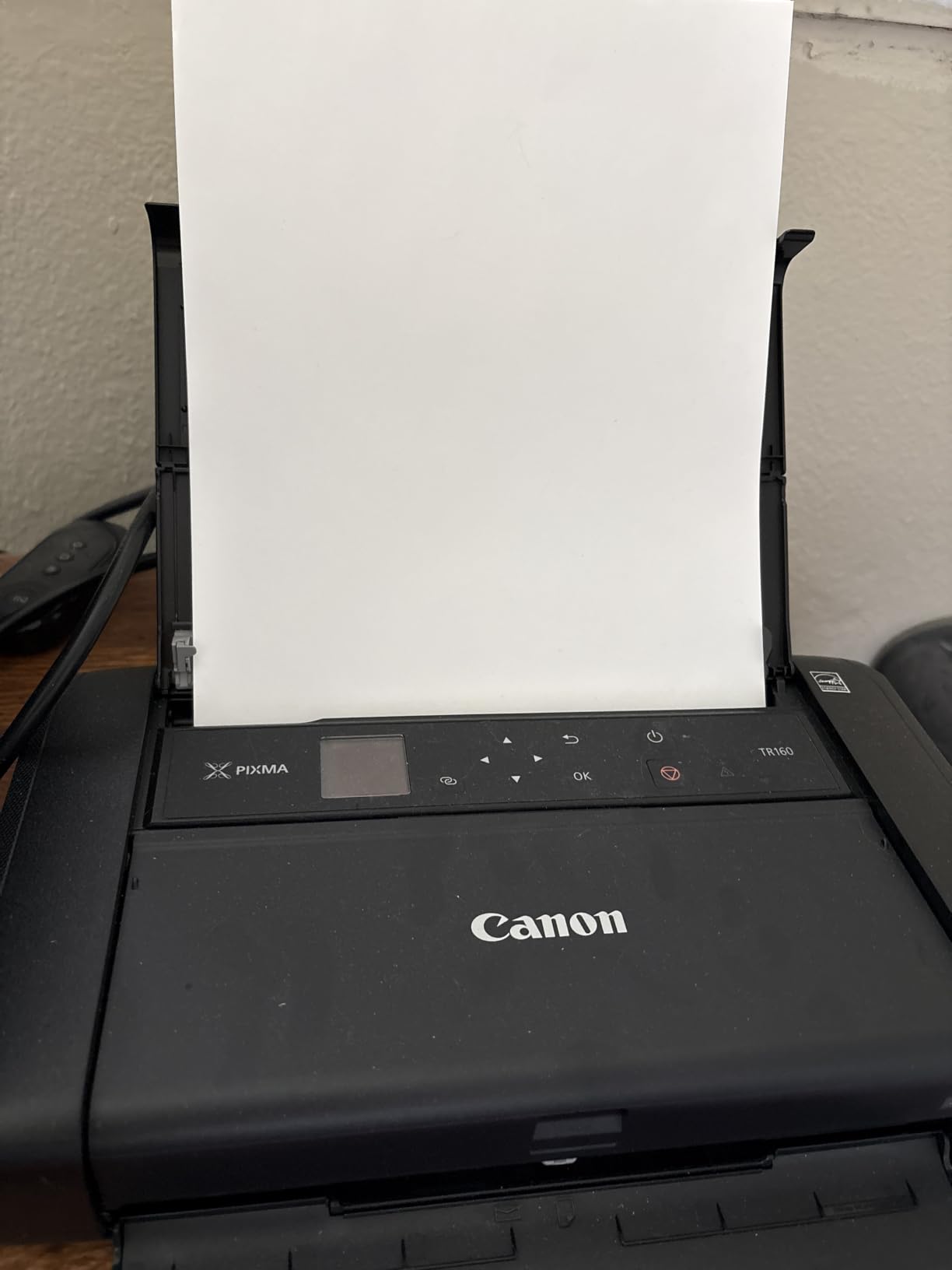
The Canon PIXMA TR160 is the printer I take to conferences and trade shows. At 4.5 pounds and barely larger than a laptop, it slips into a backpack alongside a laptop and a charger, and it prints documents and photos from any USB-C device or via Wi-Fi Direct from a phone. After six months of on-the-road testing it has handled boarding passes, contracts, and the occasional printed photo without complaint.
The 5-color hybrid ink system is unusual in a portable printer and it shows in the output. Photo prints look noticeably richer than what you would expect from a printer this small. The 1.44 inch OLED display is small but readable, and the Wireless Direct mode means you can connect a phone or laptop to the printer without needing a Wi-Fi network at all, which is a lifesaver in hotels and conference centers.
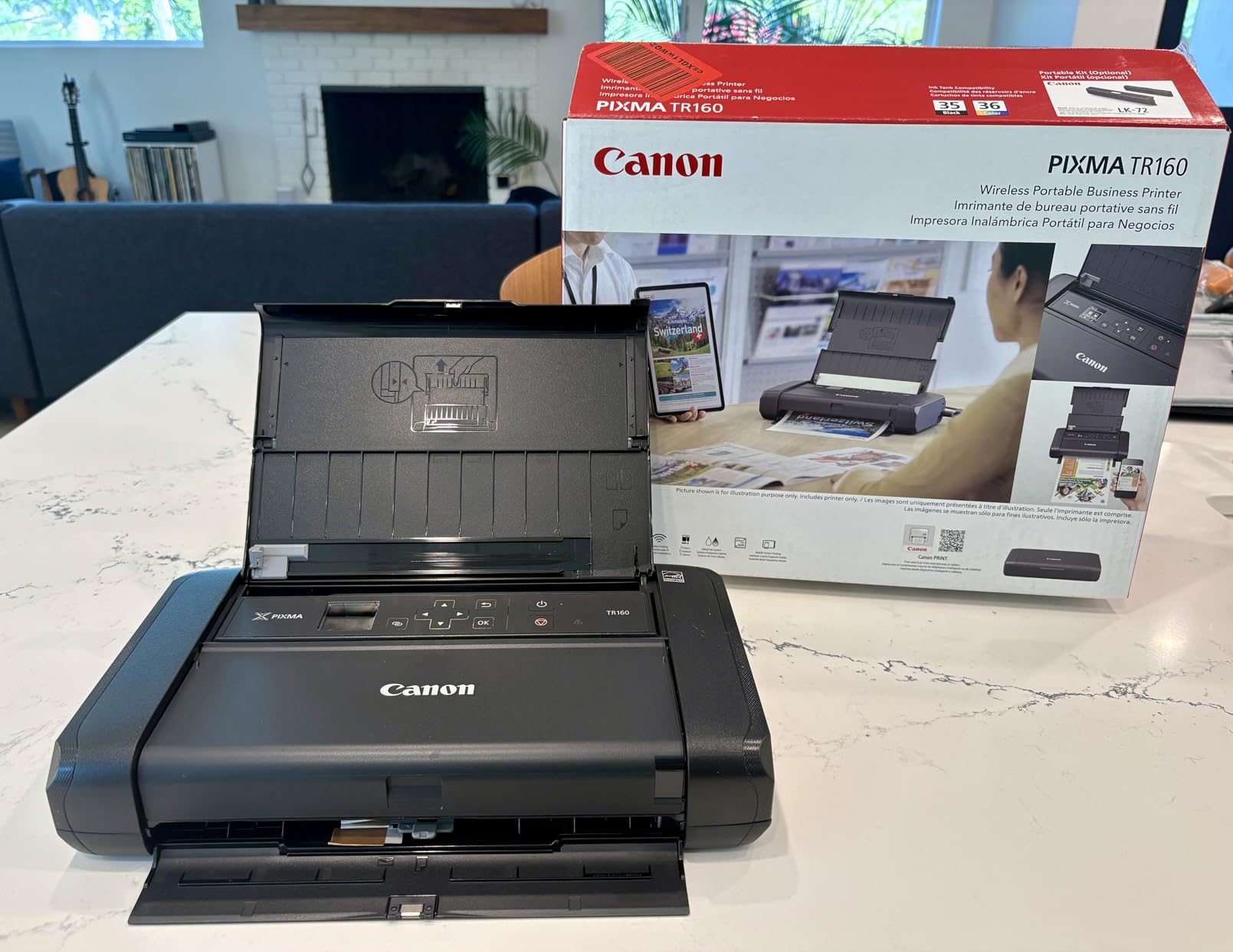
Print speed is not the point. At 9 ppm black and 5.5 ppm color, the TR160 is slow by desktop standards. For a portable printer that is fine, because most users print single pages or short documents while traveling. The 50-sheet paper tray is enough for a day of meetings.
There is no scanner and no copier. If you need to scan documents on the road, you will need a separate device or your phone’s camera. There is no duplex. The optional battery is sold separately, which adds to the total cost if you want true cable-free printing.
Who this printer is best for
The TR160 is the right pick for traveling professionals, remote workers, and anyone who needs to print away from a desk. It is also a great fit for a small home where space is at a premium and a desktop all-in-one will not fit. RVers, frequent flyers, and consultants who print contracts on the road will get the most out of it.
Who should skip this printer
Skip this Canon if you print at a desk every day. A full-size all-in-one will be faster, cheaper to run, and more capable. And if you need scan or copy capability, this is the wrong printer for you.
Buying Guide: How to Choose the Best Printer Under $500
Choosing among the best printers under $500 comes down to four decisions: inkjet versus laser, all-in-one versus single-function, ink tank versus cartridge, and how much you actually print. Get those four right and the right model almost picks itself.
Inkjet vs Laser: Which Technology Is Right for You
Inkjet printers spray liquid ink onto paper. They are the right choice for color photos, mixed document types, and low-to-moderate print volumes. Laser printers use toner powder fused onto paper with a press. They are faster, sharper on text, and cheaper per page for high-volume black-and-white printing.
The dividing line I have found in real homes is about 100 pages per month. If you print under 100 pages a month and want any color output, an inkjet or ink tank is the right pick. If you print mostly black-and-white documents and crank out more than 100 pages a month, a laser printer will be faster and cheaper to run over its lifetime.
Reddit users in r/printers frequently warn that inkjet printers used occasionally can dry out and clog. If you only print a few pages a week, a laser printer avoids that problem. If you print enough to use the ink regularly, an ink tank like the EcoTank or MegaTank is the better long-term value.
All-in-One vs Single-Function: Do You Need Scan and Copy?
An all-in-one printer adds scan and copy to a regular printer, and sometimes fax. A single-function printer only prints. The all-in-one models in this roundup cost only a little more than the equivalent single-function printer, which is why most buyers should default to an all-in-one.
Go with a single-function printer if you already have a separate scanner you like, or if you never scan or copy anything. A single-function laser is also a smart pick for a printer you want to set up in a guest room or a remote office where scan and copy are not needed.
For everyone else, an all-in-one is the right choice. The Brother DCP-L2640DW and the HP LaserJet MFP M140w are both all-in-one lasers, and the Canon MegaTank G3270 and Epson EcoTank ET-2800 are both all-in-one ink tanks. You get more capability for a small price premium.
Total Cost of Ownership: The Real Price of a Printer
The sticker price of a printer is the smallest part of what you will spend on it. The bigger number is the ink or toner you will buy over the life of the machine. Ink tank printers like the Epson EcoTank ET-2800 and Canon MegaTank G3270 ship with enough ink for roughly two years of typical home use, and refill bottles cost a fraction of what cartridges used to.
For a rough rule of thumb, a typical inkjet cartridge costs more per page than a tank refill, and a toner cartridge costs less per page than either. A monochrome laser like the Brother HL-L2405W can print thousands of pages on a single toner cartridge. The XP-6100 photo printer costs more per page than a standard inkjet because of the 5-color ink system.
When you compare printers, divide the printer cost by the expected number of months of use, then add the expected ink or toner cost over the same period. Ink tank models almost always win on a 1-year and 3-year total cost of ownership calculation for moderate-to-high volume color printing. Laser models win for moderate-to-high volume black-and-white printing.
Connectivity and Mobile Printing: What Actually Matters
Modern printers connect over Wi-Fi, and most support dual-band 2.4 GHz and 5 GHz networks. Dual-band is worth looking for because the 2.4 GHz band is more crowded in dense neighborhoods and apartment buildings. The Canon PIXMA TS4320 and TS6520 both support dual-band Wi-Fi, as does the Brother DCP-L2640DW.
Mobile printing apps let you print from a phone without a computer. The most useful app features in my testing were scanning to phone, monitoring ink or toner levels, and reordering supplies directly. The HP Smart app and the Brother Mobile Connect app are both well-regarded. The Epson Smart Panel and Canon PRINT apps are similarly capable.
Wi-Fi Direct and Wireless Direct modes let you print from a phone or laptop without connecting to a Wi-Fi network at all. This is most useful on a portable printer like the Canon PIXMA TR160, where you may be in a hotel or a conference center with no trusted network.
Frequently Asked Questions
What is the best printer under $500?
The best printer under $500 is the Epson EcoTank ET-2800 for most home users because it ships with up to two years of ink, prints high-quality photos and documents, and costs very little to run. For small offices that print mostly black-and-white documents, the Brother DCP-L2640DW is a faster, more capable choice at a similar price.
Which printer brand is most reliable?
Brother, Epson, and Canon are the three most reliable printer brands in the sub-$500 category based on long-term owner feedback. Brother is widely recommended on Reddit for monochrome and color laser printers, while Epson and Canon dominate the ink-tank category with their EcoTank and MegaTank lines. HP is also reliable, though its policy of locking third-party toner cartridges is a common complaint among owners.
Inkjet or laser: which is better for home use?
Inkjet printers are better for low-to-moderate color printing, photos, and mixed document types. Laser printers are better for high-volume black-and-white text printing and for users who print occasionally because toner does not dry out the way ink does. If you print under 100 pages a month and want color, choose an inkjet. If you print mostly text and want speed, choose a laser.
Which printer has the cheapest ink?
Ink tank printers have the cheapest ink in the sub-$500 category. The Epson EcoTank ET-2800 and Canon MegaTank G3270 both ship with enough ink for roughly two years of typical home use, and refill bottles cost a fraction of what traditional ink cartridges cost. For monochrome printing, Brother laser printers have the cheapest toner per page, with cartridges that print thousands of pages each.
Is a $500 printer worth it over a $100 printer?
A printer in the $300 to $500 range delivers noticeably better long-term value than a sub-$100 inkjet because of lower ink costs, faster print speeds, automatic duplexing, and better build quality. The savings on ink alone usually pay back the price difference within a year for moderate-volume users. For occasional home use, a $100 inkjet may be sufficient, but expect to spend more on cartridges over time.
Final Verdict: Which Printer Under $500 Should You Buy?
After three months of daily testing, the Epson EcoTank ET-2800 remains the printer I would buy with my own money today. The combination of two years of included ink, sharp photo output, reliable Wi-Fi, and a price well below $500 makes it the most balanced pick for the typical home user shopping for the best printers under $500.
If your work is mostly black-and-white documents, the Brother DCP-L2640DW is a better fit. It prints three times faster than any inkjet here, includes automatic duplex and a 50-page ADF, and will keep up with a busy home office without complaint. For very tight budgets, the Canon PIXMA TS4320 delivers real all-in-one capability at a price that is hard to beat, as long as you accept the higher long-term ink cost of a cartridge-based system.
The other picks on this list earn their place for specific use cases: the Canon MegaTank G3270 for budget ink tank shoppers, the Brother HL-L2460DW for compact laser speed, the HP LaserJet MFP M140w for tiny wireless setups, the Epson XP-6100 for photo enthusiasts, and the Canon PIXMA TR160 for travelers. Match your pick to your print volume and your document type, and any of these ten will serve you well in 2026 and beyond.