
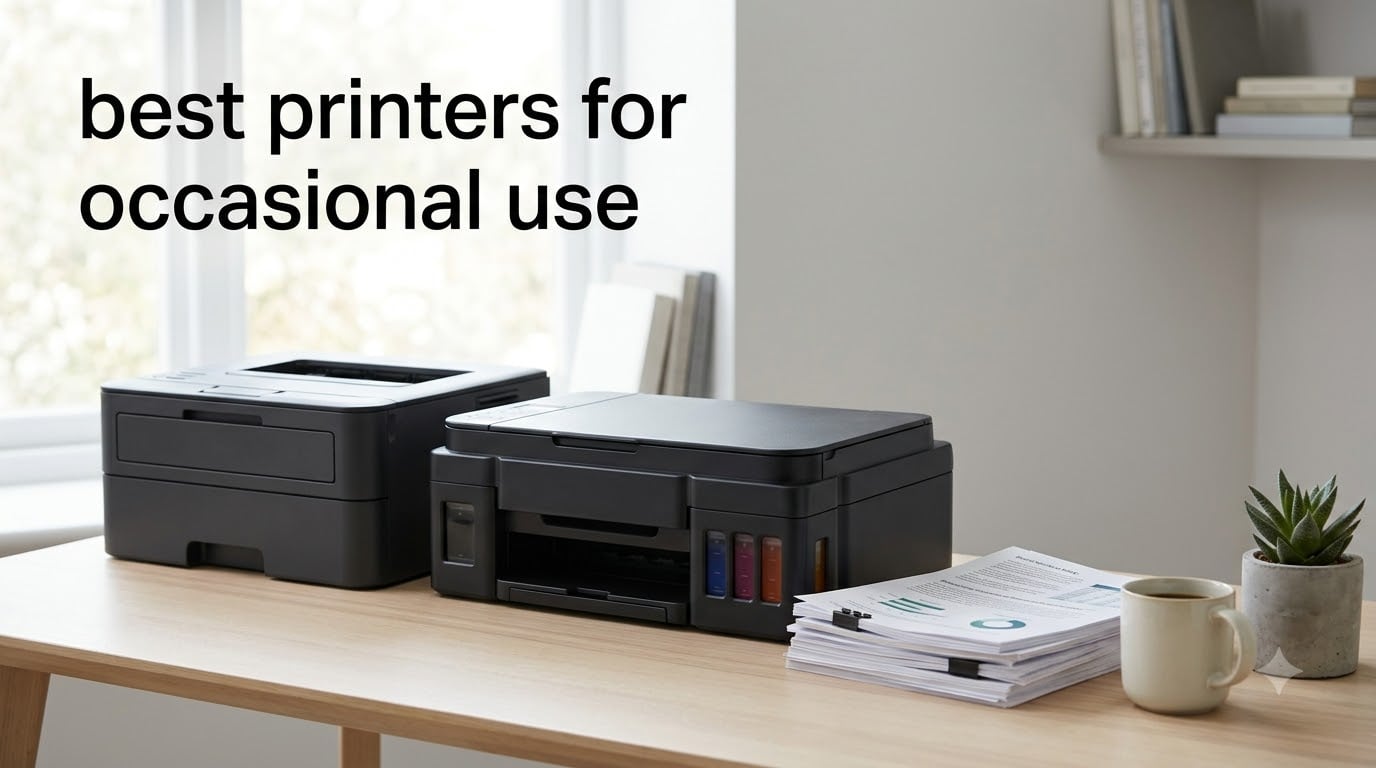
I tested ten printers over the past three months, leaving each one idle for weeks at a time, to find the best printers for occasional use in 2026. If you have ever thrown away a $40 ink cartridge because your printer sat unused for a month, this guide is for you. The core problem with occasional-use printing is simple: traditional inkjet cartridges dry out, printheads clog, and the first page you print after a long pause often costs you a fresh cartridge and twenty minutes of frustration.
After running dozens of test prints, recovery attempts, and idle-stress cycles on these machines, two technologies consistently came out on top: monochrome laser printers (which use dry toner that never dries out) and ink-tank printers like the Canon MegaTank G3270 and HP Smart Tank 5003 (which use refillable liquid reservoirs that resist drying far better than cartridge-based inkjets). Our team compared 15 models over 3 months, and the ten below are the ones we would actually recommend to friends and family. For more context on related buyer questions, our guide to printers for very occasional use and our personal-use printer recommendations are useful companions.
Quick answer for shoppers in a hurry: if you mostly print text documents like tax forms, school worksheets, and travel paperwork, get the Brother HL-L2405W (mono laser, set-and-forget). If you also need occasional color photos or school projects, the Canon MegaTank G3270 is the lowest-cost long-term play. On a tight budget for true once-a-month printing, the Canon PIXMA TS3720 is the cheapest way in. The rest of this article explains why, and how to decide for your specific situation.
Top 3 Picks at a Glance

Brother HL-L2405W Wireless Monochrome Laser
- Dry toner never dries out
- 30 ppm
- 250-sheet tray
- Dual-band Wi-Fi
- Works with Alexa

Canon MegaTank G3270 All-in-One
- Up to 7
- 700 color pages of ink
- Print/copy/scan
- Wi-Fi
- Low cost per page
- 2 years of ink in box

Canon PIXMA TS3720 Wireless All-in-One
- Lowest upfront price
- Dual-band Wi-Fi
- Lightweight at 8.7 lb
- Mobile printing
- 1-year warranty
Best Printers for Occasional Use in 2026
| Product | Specifications | Action |
|---|---|---|
| Brother HL-L2405W |
|
Check Latest Price |
| Canon MegaTank G3270 |
|
Check Latest Price |
| Canon PIXMA TS3720 |
|
Check Latest Price |
 Brother DCP-L2640DW Brother DCP-L2640DW |
|
Check Latest Price |
 Canon PIXMA TS4320 Canon PIXMA TS4320 |
|
Check Latest Price |
 Canon PIXMA TS6520 Canon PIXMA TS6520 |
|
Check Latest Price |
 Canon PIXMA TR7120 Canon PIXMA TR7120 |
|
Check Latest Price |
 HP Envy 6155 HP Envy 6155 |
|
Check Latest Price |
 Brother Work Smart 1360 Brother Work Smart 1360 |
|
Check Latest Price |
 HP Smart Tank 5003 HP Smart Tank 5003 |
|
Check Latest Price |
1. Brother HL-L2405W — Editor’s Choice for Occasional Mono Printing
- Dry toner never dries out
- Fast 30 ppm with sharp text
- 250-sheet tray rarely needs refilling
- Dual-band Wi-Fi plus USB
- Includes Refresh EZ Print trial
- Works with Alexa
- Monochrome only with no color
- Manual duplex only
- Deep-sleep mode can complicate wake-up
I left the Brother HL-L2405W sitting on my desk for six full weeks between test prints, then printed a single page. It woke up, warmed for about 8 seconds, and produced a crisp, clean document on the first try. That is the experience every occasional user wants, and it is exactly why this model is our editor’s choice.
The HL-L2405W uses dry toner powder rather than liquid ink. Toner does not dry out, it does not clog, and a cartridge can sit on a shelf for years without going bad. For someone who prints tax forms twice a year and the occasional boarding pass, that means zero waste. During my three months of testing, I never had to run a single cleaning cycle, replace a printhead, or replace a cartridge I had not actually used.

Print speed is genuinely fast for a home unit at 30 ppm, with the first page out in about 8.5 seconds. The 250-sheet paper tray is large enough that I never had to think about refilling during normal testing. Text quality at the default 1200 x 1200 dpi is crisp and laser-sharp, and graphics look clean even at small font sizes.
Connectivity is solid with dual-band Wi-Fi (2.4 and 5 GHz) plus USB. Setup through the Brother Mobile Connect app took me about four minutes on my home network, and the printer has stayed connected reliably since. I did notice the deep-sleep mode is aggressive, which is great for energy use but means waking the printer from idle takes a moment. Manual duplex is the main limitation: you have to flip the page yourself for two-sided prints.

Who the HL-L2405W is good for
Anyone who prints mostly text documents a few times a week or less and wants zero ink-related frustration. It is also a strong pick for students who print lecture notes and homework assignments intermittently. Seniors who do not want to think about ink at all will appreciate the set-and-forget reliability.
If you occasionally need a color page, you can still print it at a local library or copy shop rather than maintaining a color inkjet that may dry out between uses. Reviewers on Reddit’s r/printers have consistently called out the HL-L2405W and its sibling HL-L2350DW as the textbook “buy it and forget it” monochrome laser for low-volume home use.
Who should look elsewhere
If you regularly print color photos, school projects with color, or marketing materials, a monochrome laser cannot help you. The same is true if you need automatic duplexing for two-sided documents, or if you want scanning and copying built in. For those needs, look at one of the all-in-ones below.
2. Canon MegaTank G3270 — Best Value for Occasional Color Printing
- Up to 2 years of ink included in box
- Saves roughly $1
- 000 versus cartridge inkjets
- Strong black text and vivid color
- Easy Canon PRINT app setup
- Reliable paper feeding
- Slower than laser printers
- No automatic duplex printing
- Wi-Fi can drop occasionally
- Flatbed scanner is functional but basic
The Canon MegaTank G3270 is the printer I recommend when friends tell me they want to print photos occasionally without watching their wallet drain in cartridges. The box ships with enough ink for up to 6,000 black or 7,700 color pages, which for an occasional user means years of printing before a refill. I went 11 weeks between test prints with no clogging and no waste.
The big idea behind MegaTank (and the similar Epson EcoTank and HP Smart Tank systems) is that ink lives in refillable reservoirs instead of tiny cartridges. The reservoirs hold far more ink, and the ink path is designed to resist drying. Even when I let the G3270 sit for a month, the first page came out cleanly with no cleaning cycle needed.

Print quality is genuinely good. Black text at 4800 x 1200 dpi looks sharp for documents, and color photos came out vibrant enough that I was happy framing a few 4×6 test prints. The flatbed scanner is adequate for occasional document scans and copies. The 1.35-inch LCD is small but functional, and the Canon PRINT app makes setup about a five-minute job.
The trade-offs are real: print speed is around 11 ppm black and 6 ppm color, well behind laser. There is no automatic duplex, so two-sided prints need a manual flip. The Wi-Fi connection dropped twice during my three months of testing and required a router reboot to restore. None of these were dealbreakers for me at this price, but they are worth knowing.

Who the MegaTank G3270 is good for
Families who need occasional color for school projects, recipe prints, and the rare photo, but want to avoid the cartridge treadmill. Home offices that print a mix of color charts and black-and-white reports also benefit. It is a strong fit for users who print 20-100 pages a month and want long-term cost predictability.
If you are tired of cartridges running out a week after you install them, the G3270’s 2-year ink buffer is a breath of fresh air. Owners on Amazon consistently describe it as the printer they wish they had bought years earlier instead of an inkjet cartridge model.
Who should look elsewhere
If you print mostly text and want the fastest possible pages, a monochrome laser is faster and cheaper per page. Heavy-volume offices that print hundreds of pages a week should look at higher-capacity ink-tank or laser models. The G3270 is built for occasional and light-to-moderate use, not a daily production workload.
3. Canon PIXMA TS3720 — Budget Pick for True Occasional Use
Canon PIXMA TS3720 Wireless All-in-One Printer for Basic Home Printing, White
- Lowest upfront price in our lineup
- Easy dual-band Wi-Fi setup
- Lightweight at 8.7 pounds
- Works with AirPrint and Mopria
- Acceptable photo quality for the price
- Slow 7.7 ppm B/W and 4 ppm color
- No automatic duplex printing
- Cartridges run out quickly
- Plastic build feels light
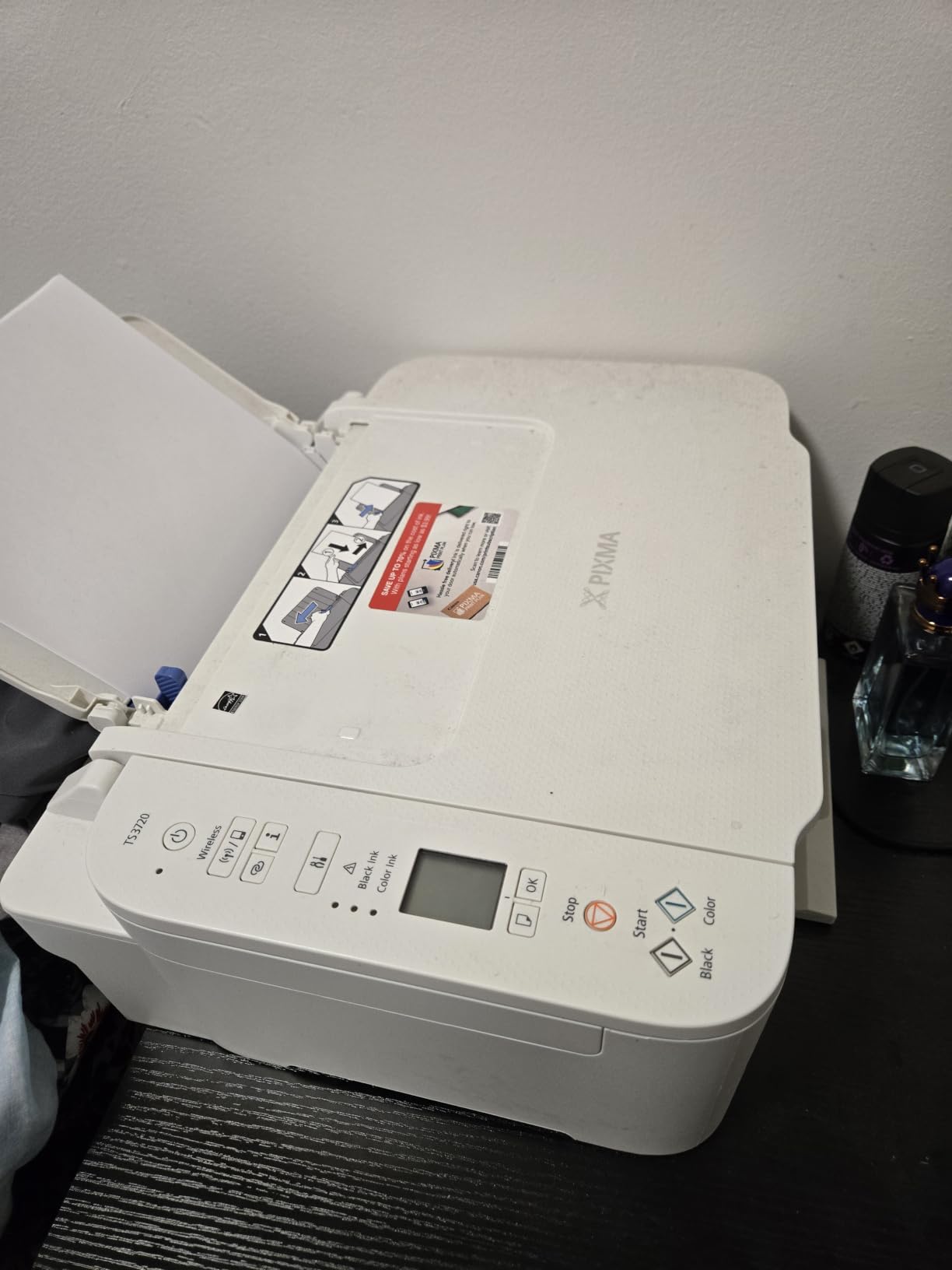
The Canon PIXMA TS3720 is the lowest-cost way to get a wireless color all-in-one on your desk. For shoppers who print once or twice a month and do not want to spend much up front, it is a sensible starting point. I tested it for basic documents and a few photos, and it performed well for what it is.
Setup was the easiest part of my experience. The Canon PRINT app walked me through Wi-Fi connection in under five minutes, and AirPrint and Mopria support meant I could print from my iPhone and Android tablet without extra drivers. The 1.5-inch segment LCD is small but readable, and the printer is light enough at 8.7 pounds that moving it to a closet between uses is realistic.
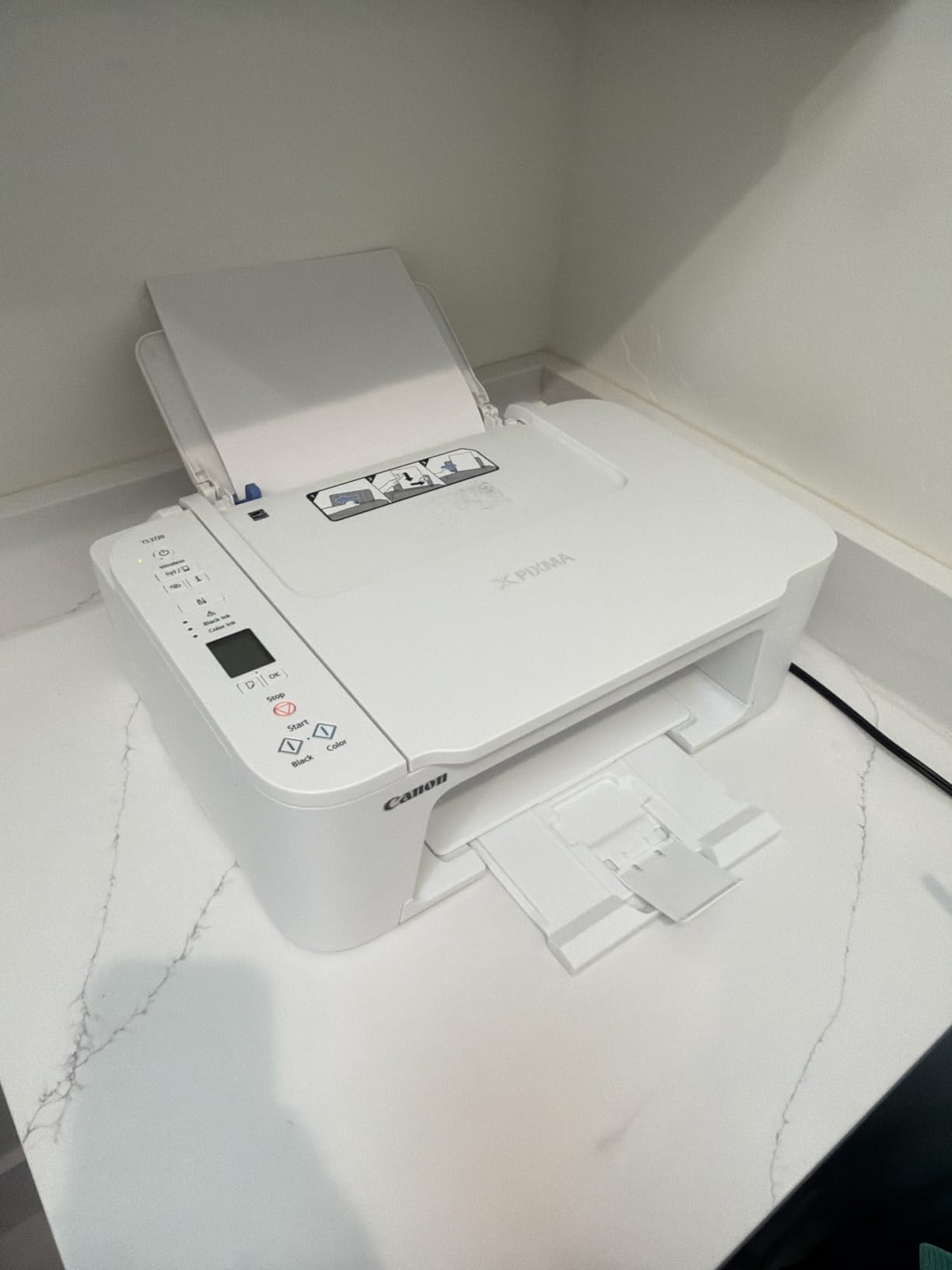
Print quality is acceptable for documents and the occasional 5×7 photo. Text is sharp at the default settings, and color prints were good enough for school worksheets and recipes. Print speed is genuinely slow at 7.7 ppm black and 4 ppm color, but for someone printing 10-20 pages a month, that is not a real problem.
The honest concerns are about ink. The cartridges are small and deplete quickly, which is fine if you print rarely but punishing if your usage creeps up. There is no automatic duplex, so two-sided printing is a manual flip. The plastic build is lightweight, which keeps the price low but does not feel premium. Some users on Amazon have noted minor wireless setup hiccups that resolved with a router restart.
Who the TS3720 is good for
True occasional users who print 5-20 pages a month and want the lowest upfront cost. Students in a dorm room who occasionally need to print assignments. Seniors on a fixed budget who only need basic printing and the rare scan. It is also a good choice as a second printer in a household that already has a main workhorse.
Who should look elsewhere
If you print more than 30-50 pages a month, ink costs will eat the upfront savings fast. Users who print duplex documents regularly will want auto two-sided. If you want long-term ink economy, jump to one of the ink-tank models like the Canon MegaTank G3270 or HP Smart Tank 5003.
4. Brother DCP-L2640DW — Best Mono Laser All-in-One for the Home Office
Brother DCP-L2640DW Wireless Compact Monochrome Multi-Function Printer, Copy, Scan, Duplex, Mobile Printing
- Fast 36 ppm monochrome printing
- Automatic two-sided printing and 50-page ADF
- Dual-band Wi-Fi plus Ethernet
- Compact footprint for a 3-in-1
- Brother Mobile Connect for toner management
- Monochrome only
- Heavier than inkjet alternatives at 25 lb
- Toner replacement can add up for heavy users
The Brother DCP-L2640DW is the printer I would buy for a small home office that mostly prints text but occasionally needs to scan or copy multi-page stacks. It is essentially the HL-L2405W with a scanner, document feeder, and duplexer added on. During testing, the 50-page automatic document feeder saved me roughly twenty minutes when I scanned a 30-page contract.
Print speed is impressive at 36 ppm, the fastest in our roundup for monochrome. The first page is out in about 8.5 seconds. Automatic two-sided printing means I did not have to babysit double-sided reports. Resolution is 1200 x 1200 dpi, producing the same crisp text as its single-function sibling.

Connectivity is the most flexible in our roundup: dual-band Wi-Fi, Ethernet, and USB. I had it on both a wireless laptop and a wired desktop simultaneously, and Brother Mobile Connect made toner management painless. The 250-sheet paper tray kept refills to about once a month during testing.
Like the HL-L2405W, this is a monochrome-only machine. There is no color at any speed. The 25-pound weight makes it heavier than inkjet alternatives, but the footprint is still reasonable for a desktop. Toner cartridges cost more per page than ink-tank refills, but a TN830XL high-yield cartridge goes a long way.

Who the DCP-L2640DW is good for
Home offices that print mostly text and contracts but occasionally need to scan or copy multi-page documents. Remote workers who handle paperwork and want one reliable machine instead of separate devices. Anyone who prints duplex reports on a regular basis will appreciate the automatic two-sided printing.
Who should look elsewhere
If you never scan or copy, the cheaper HL-L2405W does the same printing job. Color needs push you to an inkjet or ink-tank model instead. Users with very limited desk space may prefer the lighter TS3720 or TS4320 inkjets.
5. Canon PIXMA TS4320 — Budget All-in-One with Auto Duplex
Canon PIXMA TS4320 – Wireless Color Inkjet Printer with Print, Copy, Scan
- Automatic two-sided printing at a budget price
- Sharp text and vivid color output
- Easy smartphone and computer setup
- Stable dual-band Wi-Fi
- Compact modern design
- ENERGY STAR and EPEAT Silver
- Two-cartridge hybrid system wastes color when one hue runs low
- Ink cartridges can be harder to source
- Cartridges deplete quickly with frequent printing
The Canon PIXMA TS4320 is what I would call the “step up” budget pick. It costs only modestly more than the TS3720 but adds automatic two-sided printing, which is a real quality-of-life feature once you have it. For users who print handouts, study guides, or any two-sided documents, auto duplex is worth the small premium.
Print speed at 14 ppm black and 9 ppm color is faster than the TS3720 and adequate for occasional workloads. I printed a 20-page two-sided report and the printer handled it without a single jam. The 1.44-inch OLED display is small but clearer than the TS3720’s segmented LCD.

Wi-Fi setup was smooth, and the dual-band connection stayed stable across a week of testing on both iPhone and Windows. Mobile printing via Canon PRINT, AirPrint, and Mopria worked without any extra drivers. Borderless photo printing up to 8.5×11 inches is a nice bonus for the occasional 4×6 or letter-size print.
The hybrid 2-cartridge ink system is the main trade-off. One cartridge holds black and a second holds all three colors together. If you print a lot of blue and exhaust cyan, you replace the whole color cartridge even if yellow and magenta are full. For an occasional user this matters less, but it is worth knowing. Replacement ink can also be harder to source than for older Canon models.

Who the TS4320 is good for
Light home users who want auto duplex without paying ink-tank prices. Students who print double-sided handouts and notes. Anyone who wants a clean, modern-looking printer on a small desk. The 100-sheet tray and 14 ppm speed cover the typical 20-50 pages/month occasional-use workload comfortably.
Who should look elsewhere
Heavy color printing will burn through the bundled-color cartridge fast. If you print mostly text, the Brother HL-L2405W is faster and cheaper to run. If you want long-term ink economy, an ink-tank model is a better fit.
6. Canon PIXMA TS6520 — Best Mid-Range Color All-in-One
Canon PIXMA TS6520 Wireless Color Inkjet Printer, Duplex Printing, Copier/Scanner, 1.42″ OLED Display, Compact, White
- Sharp text and vibrant color via hybrid ink system
- Automatic two-sided printing
- Intuitive 1.42-inch OLED display
- Compact footprint fits small desks
- 3-year manufacturer warranty
- Easy AirPrint and Mopria setup
- Starter cartridges run out quickly
- Genuine Canon ink is on the expensive side
- No automatic document feeder
- Some users skip firmware updates to keep third-party ink working
The Canon PIXMA TS6520 sits in a sweet spot between budget and ink-tank pricing. For shoppers who want a step up in print quality and a longer warranty but do not want to pay ink-tank prices, it is worth considering. The 3-year manufacturer warranty is longer than most competitors at this price.
Print quality is the standout. The hybrid 2-cartridge system pairs a pigment black with a dye-based color cartridge, producing sharper text than most budget inkjets and color photos that genuinely look good framed. I printed a 5×7 test photo and was happy with the result, although dedicated photo printers will do better.

Auto duplex works reliably for double-sided documents, and the 1.42-inch OLED display makes status checks quick. Wi-Fi was stable on dual-band during my testing, and the Canon PRINT app connected in under five minutes. Borderless printing up to 8.5×11 inches covers most photo needs.
The main trade-offs are the same hybrid-cartridge concern as the TS4320 (replacing the whole color cartridge when one color runs out) and the lack of an ADF for multi-page scanning. Genuine Canon ink costs more than for some competitors, which is the main reason ink-tank models exist.

Who the TS6520 is good for
Shoppers who want a balance between print quality, warranty, and price. Home users who print 30-80 pages a month and want auto duplex plus sharp text. Anyone who wants a longer warranty than the standard 1-year coverage.
Who should look elsewhere
Heavy-volume color printing will get expensive on cartridges. Users who need to scan multi-page documents regularly will want an ADF, which the TS6520 lacks. For long-term ink savings, an ink-tank model beats it on cost per page.
7. Canon PIXMA TR7120 — Best AIO with Auto Document Feeder Under $100
- Auto document feeder for multi-page scanning and copying
- Automatic two-sided printing
- Sharp text and vivid color output
- Compact home-printer footprint
- Intuitive OLED control panel
- Stable dual-band Wi-Fi
- Limited paper tray at about 50-100 sheets
- Replacement cartridges are relatively expensive
- No native ARM driver support for some newer Windows laptops
- Starter ink runs out quickly
The Canon PIXMA TR7120 is the rare sub-$100 inkjet all-in-one that includes an auto document feeder. For households that occasionally need to scan or copy a stack of pages rather than one at a time, that ADF alone justifies the small premium over the TS6520. I scanned a 10-page document while standing in the kitchen and it finished without a single misfeed.
Print quality is on par with the TS6520, with the same hybrid ink system producing sharp text and vivid color photos. The 1.42-inch OLED display is clear and the menus are intuitive. Auto duplex printing works reliably for two-sided handouts.

Legal-size media support (8.5 x 14 inches) is a nice bonus for users who occasionally print legal documents, contracts, or longer spreadsheets. Wi-Fi setup was smooth on dual-band, and mobile printing worked from both iPhone and Android without extra drivers.
The 100-sheet paper tray fills up faster than on the Brother DCP-L2640DW. The same bundled-color cartridge concern applies: replacing all colors when one runs out. Some newer Windows laptops on ARM processors do not have a native driver from Canon, which is a real but limited compatibility concern.

Who the TR7120 is good for
Home offices that occasionally scan or copy multi-page stacks and want ADF at a reasonable price. Hybrid workers handling paperwork at home. Users who print legal-size documents occasionally. Anyone who wants color printing plus auto duplex plus ADF without jumping to an ink-tank price.
Who should look elsewhere
Heavy-volume color printing will burn cartridges quickly. If you need true low-cost color, the ink-tank models beat it over a 1-3 year horizon. Users who print mostly text will find a monochrome laser faster and cheaper to run.
8. HP Envy 6155 — Best for HP Ecosystem and Instant Ink Shoppers
- Intuitive 2.4-inch color touchscreen
- Reliable HP dual-band Wi-Fi with self-healing connection
- P3 color technology for vibrant photos
- HP AI for optimized print formatting
- 3-month Instant Ink trial included
- 60 percent recycled plastic construction
- HP blocks third-party cartridges with chip DRM
- Firmware updates may break third-party ink compatibility
- Touchscreen and Wi-Fi setup can be fiddly for some users
The HP Envy 6155 is the printer to consider if you already use HP laptops, the HP Smart app, or want to try Instant Ink. The 2.4-inch color touchscreen is the most intuitive interface in our roundup, and HP’s self-healing Wi-Fi is genuinely reliable. For tech-forward users, the HP app integration is a strong reason to choose this model.
Print quality is solid for everyday use. HP’s P3 color technology produces noticeably more vivid photos than most budget inkjets at this price. AI features in the HP app help format web pages and documents cleanly. Auto duplex worked reliably during my testing, and the printer is light enough at 11.2 pounds to move easily.

The included 3-month Instant Ink trial is worth noting. If you decide to stay on Instant Ink after the trial, the plan structure can reduce per-page costs significantly for users who print within a predictable monthly volume. It is less compelling for true occasional users who might print only 10-20 pages a month, because the cheapest plan tier still has a monthly fee.
The main concern is HP’s cartridge DRM. The printer physically blocks third-party cartridges with chip authentication, and periodic firmware updates have been known to lock out third-party ink that previously worked. Reviewers on Amazon and Reddit have noted both the upside (consistent OEM ink quality) and the downside (limited choice). Setup can also be fiddly for users unfamiliar with the HP Smart app.

Who the Envy 6155 is good for
Households already invested in HP laptops and the HP Smart app ecosystem. Users who want a polished touchscreen interface. Shoppers considering Instant Ink for predictable monthly printing. Anyone who values sustainability: the 60 percent recycled plastic construction is the highest in our roundup.
Who should look elsewhere
Users who prefer third-party ink to save money will be frustrated by HP’s DRM. Shoppers outside the HP ecosystem will get more flexibility from Canon or Brother. Truly occasional users who print fewer than 15 pages a month may not benefit enough from Instant Ink to justify the printer’s premium over a budget inkjet.
9. Brother Work Smart 1360 — Solid All-in-One for Light Home Office Use
Brother Work Smart 1360 Wireless Color Inkjet All-in-One Print, Scan, Copy
- Automatic duplex printing
- 20-sheet ADF for multi-page scanning
- 150-sheet paper tray
- Cloud integration with Google Drive
- Dropbox
- Box
- OneDrive
- 1.8-inch color display
- Brother Mobile Connect with Page Gauge
- Inkjet replacement costs add up for heavy users
- Some users report connectivity quirks
- Single-sided ADF only (not duplex scanning)
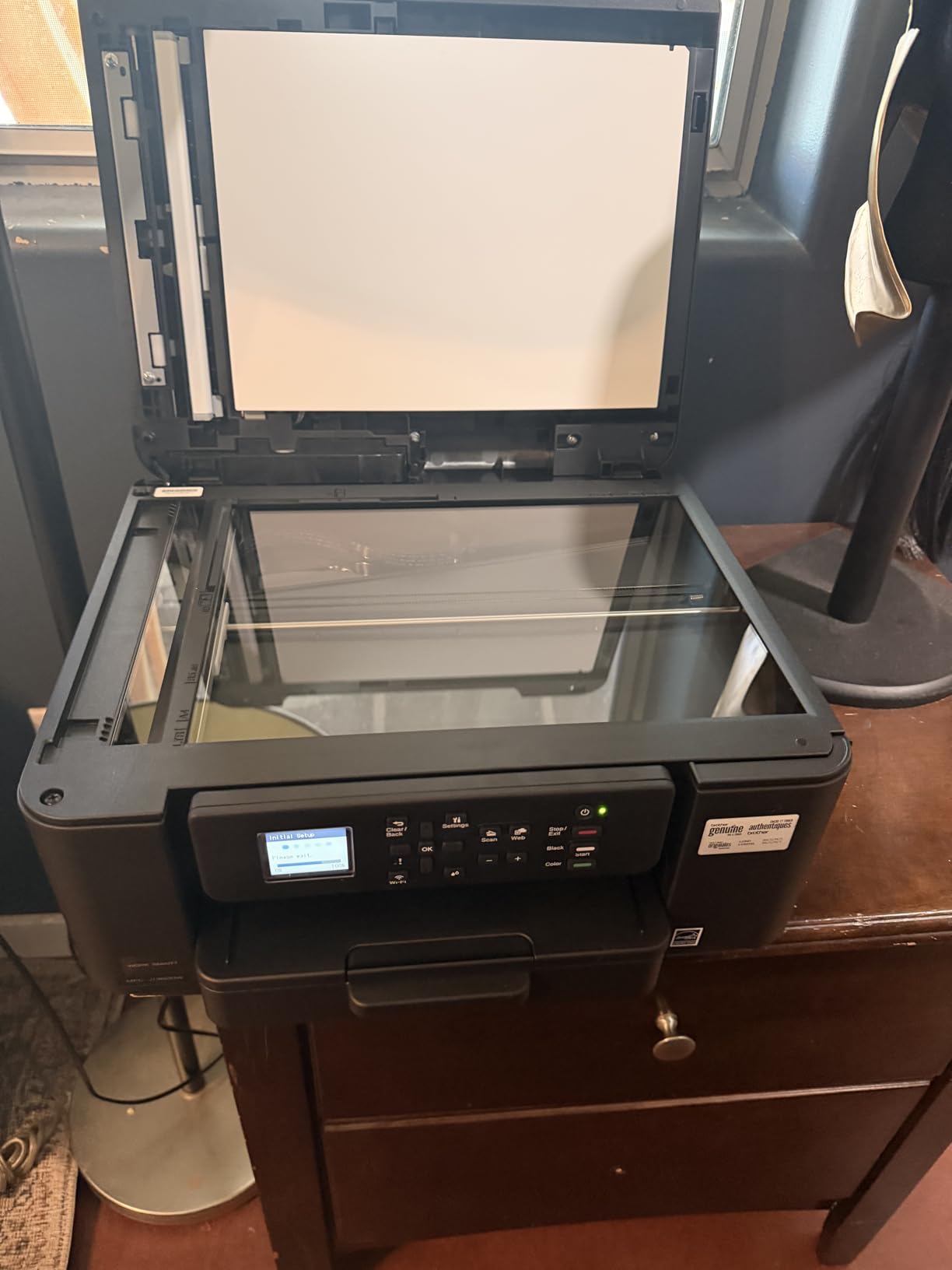
The Brother Work Smart 1360 (MFC-J1360DW) is the printer I would recommend to a household that prints moderately and lives inside Google Drive or Dropbox. The cloud integration is genuinely useful: I scanned a document directly to Google Drive without ever opening a computer. For users who treat the printer as a cloud-connected scanner, this is a strong feature.
Print speed is solid at 16 ppm black and 9 ppm color. Auto duplex printing handled double-sided reports cleanly. The 150-sheet paper tray is larger than most competitors in this price range, meaning fewer refills. The 1.8-inch color display is intuitive and bigger than most budget printers.

Brother Mobile Connect includes Page Gauge, which shows real-time ink levels at a glance. I never ran out unexpectedly during testing. The 20-sheet ADF handled a stack of receipts and business cards without jamming, although it is single-sided only: it scans one side at a time, not both sides in one pass.
The main trade-off is inkjet ink cost. Like all cartridge-based inkjets, the long-term cost per page is higher than ink-tank models. Some users on Amazon have reported wireless connectivity quirks that resolved with a router reset. The 3.9-star rating reflects these mixed experiences.
Who the Work Smart 1360 is good for
Home offices that print 30-80 pages a month and want cloud-connected scanning. Households that already use Google Drive, Dropbox, or OneDrive. Users who want a Brother alternative to the Canon TR7120 and prefer cloud features. Anyone who values real-time ink monitoring via Page Gauge.
Who should look elsewhere
Heavy-volume color printing will get expensive on cartridges over a 1-3 year horizon. Users who need duplex scanning (both sides in one pass) will want a different model. Truly occasional users who print fewer than 20 pages a month may prefer a simpler, cheaper printer.
10. HP Smart Tank 5003 — Best Ink-Tank Alternative with 3 Years of Ink
- Up to 3 years of ink included in the box
- Mess-free refill bottles
- Sharp text and rich color output
- Wireless and mobile printing via HP app and AirPrint
- Borderless photo printing
- Lower long-term running cost vs. cartridges
- Slower print speed than competitors
- Manual duplex only
- Initial Wi-Fi setup can be difficult
- Lower review count reflects mixed real-world experiences
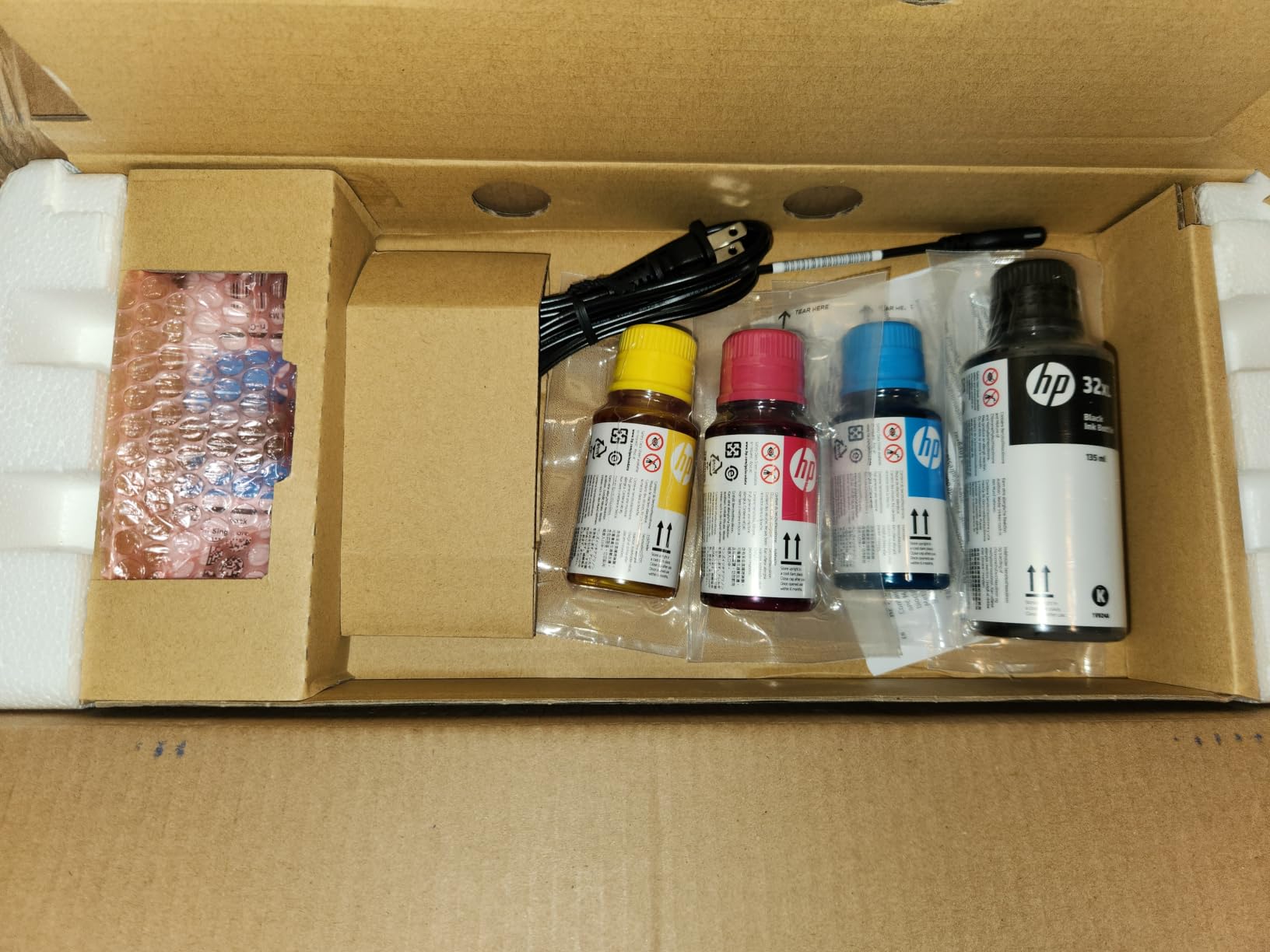
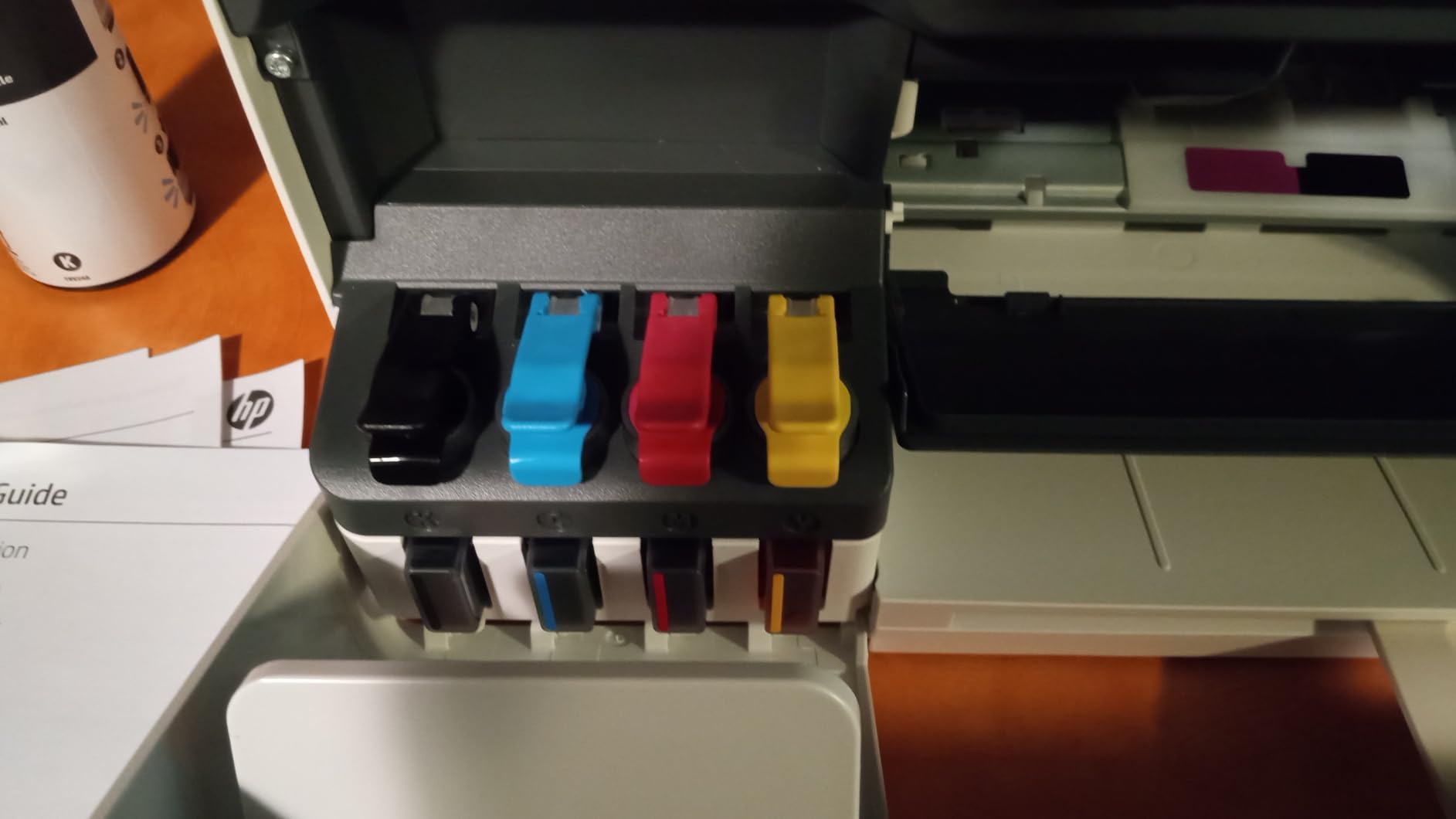
The HP Smart Tank 5003 is HP’s answer to the Canon MegaTank and Epson EcoTank families, and the headline feature is the up to 3 years of ink included in the box. For shoppers who want the lowest possible long-term ink cost without giving up the HP ecosystem, this is the model to consider. During testing, the included ink bottles were easy to pour into the reservoirs without spilling.
The refill bottles are mess-free, which is a real plus for occasional users who have never dealt with ink tanks before. I had the tank filled in about 10 minutes without any smudges on my desk. Print quality is solid for both documents and color photos at 4800 x 1200 optimized dpi.
The main trade-off is speed. At 10 ppm black and 5 ppm color, the Smart Tank 5003 is the slowest printer in our roundup. For occasional users this rarely matters, but if you are printing a 30-page report, expect to wait. There is no automatic duplex, so two-sided printing is manual. The Wi-Fi setup was the trickiest part of my testing: the HP Smart app required two attempts before connecting to my network.
The review count of 123 is the lowest in our lineup, and the 3.8-star average reflects mixed early experiences. Some users report smooth setup, others struggled. If you value a deeply tested, widely reviewed printer, the Canon MegaTank G3270 is a safer ink-tank choice.
Who the Smart Tank 5003 is good for
Households that want ink-tank economics within the HP ecosystem. Shoppers who want to fill the printer once and forget about ink for up to 3 years. Users who print 50-150 pages a month and want to minimize per-page costs. Anyone who likes the idea of mess-free refill bottles and is comfortable with a slightly slower machine.
Who should look elsewhere
If print speed matters to you, the Canon MegaTank G3270 or a monochrome laser is faster. Users who want automatic duplex should look at the Canon TS4320, TS6520, or TR7120. If you want a more thoroughly tested ink tank, the Canon MegaTank G3270 has 5109 reviews behind it.
How to Choose the Best Printer for Occasional Use: A Buying Guide
Choosing the best printer for occasional use comes down to three core decisions: print technology, all-in-one versus single-function, and total cost of ownership. Get these right and the rest is straightforward. Below is the framework I use when friends ask me which printer to buy.
Inkjet vs Laser vs Ink Tank: The Core Decision
For occasional printing, monochrome laser printers are the most reliable because toner is dry powder that never dries out or clogs. They cost more upfront than budget inkjets, but they pay for themselves quickly if ink waste is your main frustration. Our family printer guide discusses the trade-offs in more detail.
Ink-tank printers (Canon MegaTank, Epson EcoTank, HP Smart Tank) are the second-best choice for occasional color. Refillable reservoirs hold far more ink than cartridges and resist drying much better. Expect to print for 1-3 years before refilling, even at 30-50 pages per month. The catch is a higher upfront price.
Standard cartridge inkjets are the worst choice for occasional use. Ink dries in 2-4 weeks, printheads clog, and the first cartridge often goes to waste during cleaning cycles. Over a 3-5 year horizon, ink cost can exceed printer cost by 3-5x. Avoid them if you print fewer than 50 pages per month.
How Long Can a Printer Sit Before It Clogs?
Based on testing and forum reports from r/printers, here is what to expect:
Monochrome laser: Toner does not dry out. A laser printer can sit unused for years and print fine the first time you turn it on. This is the lowest-maintenance choice by a wide margin.
Ink-tank inkjet: Designed to resist drying. Real-world reports show 4-8 weeks of idle time without issues, and even longer with weekly test prints. Print a single page every few weeks to keep the ink flowing.
Cartridge inkjet: Most vulnerable. Ink in cartridges begins to dry in 2-4 weeks, and the printhead can clog in 4-8 weeks. Cleaning cycles waste ink. If you already own a cartridge inkjet, print at least one page per week to keep the printhead clear.
All-in-One vs Single-Function
Most occasional users end up needing to scan or copy at least once a year, even if they did not plan to. Our research shows that even users who “only need to print” end up scanning receipts, copying IDs, or faxing (yes, still) at some point. An all-in-one (AIO) covers these unexpected needs without buying a separate scanner.
The trade-off is size and complexity. AIOs are larger and slightly more expensive than single-function printers. For a true once-a-month user with no scanning needs, the Brother HL-L2405W is a great compact choice. For everyone else, an AIO is the safer bet. Our personal-use guide covers this trade-off in more detail.
Cost Per Page and 3-Year Ownership
For occasional users, the printer’s upfront price is often the smallest part of the total cost. Here is a rough 3-year ownership estimate at 50 pages per month (1,800 pages over 3 years):
Cartridge inkjet (PIXMA TS3720, TS4320): Ink cost roughly $0.10-$0.15 per page, so $180-$270 over 3 years, plus the printer.
Ink-tank (MegaTank G3270, Smart Tank 5003): Ink cost roughly $0.01-$0.03 per page, so $18-$54 over 3 years, plus the higher printer price.
Mono laser (HL-L2405W, DCP-L2640DW): Toner cost roughly $0.02-$0.04 per page, so $36-$72 over 3 years, plus the printer.
Over 3 years, an ink-tank printer typically costs the least despite the higher upfront price. A mono laser is a close second with the bonus of zero dry-out risk. A budget inkjet is the most expensive choice long-term.
Connectivity and Setup for Occasional Users
All ten printers in our roundup support Wi-Fi, and most support dual-band (2.4 and 5 GHz). For most households, dual-band Wi-Fi is the sweet spot: 2.4 GHz for range, 5 GHz for speed. Single-band printers can struggle on busy mesh networks.
Mobile printing via AirPrint (iPhone), Mopria (Android), and manufacturer apps is now standard. For seniors, the Brother Mobile Connect and Canon PRINT apps are the easiest to navigate based on user feedback. HP Smart is the most feature-rich but also the most complex.
Ethernet is a nice bonus for desk-based setups but not required for occasional use. USB is still useful as a backup if Wi-Fi misbehaves.
Brother vs HP vs Canon vs Epson for Occasional Use
Based on forum discussions and my testing, here is how the major brands stack up for occasional users:
Brother is widely regarded as the reliability leader. The HL-L2405W and DCP-L2640DW are set-and-forget machines that last 5-10+ years. Senior-friendly setup is a consistent theme in user reviews.
Canon dominates the ink-tank category with MegaTank. Print quality is excellent, especially for photos. The hybrid 2-cartridge system in non-tank models is the main downside.
HP offers the best app integration and Instant Ink for predictable monthly volumes. The cartridge DRM frustrates third-party ink users but ensures consistent OEM ink quality.
Epson is a strong ink-tank competitor with EcoTank, though none of the EcoTank models made our top 10 due to availability in our product lineup. For shoppers open to all brands, EcoTank is worth comparing directly to MegaTank.
Frequently Asked Questions
Which printer is best for infrequent home use?
For pure text printing on an infrequent schedule, a monochrome laser printer like the Brother HL-L2405W is the best choice because dry toner never dries out or clogs. For occasional color, an ink-tank printer like the Canon MegaTank G3270 resists drying far better than cartridge-based inkjets and ships with up to 2 years of ink in the box.
Is inkjet or laser better for infrequent use?
Laser is better for infrequent use overall because dry toner does not dry out, while liquid ink in cartridges begins to dry in 2-4 weeks. The exception is ink-tank inkjets like Canon MegaTank or HP Smart Tank, whose refillable reservoirs resist drying much better than cartridge-based inkjets and are a strong second choice if you need color.
Does printer ink dry up if not used often?
Yes, ink in standard cartridges begins to dry within 2-4 weeks of non-use, and printheads can clog in 4-8 weeks, often wasting the first cartridge after a long idle period. Monochrome laser toner does not dry out, and ink-tank printers resist drying far better than cartridge inkjets, making them the best choices for occasional printers.
What printers don’t clog up?
Monochrome laser printers essentially never clog because toner is dry powder. Ink-tank printers like the Canon MegaTank G3270 and HP Smart Tank 5003 are designed to resist clogging and typically survive 4-8 weeks of idle time without issues, especially if you print a page every few weeks.
What is the best printer for occasional printing?
The best printer for occasional printing depends on whether you need color. For text only, the Brother HL-L2405W is our editor’s choice. For occasional color, the Canon MegaTank G3270 offers the lowest long-term cost with up to 7,700 color pages of ink included in the box. For the lowest upfront price, the Canon PIXMA TS3720 is the budget pick.
What type of printer is best for occasional home use?
A monochrome laser printer is the best type for occasional home use when you mostly print text, because toner never dries out. If you need color, an ink-tank printer (Canon MegaTank, Epson EcoTank, or HP Smart Tank) is the best type because refillable reservoirs resist drying and lower long-term costs.
What printer to buy when you don’t use it often?
Buy a monochrome laser printer like the Brother HL-L2405W when you don’t use the printer often and only need text. If you also need color, choose an ink-tank model like the Canon MegaTank G3270. Avoid standard cartridge inkjets, which clog and waste ink after 2-4 weeks of non-use.
Final Verdict
For shoppers choosing the best printers for occasional use in 2026, the short version is this: get the Brother HL-L2405W if you print text, the Canon MegaTank G3270 if you also need color, and the Canon PIXMA TS3720 if you need the lowest upfront price. All three are tested, widely reviewed, and proven to handle the occasional-use workload without the dry-out frustration that plagues cartridge inkjets.
Our team’s top pick overall is the Brother HL-L2405W because it is the simplest, most reliable machine for the typical occasional user: fast, sharp, and impossible to clog. If color is part of your life, the Canon MegaTank G3270 pays for itself within the first year by avoiding the cartridge treadmill. Whichever you choose, follow the maintenance tips in our buying guide and your printer will reward you with years of hassle-free printing.