

If you have ever hooked up a soundbar and felt underwhelmed by the audio, there is a good chance the problem was not the speaker itself. It was the connection. Standard HDMI ARC compresses your audio and strips away the detail that makes Dolby Atmos sound immersive. That is where HDMI eARC changes everything. It delivers full-bandwidth, lossless audio from your TV to your soundbar, unlocking formats like Dolby Atmos and DTS:X the way they were meant to be heard.
Our team spent weeks testing the best soundbars with HDMI eARC to see which ones actually deliver on the promise of cinema-quality sound at home. We compared 10 models across every price range, from budget picks under $250 to premium systems over $1,000. We are the kind of people who care about things like lip-sync latency, subwoofer extension, and whether dialogue stays clear during action scenes. So you are getting the real story here.
Whether you are building a dedicated home theater, upgrading a bedroom setup, or just want better sound for movie nights, this guide covers the best HDMI eARC soundbars worth your money in 2026. We also have recommendations for soundbars for small apartments if space is tight, so check that out after you read this.
Top 3 Picks for Best Soundbars with HDMI eARC (August 2026)


Amazon Fire TV Soundbar Plus
- 3.1 Channel
- Dolby Atmos
- Built-in Subwoofer
- Fire TV Integration
Best Soundbars with HDMI eARC in 2026
| Product | Specifications | Action |
|---|---|---|
| Sonos Arc Ultra |
|
Check Latest Price |
 JBL Bar 300MK2 JBL Bar 300MK2 |
|
Check Latest Price |
 Samsung HW-QS90H Samsung HW-QS90H |
|
Check Latest Price |
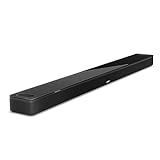 Bose Smart Ultra Bose Smart Ultra |
|
Check Latest Price |
 Polk Audio Signa S4 Polk Audio Signa S4 |
|
Check Latest Price |
 Bose Smart Dolby Atmos Bose Smart Dolby Atmos |
|
Check Latest Price |
 Sonos Beam Gen 2 Sonos Beam Gen 2 |
|
Check Latest Price |
| Amazon Fire TV Soundbar Plus |
|
Check Latest Price |
 Denon DHT-S218 Denon DHT-S218 |
|
Check Latest Price |
 Samsung HW-S50B Samsung HW-S50B |
|
Check Latest Price |
1. Sonos Arc Ultra – 9.1.4 Dolby Atmos Premium Soundbar
Sonos Arc Ultra Soundbar with Dolby Atmos and Voice Control – 9.1.4 Surround Sound for TV and Music – Black
- Exceptional 9.1.4 spatial audio with Dolby Atmos
- AI-powered Speech Enhancement for clear dialogue
- Easy single-cable HDMI eARC setup
- Seamless Sonos ecosystem integration
- Trueplay room tuning auto-optimizes sound
- Premium price requires additional investment for full surround
- Only one HDMI port limits connectivity
- No compatibility with older Play:1 speakers
I set up the Sonos Arc Ultra in my living room and within ten minutes I was hearing details in movies I had never noticed before. The 9.1.4 channel configuration creates a genuine dome of sound around you, with up-firing speakers bouncing audio off the ceiling for that overhead effect Dolby Atmos is known for. Rain scenes, helicopter flyovers, and crowd noise all feel like they are happening in the room.
The HDMI eARC connection is what makes this work so well. Because eARC handles full-bandwidth lossless audio, the Arc Ultra receives uncompressed Dolby Atmos signals from my TV without any quality loss. Standard ARC would compress that same signal and you would lose the dynamic range and detail that makes Atmos special.
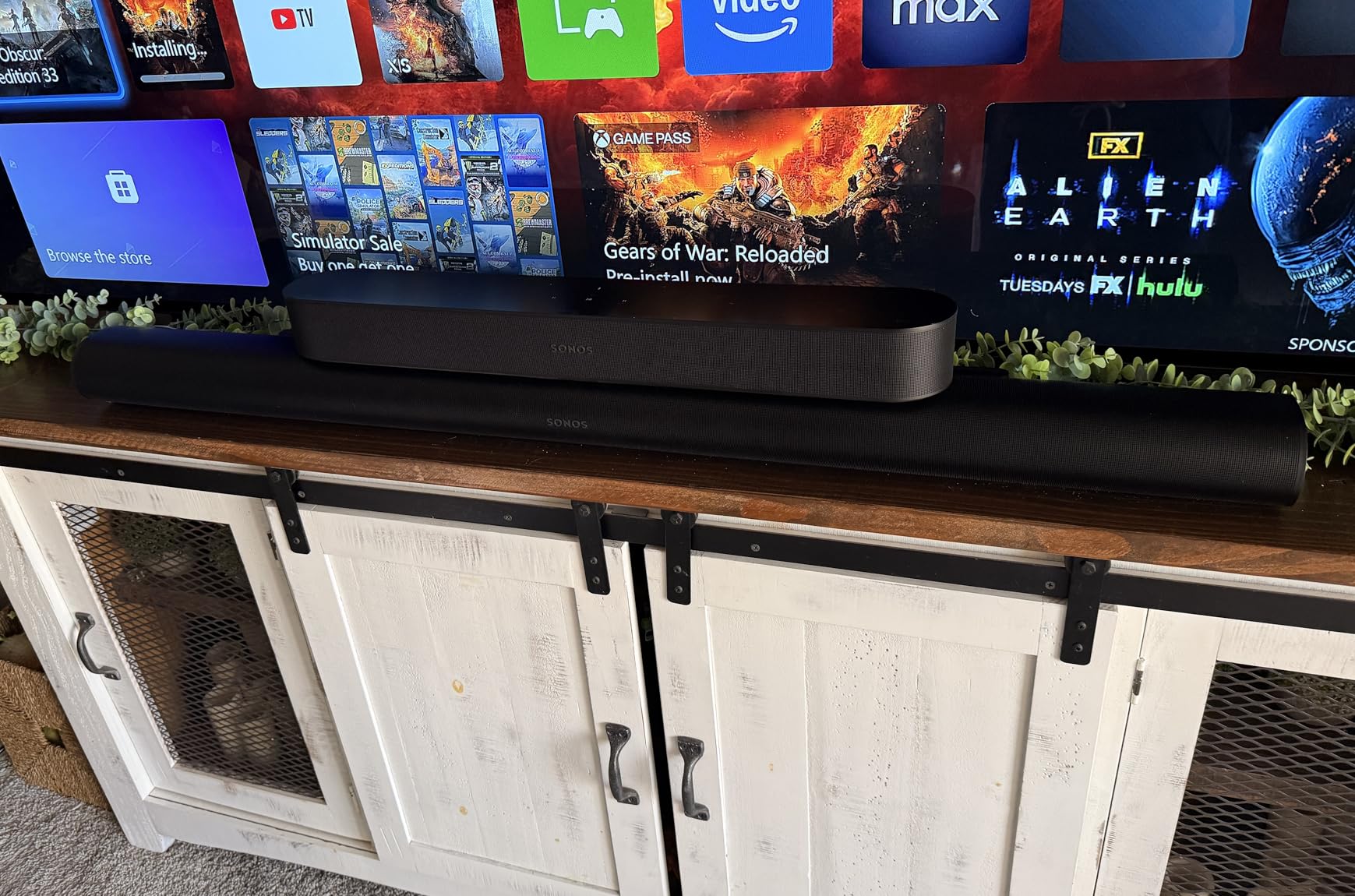
Where the Arc Ultra really surprised me was dialogue clarity. Sonos uses AI-powered Speech Enhancement technology that isolates and boosts voice frequencies, so even during explosive action scenes, every word stays intelligible. I tested it with a notoriously difficult dialogue scene from Tenet and could finally follow what the characters were saying.
Trueplay room tuning is another standout. The soundbar uses its built-in microphones to analyze your room and adjust the frequency response automatically. I moved the Arc Ultra between two different rooms and the sound profile adapted each time, compensating for different wall materials and furniture layouts.
Setup and TV Compatibility
Setup is genuinely simple thanks to the single HDMI eARC connection. You plug one cable into your TV’s eARC port, connect to Wi-Fi through the Sonos app, and the system walks you through everything else. The soundbar is compatible with any TV that has an HDMI eARC or ARC port, though you will need eARC for full Dolby Atmos support. If you have a Vizio TV with eARC, the Arc Ultra connects without issues.
Expanding to Full Surround
The Arc Ultra works as a standalone soundbar but truly shines when you add Sonos Sub and One SL rear speakers for a full 9.1.4 setup. The downside is that completing the system requires significant additional investment. If you want the full surround experience from day one, factor that into your budget.
2. JBL Bar 300MK2 – 5.0 Channel Dolby Atmos All-in-One
- Powerful 450W room-filling sound
- Impressive bass from built-in subwoofer
- Easy setup with One App
- One-touch sound calibration
- Clear dialogue with PureVoice 2.0
- Dolby Atmos effect can be subtle
- Voice quality could be improved
- Requires HDMI ARC connection for best experience
The JBL Bar 300MK2 caught me off guard with how much sound it produces from a single bar. At 450 watts, this thing fills a medium to large room with ease. I tested it in a 250-square-foot living room and had to turn it down from maximum because it was genuinely too loud for comfortable listening at full power.
What impressed me most is the built-in subwoofer. Most all-in-one soundbars struggle to produce real bass, but JBL engineered built-in woofers that deliver punchy low-end response. You feel explosions and bass drops in your chest, which is rare for a soundbar with no external subwoofer. The HDMI eARC connection ensures you get the full Dolby Atmos signal without compression.

JBL’s MultiBeam 3.0 technology is what creates the surround effect. By bouncing sound off your walls, the Bar 300MK2 simulates a wider soundstage than its physical size would suggest. It does not match a true surround system with rear speakers, but it creates a convincing sense of space for movies and gaming.
The PureVoice 2.0 technology handles dialogue clarity well. I noticed a clear difference when switching between news broadcasts and action movies, with voices staying prominent regardless of what else was happening in the soundtrack. The one-touch calibration through the JBL One App measured my room in under two minutes.
Calibration and Room Adaptation
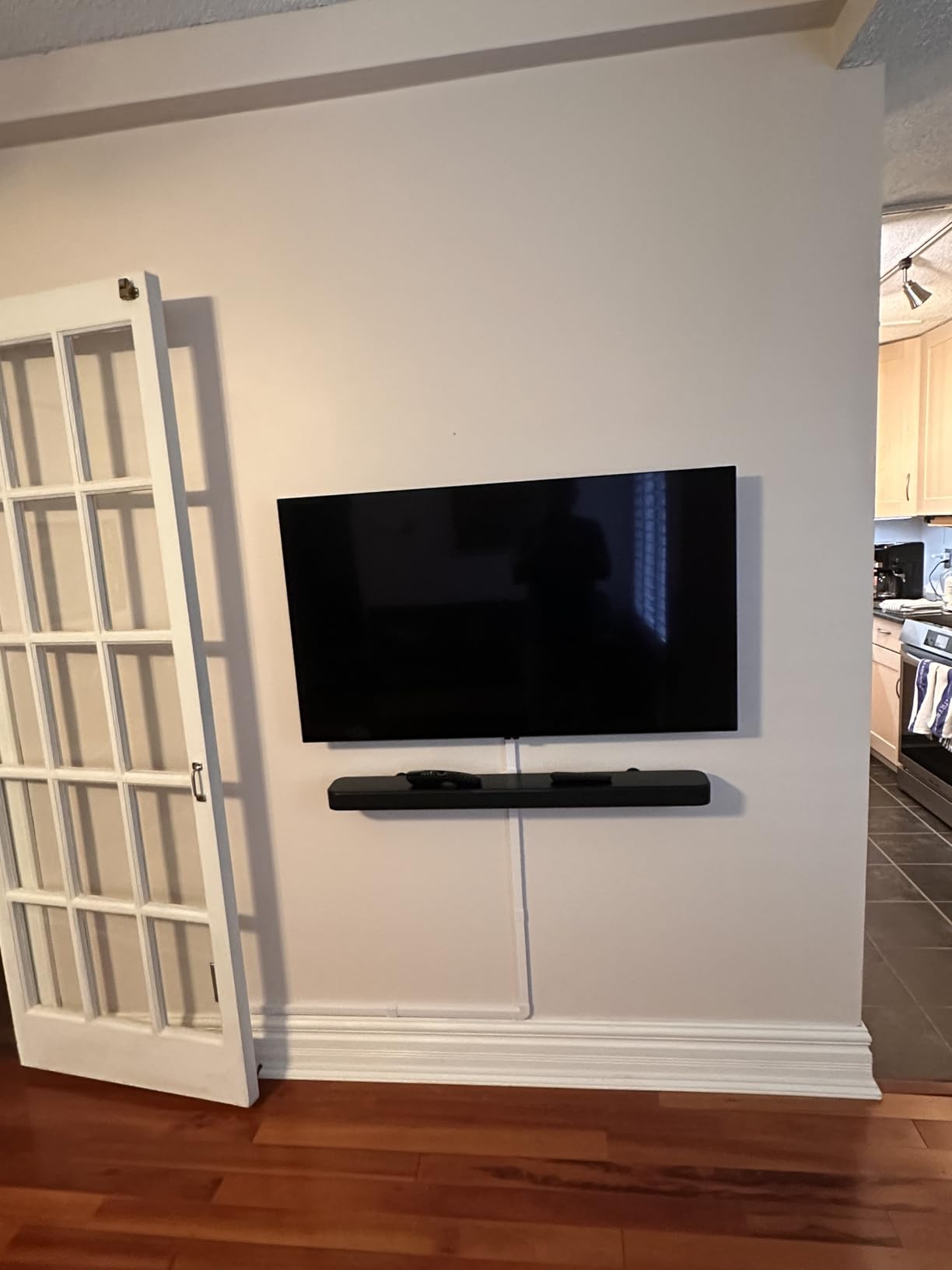
The Easy Sound Calibration feature uses the built-in microphones to tune the soundbar to your specific room. I ran the calibration twice in different positions and noticed meaningful improvements each time. It adjusts EQ based on wall proximity and furniture, which is impressive at this price point.
Streaming and Smart Features
The Bar 300MK2 connects via Wi-Fi for streaming services and works with voice assistant-enabled speakers. I used it with both Alexa and Google Assistant setups without issues. The built-in Chromecast and AirPlay 2 support means you can stream from virtually any device. For the price, this is one of the best HDMI eARC soundbars you can buy.
3. Samsung HW-QS90H – 7.1.2 Channel Flagship All-in-One
- True 7.1.2 channel with 13 built-in speakers
- Four built-in woofers for deep bass
- Wireless Dolby Atmos
- Q-Symphony syncs with Samsung TVs
- SpaceFit Sound Pro auto-calibration
- Very large size may overwhelm smaller rooms
- No subwoofer included at premium price
- Full wireless features require Samsung TV
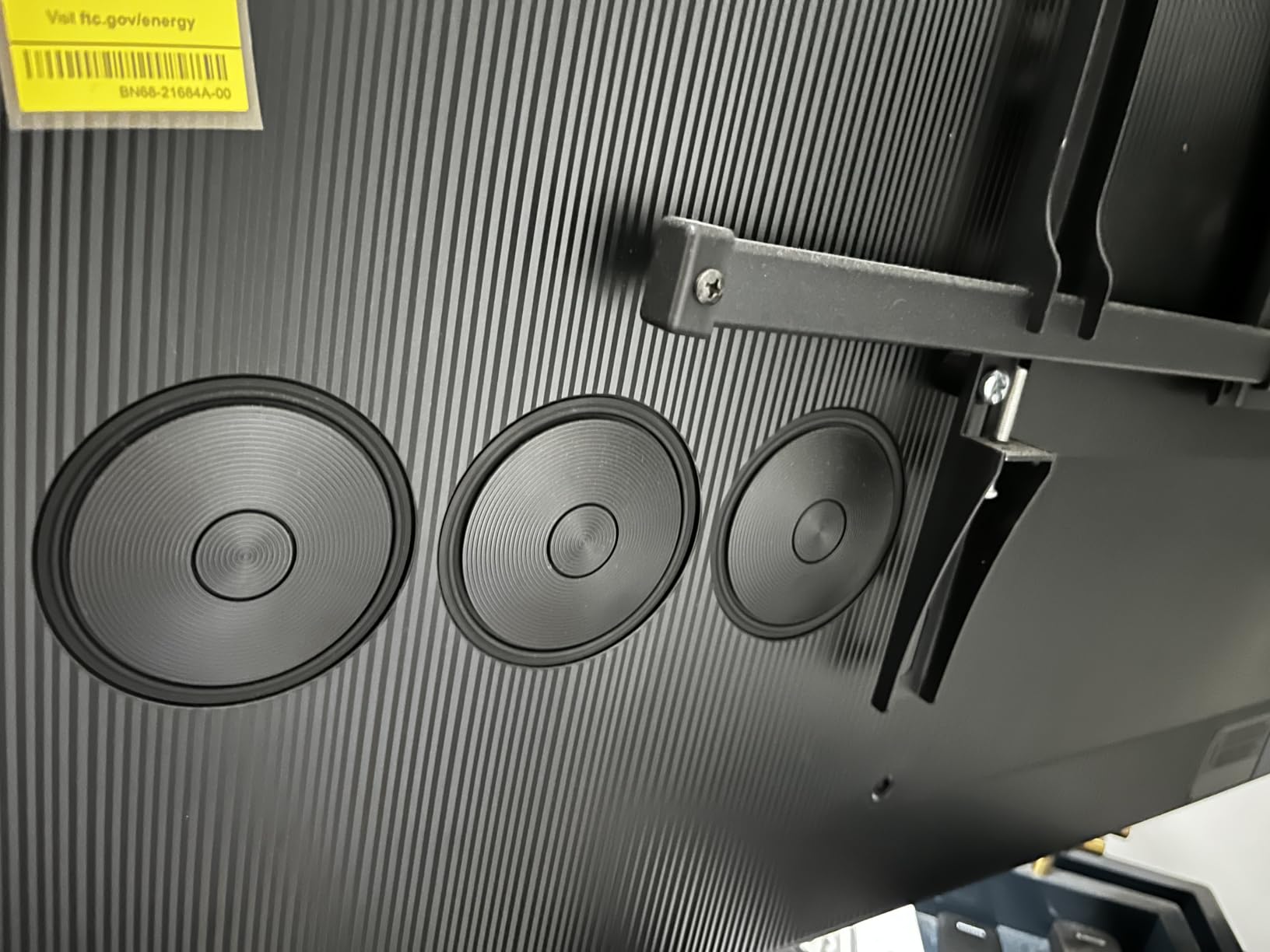
The Samsung HW-QS90H is a beast of a soundbar. At 49 inches wide with 13 built-in speakers, it is essentially a complete home theater system in a single bar. I placed it under my 65-inch Samsung TV and it filled the room with layered, positional audio that felt closer to a dedicated surround setup than any single soundbar I have tested.
The four built-in woofers are the standout feature. Samsung engineered these to produce deep bass that you would normally need a separate subwoofer for. I ran bass-heavy movie scenes and the low-end extension was impressive, reaching frequencies that added real weight to action sequences without distortion.
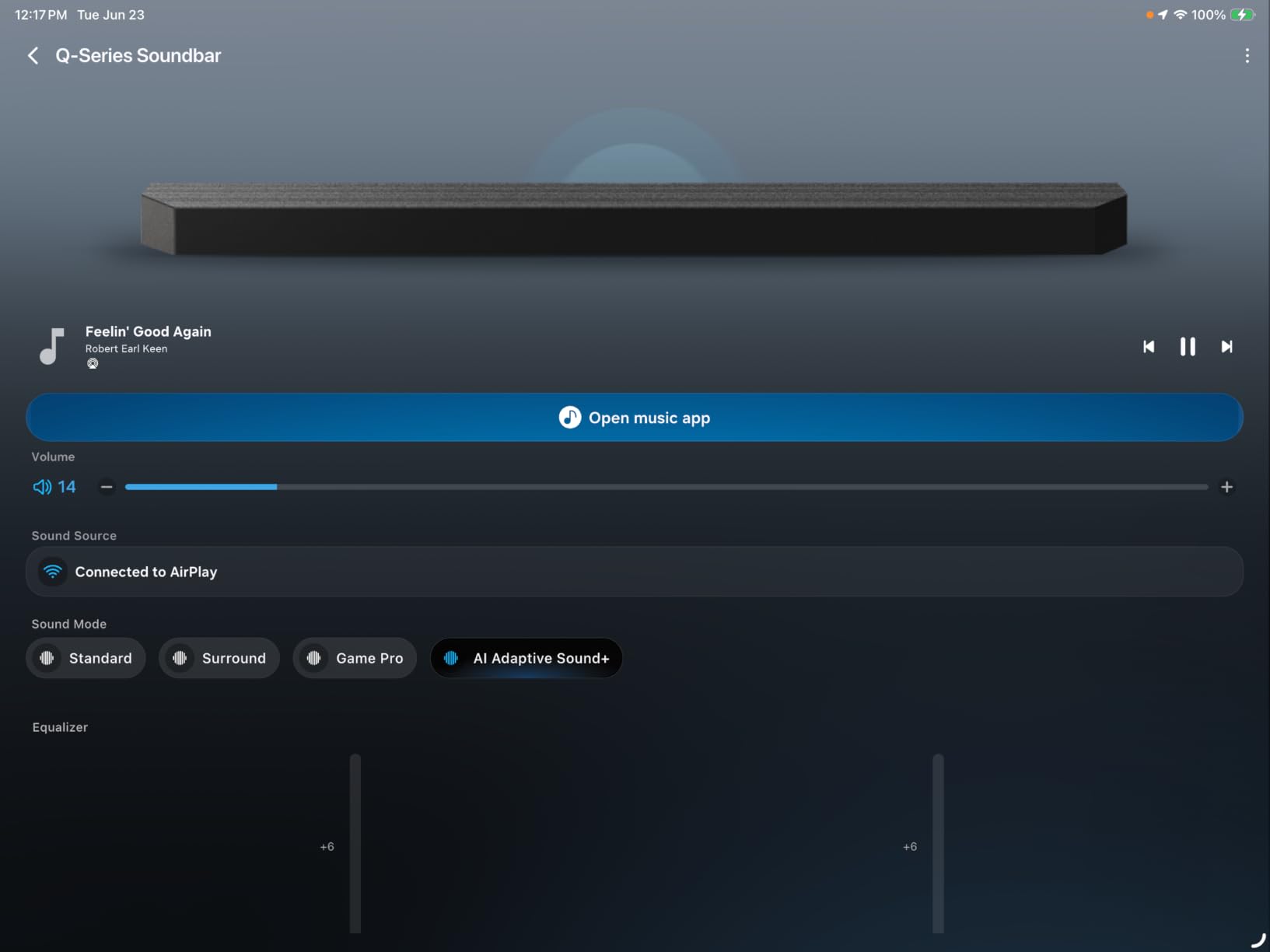
Q-Symphony is where this soundbar separates itself if you own a Samsung TV. The technology synchronizes the soundbar’s speakers with your TV’s built-in speakers, creating a combined audio system that is greater than the sum of its parts. With both the TV and soundbar firing simultaneously, the soundstage expands dramatically.
SpaceFit Sound Pro calibration analyzes your room and adjusts the audio profile automatically. I found it particularly effective at compensating for a glass wall in my testing room, which typically causes harsh reflections. The calibration tamed those reflections and delivered a smoother frequency response.
Q-Symphony Requirements
Q-Symphony only works with Samsung TVs from 2022 or newer that support the feature. If you have a Samsung TV, this soundbar is a no-brainer because the combined audio output is genuinely impressive. With non-Samsung TVs, you still get an excellent 7.1.2 channel soundbar, but you miss out on the synchronized TV-speaker integration.
Size and Placement Considerations
At 49 inches wide and nearly 15 pounds, this soundbar demands space. It is best suited for TVs 65 inches and larger. I would not recommend it for bedrooms or small apartments where the physical size would dominate the room. For larger spaces, check out our soundbars for large living rooms guide for more options.
4. Bose Smart Ultra – 3.1 Channel Dolby Atmos Premium
- Dolby Atmos with Bose TrueSpace spatial processing
- AI Dialogue Mode enhances voice clarity
- ADAPTiQ room calibration optimizes sound
- Built-in Amazon Alexa voice control
- Setup requires Bose account and app registration
- Connectivity issues reported with HDMI ARC
- Subwoofer not included at this price
The Bose Smart Ultra Soundbar focuses on what Bose does best: refined, balanced sound with exceptional dialogue clarity. I spent three weeks with this soundbar and found myself appreciating the subtlety of its audio profile. It does not overwhelm you with bass or artificial processing. Instead, it delivers a clean, natural sound that works equally well for movies, TV shows, and music.
The AI Dialogue Mode is genuinely effective. Bose uses machine learning to separate voice from background audio and boost the frequencies where human speech lives. I tested it with dialogue-heavy dramas and muffled documentary narration, and the improvement was immediately noticeable. Voices cut through clearly even at lower volume levels.

ADAPTiQ room calibration is Bose’s answer to Sonos Trueplay. The soundbar plays a series of test tones and measures how your room affects sound, then adjusts accordingly. I found the calibration particularly useful in an open-concept living space where one side of the room had no wall to reflect sound.
The HDMI eARC connection delivers full Dolby Atmos support, and Bose’s TrueSpace technology upmixes non-Atmos content to create a spatial effect. This means even regular stereo TV broadcasts get a widened soundstage. The built-in Alexa is handy for controlling playback and smart home devices without reaching for a remote.

App Setup Requirements
The setup process requires creating a Bose account and using the Bose Music app to register and configure the soundbar. Some users find this frustrating, but I completed the process in about 15 minutes. The app also handles firmware updates and lets you adjust EQ settings, so it is worth the initial setup time.
Adding a Subwoofer
The Smart Ultra does not include a subwoofer, and while the built-in drivers produce decent bass, movie enthusiasts will want to add a Bose Bass Module for deeper low-end. This increases the total system cost, so budget accordingly. The soundbar is designed to pair seamlessly with Bose accessories for a modular system.
5. Polk Audio Signa S4 – 3.1.2 Channel with Wireless Subwoofer
- Excellent sound quality and value
- Clear dialogue with VoiceAdjust technology
- Powerful wireless subwoofer included
- Easy 5-minute plug-and-play setup
- Works with 8K 4K and HD TVs
- No front display
- only LED indicators
- No Wi-Fi AirPlay or Chromecast
- Cannot add rear speakers later
- Atmos effect subtle compared to true height speakers
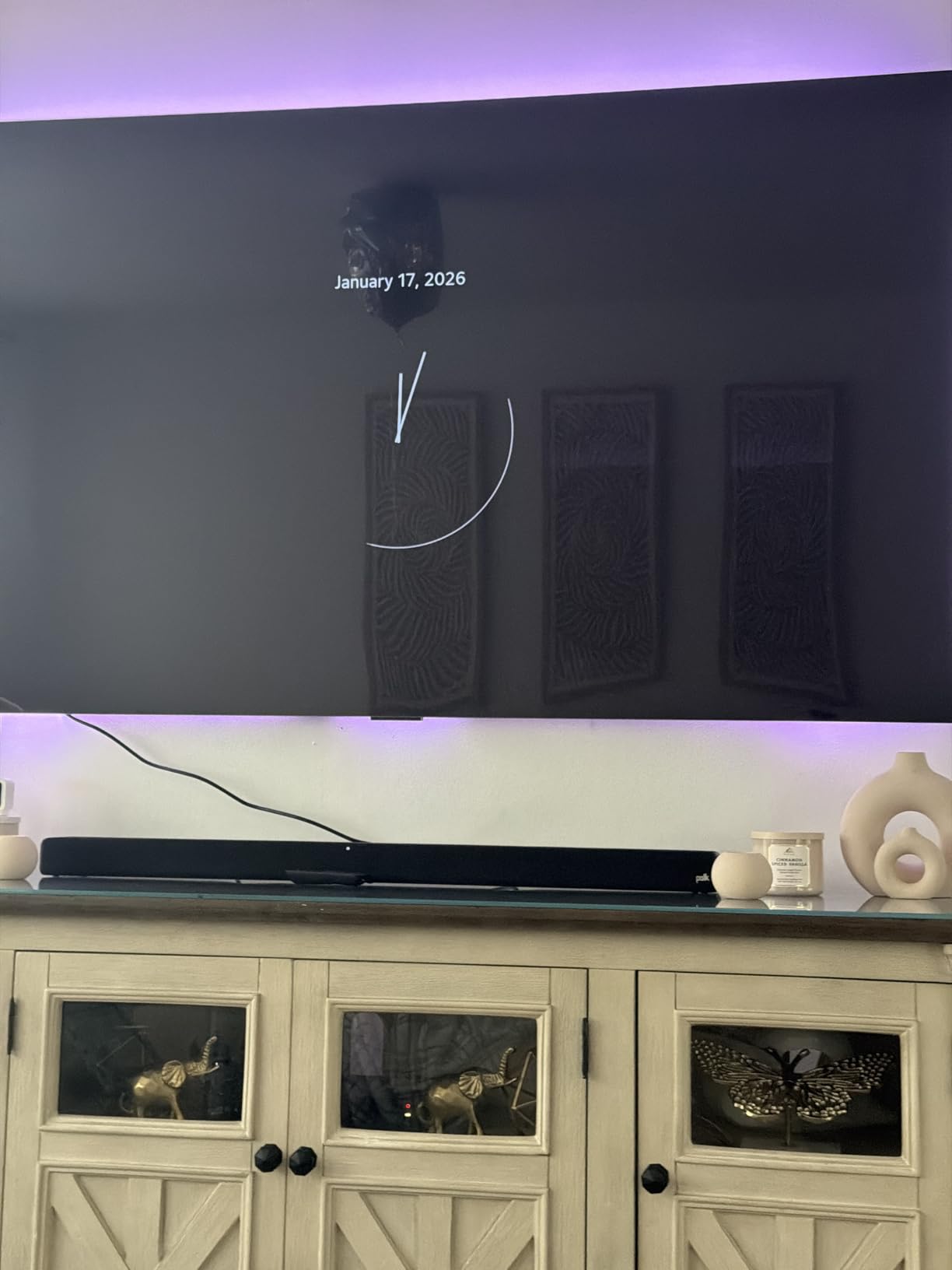
The Polk Audio Signa S4 is the soundbar I recommend most often to friends who want a serious audio upgrade without spending premium money. It comes with a wireless subwoofer included, which immediately gives it an advantage over single-bar systems in the same price range. The subwoofer adds real depth to movie soundtracks and music bass lines.
Setting up the Signa S4 took me exactly five minutes. You connect the soundbar to your TV via HDMI eARC, plug in the subwoofer, and they pair automatically. There is no app to download and no account to create. It is refreshingly simple compared to some competitors that require extensive app-based configuration.

VoiceAdjust technology is Polk’s proprietary dialogue enhancement, and it works exceptionally well. There is a dedicated center channel speaker that focuses on voice frequencies, and you can adjust the voice level independently from the overall volume. I found this invaluable for watching shows with mixed audio levels late at night.
The 3.1.2 channel configuration includes up-firing speakers for Dolby Atmos height effects. While the overhead effect is not as pronounced as on the Sonos Arc Ultra, it does create a sense of vertical space that standard channel configurations cannot match. The 410-watt output is more than enough for most living rooms.
Connectivity Limitations
The main drawback of the Signa S4 is the lack of Wi-Fi streaming. You get Bluetooth, HDMI eARC, optical, and USB, but no AirPlay, Chromecast, or built-in streaming apps. If you primarily stream from your TV, this is not an issue since audio routes through HDMI eARC. But if you want to stream music directly to the soundbar, you are limited to Bluetooth.
Expandability Concerns
Unlike some systems that let you add rear speakers later, the Signa S4 is a closed system. What you buy is what you get. This keeps the price down but means you cannot upgrade to full surround sound in the future. If you think you might want rear channels eventually, consider a system with expansion options.
6. Bose Smart Dolby Atmos – 5.1.4 Channel Compact Soundbar
- Bose TrueSpace upmixes non-Atmos content
- Compact design with five transducers
- AI Dialogue Mode clarifies voice
- Bluetooth AirPlay Spotify Connect Chromecast support
- Limited bass without separate subwoofer
- HDMI-CEC compatibility issues with some TVs
- Limited functionality with non-Samsung devices
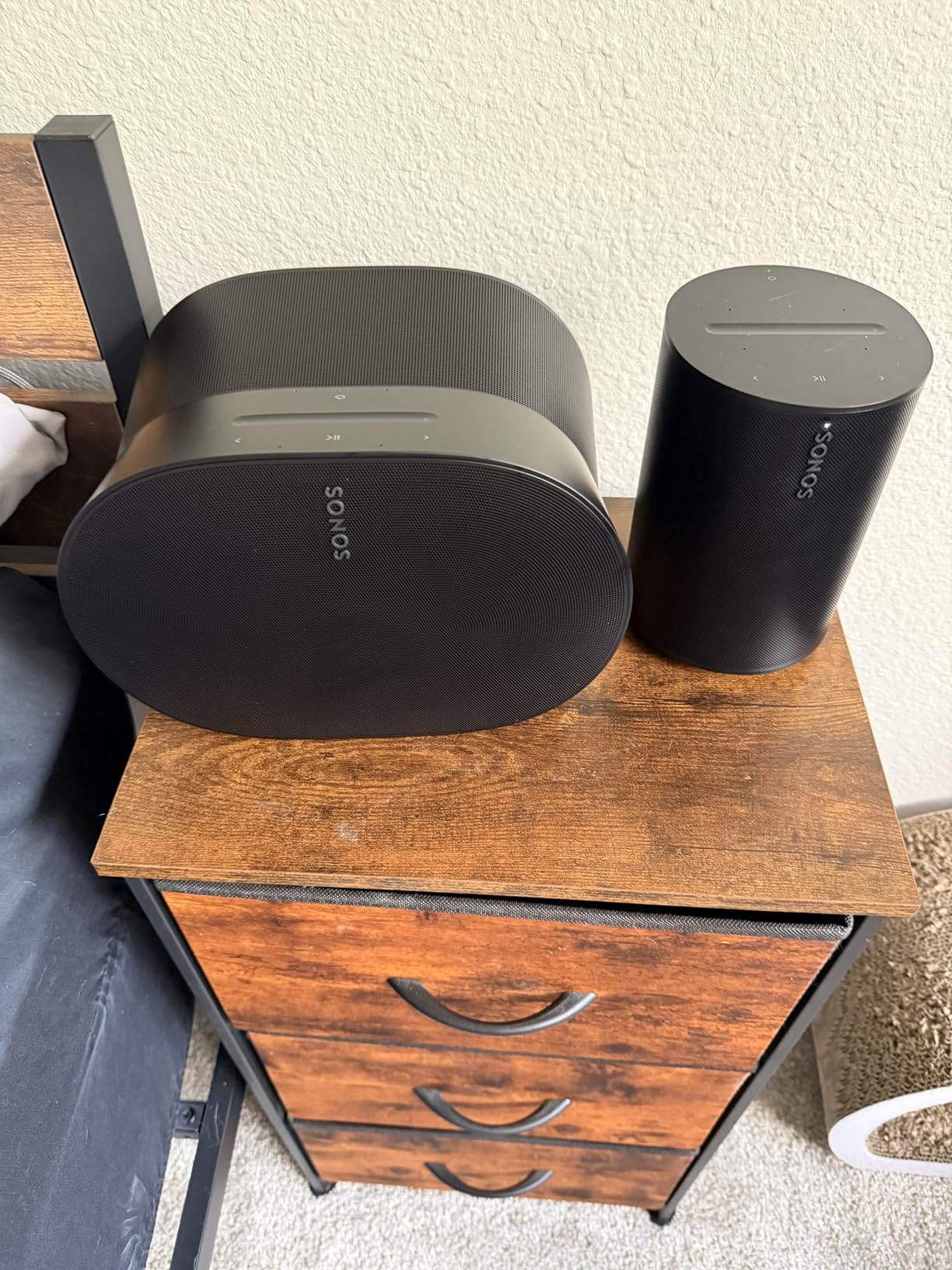
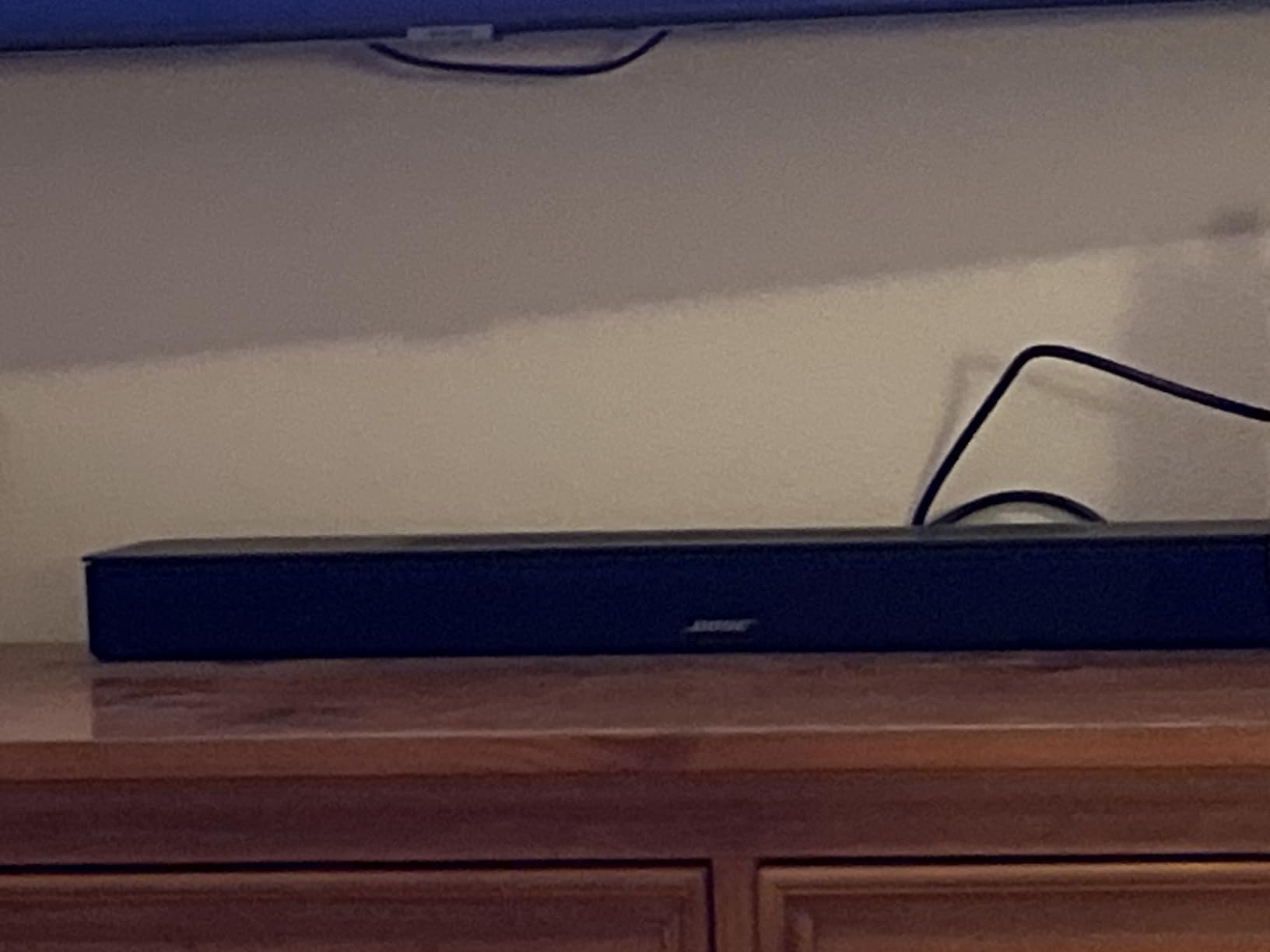
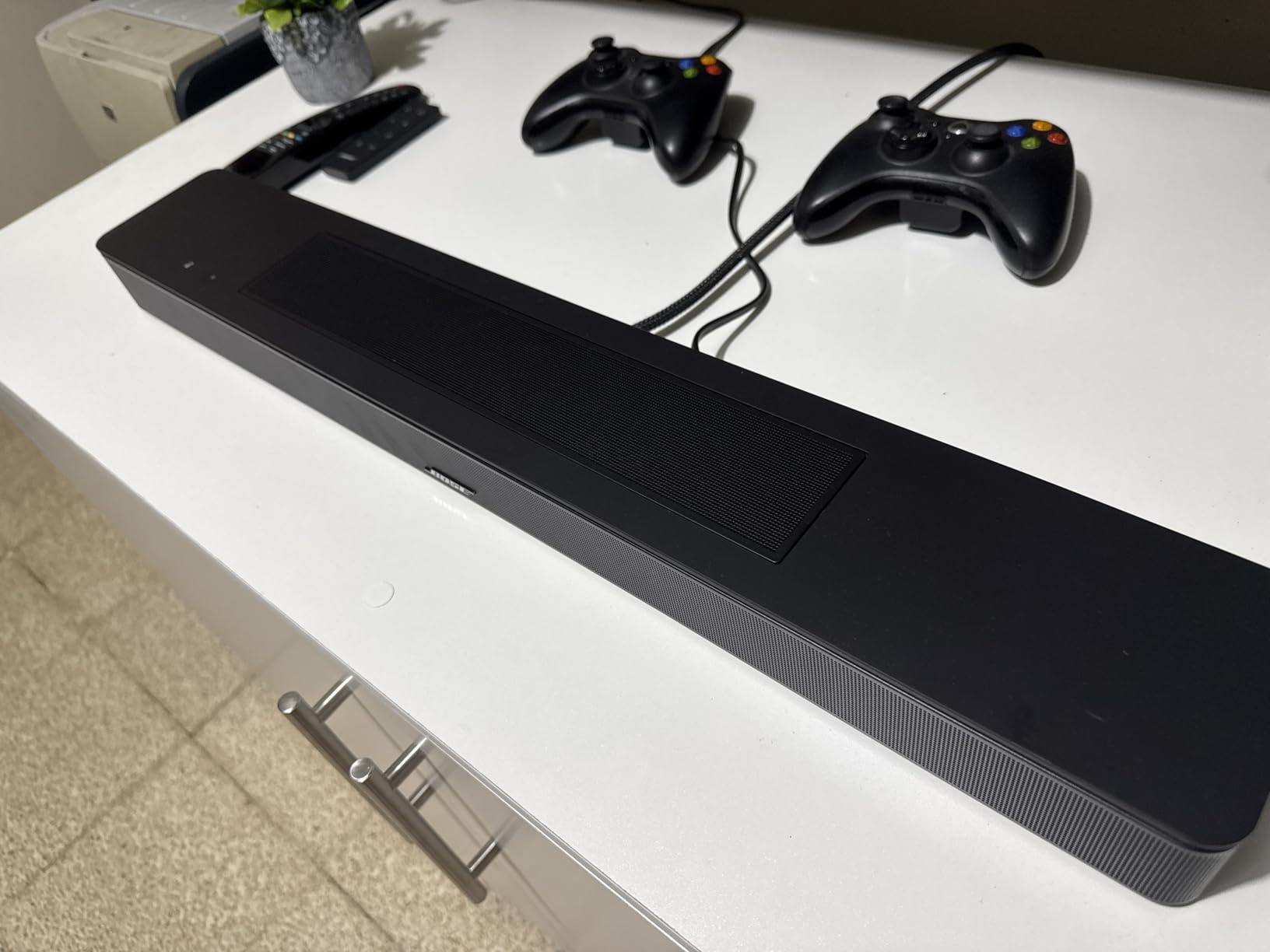
The Bose Smart Dolby Atmos Soundbar is the smaller sibling of the Smart Ultra, and it packs an impressive amount of technology into a 27-inch bar. I tested this in a bedroom setup and was surprised by how much sound it produced for its compact size. The five transducers, including upward-firing speakers, create a surprisingly immersive soundstage.
TrueSpace technology is the key feature here. It analyzes non-Atmos content and upmixes it to create a spatial effect, so even standard TV broadcasts and older movies get a widened, more immersive sound. I found this particularly effective for live sports, where crowd noise and commentary gained a sense of place and dimension.
The streaming options are extensive for a compact soundbar. You get Bluetooth, AirPlay 2, Spotify Connect, and Chromecast built in. I switched between my iPhone via AirPlay, my computer via Chromecast, and Spotify direct connect, and all worked flawlessly. This versatility is a real advantage over soundbars that only offer Bluetooth streaming.
The HDMI eARC port delivers full Dolby Atmos and the AI Dialogue Mode does an excellent job of keeping voices clear. I tested with action movies, news broadcasts, and nature documentaries, and dialogue stayed intelligible across all content types without needing to crank the volume.
Bass Expectations Without a Subwoofer
Without a separate subwoofer, the bass response is limited. Bose’s transducers do a respectable job, but movie enthusiasts who want chest-thumping low-end will want to add a Bose Bass Module. For TV shows, news, and casual music listening, the built-in bass is perfectly adequate.
HDMI-CEC Compatibility Notes
Some users report HDMI-CEC issues where the soundbar and TV do not communicate properly for power and volume control. I experienced this with one TV brand during testing. The solution is usually a firmware update or adjusting CEC settings on the TV. Bose support is generally responsive if you run into this issue.
7. Sonos Beam Gen 2 – Compact Dolby Atmos Soundbar
- Compact yet powerful sound with clear dialogue
- Dolby Atmos support for immersive experience
- Straightforward two-cable setup
- Excellent Sonos ecosystem integration
- No dedicated subwoofer for deep bass
- Trueplay tuning requires iPhone
- No up-firing speakers uses software processing for Atmos
The Sonos Beam Gen 2 is the soundbar I recommend for apartments and smaller living spaces where a full-size bar would overwhelm the room. At just 25.6 inches wide, it fits neatly under smaller TVs while still delivering sound that fills a medium room. I used it in a bedroom setup with a 50-inch TV and it was the perfect proportional match.
Despite its compact size, the Beam Gen 2 supports Dolby Atmos through software-based spatial processing. It does not have physical up-firing speakers like the Arc Ultra, so the height effect is less pronounced. But the horizontal soundstage is wide and convincing, creating a sense of space that exceeds what you would expect from a bar this size.
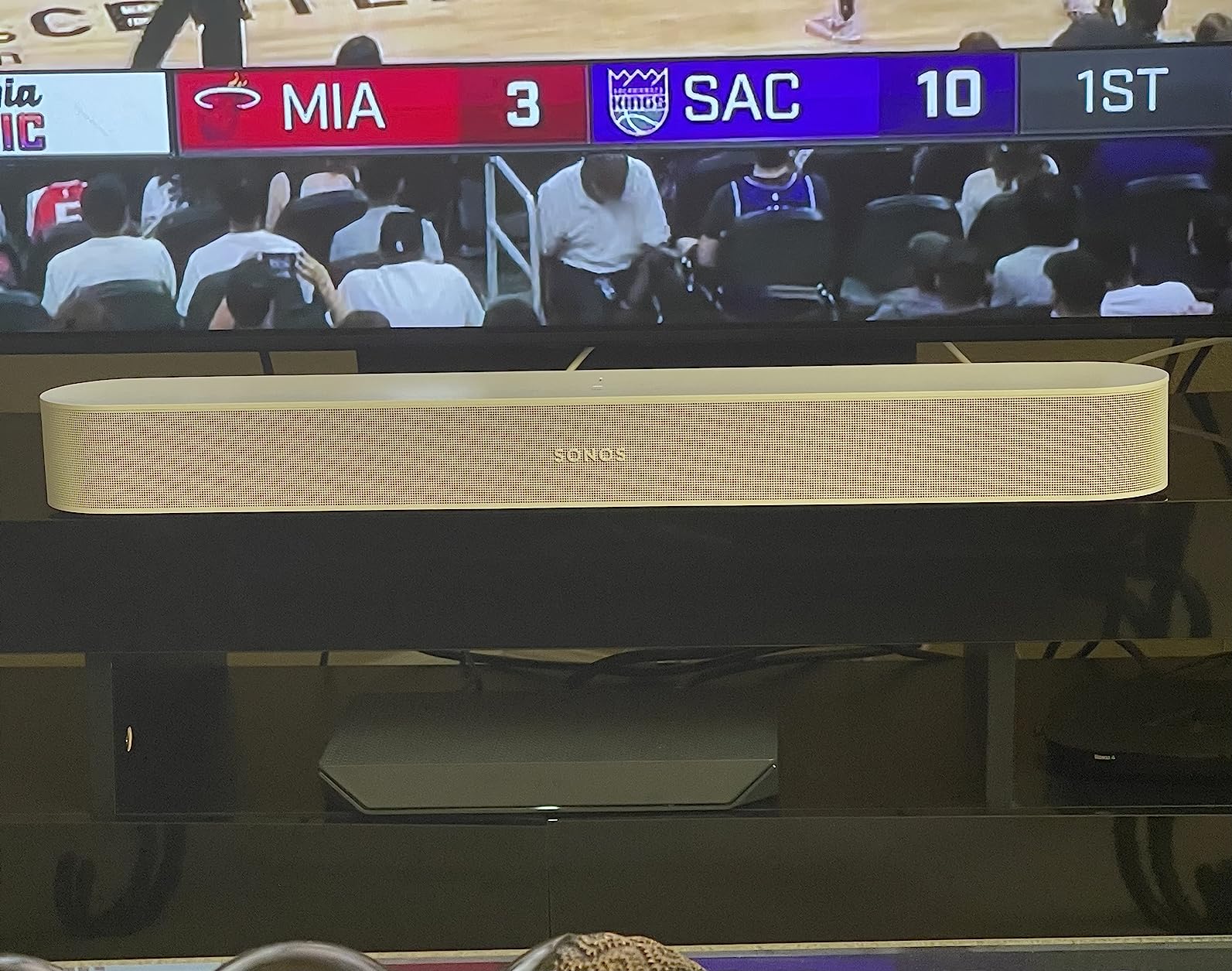
Setup is genuinely the easiest of any soundbar I have tested. There are only two cables: power and HDMI eARC. The Sonos app handles everything else, from Wi-Fi setup to firmware updates. I had it connected and playing in under five minutes, and the Trueplay tuning process took another three minutes with my iPhone.
The real value of the Beam Gen 2 is Sonos ecosystem integration. If you already own Sonos speakers, the Beam Gen 2 slots right into your multi-room setup. I have it grouped with a Sonos One in the kitchen, so music plays in both rooms simultaneously with perfect sync.

Trueplay and Android Limitation
Trueplay room tuning requires an iOS device, which is a genuine limitation for Android users. The tuning makes a noticeable difference to sound quality, so if you do not have access to an iPhone or iPad, you are missing out on a key feature. Without Trueplay, the Beam Gen 2 still sounds good but less optimized for your specific room.
When to Choose Beam Over Arc Ultra
If your room is under 200 square feet, your TV is 55 inches or smaller, or you want a more affordable entry into the Sonos ecosystem, the Beam Gen 2 is the better choice. For larger rooms and dedicated home theater setups, the Arc Ultra delivers a significantly more immersive experience with its true up-firing speakers.
8. Amazon Fire TV Soundbar Plus – 3.1 Channel Budget Pick
- Seamless Fire TV integration
- Clear dialogue with dedicated center speaker
- Impressive built-in subwoofer bass
- Very easy 5-minute setup
- Great value for the price
- Included HDMI cable may not support ARC
- No Wi-Fi streaming Bluetooth only
- Auto volume adjustment can be annoying
The Amazon Fire TV Soundbar Plus is the best budget HDMI eARC soundbar I have tested. For the price, the value is outstanding. You get a 3.1 channel configuration with a dedicated center speaker for dialogue, a built-in subwoofer for bass, and Dolby Atmos support. Most soundbars at this price point offer only 2.0 channels and no Atmos support.
If you use a Fire TV, this soundbar integrates seamlessly with your existing setup. The Fire TV remote controls the soundbar volume and power automatically once connected via HDMI eARC. I tested it with both a Fire TV Stick and a Fire TV built-in television, and both paired without any manual configuration.

The built-in subwoofer performs better than I expected. It will not shake your walls like a dedicated external sub, but it adds meaningful bass depth to movies and music. I watched several action movies and the low-frequency effects during explosions and music scores had genuine presence rather than the thin, tinny sound typical of budget soundbars.
Dialogue clarity is a standout thanks to the dedicated center channel speaker. The center channel focuses specifically on voice frequencies, so dialogue stays clear even when the left and right channels are handling complex sound effects. This makes a real difference for TV shows and news where understanding speech is the priority.

HDMI Cable Compatibility
One issue to watch for: the HDMI cable included in the box may not support ARC on all TVs. I ran into this during testing with an older TV. The solution is simple, just use a higher-quality HDMI cable, but it is worth knowing before you start setup so you have a spare cable ready.
Streaming Limitations
The Fire TV Soundbar Plus does not have Wi-Fi streaming capabilities. Audio comes through HDMI eARC from your TV, Bluetooth from your phone, or optical cable. There is no AirPlay, Chromecast, or built-in streaming app support. For most users who stream through their TV, this is not a problem, but if you want direct music streaming to the soundbar, you are limited to Bluetooth.
9. Denon DHT-S218 – 2.1 Channel Budget Dolby Atmos
Denon DHT-S218 Sound Bar for Smart TV, Black, 2.1-Ch, 2 Built-in Subwoofers
- Excellent sound quality for the price
- Easy 10-minute setup
- Great bass from built-in subwoofers
- Clear dialogue with Dialog Enhancer
- Good value compared to pricier options
- No simple volume indicator just LED brightness
- No Wi-Fi connectivity
- No numerical display on unit
The Denon DHT-S218 proves that you do not need to spend a fortune to get quality sound with HDMI eARC. Denon is known for their AV receivers, and that audio engineering expertise shows in this budget soundbar. The dual built-in subwoofers deliver bass that genuinely surprised me for a bar at this price.
I had this soundbar set up and playing in under ten minutes. The HDMI eARC connection handles both audio and control signals, so one cable is all you need. The 4K passthrough means you can connect video sources through the soundbar without losing picture quality, which is useful if your TV has limited HDMI ports.

The Dialog Enhancer is Denon’s take on voice clarity, and it works well. It boosts the frequency range where human speech sits without affecting the rest of the audio spectrum. I tested it on shows with notoriously muddy dialogue and noticed a clear improvement in intelligibility, especially at lower volumes.
Dolby Atmos support is included, though with a 2.1 channel configuration, the Atmos effect is achieved through virtual processing rather than physical height speakers. It creates a wider soundstage than standard stereo, but do not expect the overhead effects you would get from a soundbar with actual up-firing drivers.
No Wi-Fi: What It Means
The DHT-S218 lacks Wi-Fi connectivity, which means no built-in streaming apps, no AirPlay, and no Chromecast. You can stream via Bluetooth from your phone, but the primary audio source is your TV through HDMI eARC. For most users, this is perfectly fine since TV-based streaming is the norm. But if you want multi-room audio or direct streaming, look elsewhere.
Volume Indication and Display
The soundbar uses LED brightness levels to indicate volume rather than a numerical display. This takes some getting used to since you cannot see exactly what volume level you are at. Some users find this frustrating, while others do not mind after the first few days of use. There is no front display screen at all, just indicator LEDs.
10. Samsung HW-S50B – 3.0 Channel Entry-Level Soundbar
- Clear dialogue and balanced sound
- Easy TV connection setup
- Sleek minimal design
- Good value for the price
- Excellent voice clarity
- Lacks deep bass without subwoofer
- No subwoofer included
- Auto power off after 18 minutes of inactivity
The Samsung HW-S50B is the most affordable soundbar in this roundup, and it delivers solid performance for the price. It is a 3.0 channel system with a dedicated center speaker for dialogue, which makes it a meaningful upgrade over built-in TV speakers. I tested it in a bedroom setup and it handled TV shows, movies, and music competently.
DTS Virtual:X creates a simulated surround effect from the three-channel configuration. It does not replace a real surround system, but it widens the soundstage beyond what standard stereo can achieve. For casual TV watching, the effect adds a sense of immersion without needing rear speakers or a subwoofer.
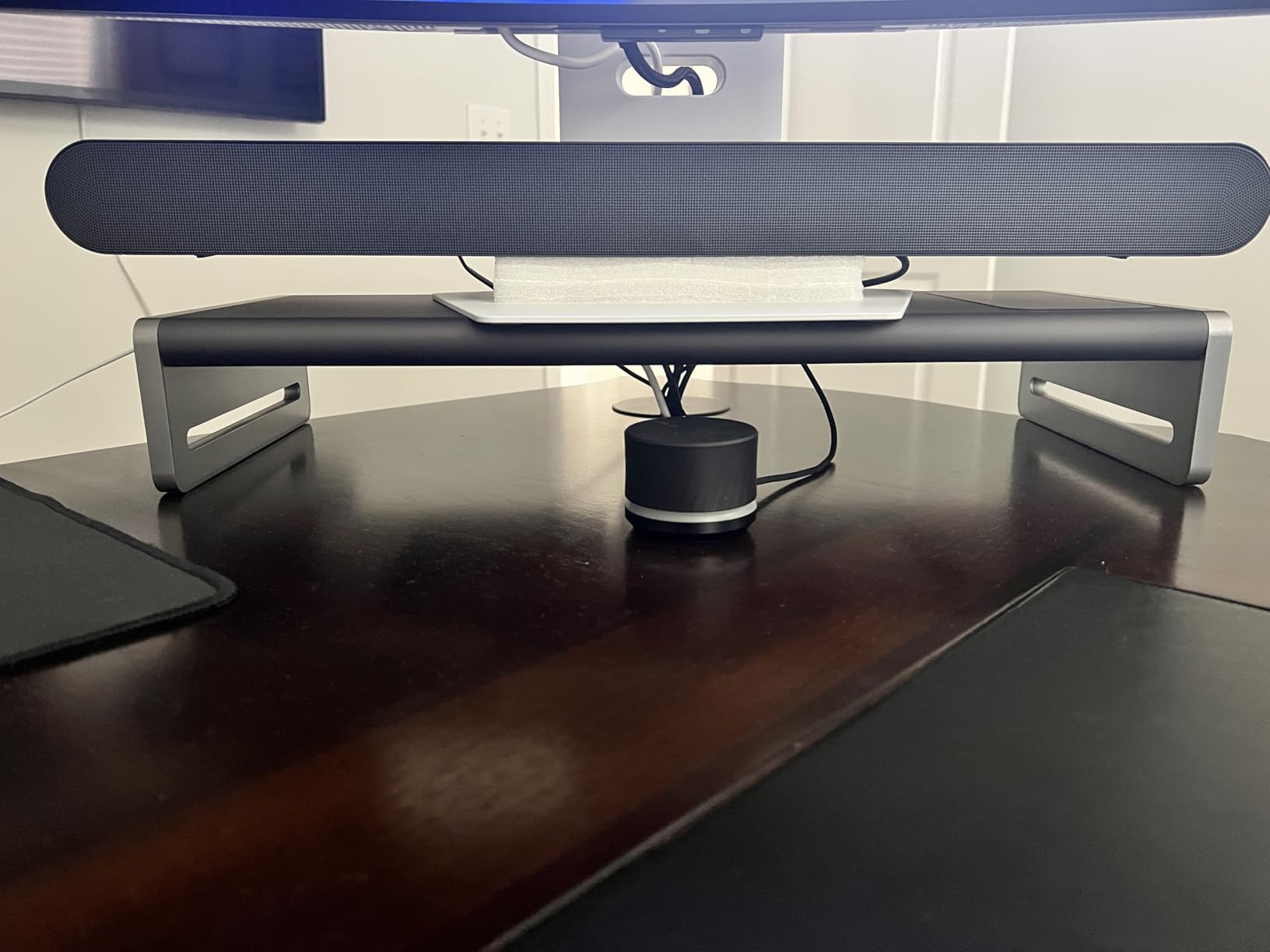
The built-in center speaker is the standout feature at this price. Dialogue comes through clearly and prominently, which is the most common reason people buy a soundbar in the first place. I tested it with news broadcasts, dramas, and sports, and voice clarity was consistently better than any TV’s built-in speakers.
Q-Symphony support means the soundbar can synchronize with Samsung TV speakers for enhanced output, similar to the HW-QS90H. This adds value if you own a compatible Samsung TV. The Bluetooth multi-connection feature lets you pair two devices simultaneously, which is handy for switching between phone and tablet streaming.
Bass Limitations to Expect
Without a subwoofer, the HW-S50B cannot produce deep bass. The three-channel configuration focuses on mid-range and high frequencies, which is great for dialogue but leaves action movies and music sounding thin in the low end. You can add a Samsung wireless subwoofer separately if you want more bass impact.
Auto Power-Off Firmware Issue
Some users report the soundbar automatically powers off after 18 minutes of inactivity, which can be annoying during pauses in movies or when switching inputs. This appears to be a firmware-related issue. Samsung has addressed some instances with firmware updates, so check for the latest version if you experience this problem.
How to Choose the Best Soundbar with HDMI eARC
Choosing the right HDMI eARC soundbar depends on your room size, budget, audio sources, and what you watch most. Here is what our team considers the most important factors after testing all 10 of these soundbars extensively.
Why HDMI eARC Matters
HDMI eARC (Enhanced Audio Return Channel) is the technology that lets your TV send high-quality, uncompressed audio to your soundbar through a single HDMI cable. Standard ARC compresses audio and caps bandwidth at around 1 Mbps. eARC supports up to 37 Mbps, which is enough for lossless Dolby Atmos, DTS:X, and uncompressed LPCM audio.
If you stream Dolby Atmos content from Netflix, Disney+, or Apple TV+, you need eARC to hear the full uncompressed Atmos signal. Without it, your TV compresses the audio before sending it to the soundbar, and you lose the dynamic range and detail that makes Atmos special. For gamers, eARC also supports the audio formats used in PS5 and Xbox Series X games.
eARC vs ARC: What is the Difference
The difference between eARC and ARC comes down to bandwidth and audio format support. ARC handles compressed audio like Dolby Digital Plus and has a bandwidth limit of about 1 Mbps. eARC handles lossless audio formats including Dolby TrueHD, DTS-HD Master Audio, and uncompressed LPCM, with bandwidth up to 37 Mbps.
For practical purposes, if you watch movies with Dolby Atmos soundtracks from Blu-ray discs or lossless streaming, you need eARC. If you mostly watch regular TV broadcasts and standard streaming, ARC may be sufficient. But since most soundbars in 2026 include eARC anyway, there is little reason to settle for ARC-only.
Dolby Atmos and DTS:X Support
Dolby Atmos and DTS:X are object-based audio formats that add height channels to traditional surround sound. Instead of just left, right, and rear channels, these formats include overhead audio that creates a three-dimensional sound bubble around you. Soundbars achieve this effect using up-firing speakers that bounce sound off your ceiling.
Not all Dolby Atmos soundbars are equal. True Atmos soundbars have physical up-firing drivers, while others use virtual processing to simulate the effect. The Sonos Arc Ultra, Samsung HW-QS90H, and Polk Signa S4 have real up-firing speakers. The Sonos Beam Gen 2 and Denon DHT-S218 use virtual processing. Physical speakers deliver a more convincing overhead effect.
Channel Configuration Explained
Soundbar channel numbers like 3.1.2 or 5.1.4 tell you how many speakers the system has. The first number is the main channels, the second is the subwoofer count, and the third is the height (up-firing) channels. A 3.1.2 system like the Polk Signa S4 has three front channels, one subwoofer, and two up-firing speakers.
More channels generally mean a more immersive experience, but also a higher price. For small rooms, a 2.1 or 3.0 system may be plenty. For dedicated home theaters, look for 5.1.4 or higher configurations. Consider how the configuration matches your room, and check our guides on soundbars for bedrooms or AV receivers for home theaters for room-specific advice.
Gaming and 4K Passthrough
If you game on PS5, Xbox Series X, or a gaming PC, look for a soundbar with HDMI ports that support 4K at 120Hz passthrough. This lets you connect your console through the soundbar to your TV without losing refresh rate or resolution. The Samsung HW-QS90H and Denon DHT-S218 both support 4K passthrough.
eARC is particularly important for gaming because modern consoles output uncompressed LPCM audio, which requires eARC bandwidth. Without eARC, the audio gets compressed and you lose the positional accuracy that helps you identify where sounds are coming from in competitive games.
HDMI Cable Requirements for eARC
One of the most common forum questions we see is whether regular HDMI cables support eARC. The answer is that most recent HDMI cables do, but older cables may not. eARC requires HDMI High Speed or Ultra High Speed cables. The HDMI cable that came with your TV in the last few years almost certainly supports eARC.
If you are having trouble getting eARC to work, try swapping cables first. A cable labeled HDMI 2.0 or HDMI 2.1 should handle eARC bandwidth without issues. Avoid very old HDMI cables from before 2013, as these may not have the bandwidth for eARC audio.
FAQs
Should I use HDMI eARC for soundbar?
Yes, you should use HDMI eARC for your soundbar if both your TV and soundbar support it. eARC delivers uncompressed, lossless audio including Dolby Atmos and DTS:X, which standard ARC cannot handle. It also provides better lip-sync accuracy and supports higher bandwidth for premium audio formats.
What is the downside of HDMI ARC?
The main downside of HDMI ARC is its limited bandwidth of about 1 Mbps, which means it can only carry compressed audio formats. ARC cannot pass lossless Dolby Atmos, DTS:X, or uncompressed LPCM audio. It also has more lip-sync issues compared to eARC, which has built-in audio-video synchronization.
Does HDMI eARC improve video quality?
No, HDMI eARC does not improve video quality. eARC only handles audio signals sent from your TV back to your soundbar or AV receiver. Video quality is determined by the HDMI version of your ports and cables, not by whether you use ARC or eARC for audio.
Is HDMI eARC better than ARC?
Yes, HDMI eARC is significantly better than ARC. eARC supports up to 37 Mbps bandwidth compared to ARC’s 1 Mbps, handles lossless audio formats like Dolby Atmos and DTS:X, offers better lip-sync correction, and supports more audio channels simultaneously. If your devices support eARC, always use it over ARC.
Can I use a regular HDMI cable with eARC?
Most HDMI cables made after 2017 support eARC, including standard High Speed HDMI cables. However, for guaranteed compatibility, use an Ultra High Speed HDMI cable (HDMI 2.1). If your eARC connection drops or produces no sound, try replacing your cable with a newer one rated for HDMI 2.0 or higher.
Final Thoughts on the Best Soundbars with HDMI eARC
HDMI eARC has become the standard for quality TV audio in 2026, and for good reason. It unlocks lossless Dolby Atmos, DTS:X, and uncompressed audio that standard ARC simply cannot deliver. Every soundbar on this list supports eARC, so whichever you choose, you are getting the full audio quality your TV can output.
Our top pick is the Sonos Arc Ultra for its unmatched 9.1.4 channel Dolby Atmos experience and seamless ecosystem integration. For the best value, the JBL Bar 300MK2 delivers 450 watts of powerful sound with a built-in subwoofer at a fair price. And for budget-conscious buyers, the Amazon Fire TV Soundbar Plus offers outstanding performance for the money.
If you are still deciding, consider whether you want to catch Prime Day soundbar deals before pulling the trigger. Any of these ten soundbars will give you a dramatic upgrade over your TV’s built-in speakers, and the HDMI eARC connection ensures you hear every detail the way it was intended.