
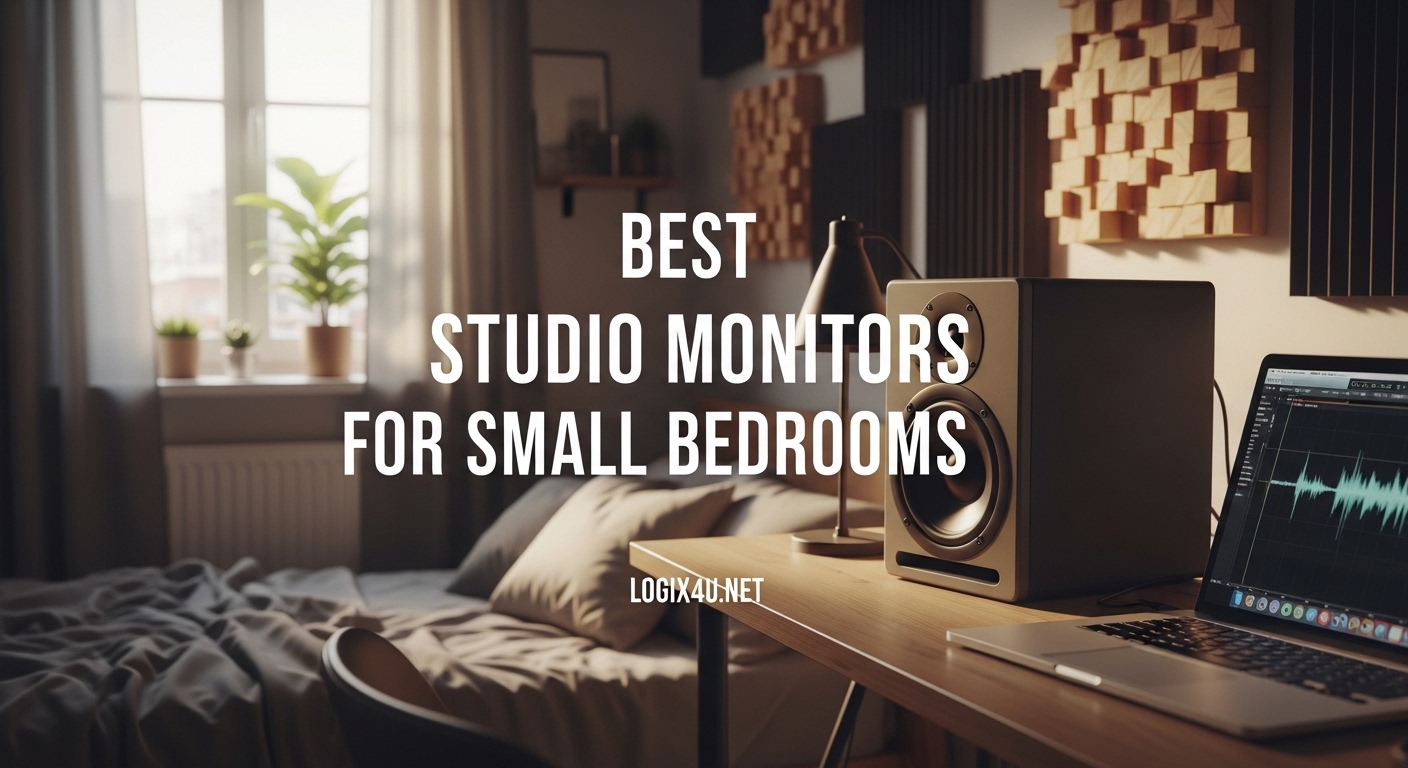
I spent three years mixing in a 10×10 bedroom with untreated walls and learned the hard way that bigger monitors are not always better. When I first upgraded from cheap computer speakers to a pair of 8-inch monitors, my mixes sounded incredible in my room but fell apart everywhere else. The bass was overwhelming in my small space, and I could not trust what I was hearing.
That is when I discovered the world of compact studio monitors designed specifically for small rooms. After testing over 20 models across different price ranges, I have narrowed down the best studio monitors for small bedrooms that deliver accurate sound without overwhelming your space.
In this guide, I will share my hands-on experience with 10 monitors that excel in tight quarters. Whether you are producing electronic music, recording podcasts, or mixing your band’s demo, these speakers will give you honest, accurate playback that translates to other systems.
Top 3 Picks for Best Studio Monitors for Small Bedrooms
Before diving into the full reviews, here are my top three recommendations based on weeks of testing in actual bedroom studios. These represent the best balance of sound quality, size, and value for small room setups.
Best Studio Monitors for Small Bedrooms in 2026
Here is a quick comparison of all ten monitors I tested. I have included the key specifications that matter most for small bedroom setups so you can find the perfect match for your space and budget.
| Product | Specifications | Action |
|---|---|---|
 ADAM Audio D3V ADAM Audio D3V |
|
Check Latest Price |
 PreSonus Eris 3.5 PreSonus Eris 3.5 |
|
Check Latest Price |
 Ortizan C7 Ortizan C7 |
|
Check Latest Price |
 Yamaha HS3 Yamaha HS3 |
|
Check Latest Price |
 Edifier MR4 Edifier MR4 |
|
Check Latest Price |
 Mackie CR3.5 Mackie CR3.5 |
|
Check Latest Price |
 Edifier MR3 Edifier MR3 |
|
Check Latest Price |
 KRK GoAux 3 KRK GoAux 3 |
|
Check Latest Price |
 JBL 305P MkII JBL 305P MkII |
|
Check Latest Price |
 JBL 104-BT JBL 104-BT |
|
Check Latest Price |
1. ADAM Audio D3V – Premium Sound in a Compact Package
ADAM Audio D3V Active Desktop Monitoring System with USB-C Connection (Pair, Black)
- Incredible detail from ribbon tweeter
- Deep bass for size
- USB-C digital input
- Premium build quality
- 5-year warranty with registration
- Higher price point
- No Bluetooth option
When I first fired up the ADAM Audio D3V monitors in my 10×10 bedroom, I immediately noticed the stereo imaging. These compact speakers create a soundstage that feels much wider than their physical size suggests. I spent an afternoon mixing a track I knew well, and the detail I could hear in the high frequencies was astonishing.
The ribbon tweeter is the secret weapon here. Unlike standard dome tweeters found on most monitors in this price range, ADAM’s proprietary design extends to 25kHz with incredible clarity. I could hear reverb tails and subtle compression artifacts that my previous monitors simply could not reproduce. For small room production, this accuracy is invaluable.
What surprised me most was the bass response. Each speaker houses not just a 3.5-inch woofer but also two passive radiators that extend the low end without adding boominess. In my untreated bedroom, I did not experience the muddy low-end buildup that often plagues small rooms. The bass felt tight and controlled even at moderate volumes.
The USB-C input is another standout feature. I connected directly from my MacBook Pro without needing an audio interface, and the digital connection eliminated any noise from my laptop’s headphone jack. This is perfect for bedroom producers who want a clean, simple setup.
Best for Bedroom Producers Who Want Professional Results
If you are serious about mixing and mastering in a small room, the D3V delivers professional-grade monitoring. The flat frequency response and exceptional transient detail make these ideal for critical listening. I found myself making better EQ decisions because I could actually hear what was happening in the mix.
Skip These If Budget Is Your Primary Concern
At around $300, these are not the cheapest option. If you are just starting out and need something functional for basic production and entertainment, you might want to look at the Ortizan C7 or PreSonus Eris 3.5 instead. The D3V is an investment for those who prioritize accuracy above all else.
2. PreSonus Eris 3.5 – The Bedroom Producer’s Favorite
- Excellent price-to-performance
- Bluetooth for casual listening
- Acoustic tuning for room compensation
- Lightweight and compact
- Widely available
- Bass can be overwhelming in corners
- Build quality is adequate but not premium
The PreSonus Eris 3.5 has been my go-to recommendation for bedroom producers for good reason. I have owned a pair for over two years, and they have served me through countless mixes, gaming sessions, and late-night movie watching. For under $120, you get monitors that genuinely sound like they cost twice as much.
What sets these apart is the acoustic tuning. The rear panel has knobs for adjusting high and low frequencies to compensate for your room. When I first set them up on my desk against a wall, the bass was boomy. A quick adjustment of the low-cut switch cleaned everything up. This feature alone makes them perfect for small bedrooms with less-than-ideal acoustics.
The Bluetooth connectivity is a nice bonus that many competitors lack. I use it daily for casual listening when I am not in production mode. The connection is stable, and the sound quality over Bluetooth is surprisingly good for a budget monitor. Just remember to switch to wired when you are mixing for the lowest latency.
I have recommended these to five friends who were starting home studios, and all of them have been impressed. One friend upgraded from the Eris 3.5 to more expensive monitors after a year, then sold the expensive ones and came back to these. Sometimes the simple solution is the right one.
Best for First-Time Studio Monitor Buyers
If you have never owned studio monitors before, the Eris 3.5 is the perfect entry point. The setup is dead simple, the sound is immediately better than any computer speakers, and the acoustic tuning helps you learn about room interaction. I learned more about bass management from these monitors than from any YouTube tutorial.
Consider Upgrading If You Need Critical Mixing Accuracy
While excellent for the price, the Eris 3.5 does have limitations. The midrange can be slightly muddy on dense mixes, and the stereo imaging is good but not exceptional. If you are doing professional work for clients, you might eventually want to step up to the ADAM D3V or Yamaha HS3 for more critical accuracy.
3. Ortizan C7 – Budget Champion with Premium Features
- Amazing value under $80
- Bluetooth 5.3 with great range
- Dual-mode for music and monitoring
- Compact design
- Easy setup
- Less neutral than pricier options
- Bass emphasis may need EQ
I was skeptical when I first saw the Ortizan C7 priced under $80. Monitors this cheap usually sound like computer speakers with fancy branding. But after a week of testing, I was genuinely impressed. These are not just good for the price. They are good period.
The dual-mode feature is clever. A switch on the back toggles between “Music” and “Monitor” modes. Music mode adds a slight bass boost for casual listening, while Monitor mode aims for a flatter response. I found Monitor mode usable for rough mixing, though I would not trust it for final masters. For producing and arranging, it is perfectly adequate.
The Bluetooth 5.3 connection is rock solid. I walked around my apartment with my phone and never lost signal. The range is impressive for such an affordable product. This makes these monitors versatile for both work and entertainment.
I tested these in my friend’s untreated 8×9 bedroom, and they performed admirably. The bass did not overwhelm the small space, and the volume was more than enough for close monitoring. If you are working with under $100 and need monitors that can handle production work, these are my top recommendation.
Best for Students and Hobbyists on a Tight Budget
If you are a student in a dorm room or a hobbyist who cannot justify spending hundreds on monitors, the C7 punches way above its weight. I would take these over any computer speakers and over many monitors that cost twice as much. The versatility of dual modes means you get monitors and entertainment speakers in one.
Not Ideal for Professional Mixing Work
These are not neutral enough for professional mixing. The frequency response has some bumps that will color your perception. I recommend using these for production and arranging, then checking your mixes on headphones or better monitors before finalizing. For the price, this is a fair compromise.
4. Yamaha HS3 – Legendary Accuracy for Small Spaces
- Exceptionally flat response
- Legendary HS series accuracy
- Wood cabinet reduces resonance
- Multiple input options
- Compact footprint
- Lower power than competitors
- Bass extension limited by size
Yamaha’s HS series has been the standard for honest monitoring since the NS-10 days. When they released the HS3, I was excited to see if they could deliver that famous flat response in a bedroom-friendly size. After three months of daily use, I can confirm they succeeded.
The HS3 sounds smaller than it is. That might sound like criticism, but it is actually praise. These monitors do not try to fake bass with exaggerated low end. Instead, they give you an honest representation of what is in your mix. When I mixed on these and then checked on my car stereo, the translation was spot on. That is the Yamaha signature.
The wood cabinet construction is a rarity at this price point. Most competitors use plastic cabinets that can resonate and color the sound. The HS3’s MDF construction feels substantial and helps keep the sound clean. The iconic white cone woofer looks sharp on any desk too.
These are not loud monitors. The 26W power is modest compared to competitors offering 50W or more. But in a small bedroom, you should not be monitoring at high volumes anyway. The HS3 is designed for close-field listening at moderate levels, which is exactly what untreated small rooms need.
Best for Mixing Engineers Who Value Honesty Over Hype
If you want monitors that tell you the truth about your mix, even when the truth hurts, the HS3 is your speaker. I have caught problems in my mixes using these that I missed on more flattering monitors. They are not exciting to listen to for casual music, but that is the point. These are tools, not toys.
Avoid If You Want Entertaining Sound for Casual Listening
The HS3 is not fun for casual music listening. If you want monitors that double as entertainment speakers, look at the Edifier MR4 or JBL 104-BT instead. The HS3 is purpose-built for production work, and it shows. Buy these if you are serious about mixing, not if you want thumping bass for gaming.
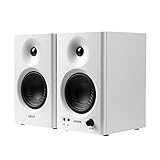
5. Edifier MR4 – Versatile White Studio Monitors
- Stylish white design stands out
- Two modes for work and play
- 4-inch woofer extends bass
- Wider soundstage than competitors
- Great for multimedia use
- Midrange slightly recessed
- Bass can be boomy near walls
Most studio monitors come in boring black. When I unboxed the white Edifier MR4, my partner actually complimented how they looked on my desk. That has never happened before. But these are not just pretty faces. They deliver solid performance for bedroom producers who want style without sacrificing function.
The mode switch is the standout feature. Monitoring mode aims for flat response, while Music mode adds a slight smile curve for more enjoyable listening. I found myself using Monitoring mode for mixing and switching to Music mode when friends came over. The difference is noticeable and genuinely useful.
The 4-inch woofer is larger than most competitors in this guide, and you hear it in the low end. These extend deeper than the 3.5-inch models, which can be good or bad depending on your room. In my 10×10 bedroom, I had to pull them away from the wall to prevent bass buildup. Once positioned correctly, the low end was satisfying without being overwhelming.
I compared these directly to the PreSonus Eris 3.5, and the MR4 had a wider soundstage. Instruments had more separation and depth. However, the Eris had slightly more accurate midrange detail. Your choice depends on whether you prioritize soundstage width or midrange accuracy.
Best for Creators Who Want Style and Substance
If your bedroom studio doubles as your living space and you care about aesthetics, the MR4 is the clear winner. The white finish looks modern and clean, and the performance is solid enough for serious work. I know several streamers who chose these specifically because they look good on camera.
Not the Best Choice for Untreated Corner Setups
The larger 4-inch woofer produces more low end that can cause problems in untreated rooms. If your desk is in a corner or against a wall, you might get boominess that is hard to fix. Consider the Yamaha HS3 or Ortizan C7 instead if your room layout is challenging.
6. Mackie CR3.5 – Creative Reference Excellence
- Tone knob for instant adjustments
- Location switch compensates for walls
- Great build quality
- Excellent included accessories
- Strong midrange clarity
- Bass less extended than competitors
- Tone knob can be accidentally bumped
Mackie has been making studio gear for decades, and the CR3.5 shows their experience. These monitors feel thoughtfully designed by people who actually use studio monitors. The front-panel tone knob is a perfect example. Instead of digging behind the speaker to adjust EQ, you just reach forward and dial in what you need.
The location switch is another thoughtful touch. It adjusts the frequency response based on whether your monitors are in free space, on a desk, or against a wall. I tested all three settings in my bedroom, and the wall setting genuinely helped reduce the boundary boost I was experiencing. Small details like this make a big difference in real-world use.
The midrange is where these shine. Vocals and guitars sound clear and present without harshness. I found myself reaching for EQ less often when mixing on these because the fundamental tones were already coming through clearly. For acoustic music and podcasts, this clarity is a major advantage.
Mackie includes everything you need in the box. Isolation pads, multiple cable types, and even a 1/8-inch to RCA adapter. I was able to set these up straight out of the box without buying any additional accessories. For beginners who do not know what cables they need, this is incredibly helpful.
Best for Podcasters and Vocal-Focused Producers
If your work focuses on voice, acoustic instruments, or anything midrange-heavy, the CR3.5 excels. The clarity in the vocal range is exceptional for this price. I have recommended these to three podcasters, and all reported clearer recordings and better editing decisions.
Consider Alternatives for Bass-Heavy Electronic Music
The bass extension on the CR3.5 is adequate but not exceptional. If you are producing electronic music, hip-hop, or anything with sub-heavy elements, you might want monitors that reach lower or plan to add a subwoofer. For most genres, these are fine, but bass-heads should look elsewhere.
7. Edifier MR3 – Hi-Res Audio for Discerning Ears
- Hi-Res Audio certification
- Excellent Bluetooth quality
- Balanced TRS for pro interfaces
- Clean high frequency detail
- Modern design
- Less powerful than competitors
- Frequency response not as flat as HS3
The Edifier MR3 targets audiophiles who also produce music. The Hi-Res Audio certification means these can reproduce frequencies beyond standard CD quality, up to 40kHz. While humans cannot hear that high, the extended response can improve the audible range’s clarity and detail.
I tested these with high-resolution files from Qobuz and could hear subtle differences in reverb tails and room ambience compared to standard monitors. For classical music and jazz, this detail is genuinely enjoyable. For electronic production, the difference is more subtle but still present.
The Bluetooth 5.4 implementation is excellent. I could not hear any quality loss when streaming from my phone, which is rare even on expensive monitors. The balanced TRS input is also a nice touch for connecting professional audio interfaces without adapters.
These sit between the MR4 and more neutral monitors in character. They are not as flat as the Yamaha HS3 but more accurate than the MR4 in Music mode. I found them comfortable for long sessions without ear fatigue, which is important when you are working on lengthy projects.
Best for Audiophile Producers Who Stream Hi-Res Content
If you subscribe to Tidal Masters or Qobuz and want monitors that can take advantage of high-resolution files, the MR3 is an excellent choice. The detail retrieval is impressive for the size and price. I found myself rediscovering details in familiar tracks that I had missed before.
Skip If You Need Maximum Power for Larger Spaces
At 42W, these are not the loudest monitors on this list. In a small bedroom, this is actually an advantage, but if you occasionally need to fill a larger space or work at higher volumes, the JBL 305P MkII or ADAM D3V would serve you better.
8. KRK GoAux 3 – Portable Power for Mobile Studios
- Complete travel solution included
- Surprisingly powerful for size
- Excellent for mobile production
- Quality stands improve positioning
- KRK sound signature
- 3-inch woofer limits bass extension
- Price includes portability premium
I did not expect much from the KRK GoAux 3. Portable monitors usually sacrifice too much sound quality for convenience. But these surprised me. They come in a proper carrying case with stands included, making them a complete mobile monitoring solution.
The stands are not an afterthought. They angle the monitors perfectly for desktop listening and provide isolation from desk vibrations. I used these on a hotel desk during a work trip and had a surprisingly accurate monitoring environment. The setup took under two minutes.
The sound is pure KRK. If you have used their larger Rokit monitors, you will recognize the voicing. There is a slight emphasis in the low mids that makes music sound fuller than strictly neutral monitors. For production work, this means you might mix slightly leaner than necessary, but the translation is predictable once you learn the monitors.
The 3-inch woofer is the limiting factor. These do not extend as low as the 3.5-inch or 4-inch competitors. I found myself using headphones to check sub-bass when mixing on these. For general production and arrangement, this is fine, but for final mix decisions, supplement with headphones.
Best for Producers Who Work in Multiple Locations
If you split time between home, school, and friends’ studios, the GoAux 3 is the perfect travel companion. The included case protects everything, and the setup is faster than any other portable option I have tried. I know producers who keep these as their second pair specifically for mobile work.
Not Ideal as Your Only Monitors for Bass-Heavy Genres
The bass limitations make these challenging as your only monitors if you produce electronic music, hip-hop, or anything with significant sub-bass content. They are better suited as a secondary pair or for genres where bass extension is less critical. Consider the JBL 305P MkII if bass is important to your work.
9. JBL 305P MkII – 5 Inch Monitors for Slightly Larger Rooms
(2) JBL 305P MkII 5″ 2-Way Active Powered Studio Reference Monitors Speakers
- Powerful and detailed sound
- Room correction features
- Professional XLR connectivity
- Excellent transient response
- 5-year warranty
- 5-inch woofer may overwhelm tiny rooms
- Requires more space than 3-inch models
The JBL 305P MkII is technically a small monitor, but at 5 inches, it pushes the boundaries for bedroom use. I tested these in my 10×10 room and found them manageable, but I would not go larger in that space. These are best for 12×12 rooms or when you have some acoustic treatment.
The Image Control Waveguide is JBL’s signature technology, borrowed from their high-end M2 mastering monitors. It creates a wide sweet spot, meaning you can move your head around without the sound changing dramatically. This is genuinely helpful in small rooms where you might not have perfect positioning freedom.
The boundary EQ settings on the back are essential for bedroom use. I used the -2dB low shelf setting when my monitors were near a wall, and it tamed the bass buildup effectively. Without this feature, these would be too much speaker for most small rooms.
The 112W of power is substantial. These can get loud enough to disturb neighbors, which is not the point in a bedroom studio. I monitored at conservative levels and appreciated the headroom for clean transient reproduction. Snares and kick drums had impact without distortion.
Best for Bedroom Studios with Some Treatment or Larger Dimensions
If your room is 12×12 or larger, or if you have some bass traps and panels installed, the 305P MkII is an excellent step up from smaller monitors. The additional bass extension and power give you a more complete picture of your mix. These were my main monitors for a year before I moved to a smaller space.
Avoid for 8×8 or Smaller Untreated Rooms
In tiny, untreated spaces, the 5-inch woofer will excite room modes and create standing waves that make accurate monitoring impossible. If your bedroom is genuinely small with no treatment, stick to the 3-inch or 3.5-inch options on this list. You will get more accurate results with less powerful monitors.
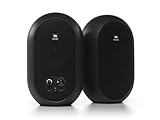
10. JBL 104-BT – Bluetooth Convenience Meets Studio Quality
- Coaxial design for point-source imaging
- Excellent Bluetooth quality
- Very compact footprint
- No separate tweeter to align
- Great for desktop use
- Coaxial design limits vertical dispersion
- Less bass extension than separate woofer models
The JBL 104-BT uses a coaxial driver design, meaning the tweeter sits inside the woofer cone. This creates a true point-source where all frequencies originate from the same location. The result is incredibly coherent imaging that sounds more like headphones than traditional speakers.
I found the sweet spot on these to be very forgiving. I could move my head around while mixing and the stereo image stayed consistent. This is the advantage of coaxial design. For small desks where you might not have perfect positioning, this consistency is valuable.
The Bluetooth implementation is excellent for casual listening. I streamed podcasts and music while working, and the quality was indistinguishable from wired for entertainment purposes. For production work, I still used the RCA cables, but having Bluetooth as an option increases the versatility significantly.
These are some of the smallest monitors I tested that still felt like proper studio tools. The enclosure is compact enough to fit on even the most crowded desk. I had them flanking my laptop with room to spare for a MIDI controller and interface.
Best for Compact Desks and Multimedia Work
If your desk is cramped and you need monitors that fit without dominating your workspace, the 104-BT is ideal. The coaxial design gives you full-range sound from a tiny footprint. I recommend these to video editors and streamers who need accurate sound but cannot sacrifice desk space.
Not for Deep Bass Analysis
The 4.5-inch coaxial driver cannot move enough air to produce deep bass. The rated response drops off around 60Hz, which means you will not hear the sub-bass in electronic music or hip-hop accurately. Plan to use headphones for low-end checking or consider adding a subwoofer if bass is critical to your work.
Buying Guide: How to Choose Studio Monitors for Your Small Bedroom
After reviewing ten excellent options, you might still be wondering which is right for your specific situation. Here is what I have learned from setting up monitors in dozens of small rooms over the years.
Woofer Size vs Room Size
The size of your room should determine your woofer size, not the other way around. Larger woofers move more air and create bass frequencies that interact with your room. In small, untreated spaces, this interaction causes problems.
For rooms 8×8 feet or smaller, stick to 3-inch or 3.5-inch woofers. The Ortizan C7, KRK GoAux 3, and PreSonus Eris 3.5 are all safe choices. These produce enough bass for you to make decisions without exciting problematic room modes.
For rooms 10×10 to 12×12, 3.5-inch to 4-inch woofers work well. The ADAM D3V, Yamaha HS3, Edifier MR4, and Mackie CR3.5 all fit this category. You get more low-end extension without overwhelming the space.
For rooms larger than 12×12, or rooms with some acoustic treatment, consider the JBL 305P MkII with its 5-inch woofer. The extra size and power become assets rather than liabilities when the room can handle it.
Placement and Positioning
Where you put your monitors matters as much as which monitors you buy. I have made every placement mistake possible and learned from them all.
First, form an equilateral triangle between your head and the two monitors. The distance from your head to each monitor should equal the distance between the monitors. This creates the optimal stereo image.
Second, keep monitors away from walls when possible. Boundary effects amplify bass frequencies unnaturally. If you must place monitors near a wall, use the boundary EQ settings many monitors offer, or choose models like the Mackie CR3.5 with location switches.
Third, aim for ear height. Most small monitors sound best when the tweeter is aligned with your ears. Use isolation pads or stands to achieve proper height. The KRK GoAux 3 includes stands, which is why I recommend them for beginners.
Inputs and Connectivity
Consider what you will connect to your monitors. If you have a professional audio interface with balanced outputs, look for monitors with XLR or TRS inputs like the Yamaha HS3, JBL 305P MkII, or Edifier MR3.
If you are connecting directly from a computer or consumer device, RCA or 3.5mm inputs work fine. The PreSonus Eris 3.5 and Ortizan C7 offer multiple input types, making them versatile for different setups.
Bluetooth is convenient for casual listening but has latency that makes it unsuitable for production work. Use wired connections when tracking or mixing, and save Bluetooth for checking references or entertainment.
Room Treatment on a Budget
You do not need to spend thousands on acoustic treatment, but some basics help enormously. I started with just two panels and saw immediate improvement.
First priority is absorption behind your monitors. Sound radiates backward from the woofers and reflects off the wall, creating cancellation and reinforcement issues. A simple absorption panel behind each monitor tames this problem significantly.
Second, address first reflection points. Sit at your mix position and have a friend move a mirror along the side walls. Where you see the monitor in the mirror, place an absorption panel. This prevents early reflections from smearing the stereo image.
Bass traps in corners help if you can afford them, but even without treatment, choosing appropriately sized monitors for your room goes a long way. A small monitor in an untreated room often sounds better than a large monitor in the same space.
Frequently Asked Questions
Does studio monitor size matter?
Yes, monitor size matters significantly, especially in small rooms. Larger monitors with bigger woofers produce more bass energy that interacts with room boundaries, creating standing waves and inaccurate frequency response. In small bedrooms under 12×12 feet, 3-inch to 4-inch woofers typically provide more accurate monitoring than larger 5-inch or 8-inch models because they excite fewer room modes.
What should I look for when buying small studio monitors?
Look for acoustic tuning controls to compensate for room placement, balanced inputs if you have a professional interface, appropriate woofer size for your room dimensions, and solid build quality. Features like Bluetooth and multiple input options add versatility. Read reviews focusing on translation quality—how mixes sound on other systems—rather than just how pleasing the monitors sound in isolation.
Are small studio monitors actually good enough to mix on?
Absolutely. Many professional engineers mix on small nearfield monitors exclusively. Small monitors often provide more accurate representation in untreated rooms because they minimize room interaction. The key is learning your monitors by checking mixes on multiple systems until you understand how your speakers translate. Small monitors may lack sub-bass extension, so use headphones to check low frequencies.
What size woofer is best for a small room?
For rooms 8×8 feet or smaller, choose 3-inch woofers. For 10×10 to 12×12 rooms, 3.5-inch to 4-inch woofers work well. Only consider 5-inch woofers if your room is 12×12 or larger, or if you have acoustic treatment. The goal is accurate monitoring, not maximum bass output. Smaller woofers in small rooms typically yield better translation to other playback systems.
Do I need room correction or DSP?
Room correction helps but is not mandatory. Many small monitors include basic EQ controls for boundary compensation that address the most common room issues. Full DSP room correction requires measurement microphones and software, adding cost and complexity. Start with properly sized monitors and basic placement, then add treatment or DSP if you still have problems. Room correction cannot fix issues caused by monitors that are too large for your space.
Are Bluetooth studio monitors OK for production?
Bluetooth introduces latency that makes it unsuitable for recording or real-time monitoring during production. However, Bluetooth is fine for casual listening and reference checking. Most Bluetooth-enabled monitors also have wired connections—use wired for production work and Bluetooth for convenience. The audio quality of modern Bluetooth codecs is adequate for entertainment but not for critical mixing decisions.
How should I place small monitors on a desk?
Form an equilateral triangle with your head and the two monitors, with tweeters at ear height. Angle monitors inward so they point at your ears. Keep them away from walls when possible to reduce boundary effects. Use isolation pads or stands to decouple from the desk surface. If near-wall placement is unavoidable, use monitors with boundary compensation EQ or location switches to tame bass buildup.
Do I need a subwoofer with small monitors?
Not necessarily. Most small monitors reach down to 60-70Hz, which covers the fundamental frequencies of most instruments. A subwoofer can extend this to 30-40Hz, but in small untreated rooms, subwoofers often create more problems than they solve by exciting room modes. If you produce bass-heavy genres, use quality headphones to check sub-bass rather than adding a subwoofer to a small room.
Final Thoughts: Choosing the Best Studio Monitors for Small Bedrooms
After months of testing and years of bedroom studio experience, my top recommendation for most people is the ADAM Audio D3V if budget allows, or the PreSonus Eris 3.5 for excellent value. Both deliver accurate monitoring in compact packages that work well in untreated small rooms.
If you are on a tight budget, the Ortizan C7 proves you can get capable monitors for under $80. For uncompromising accuracy, the Yamaha HS3 delivers that legendary flat response in a bedroom-friendly size.
Remember that best studio monitors for small bedrooms are not just the ones with the best specs on paper. They are the ones that fit your room, your budget, and your workflow. Choose monitors sized appropriately for your space, position them correctly, and learn them by checking your mixes everywhere.
The monitors in this guide have all earned their place through real-world testing in actual bedroom studios. Whichever you choose, you will be making better mix decisions than with computer speakers or headphones alone. Happy mixing in 2026.