
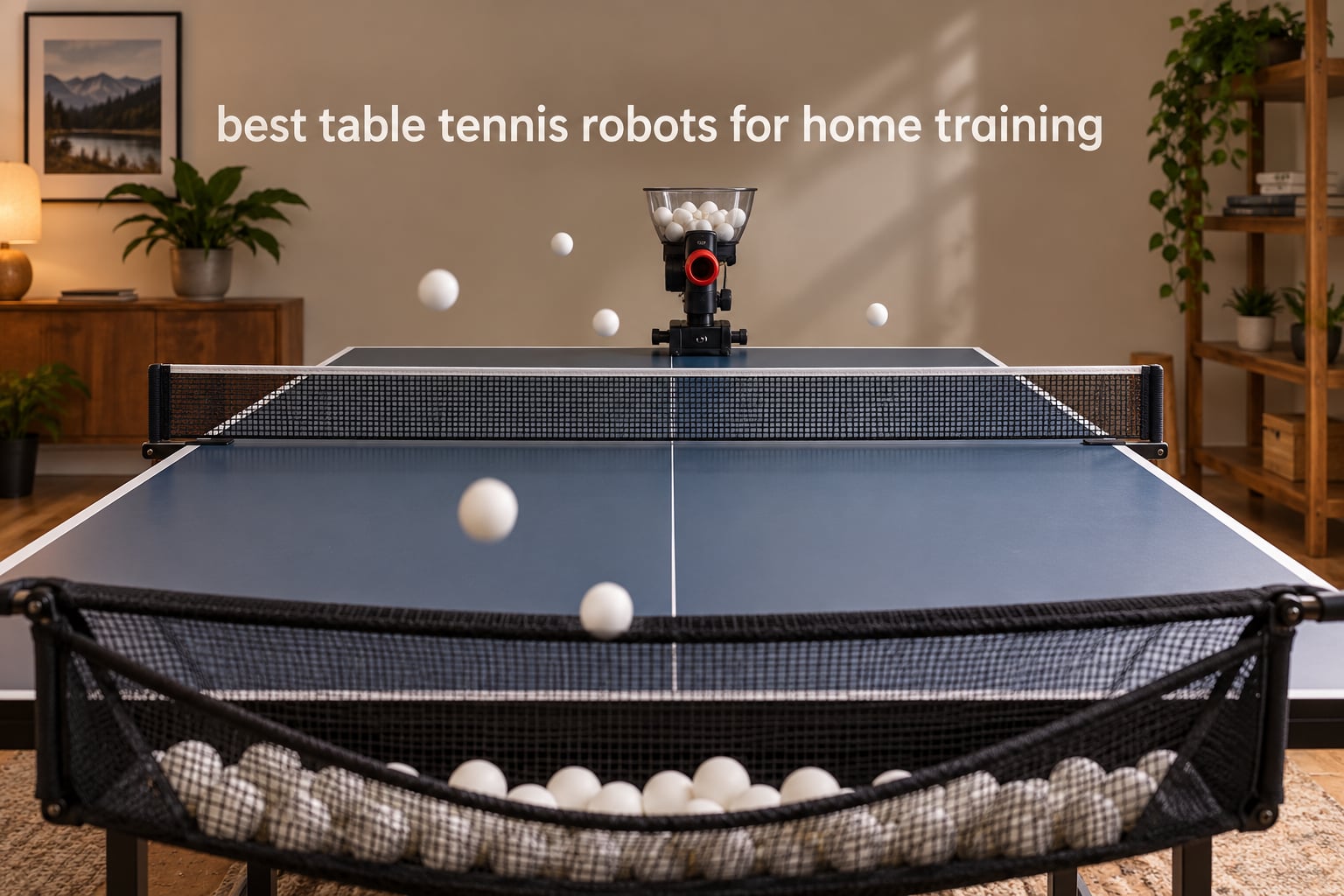
The hardest part of training table tennis alone is not effort. It is repetition. Without a partner, a club session or a coach feeding balls, the number of quality repetitions you get in a week drops to almost nothing. A table tennis robot fixes exactly that gap, firing the same shot to the same spot as many times as you need while you stay on your feet and swing.
We spent weeks reading owner reviews, manuals and spec sheets on ten of the most popular machines on the market, then sorted them by the things that actually matter at home: spin range, frequency, whether the ball lands where you asked, how much cleanup you do afterwards, and whether the thing is still working after a year. What follows is our guide to the best table tennis robots for home training, and no competitor in this space ranks with a side-by-side spec matrix, so we built one.
Before the picks, a quick note on terms. A table tennis robot, a ping pong robot and a table tennis ball machine all describe the same category of device. It is not the humanoid robots you see on demonstration videos: this is a wheeled or tabletop unit that loads 40mm balls into a hopper and launches them across your table. Spin comes from one, two or three motorized wheels in the head, the head tilts and oscillates to control arc and placement, and an optional collection net returns balls to the machine so you can keep hitting without stopping. If you have already read our guide to table tennis robots for solo training, this roundup picks up where that one stops and compares ten specific models.
Top 3 Table Tennis Robots for Home Training in October 2026
These three cover the realistic range of home setups. One is the most-reviewed machine in the category, one is the simplest way to get hundreds of consistent repetitions, and one is the most capable unit you can drive from a phone.

All 10 Table Tennis Robots Compared Side by Side in October 2026
One table, every machine in this roundup. The Key Features column is the short version; the individual reviews below go into the detail, including what owners complain about after a few months.
| Product | Specifications | Action |
|---|---|---|
 JOOLA iPong V300 JOOLA iPong V300 |
|
Check Latest Price |
| iPong Original |
|
Check Latest Price |
 PONGBOT Nova S Pro PONGBOT Nova S Pro |
|
Check Latest Price |
 Suz S201 Suz S201 |
|
Check Latest Price |
 ZXMOTO HP-07 ZXMOTO HP-07 |
|
Check Latest Price |
 Suz S101 Suz S101 |
|
Check Latest Price |
 Suz S102 Suz S102 |
|
Check Latest Price |
 Butterfly Amicus Prime Butterfly Amicus Prime |
|
Check Latest Price |
 LANFIRE Rebound Trainer LANFIRE Rebound Trainer |
|
Check Latest Price |
 JOOLA iPong Play JOOLA iPong Play |
|
Check Latest Price |
1. JOOLA iPong V300: The Most Reviewed Robot in the Category
- Fast simple assembly
- no app needed
- Wireless remote with memory button
- Adjustable frequency speed direction and spin
- Works well for beginners and mid-level players
- Feeder disc and plastic housing jam easily
- Remote range is short
- No sidespin capability
Eight hundred and thirty-seven reviews makes the V300 the most examined machine in this roundup, and that record is worth reading closely. Owners consistently point at the same three things: it assembles in seconds, the wireless remote works, and the spin and frequency range is genuinely enough for beginner and intermediate drills.
It fires up to 70 balls per minute across 19 inch of body length, and the controls cover frequency, ball speed, direction, oscillation, topspin and backspin. For someone building a forehand loop, that is everything you need on day one.
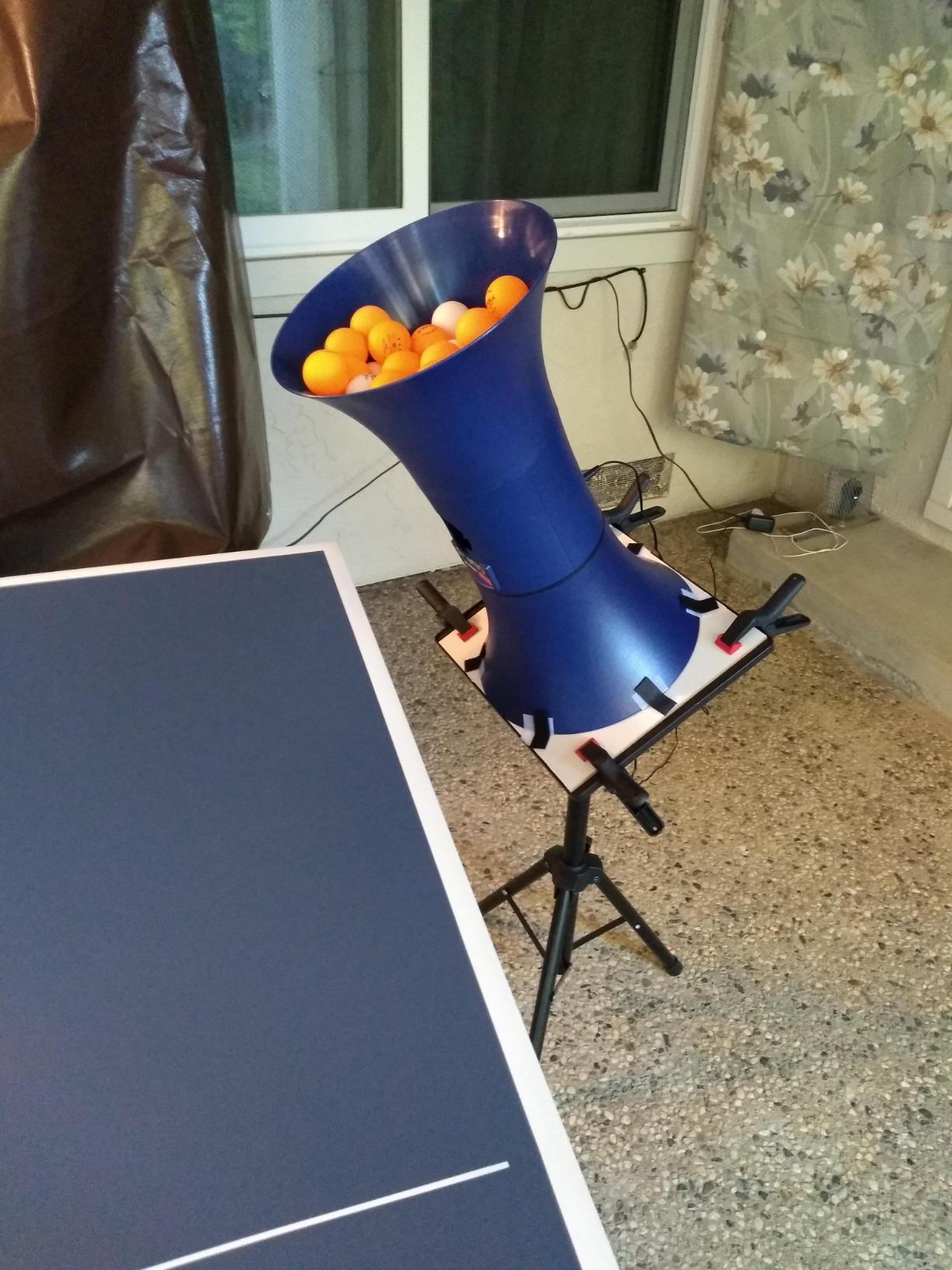
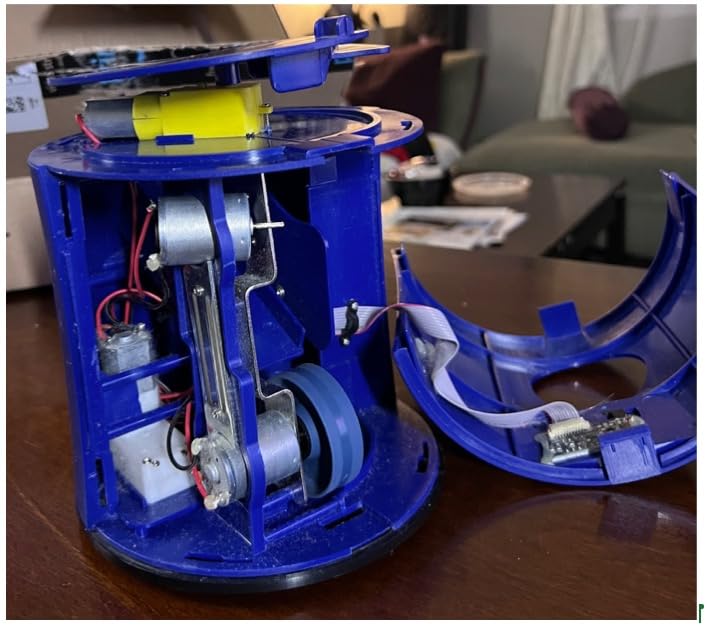
The catch is build quality. Owners report the ball feeder disc and plastic housing are fragile and jam under sustained use, and a 16 percent one-star share reflects real durability frustration. Several have modified the unit, for example adding a resistor to slow the feeder, which tells you how the machine behaves under load rather than how it is supposed to.
Two more quirks matter at home. The remote has short range, so you often have to angle it carefully from across the table, and the oscillating base sometimes stops for several seconds before resuming. Placement also drifts, meaning you re-aim more often than the manual suggests.
What the V300 does well at home
For a player without a regular partner, this is the version of the machine most people end up owning first, simply because it is the easiest to set up and the least fiddly. You clip it on, load balls, and start hitting within a minute of opening the box.
Where it will frustrate you
The slowest frequency setting still feels quick for a true beginner, and there is no sidespin at all, so you cannot rehearse the short sidespin serve that decides modern table tennis. If your goal is spin reception variety, look at the ZXMOTO below instead.
2. iPong Original: The Simplest Way to Get Hundreds of Reps
- Assembles in under a minute
- Large 110 ball hopper for long sessions
- Adjustable topspin and backspin
- Compact and easy to reposition
- Owners report real improvement in club play
- No oscillation
- you must move it by hand
- Leaves 6 to 7 balls in the hopper
- Can eject two balls at once
The iPong Original is the machine we would put in front of someone who has never trained with a robot. There is no app, no pairing and no menu. It assembles in under a minute, takes adjustable topspin and backspin, and covers a 12 to 70 balls per minute range from a 110 ball hopper.
That hopper size is the quiet advantage. Most compact units run dry after a few minutes; 110 balls means you can run a genuine block of repetitions before walking to the table to refill, which is the difference between a session that happens after work and one that does not.
Reviewers describe measurable progress in club play after months of regular use, which is the outcome that matters more than any spec. The machine does one job: it puts a repeatable ball in front of you at a rate you control.
The limitation is oscillation. There is none, so to change the placement pattern you physically move the unit to the other end of the table. Owners also note that roughly 6 to 7 balls typically remain in the hopper when the feeder stops, and that it can randomly eject two balls at once or fire a weak ball off to the side. It is also loud at higher spin settings, which matters in an apartment.
Who should buy the iPong Original
A solo beginner, a parent setting up a first practice station, or anyone who wants a dependable feed of topspin and backspin without touching a phone. It weighs 2.5 pounds, so moving it between drills is not a chore.
Where it falls short
Advanced players outgrow it fast. Without oscillation, sidespin, randomization or any way to program a sequence, there is no progression path once strokes are consistent. It cannot produce a slow heavy backspin short serve on its own, and the internal rollers are built for a limited life.
3. PONGBOT Nova S Pro: The Most Capable App-Controlled Robot
- 264 preset drills plus custom programming
- Can sit anywhere on the table for short serves
- Build quality holds up over long sessions
- 21 speed levels and dual BASF throw wheels
- App needs Wi-Fi and Bluetooth and sometimes disconnects
- Only topspin and backspin per drill
- Included remote screen is hard to read
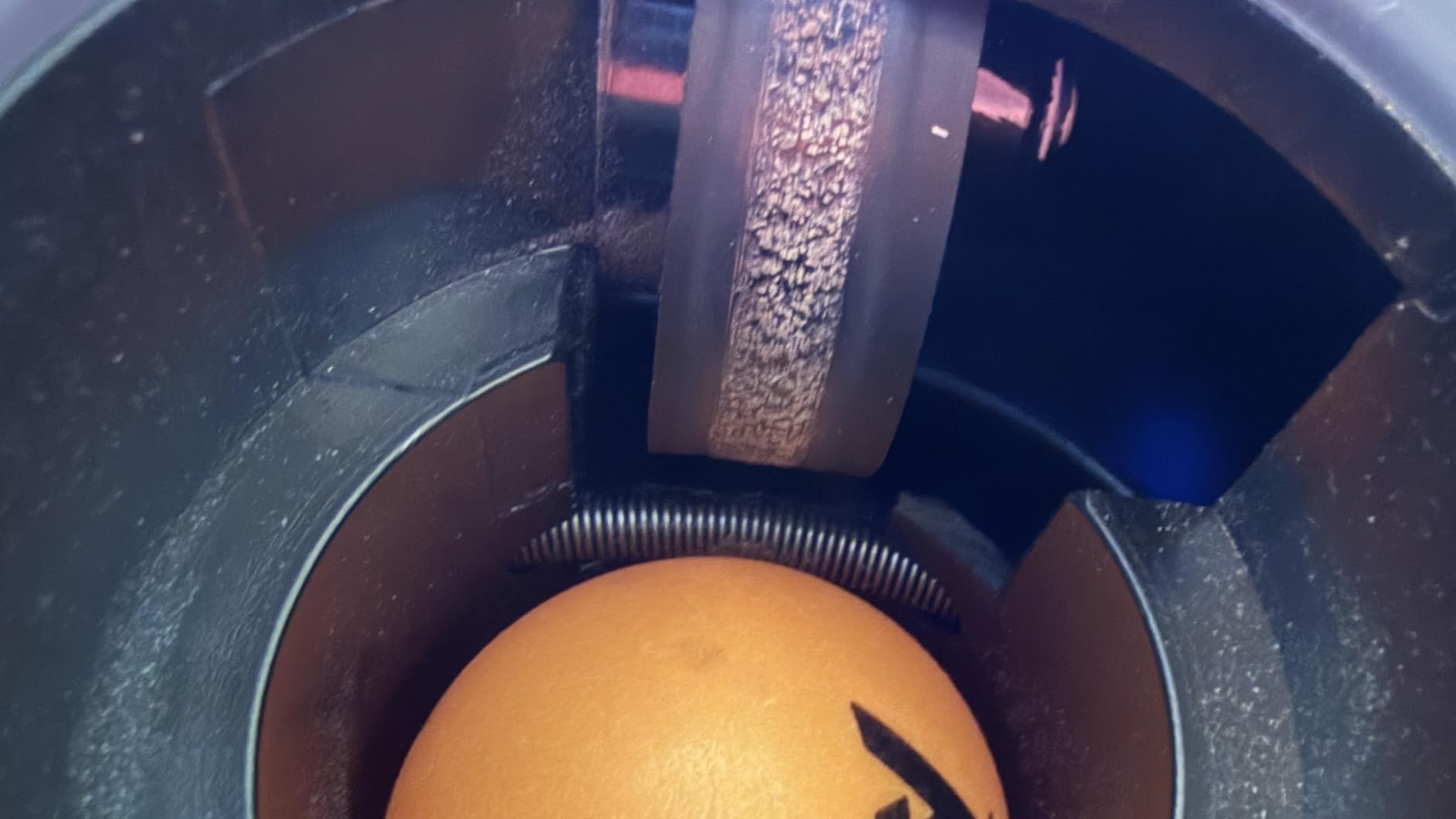
The Nova S Pro is the machine reviewers most often describe as the most capable unit in its price class, and the reason is the head rather than the software. It uses two BASF throw wheels, runs 30 to 90 balls per minute across 11 frequency levels, reaches a maximum of 15 m/s and offers 9 spin types with 21 levels of rotation speed.
The design decision that changes practice is placement. Because it can sit anywhere on the table rather than only at the far end, you can work on short aggressive serves and counter-looping in a way that fixed-height machines cannot support. The app also simulates a landing spot so you can rehearse return placement before you swing.
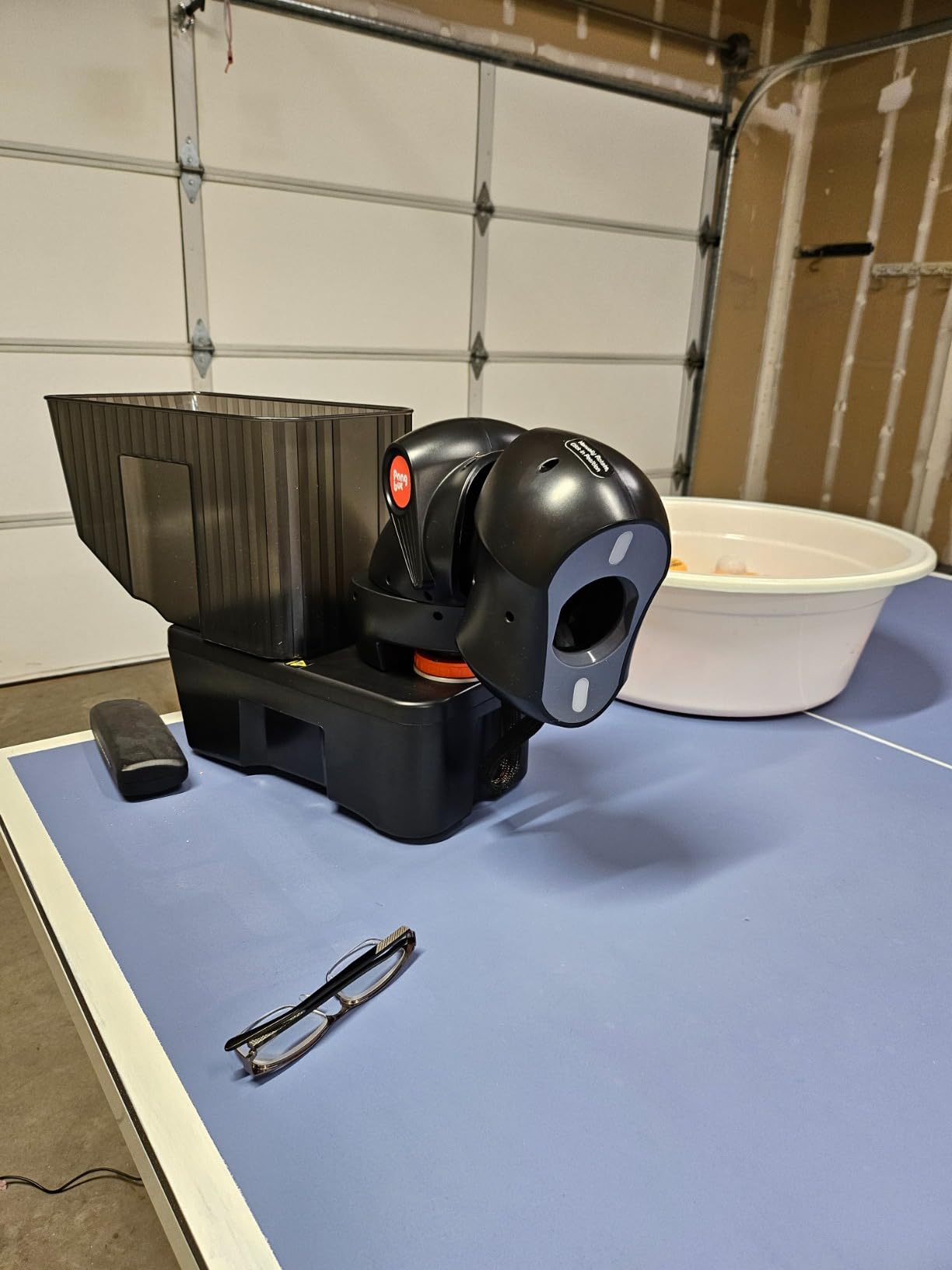
Programmability is the other draw. There are 264 built-in preset drills and fully custom sequences, and the app is described as usable by non-technical players, with community open-source tools unlocking extra functions. Some owners report 10 hours of continuous use without a single jam, which is a durability claim no other machine in this roundup matches.
The complaints are almost all about software and about what two wheels can physically do. The app needs both Wi-Fi and Bluetooth and occasionally hangs or disconnects. The stock app ships few preset routines and supports only five-shot drills with one trajectory, and the drill head height cannot change mid-sequence, so you cannot mix a serve and a rally shot in one program.
Why this is the best programmable robot here
If your training is structured, with named blocks and specific numbers of balls, the 264 presets and custom drill builder turn the machine from a feeder into a coach’s tool. For club players working on blocked drills, that is where the value sits.
The friction points to know about
App-only control forces a phone to stay at the table, which interrupts the flow between drills, and the bundled remote has a tiny, near-unreadable screen that drops connection. As with every two-wheel design, speed and spin are linked, sidespin needs you to rotate the head by hand, and the bright head LEDs cause eye fatigue in long sessions.
4. Suz S201: The Robot That Removes Ball Pickup Entirely
Suz S201 Table Tennis Robot with Machine Recycling net and 200 Balls
- Recycling net means no ball pickup between drills
- Included net and 200 balls get you started immediately
- Adjustable head for direct and indirect serves
- Easy to assemble
- Only fits tables under 2.5 inches thick
- Needs 20 balls loaded around the feeding tube
- Loud and heavier than entry-level units
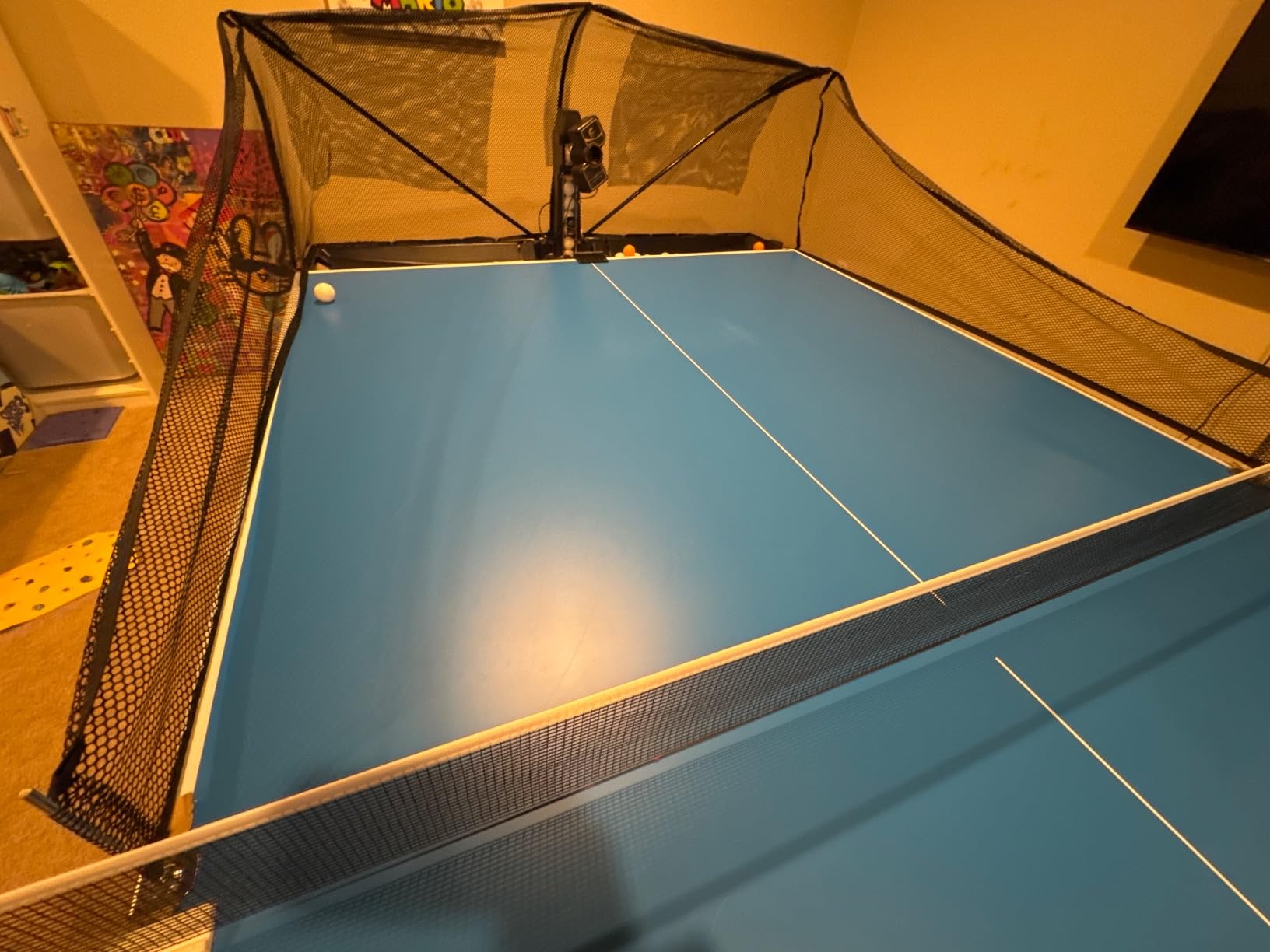
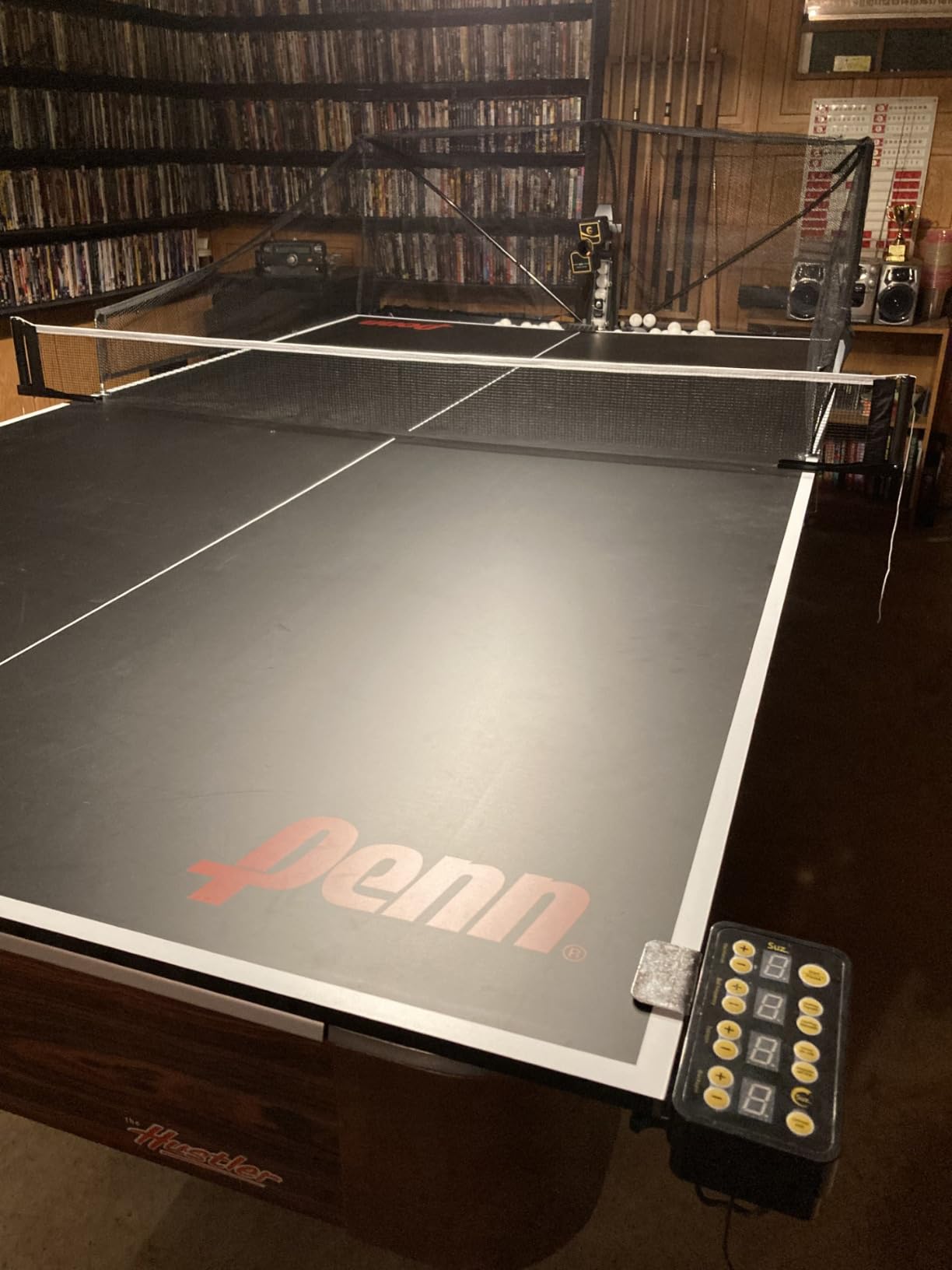
Ball pickup is the biggest daily friction point of home robot training, and the S201 solves it better than anything else at this tier. It ships with a machine recycling net and 200 balls, so the ball returns to the machine and your feet stay where they are instead of walking backwards down the length of the table collecting loose balls after every block.
It also holds the highest rating in this roundup at 4.4 stars across 268 reviews, with a 71 percent five-star share, and the reason buyers give is the net. The adjustable head supports both direct and indirect shots, which lets you practise serve-style feed as well as rally feed, and the spin, speed and oscillation options cover a wide range of drills.
Two restrictions decide whether it fits your table. It only works on tables less than 2.5 inches thick, and it needs at least 20 balls loaded around the feeding tube before it serves reliably. Check both before you commit, because a table that is too thick simply will not work with it.
Owners also note the throw strength and the included ball quality limit how hard you can train smashes as a beginner, and that the build and mechanism feel basic. It is loud during use and noticeably bigger and heavier than an entry-level unit at 9.8 kg, so plan your storage space before it arrives.
Best use case for the S201
Long multi-ball blocks and footwork drills, where stopping to collect balls ends the session. If your table is a standard home table under 2.5 inches thick, this gives you continuous feed in a way no other machine in this roundup does.
What to watch out for
Check your table thickness first. The recycling net and 200 balls add bulk, and the noise level is high enough to matter in shared housing, so it suits a garage, basement or ground-floor room rather than a thin-walled apartment.
5. ZXMOTO HP-07: The Best Spin Range Per Dollar Spent
ZXMOTO HP-07 Ping Pong Robot Machine with 36 Different Spin Balls Table Tennis Robot Automatic Ball Machine for Training
- 36 spin combinations including sidespin
- Lightweight and easy to carry
- Adjustable frequency oscillation and speed
- Good for strokes and cardio
- No programmable variation between consecutive shots
- Speed settings can overshoot the table
- Table clamp may not fit thicker edges
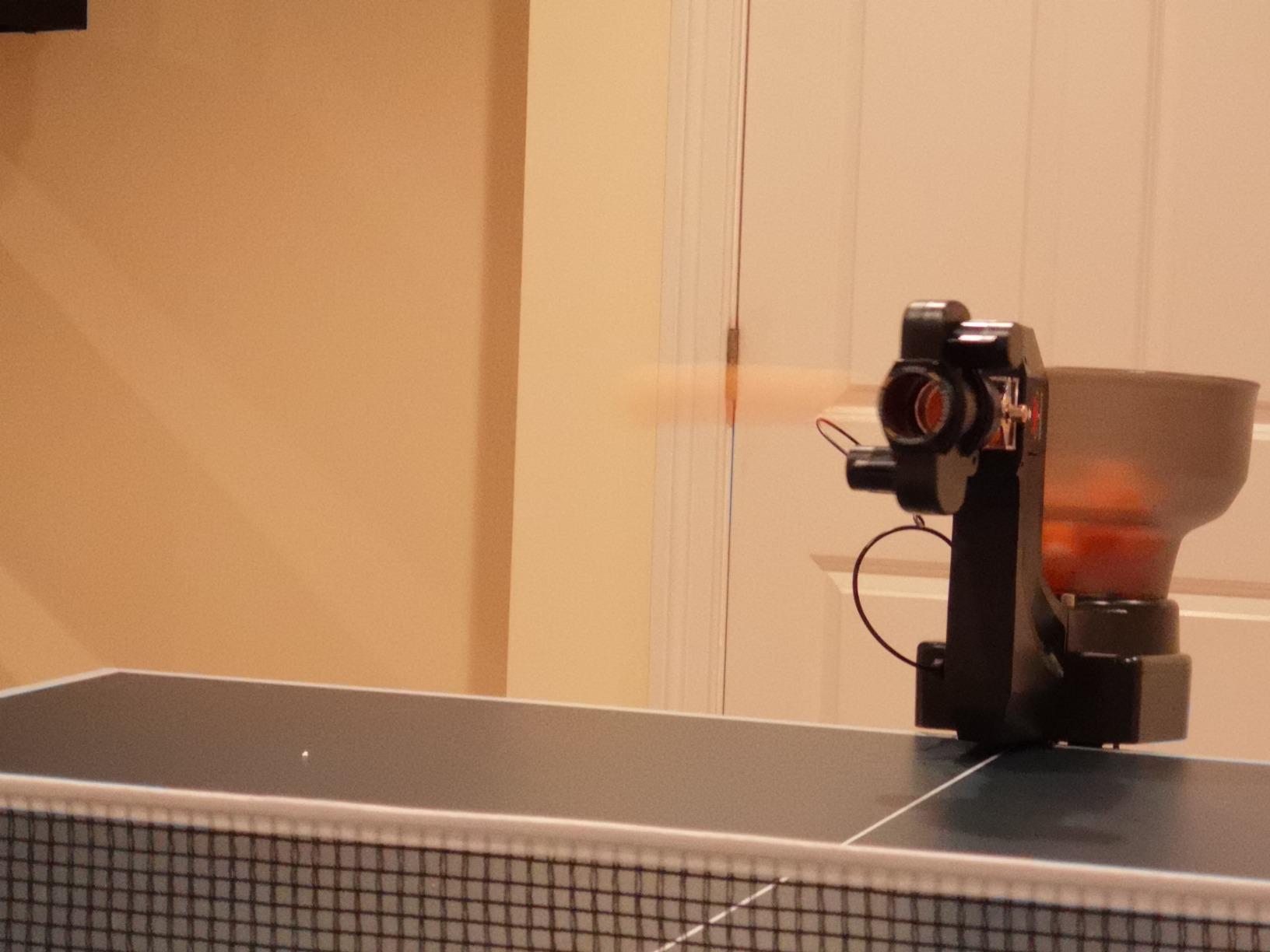
The HP-07 is the only machine here that reaches sidespin without a three-wheel head, thanks to interchangeable spinning gears that create 36 different spin combinations. For a club player whose game depends on reading sidespin short serves, that is a genuine capability rather than a spec-sheet line.
Owners rate it as a solid, inexpensive way to sharpen strokes and get a proper cardio workout, with easy setup and no complex installation. At 2.4 kg it is one of the most portable robots here, and the roughly 110 ball container supports a long session.
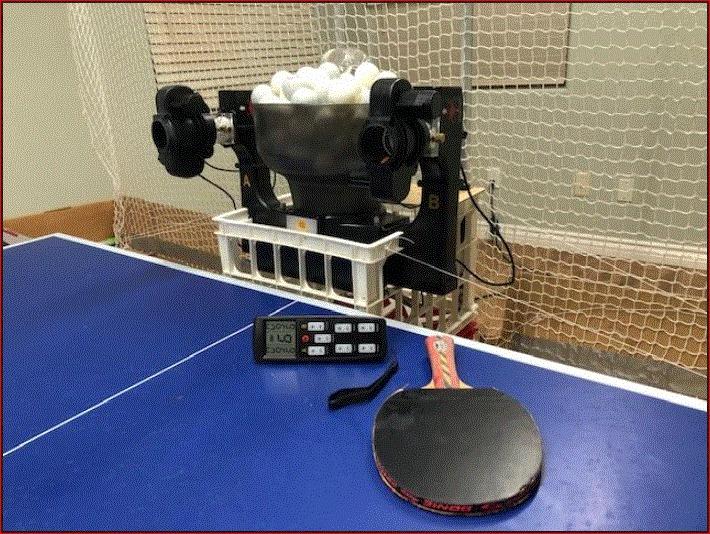
What you give up is programming. There is no programmable variation between consecutive shots, so the sequence of spin types is unpredictable rather than designed, and the speed and trajectory jump noticeably between settings, with high settings launching balls off the table. Speed control can also drift upward after unplugging and reconnecting.
There is a minimum load requirement: more than 15 balls must be in the machine or the ball will not come out. The table clamp may not fit thicker table edges, which means the unit often has to sit on the table surface instead, and one owner reported an oscillation motor failure at around three months with poor after-sales support.
Where the HP-07 earns its place
Spin reception practice. It throws topspin, backspin and sidespin across 36 combinations, so you can rehearse reading varied serve and return spin without swapping gears on another machine mid-session.
Who should look elsewhere
Anyone who wants a designed sequence of shots rather than random variation, and anyone whose table edges are too thick for the clamp. The early oscillation failure reports also make this a riskier choice for a household that needs reliability more than spin variety.
6. Suz S101: The Easiest Machine to Start With on Your Own Table
Suz S101 Ping Pong Machine with 100balls for Solo Training & Coaching
- Ships with 100 balls so it is usable immediately
- Compact 4 kg footprint suits a home room
- Adjustable spin and speed cover basic drills
- Straightforward no-frills design
- No app or remote programmability
- Ball feed can be inconsistent and double-feed
- Build quality is modest for the money
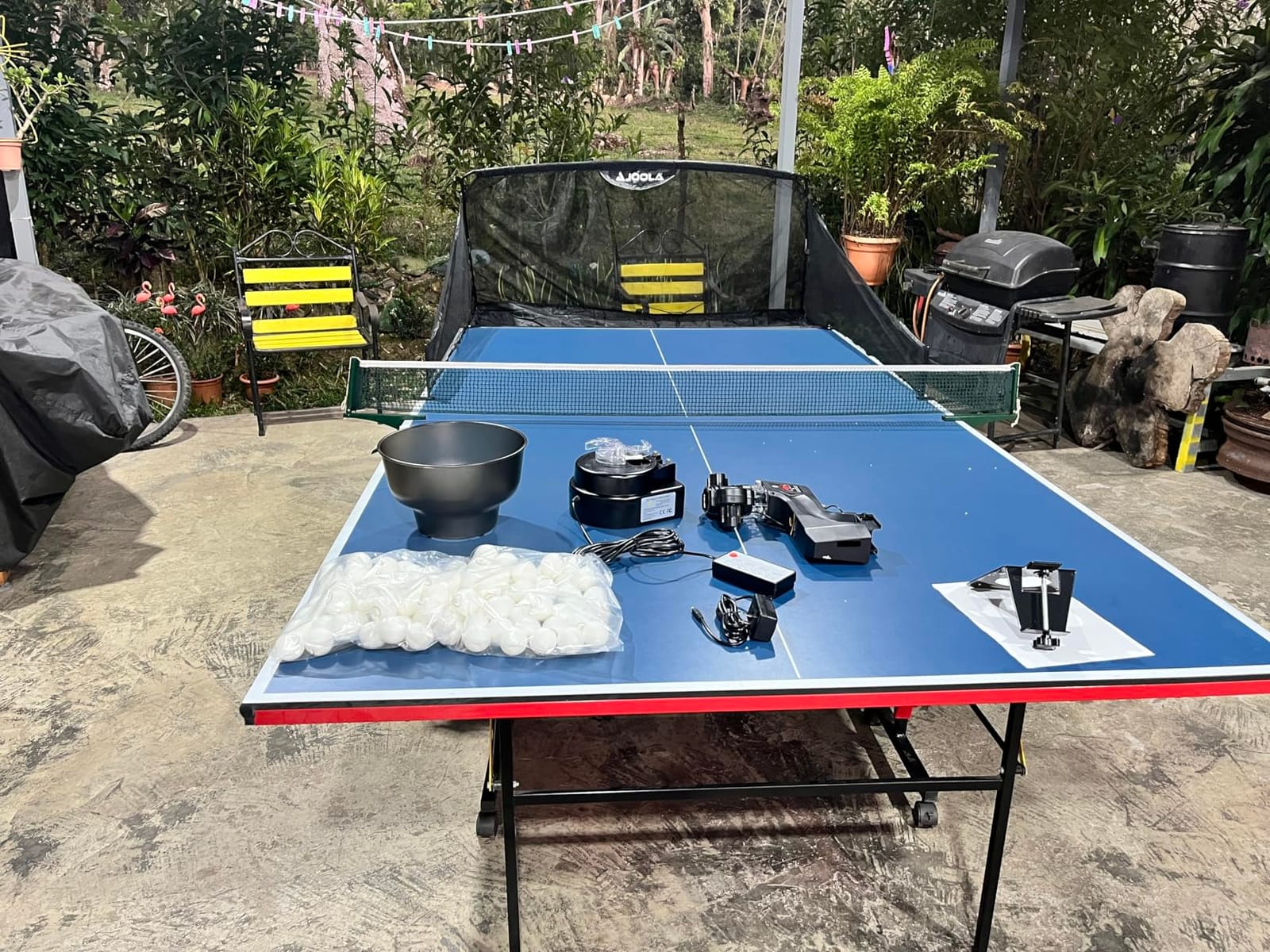
The S101 is the machine we would hand to someone who has a table in a spare room and no training partner. It arrives with 100 balls, which sounds minor until you realise that the alternative is ordering a pack of 40mm balls before your first session, and that the launchers which look cheapest in search results almost never include any.
Spin and speed are adjustable, which is enough to run a beginner’s forehand and backhand drill at a controlled rate. The 4 kg body is small enough to store in a cupboard between sessions, which matters more in a home than the number on the spec sheet suggests.
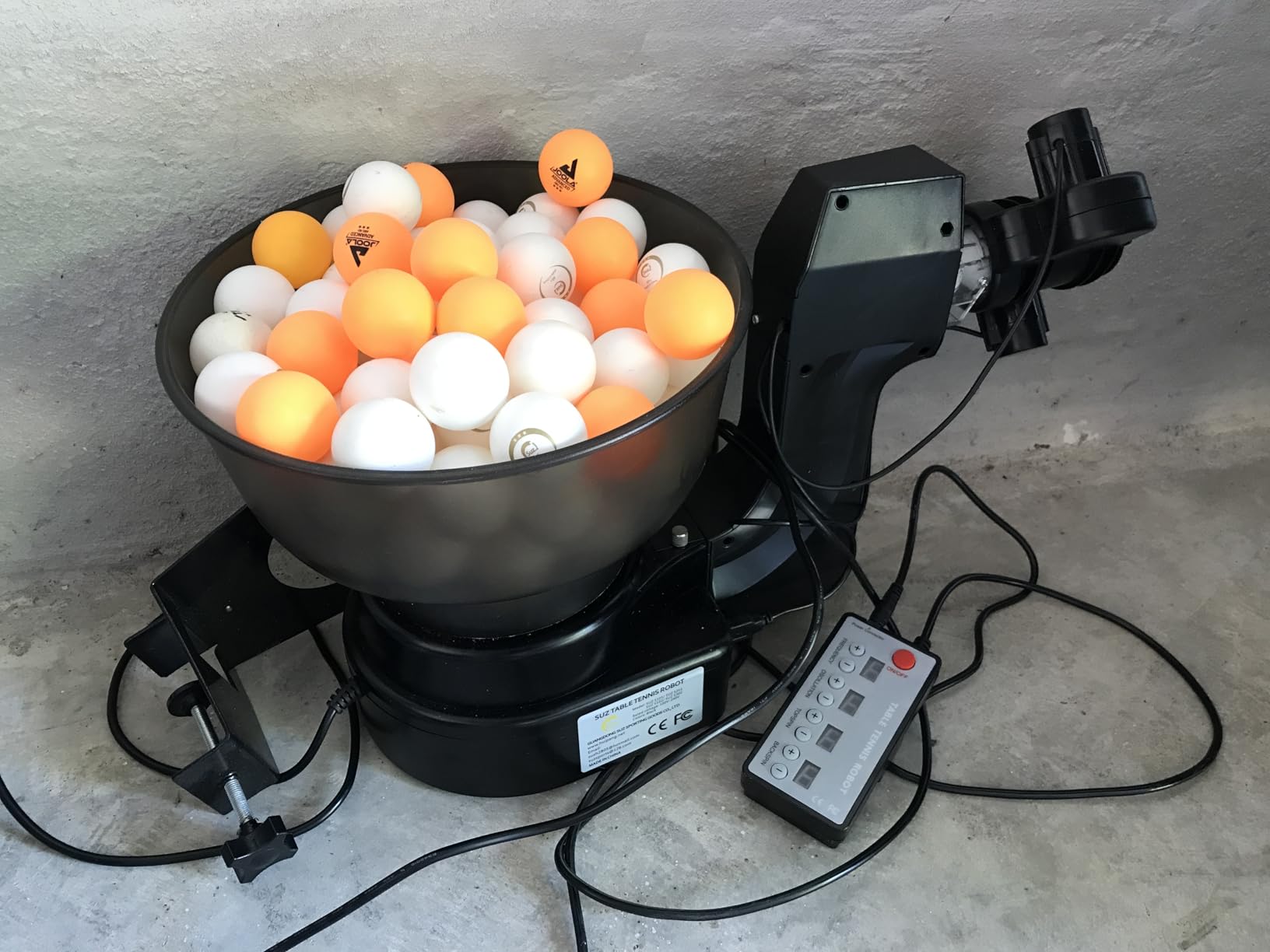
The trade-off is that this is a basic machine. There is no app and no remote programmability, so you walk to the unit or reach for physical dials whenever you change a setting. Owners report the same two feed issues found across the budget category: occasional double ball feeds and an inconsistent stream.
Build and mechanism quality are modest relative to the price, and at 4.1 stars across 112 reviews the feedback is positive but unsentimental. If it gets you training consistently, it has done its job; it will not grow with you past the first few months.
Best use case for the S101
A first solo training habit. Included balls, simple spin and speed controls and a compact footprint remove every barrier between owning a table and actually hitting balls at it.
Where it falls short
No remote means every setting change involves walking to the machine, and double-feeding breaks the rhythm of short repetition blocks. Consider it a starting point with a replacement path in mind rather than a long-term training partner.
7. Suz S102: Wireless Remote Control Without an App
- Wireless remote changes settings without walking to the machine
- Adjustable head handles direct and indirect serves
- Free replacement parts for one year of normal wear
- Oscillation frequently malfunctions
- Only fits tables under 2.5 inches thick
- Needs 20 balls in the tube before serving
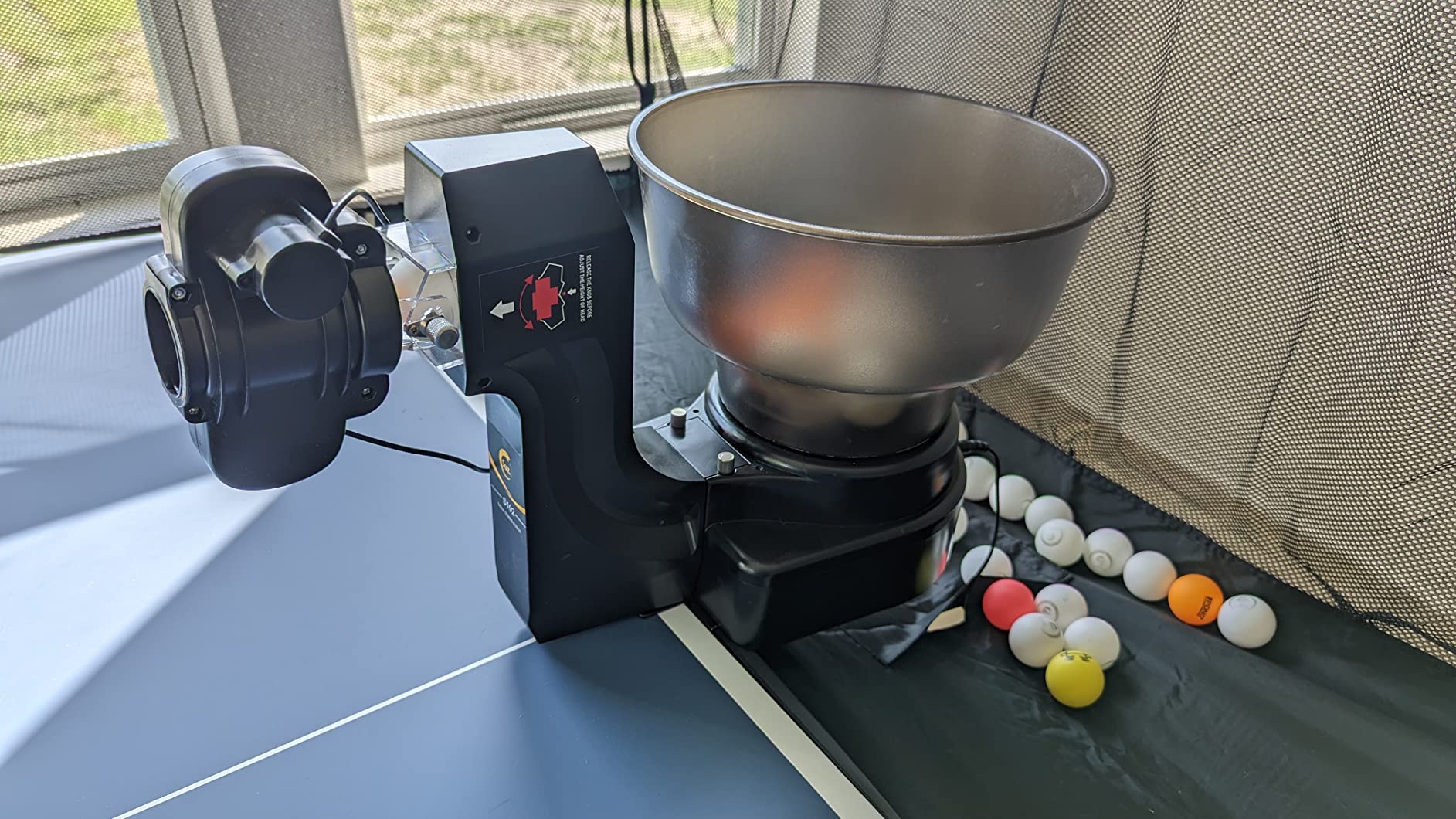
The S102 exists for one clear reason: it gives you a wireless remote without asking you to run an app. For a solo player, that is a real advantage. You can change frequency or spin from the far side of the table without putting the phone down or walking out of position, and you avoid the Wi-Fi and Bluetooth pairing failures that owners report on app-controlled machines.
Like the S201, the adjustable robot head supports both direct and indirect shots, so serve-style practice is possible, and spin and speed are adjustable for varied solo drills. Free replacement parts for one year against normal wear is a better after-sales position than most of the budget category offers.
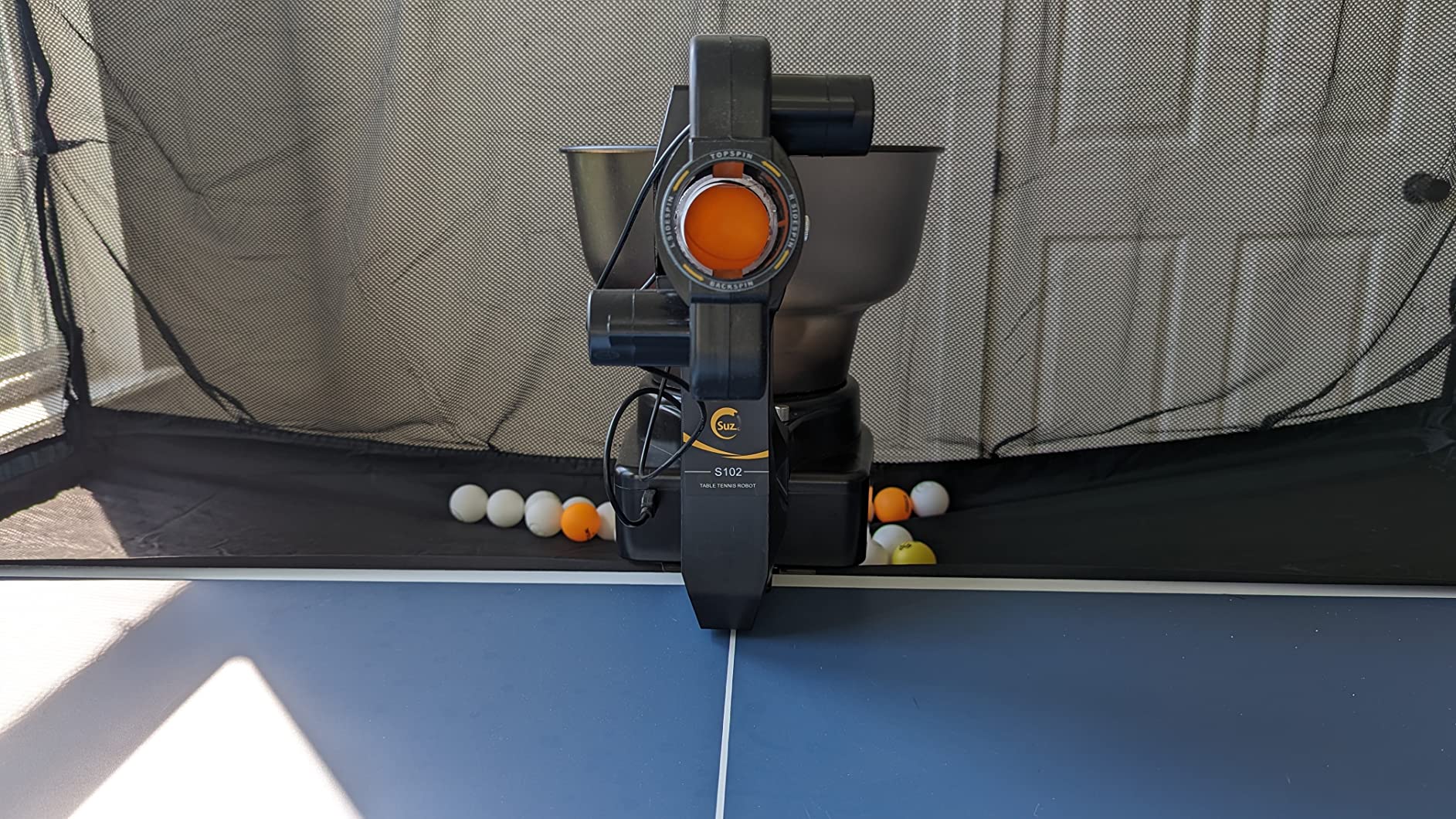
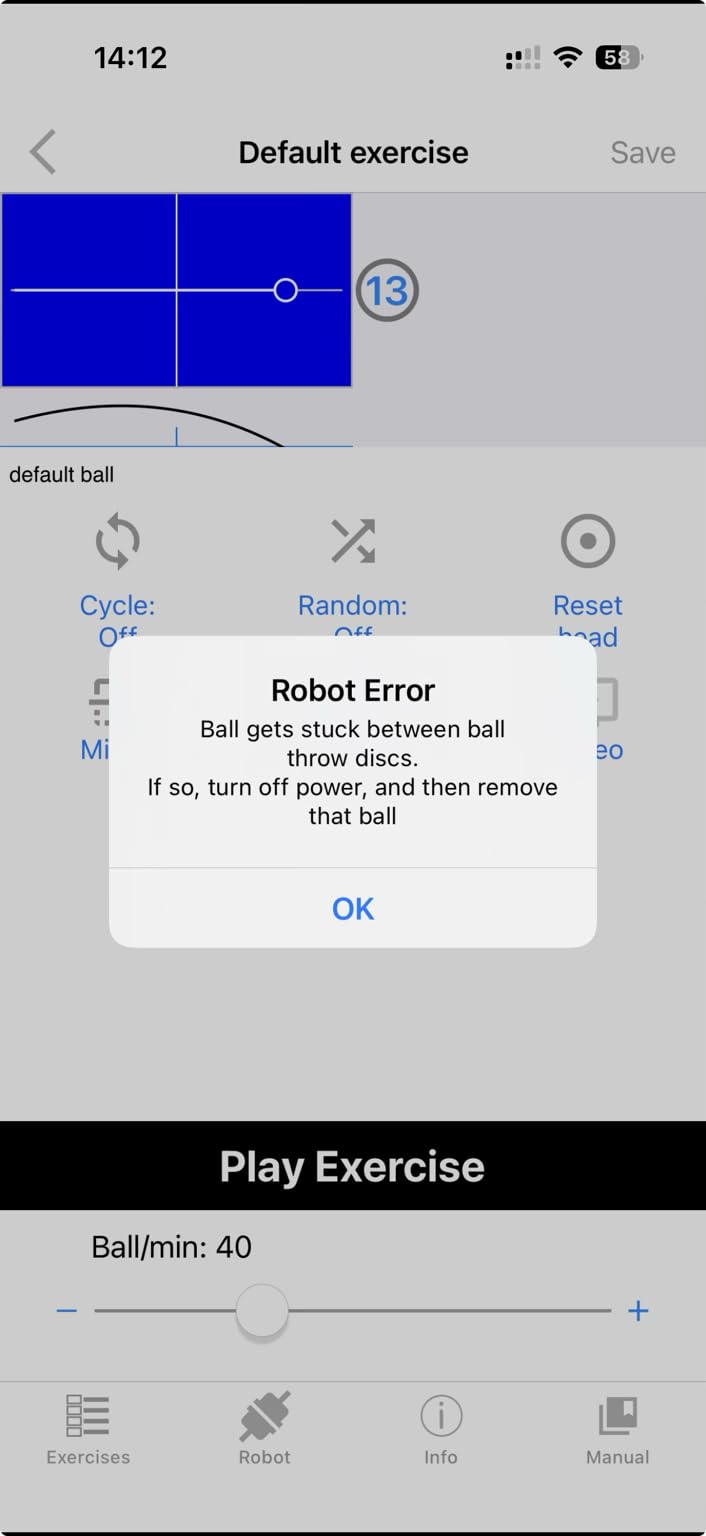
The decisive weakness is oscillation. It is the most common complaint in the line, and some buyers could not resolve it without returning the unit. The listed fix is to set oscillation to 9 and physically assist the head, which tells you how much help the mechanism needs. Weak ball output can also occur and require a USB reconnect.
The same two restrictions as the S201 apply: tables must be less than 2.5 inches thick and at least 20 balls must sit in the storage tube before it will serve. Setup is more involved than newer app-free alternatives.
Best use case for the S102
Home players who want remote control without app dependency, and who value a one-year parts guarantee over programmable drills. The remote is the clear selling point over the wired Suz models.
Who should avoid it
If oscillation is central to your drills, read the reviews on this model carefully first. Table thickness over 2.5 inches rules it out immediately, and the 3.9 star average reflects that the reliability of the moving parts is the weak link.
8. Butterfly Amicus Prime: The Machine for Long Advanced Sessions
- Widest frequency range in the roundup at 5 to 120 bpm
- Sequences multiple drills that run automatically
- Includes 120 balls net carry bag and remote fob
- Three year warranty and responsive tech support
- Ball placement drifts and the head needs frequent resetting
- Deflector and ball path need cleaning roughly hourly
- Included Android tablet is weak
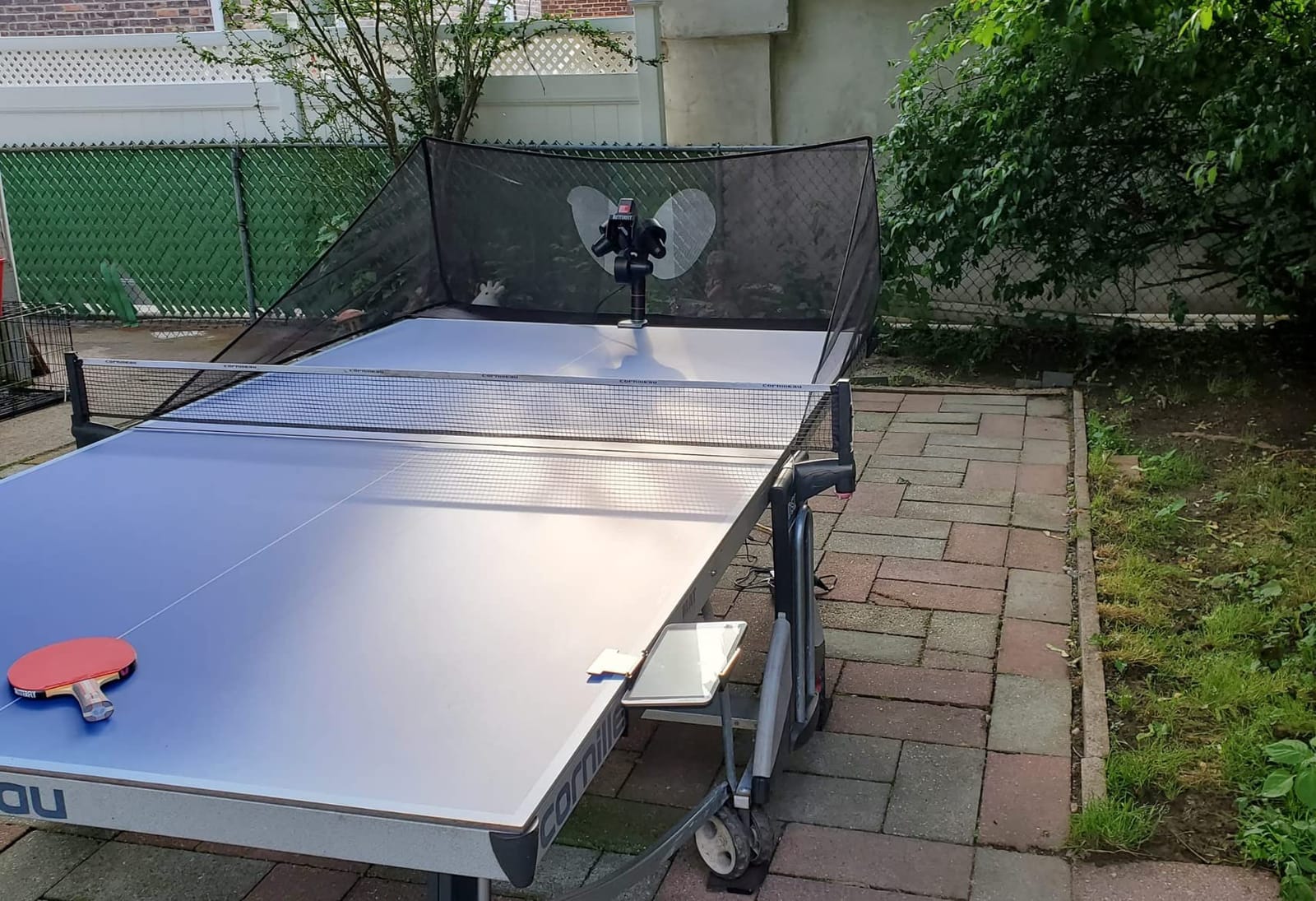
The Amicus Prime is the most capable machine in this roundup, and the specs explain why. Ball frequency runs from 5 to 120 balls per minute with IFC fine timing, it sequences several drills to run automatically in order or randomly, and firmware and software updates download through the app on the supplied Android tablet.
That low end matters more than the headline figure. Being able to drop to 5 balls per minute is what makes it possible to feed one ball, reset, and repeat, which is how advanced players rehearse a single transition over and over. The package is also unusually complete: 120 balls, a ball recycling catch net, carry bag, remote switch fob and a 3 year warranty.
Owners who commit to the setup process rate it as the best machine here and single out the build quality, the readability of the tablet-based exercise editing and Butterfly’s tech support. It also works outdoors in a light breeze after calibration, which extends the season for anyone with a garden table.
The criticism is consistency, and it is consistent. Ball placement is not always reliable and the head needs frequent resetting. The deflector and ball path surfaces need cleaning after roughly every hour of use, throw wheels wear unevenly over time, and the cloth return tray spills balls onto the floor where a plastic tray would not. The supplied Android tablet is not very good, with owners reporting the iPhone app works better, and the app itself hangs occasionally.
Best use case for the Amicus Prime
A serious club or academy player running long, structured sessions with multiple sequenced blocks and random-play testing. At 20 pounds and 33 inches tall it is a permanent fixture rather than a carry-around, and the calibration learning curve is real.
What to plan for
Budget time for maintenance. An hourly clean of the ball path, periodic recalibration and eventual wheel replacement are part of running this machine, not optional extras. If you will not maintain it, the cheaper options in this roundup will serve you better.
9. LANFIRE Rebound Trainer: A Clip-On Trainer for Brush Technique
- Extremely low entry cost for hands-free repetition
- Clamps on and plays within seconds
- Good for spin feel and muscle memory
- Light enough to move between setups
- Metal clamp is too small for many commercial tables
- No speed spin or frequency adjustment at all
- Mechanism can be stiff when hit hard
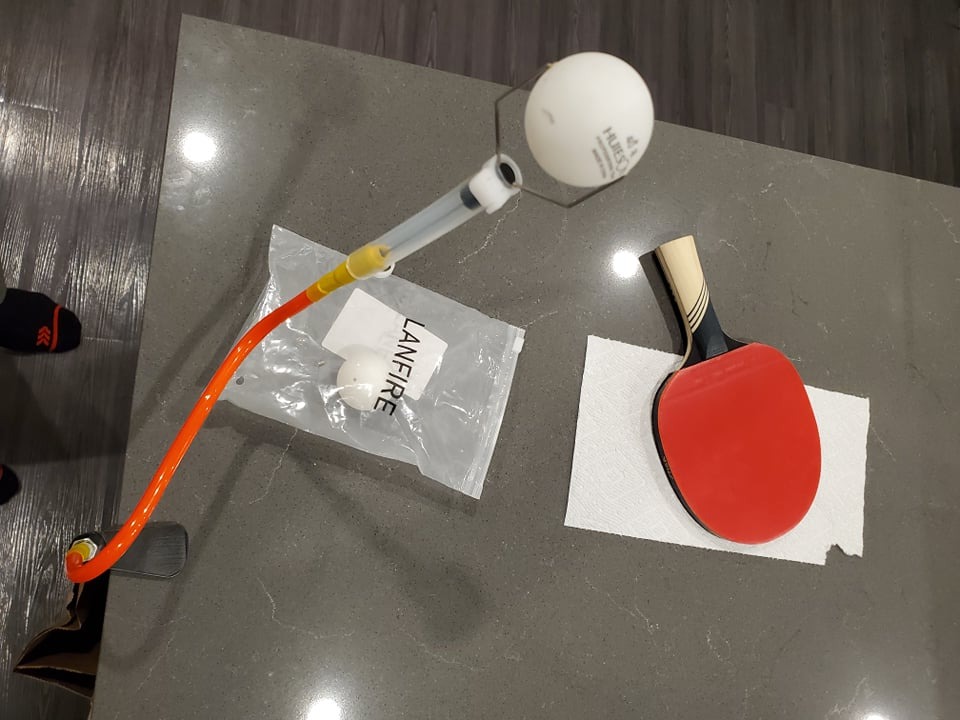
First, a clarification, because listings for this type of product are frequently mislabelled. The LANFIRE trainer is not a robot. It is a fixed rebound clip that returns the ball to a predictable spot, which means there is no speed, spin or frequency adjustment of any kind. It is on this list because it solves a specific piece of the home training problem for very little money.
What it does solve is stroke mechanics. A constant ball returning to the same spot lets you swing the same forehand stroke hundreds of times without chasing, which is how you build the feel for brushing against the ball. Owners value it for exactly that, and the large suction base keeps it stable during rapid rebound.
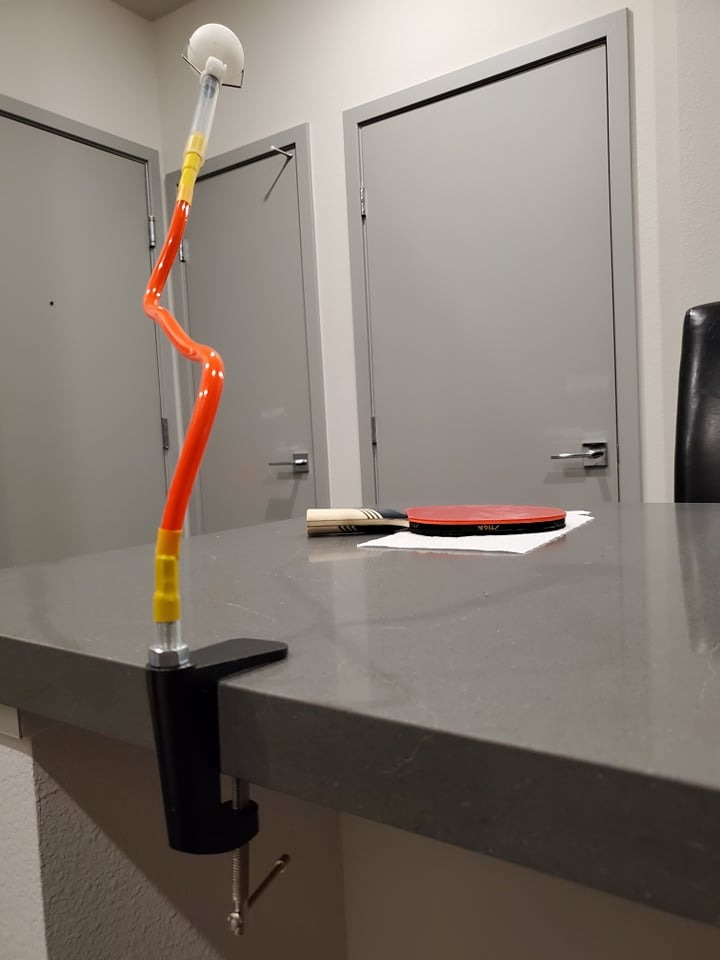
The decisive practical issue is the clamp. It is specified for 6.5 cm of table thickness at 47 cm tall and 300 g, and several buyers found the metal clamp too small or awkward for commercial Butterfly, JOOLA and Xiom tables. Owners also report the clamp is not straight and can scratch the underside of the table if tightened hard.
There are no instructions in the bag, and the mechanism can be stiff, causing the ball to go nowhere or the unit to come apart when struck hard. The package does include two copper hole balls and three ordinary balls, so a replacement path exists if the originals wear out.
Best use case for the LANFIRE trainer
Building the first hundred clean swings. Use it alongside a real robot rather than instead of one, because it cannot vary placement, which is exactly what you eventually need to train.
Who should skip it
Anyone with a thick commercial table edge, and anyone who needs any control over the feed. Measure your table edge thickness before ordering, because a clamp that does not fit makes the whole purchase pointless.
10. JOOLA iPong Play: A Starter Robot for Children
JOOLA iPong Play Table Tennis Trainer Robot with 20 ABS Training Balls, Orange
- Very affordable first launcher for teaching kids to hit
- Battery powered so it works anywhere on the table
- Arrives fully assembled
- Includes 20 40mm ABS training balls
- No remote
- it fires the moment it is switched on
- Often feeds two balls at once and jams on startup
- No oscillation and loud firing
The iPong Play is a teaching aid, and it is a good one for its actual purpose. It runs on four AA batteries, arrives fully assembled, and shoots up to 30 balls per minute, so a child can stand at the other end of the table and hit without an adult standing there feeding. That independence is the whole point of the product.
It includes 20 40mm ABS training balls, and because it is battery powered and wireless you can place it anywhere on the table or off it entirely. At 2.2 pounds and roughly 12 by 7 inches it is the easiest machine here to store.
The problems are structural rather than incidental. There is no remote, so balls start firing the moment it is switched on, which means nobody can control the rhythm. It frequently feeds two balls at once, many of those go into the net, and it jams on startup often enough that owners mention it as a defining trait.
It also does not oscillate despite some listings suggesting otherwise, and the loud pop when firing with unpredictable landing positions means a lot of repositioning. Some shipments have arrived without the listed balls, so check the box on arrival.
Best use case for the iPong Play
A child learning to make contact with a ball, and a household that wants to see whether anyone will actually use a robot before spending on a serious one. Parents and kids rate the value highly for casual play.
When to move up
As soon as the child can rally consistently and wants control over placement and pace, this machine becomes a frustration. At that point move to the Suz S101 or the iPong Original, both of which add real spin control and a usable feed rate.
Buying Guide: Six Factors That Decide Which Robot You Need
Most buying mistakes here come down to two things: paying for programmability you will never use, and underestimating cleanup. Work through these six factors before you order anything.
What you should expect to spend
Table tennis robots span a very wide range. The cheapest clip-on trainers and basic launchers serve children and casual hitting, mid-range machines with real spin control and oscillation suit solo adult practice, and the premium tier buys you wide frequency ranges, random play, recycling nets and multi-year warranties. Judge a machine on spin types, placement control and whether you will clean it after every session, not on the number of features listed.
The head matters more than the app
Experienced players on r/tabletennis are consistent about one variable: robots with three wheels in the head can produce any type of spin, including a dead no-spin shot, while two-wheel designs tie speed to spin to some degree. The Nova S Pro uses two BASF throw wheels, which is why its speed and spin are directly linked and sidespin needs a manual head rotation.
Two-wheel and gear-based designs are not automatically worse, but you should know which one you are buying before you assume the marketing spin list is reachable in a normal drill. Where sidespin matters to your game, the ZXMOTO HP-07 reaches it through interchangeable gears instead.
Frequency, matched to the 30 to 90 bpm human benchmark
Owners and reviewers consistently calibrate against a human coach feeding balls, which lands somewhere around 30 to 90 balls per minute. The iPong Original spans 12 to 70, the V300 tops out at 70, the Nova S Pro runs 30 to 90, and the Amicus Prime stretches from 5 to 120.
Low frequency is not a downgrade. A slow rate is what lets you reset your feet and prepare properly, and the ability to drop to single digits is how advanced players rehearse one transition at a time. A wide range is more useful than a high maximum.
Placement and oscillation
Oscillation moves the head side to side so you alternate wide and deep placement without touching anything. It is the feature most associated with the iPong V300, and the Suz S102 shows what happens when the mechanism is unreliable. If you drill across the table, oscillation is close to essential; if you mostly feed one spot, you can skip it, as the iPong Original does.
Hopper size, recycling nets and ball cleanup
Pickup is the biggest daily friction point of home robot training, and it is where sessions end early. A 110 ball hopper, as on the iPong Original and the ZXMOTO HP-07, reduces refill walks. A recycling net, included with the Suz S201 and the Butterfly Amicus Prime, removes the issue almost entirely and is worth more to a home player than most software features.
Remember that these nets are large and that the machines are heavy. Budget for storage space in a garage, basement or cupboard, and for the noise in shared housing. Several owners single out loudness as a top complaint, particularly the iPong Original at high spin settings and every Suz model during use.
App control versus a physical remote
App control buys you programmable drills and sequence building, which is exactly what structured training needs. It also means keeping a phone at the table, occasional hangs and disconnects, and a learning curve. A physical remote, as on the iPong V300 and the Suz S102, is simpler and more reliable but cannot store a designed sequence.
Neither is automatically better. Structured players with a specific session plan should buy the app; everyone else will be happier with a remote and preset memory.
How to structure a 40 minute solo session
Run a short warm-up at a slow frequency and wide placement, then pick one goal for the block. Progress from predictable to random, keeping the drill feasible before you add randomization. Finish with a random-play test to see whether the first block transferred, and review footage of the final five minutes. We use the same session logic in our home circuit training guide, where the progression from predictable to random is the same principle.
Coaches who work with robots consistently recommend drilling the first three balls, meaning serve, reception and first attack, because that is where points are won. The same feeding concept applies to tennis, where tennis ball machines are used to rehearse serve patterns on the same predictable-to-random basis.
Frequently Asked Questions
Are table tennis robots worth it?
Yes, if your main problem is repetition rather than variety. A robot delivers hundreds of identical balls to the same spot without you chasing them, which is the one thing a solo player usually cannot get. It is excellent for strokes, spin reception and footwork, and poor at simulating match play, so supplement a club rather than replacing it.
What is the best table tennis robot for home training?
The JOOLA iPong V300 is the most capable all-round machine for home training, with adjustable frequency, speed, direction, oscillation, topspin and backspin plus a wireless remote, and it carries by far the largest review base in the category. The PONGBOT Nova S Pro is the stronger choice if you want app-programmed drills, and the Suz S201 wins if ball recycling matters most to you.
Are 2-wheel or 3-wheel table tennis robots better?
Three-wheel heads can produce any spin type including a dead no-spin ball, which is why experienced players rate wheel count as the decisive quality variable. Two-wheel designs like the PONGBOT Nova S Pro tie speed to spin and need the head rotated by hand for sidespin. Two wheels are fine for most home training, but sidespin players should check the head design first.
Do I need a ball collection net with a table tennis robot?
You do not need one, but it is the single biggest upgrade for home training. Ball pickup is the main reason solo sessions end early, and a recycling net keeps the ball returning to the machine so your feet stay in position. The Suz S201 and the Butterfly Amicus Prime both include one.
How many balls per minute do I need from a robot?
Most owners calibrate against a human coach feeding roughly 30 to 90 balls per minute, and that is the useful range to target. A wide adjustable range beats a high maximum, because a slow rate is what lets you reset your feet and prepare properly between shots. For single-transition drills, going below 30 balls per minute is more valuable than going above it.
Conclusion: Which Table Tennis Robot Should You Buy in 2026
For most home players, the JOOLA iPong V300 is the right first machine: it is the most reviewed in the category, it covers frequency, oscillation and both main spins, and it needs no phone. Buy the PONGBOT Nova S Pro if you want programmed drills, the Suz S201 if ball pickup is what stops you training, and the Butterfly Amicus Prime if you are running long structured sessions. Whatever you choose in the best table tennis robots for home training category, buy the recycling net if one is not included, and check your table thickness first.