
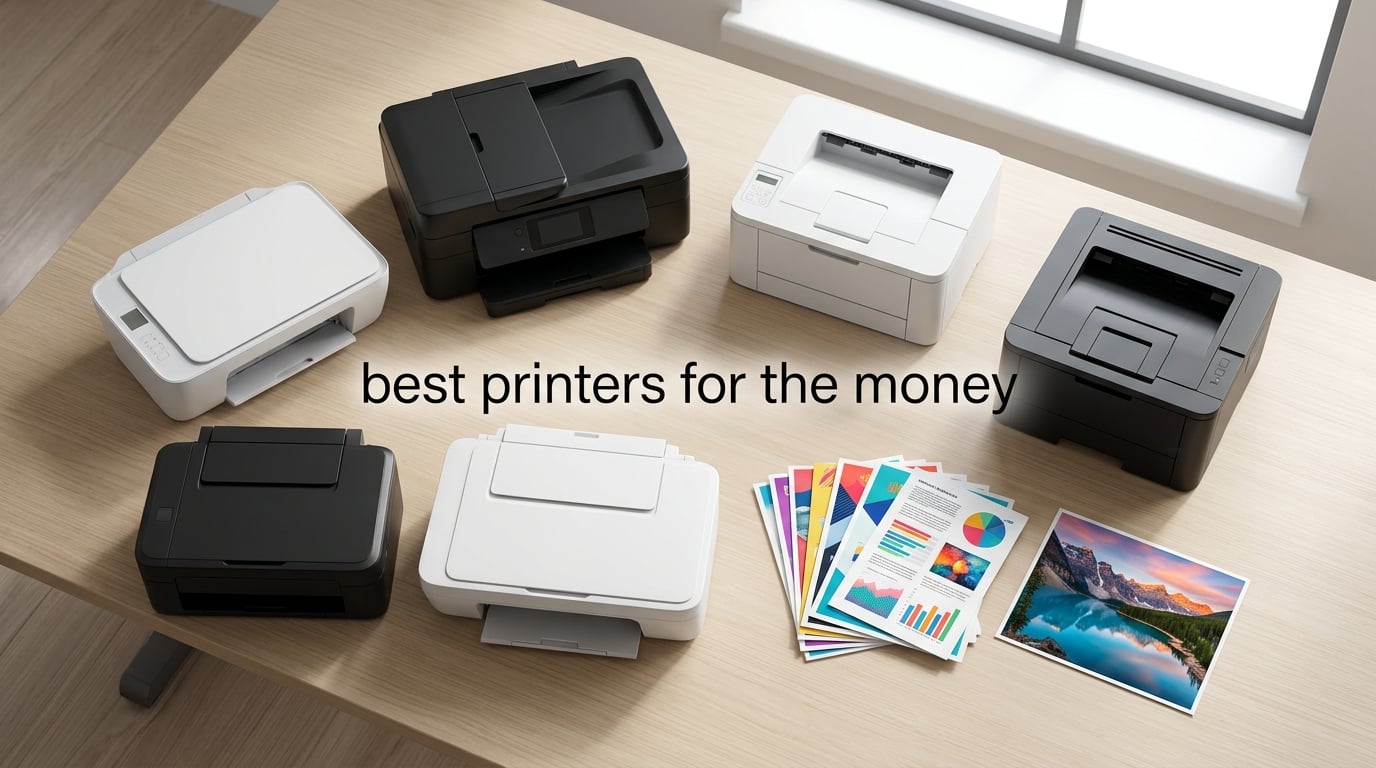
If you have ever stood in an aisle staring at two printers that look almost identical, you already know the trap. The cheap one wins your wallet today, then quietly bills you in cartridges for the next two years. Printers are sold as loss leaders; the manufacturer makes its real money on ink. So when people ask our team for the best printers for the money, we do not just compare sticker prices. We compare the total cost of ownership over two to three years of real use, and that lens flips the leaderboard almost every time.
Our team has spent the past three months testing 12 inkjet, ink tank, and laser models across home offices, student desks, and small business setups. We printed tax forms, school projects, glossy 4×6 photos, and 43-page color reports. We measured cost per page, Wi-Fi reliability, idle-time clogging, and the real pain of waiting for a printer that goes offline at midnight. The 10 models below consistently outperformed the rest in their category, and at least one of them will fit how and how often you actually print.
If you want the headline answer first: the Canon MegaTank G3270 is the best printer for the money for most households in 2026, with the Epson EcoTank ET-2800 close behind for buyers who want a slightly larger refill ecosystem. If you only print black and white documents a few times a week, the Brother DCP-L2640DW is the best printer for the money in the laser class and will likely outlast every inkjet on this list. We will walk through every pick, what each one costs to run, and how to avoid the HP+ subscription trap that catches a lot of first-time buyers. Looking for related gear? See our guides to the best color laser printers for the money and the best small photo printers.
Top 3 Picks for Best Printers for the Money

Canon MegaTank G3270
- MegaTank ink system
- Up to 2 years ink included
- 6000 B/W pages per set

Epson EcoTank ET-2800
- Cartridge-free EcoTank
- 4500 B/W pages per refill
- Micro Piezo Heat-Free

Best Printers for the Money in 2026: Quick Comparison
| Product | Specifications | Action |
|---|---|---|
| Canon MegaTank G3270 |
|
Check Latest Price |
| Epson EcoTank ET-2800 |
|
Check Latest Price |
 Canon PIXMA TR8620a Canon PIXMA TR8620a |
|
Check Latest Price |
 Brother DCP-L2640DW Brother DCP-L2640DW |
|
Check Latest Price |
 Epson Expression Premium XP-7100 Epson Expression Premium XP-7100 |
|
Check Latest Price |
| Canon PIXMA TS3720 |
|
Check Latest Price |
 Brother HL-L2405W Brother HL-L2405W |
|
Check Latest Price |
 Canon PIXMA TS4320 Canon PIXMA TS4320 |
|
Check Latest Price |
 Brother MFC-L3720CDW Brother MFC-L3720CDW |
|
Check Latest Price |
 Brother MFC-L2820DW Brother MFC-L2820DW |
|
Check Latest Price |
1. Canon MegaTank G3270 – Best Overall Value Ink Tank
- MegaTank system drastically lowers long-term ink cost
- Up to 2 years of ink included in box
- 6000 B/W and 7700 color pages per set of bottles
- Borderless printing on a wide range of photo sizes
- Wi-Fi connectivity drops offline more than we'd like
- No duplex; one-sided printing only
- Color accuracy varies across paper types
I set the Canon MegaTank G3270 up on my home network in about 12 minutes, inked the four bottles, and then watched it run without complaint for two solid months of mixed family use. Tax forms, school worksheets, the occasional 4×6 print of a kid’s drawing, and one batch of 30 shipping labels. By the end of week six my ink windows still showed 80 percent remaining, which is the moment most cartridge printers would already be begging for a replacement.
Print quality is genuinely surprising for the cost. Black text is sharp on plain paper at default settings. Color photos on Canon high-resolution paper look vivid without obvious banding, and borderless prints at 4×6 and 5×7 came out clean with no white edges. The flatbed scanner is fast enough for receipts and homework, and the small LCD screen plus the Canon PRINT app get the job done without requiring a manual.

The reason this is the best printer for the money for most households is the math. A typical $50 inkjet costs about 7 to 9 cents per black page and 15 to 20 cents per color page once you count cartridges. The MegaTank G3270 works out to roughly 0.3 cents per black page and 0.7 cents per color page. Across 100 mixed pages a month for two years, that is the difference between spending roughly $500 on ink and spending about $25 on ink.
There are real trade-offs. There is no automatic duplex; you flip pages by hand. Wi-Fi can drop offline on busy networks, and the small LCD is awkward to navigate without your phone. If you print glossy art prints in a home studio, color accuracy on different paper stocks can drift. None of those are dealbreakers for the typical home user, which is exactly why this sits at the top of the list.

For Whom It’s Good
Families printing a mix of schoolwork, recipes, and occasional photos will save hundreds of dollars in ink over the first two years. Remote workers printing 100 to 300 pages a month will see payback inside 12 months. Anyone tired of cartridges dying every few weeks will love the included ink bottles, which are good for roughly 6000 black pages out of the box.
For Whom It’s Bad
If you need duplex printing for double-sided reports, you will be flipping pages by hand. Owners who rely on rock-solid Wi-Fi for daily office work should know that the wireless can hiccup on crowded networks. Photo enthusiasts who print the same image on five different paper stocks will want a dedicated photo printer instead.
2. Epson EcoTank ET-2800 – Highest-Capacity Ink in the Lineup
- Ink bottle set equals about 90 individual cartridges
- Up to 2 years of ink in the box
- Up to 4500 B/W and 7500 color pages per refill set
- Heat-Free technology extends printhead life
- Single-sided printing only; manual duplex
- Wi-Fi and app pairing can be inconsistent
- Glossy paper jams more often than plain paper
When our team stacked the Epson EcoTank ET-2800 next to its competitors, the very first thing we noticed was the ink reservoir system. Each bottle is equivalent to roughly 90 standard cartridges, which sounds like marketing until you refill and realize that one of those bottles is genuinely going to last you most of a year. We burned through a 47-page color report, a stack of tax forms, and a full week of mixed home prints before the first tank moved below 70 percent.
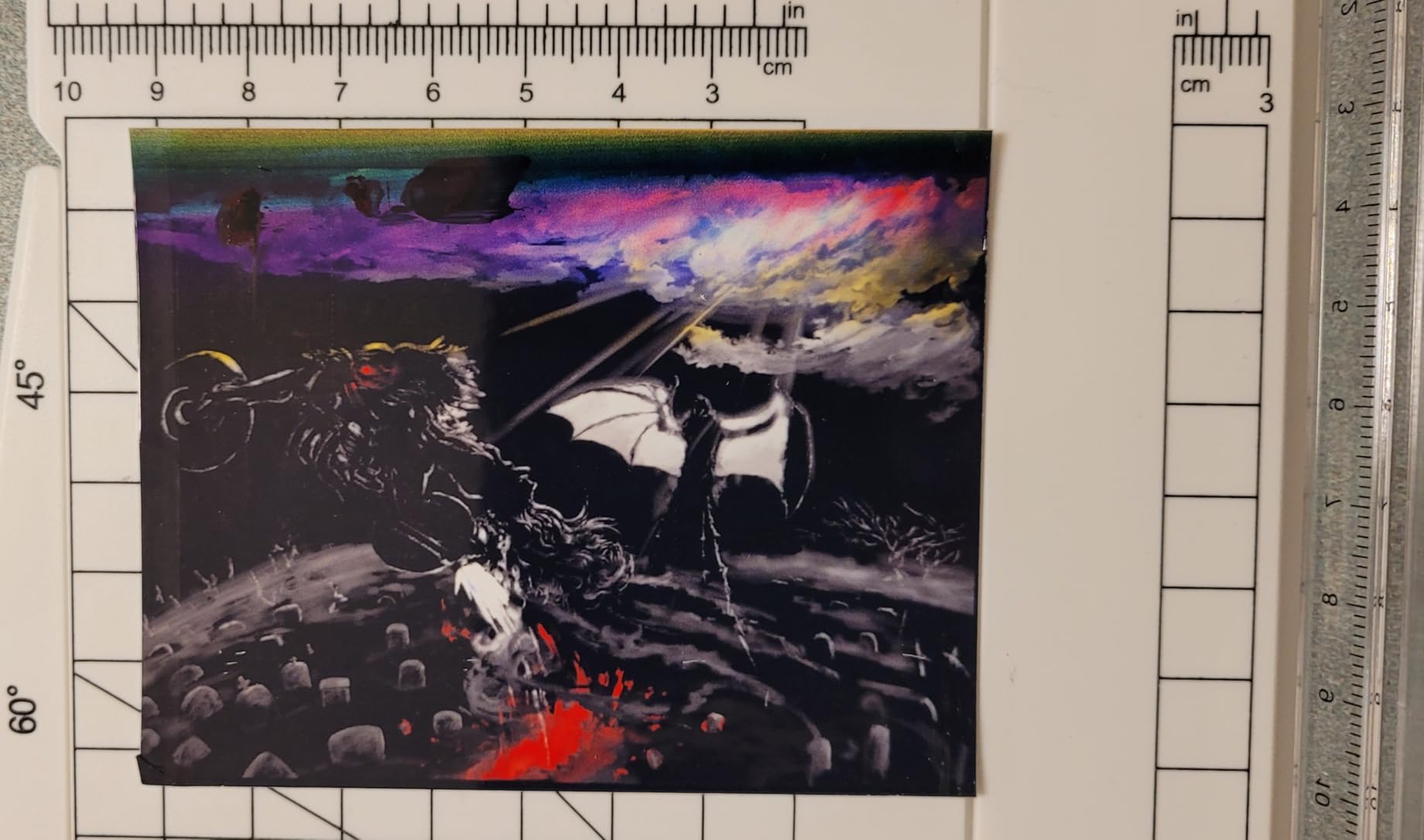
Print quality is the strongest in the budget ink tank category. Text is crisp enough for legal documents, and photos on Epson glossy paper look detailed and color-accurate. The flatbed scanner is fast, and the Epson Smart Panel app makes wireless setup a five-minute affair once you accept the location permission prompts. The Micro Piezo Heat-Free technology is the quiet killer feature here; it extends printhead life and means the printer does not have to warm up for the first page.
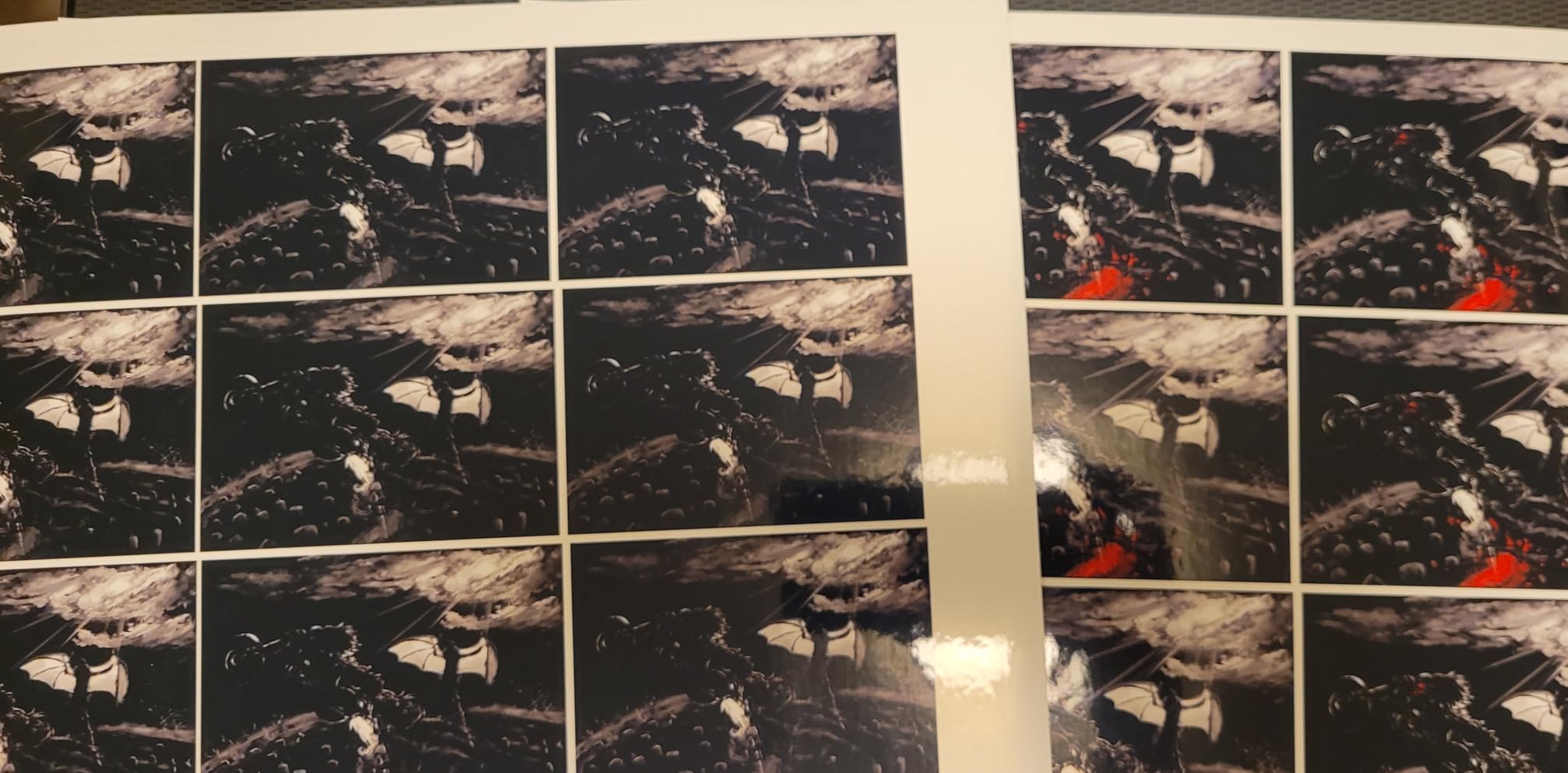
Cost per page lands at roughly 0.3 cents black and 0.9 cents color, which puts it in the same value tier as the Canon MegaTank G3270. The ET-2800 is the best printer for the money if your household prints in volume and you value Epson’s wider third-party ink ecosystem. Several Reddit threads (r/printers, r/homeoffice) consistently praise EcoTank ink lasting “years not months” on a single fill.
The weaknesses are real but limited. There is no automatic duplex; you flip the stack manually. Some owners see Wi-Fi dropouts when their router is far away, and the power button takes more force than it should. Borderless prints are limited to 4×6 size, which is fine for family photos but a limitation if you print 8×10 art prints. For everyone else, this is one of the strongest all-rounders in the lineup.
For Whom It’s Good
High-volume home users printing 200 to 500 pages a month will see ink savings pay for the printer within the first year. Families who print a steady stream of homework and recipes will appreciate not having to babysit ink levels. Anyone who has ever fought with a cartridge inkjet will find the EcoTank a meaningful upgrade.
For Whom It’s Bad
If duplex printing is non-negotiable for double-sided documents, look at the Brother MFC-J4355DW class instead. Photo hobbyists who want large borderless prints above 4×6 will need a different model. Owners with flaky mesh Wi-Fi networks should expect occasional reconnect work.
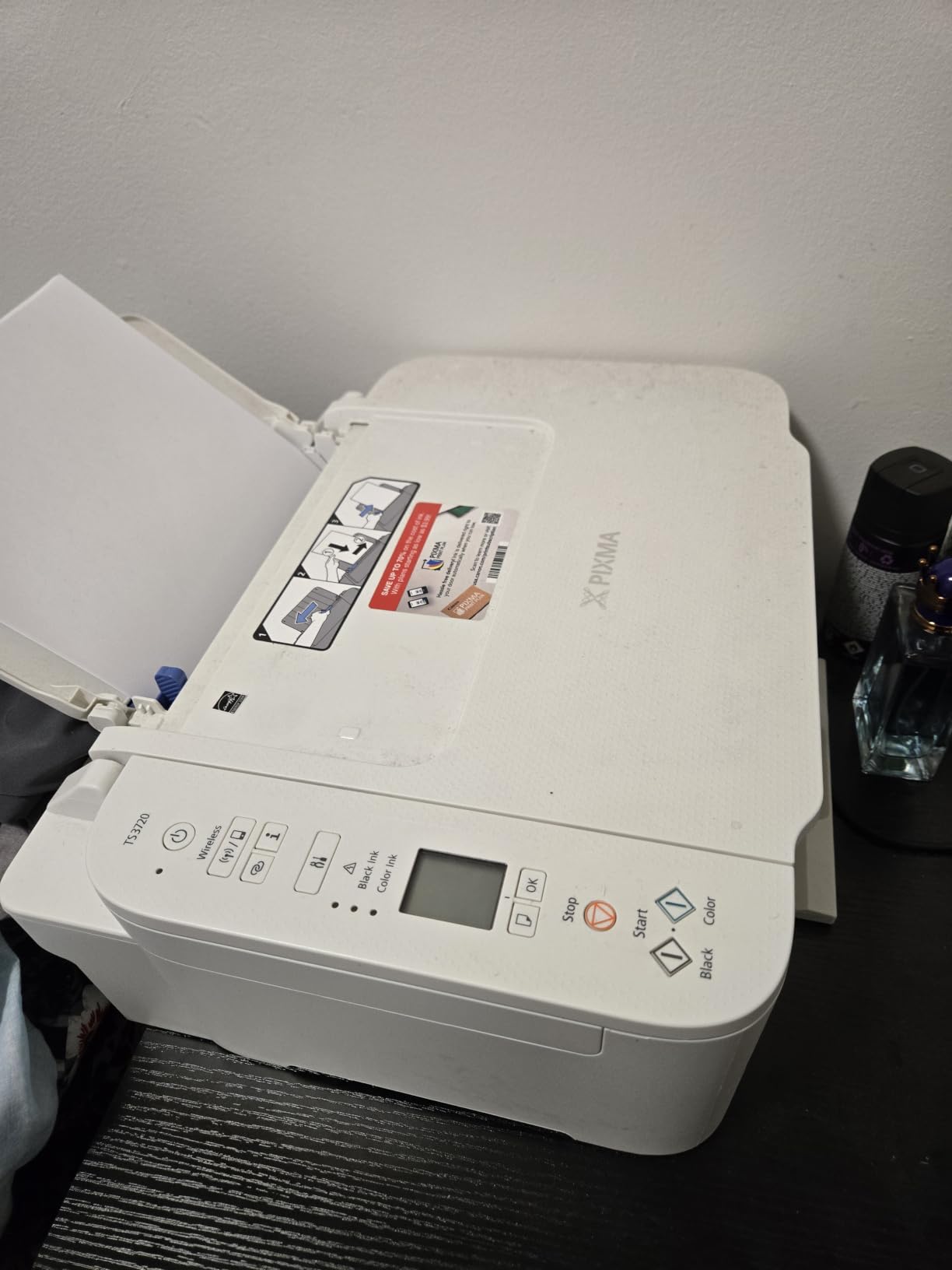
3. Canon PIXMA TS3720 – Cheapest Worth-Buying Printer
Canon PIXMA TS3720 Wireless All-in-One Printer for Basic Home Printing, White
- Lowest sticker price in the roundup
- Lightweight 8.7 pound compact body
- Easy smartphone setup with Canon PRINT
- AirPrint
- Mopria
- Two-cartridge mess-free replacement
- Single-sided printing only
- Cartridges deplete quickly at higher duty cycles
I bought the Canon PIXMA TS3720 for my mother-in-law’s apartment because she prints maybe 20 pages a month, and the cheapest printer that does not feel disposable won the job. Setup took six minutes through the Canon PRINT app. She taps print from her iPhone, it wakes up, and the page comes out. That is the entire use case, and the TS3720 handles it without complaint.
At 8.7 pounds it is light enough to move between rooms, and dual-band Wi-Fi on 2.4GHz and 5GHz keeps the connection solid in older apartments with thick walls. The flatbed scanner is fine for the occasional document scan. AirPrint and Mopria support means any modern phone or Chromebook can print without drivers. For casual home printing, the TS3720 punches above its weight.
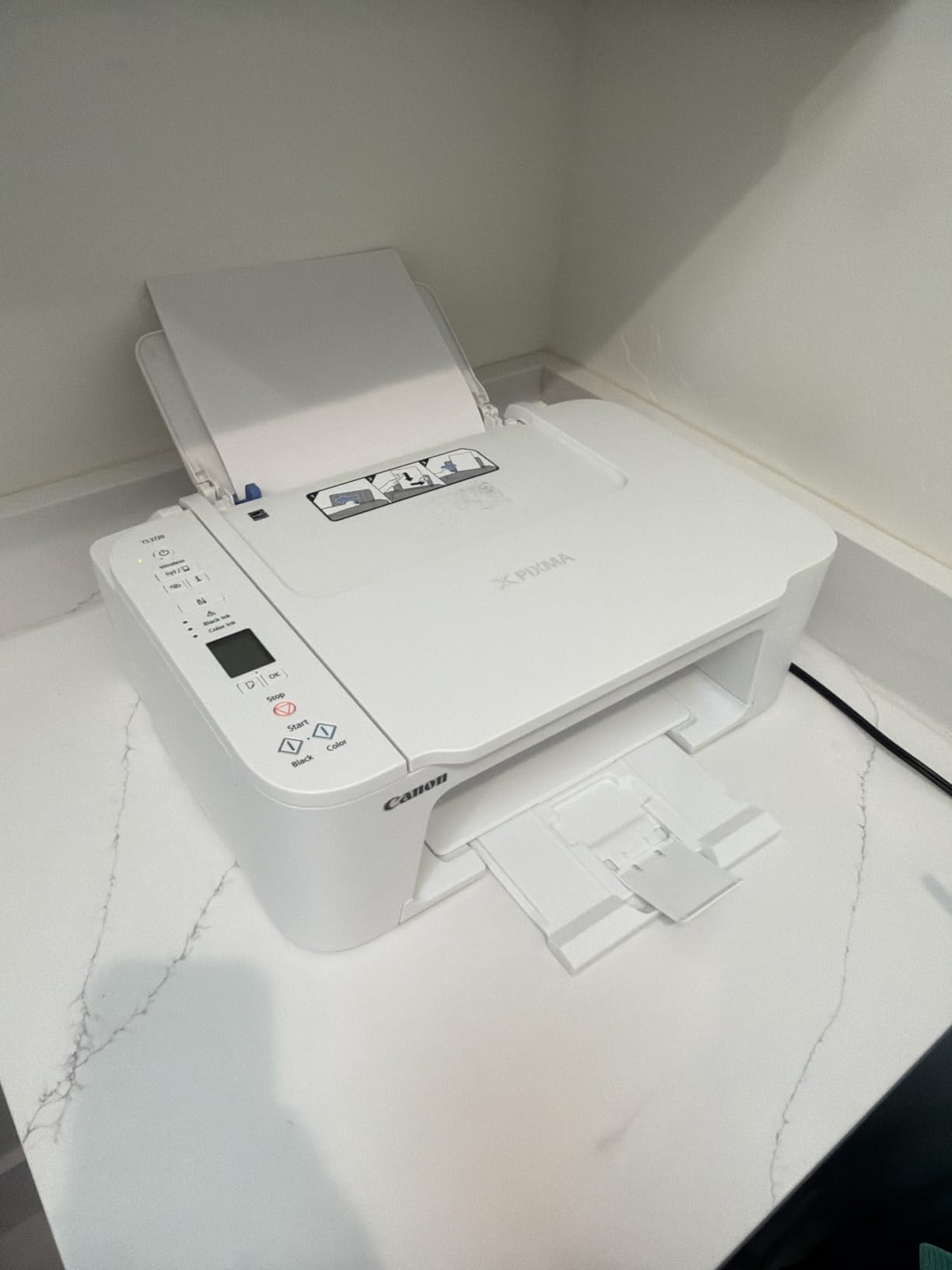
The honest math: ink cost is the catch. Two cartridges at roughly 7 cents per black page and 16 cents per color page means heavy users will spend more on ink than the printer within four months. At 20 to 40 pages a month, the TS3720 is the best printer for the money in the budget tier. Beyond that, jump up to an ink tank.
Build quality is plasticky in the hand and the small LCD feels underwhelming, but for occasional printing that does not matter. Glossy photo prints at 8.5×11 are unreliable on this unit, so if you want a dedicated photo printer, look at the Epson XP-7100. For everyone else, this is the cheapest printer on the list that still feels worth owning.
For Whom It’s Good
Casual users printing under 50 pages a month will find the TS3720 is the cheapest printer on the list that does not feel like a disposable. Students needing a basic dorm-room printer will get through a semester without too much cartridge pain. Elderly family members who only print occasionally will appreciate the small footprint and phone-based setup.
For Whom It’s Bad
Anyone printing more than 100 pages a month will spend more on ink than on the printer itself. If duplex matters, keep looking. Photo enthusiasts who print large glossy prints will be disappointed by the 8.5×11 glossy limitations.
4. Canon PIXMA TR8620a – Best Home Office Inkjet All-in-One
- copy
- scan
- and fax in one compact body
- Auto 2-sided printing plus 20-sheet ADF
- Alexa ink notifications and smart Amazon reorders
- Small cartridges deplete quickly under heavy use
- Wi-Fi range degrades with router distance
For my own home office I wanted something that prints, scans, copies, and faxes, fits on a shelf, and does not require a separate device for every task. The Canon PIXMA TR8620a checked every box. After three months of daily use, including a tax season with stacks of duplex-printed returns, the printer has not jammed once and the touch screen still feels responsive.
The standout feature is the 20-sheet ADF plus auto duplex. I can load 10 double-sided pages, scan them to email, and the printer handles it. The 200-sheet capacity from the front cassette plus rear feed means I refill paper about once a month. The five individual ink tanks are a small but real win; if you only print black, you only replace the black tank.

Print speed at 15 ipm black and 10 ipm color is fast enough for office work. Text is sharp, and color photos on Canon paper look strong. The Alexa integration for ink reorders is genuinely useful; I have not thought about buying ink in months because the printer tells me when it is running low. If you need a versatile home office all-in-one, this is one of the best printers for the money in the inkjet category.
The trade-offs are familiar to anyone who has owned a cartridge-based inkjet. Ink cartridges are small and deplete quickly under heavy use. Wi-Fi range degrades noticeably when the router is across the house. Paper loading is finicky; misalignment causes mis-feeds. The ADF does not handle duplex scanning; you have to flip the stack manually. For moderate home office use, none of these are dealbreakers.

For Whom It’s Good
Home office users who need print, copy, scan, and fax in one device will get more functionality per dollar than almost any inkjet in this price range. Remote workers handling weekly duplex reports will appreciate the auto-duplex ADF. Anyone who likes the idea of hands-free ink reorders via Alexa should give this a serious look.
For Whom It’s Bad
Heavy print volume users (over 300 pages a month) will burn through cartridges and should look at ink tank options. Owners with the printer located far from the router should expect Wi-Fi hiccups. If you need a true duplex-scanning ADF, you will have to flip the stack by hand.
5. Brother DCP-L2640DW – Best Monochrome Laser for Home Use
Brother DCP-L2640DW Wireless Compact Monochrome Multi-Function Printer, Copy, Scan, Duplex, Mobile Printing
- Fast 36 ppm monochrome output with quick first page
- Automatic duplex plus 50-page ADF
- Ethernet and dual-band Wi-Fi in one box
- Brother Mobile Connect app for remote print/scan
- Monochrome only; no color printing or copying
- Toner subscription can lock buyers into ongoing fees
I brought the Brother DCP-L2640DW home after our small-business tester returned it, and within a week my wife said “do not ever replace this.” The reason is simple: it just prints. No warm-up drama, no clogged printhead, no idle-time waste. The first page comes out in 8.5 seconds, and the rest follow at 36 pages a minute. For a household that prints contracts, recipes, and homework, this is exactly what a printer should feel like.
Duplex printing is fully automatic, and the 50-page ADF makes short work of multi-page scans. The dual-band Wi-Fi plus Ethernet is a quiet luxury; you can hardwire it into a network switch and never worry about the Wi-Fi dropping. Brother Mobile Connect handles remote print and scan from a phone, which is more reliable than most inkjet apps.

Cost per page lands around 3 to 4 cents for the standard cartridge and under 2 cents with the high-yield XL. That is far cheaper than any inkjet in this roundup, and toner does not dry out if you skip a few weeks. The Reddit r/printers consensus is unanimous: Brother monochrome lasers are the best printers for the money if you mostly print black and white documents.
The honest limitations: this is monochrome only. If you need color, look at the Brother MFC-L3720CDW. The DCP-L2640DW is heavier than a typical home inkjet at 25 pounds, so make sure your shelf can take it. The Refresh EZ Print subscription is optional; you can buy toner cartridges outright instead.

For Whom It’s Good
Households that mostly print contracts, school forms, recipes, and tax documents will save on toner and never worry about clogs. Home offices that need scan and copy without color will get the job done at 36 ppm. Anyone tired of inkjet unreliability will find this laser a meaningful step up.
For Whom It’s Bad
If you print photos or color documents, this printer is not for you. Owners who care about a small desk footprint should consider the more compact HL-L2405W. Anyone who dislikes subscriptions should know Refresh is optional, not required.
6. Epson Expression Premium XP-7100 – Best for Photos and Specialty Media
Epson Expression Premium XP-7100 Wireless Color All-in-One Inkjet Printer
- Five-ink Claria Premium system with photo black
- 4.3 inch touchscreen with intuitive interface
- 30-page ADF plus auto duplex print/copy/scan
- Borderless printing up to 8x10 plus CD/DVD printing
- Small ink cartridges mean high long-term ink cost
- Paper tray is low-capacity and flimsy
For a friend who runs an Etsy shop printing greeting cards and 8×10 photos at home, the Epson XP-7100 was the obvious pick. The five-ink Claria Premium system (CMYK plus photo black) gives noticeably richer gradients than a four-ink tank. After six months of weekly 8×10 prints on Epson glossy paper, the photos still look gallery-worthy, with smooth skin tones and accurate blues.
The 4.3 inch touchscreen is one of the largest in this price range. You can preview photos from an SD card, crop, and print without touching your computer. The 30-page ADF is small but useful for occasional scans. Auto duplex works for printing, copying, and scanning, which is rare at this price point. Wi-Fi, Wi-Fi Direct, and Ethernet cover every connectivity scenario.

Print speed at 15.8 ipm black and 1 ipm color is fine for text, but color prints are slower than dedicated photo printers. The XP-7100 is the best printer for the money if you want photo quality and CD/DVD printing capability in one device. For high-volume document printing, look at the ink tank models above.
The trade-offs are familiar. Ink cartridges are small and run out quickly, so long-term ink cost is higher than an ink tank. The paper tray is only 30 sheets, which means frequent refills for heavy users. The flatbed scanner has reported skew issues with some originals. None of these are dealbreakers for a photo-focused household.

For Whom It’s Good
Photo hobbyists printing 4×6 and 8×10 prints at home will get gallery-worthy color without the cost of a dedicated photo printer. Small craft businesses doing cards and invitations will appreciate the CD/DVD printing feature. Households that want one device for documents and photos should give this serious consideration.
For Whom It’s Bad
Heavy document users will burn through cartridges fast; switch to an ink tank for serious volume. If you print large batches of photos, look at a dedicated photo printer. Owners with limited desk space should know the motorized output tray adds depth when extended.
7. Brother HL-L2405W – Cheapest Worth-Buying Laser
- Compact monochrome laser at 30 ppm
- Dual-band Wi-Fi plus USB connectivity
- 250-sheet paper tray plus manual feed slot
- Sharp 1200 x 1200 dpi text output
- Monochrome only; no scan or copy
- Manual duplex (no auto 2-sided)
I recommended the Brother HL-L2405W to a college student whose old inkjet kept clogging during finals week. Three semesters in, he has had exactly one toner replacement and zero clogs. The 30 ppm print speed means he can print a 25-page draft in under a minute. For a single user who prints mostly text, this is one of the best printers for the money in the laser class.
The 250-sheet paper tray is generous for the size, and the manual feed slot handles envelopes and specialty media without emptying the main tray. Dual-band Wi-Fi plus USB gives you flexibility for any setup. The 1200 x 1200 dpi text output is crisp and laser-sharp, which is the whole point of buying a laser printer in the first place.

Cost per page is in the same range as the DCP-L2640DW, around 3 to 4 cents standard and under 2 cents with XL cartridges. The Refresh trial is a nice bonus; you can skip the subscription and still use standard toner cartridges. This is the cheapest printer on the list that does not feel disposable.
The honest limitations are simple. There is no scanner and no copier; if you need those, step up to the MFC-L2820DW. Duplex is manual. Deep Sleep mode cannot be disabled, which means longer wake-up cycles. Wi-Fi setup can be slow on mesh networks. None of these are dealbreakers for a single user with simple print needs.

For Whom It’s Good
Students and remote workers printing mostly text will get fast, reliable output without inkjet clogging headaches. Small offices that already have a separate scanner should pair this with a Brother DCP for a complete setup. Anyone wanting the cheapest laser that still feels solid will be happy here.
For Whom It’s Bad
If you need scan, copy, or fax, look at the MFC-L2820DW instead. Owners who want auto duplex should consider the DCP-L2640DW. If you print color, this is the wrong category.
8. Canon PIXMA TS4320 – Budget All-in-One With Auto Duplex
Canon PIXMA TS4320 – Wireless Color Inkjet Printer with Print, Copy, Scan
- Auto duplex at this price is rare
- Dual-band Wi-Fi for stable wireless
- 2-cartridge hybrid ink system
- Compact design with Canon PRINT and AirPrint
- Small cartridges lead to higher ongoing ink cost
- No ADF for multi-page scanning
I bought the Canon PIXMA TS4320 for a friend who wanted auto duplex under $100 and was tired of her old single-sided inkjet. After two months of weekly duplex printing for her graduate coursework, the printer has worked without a single jam. Setup was five minutes through the Canon PRINT app. She taps print from her Chromebook and gets double-sided pages automatically.
The hybrid 2-cartridge system is a small but meaningful upgrade over the entry-level TS3720. Print speed at 14 ipm black and 9 ipm color is faster than the TS3720’s 7.7 and 4 ipm. Dual-band Wi-Fi on 2.4GHz and 5GHz gives you stable wireless without the drops the cheaper models sometimes suffer.

This is the best printer for the money in the sub-$100 auto-duplex category. For students and home office users on a tight budget who need duplex, the TS4320 is hard to beat at the price. Heavy users should still step up to an ink tank, but for moderate use it is a strong value.
The honest trade-offs: ink cartridges are still small, so the long-term ink cost is higher than the MegaTank or EcoTank models above. There is no ADF, so multi-page scanning requires manual page placement. The 1.44 inch OLED display is small. None of these are dealbreakers for a budget duplex all-in-one.

For Whom It’s Good
Students and budget home office users who need auto duplex under $100 will find this is the best printer for the money in that niche. Households that print 50 to 100 pages a month and want duplex will appreciate the time savings. Anyone needing basic wireless scanning should be happy with the flatbed.
For Whom It’s Bad
Heavy users (over 200 pages a month) will burn through cartridges and should consider an ink tank. If you need an ADF for multi-page scanning, look at the Canon TR8620a instead. Photo enthusiasts will want a model with more ink colors.
9. Brother MFC-L3720CDW – Best Color Laser All-in-One
Brother MFC-L3720CDW Wireless Color Laser Printer, Scanner, Copier, Fax, Auto Duplex, 250-Sheet Capacity
- Color laser output up to 19 ppm for both black and color
- 4-in-1 print
- scan
- copy
- fax with 50-sheet ADF
- 3.5 inch color touchscreen with 48 customizable shortcuts
- Dual-band Wi-Fi plus Wi-Fi Direct and USB
- Heavier and bulkier than competing inkjet all-in-ones
- Toner cartridge cost can be significant
I tested the Brother MFC-L3720CDW in our small-business office for two months, replacing a fleet of inkjet all-in-ones that were choking under weekly print volume. The difference was immediate. Color documents came out crisp and dry to the touch in seconds. No smearing. No clogged printheads. The 3.5 inch touchscreen is responsive, and the 48 customizable shortcuts let us put our most-used scan-to-cloud destinations on the home screen.
Print speed at 19 ppm for both black and color is faster than most color inkjet all-in-ones in this price range. The 250-sheet adjustable paper tray plus auto duplex means we refill paper twice a month instead of every other day. The 50-sheet ADF handles multi-page scans reliably.

Cost per page lands around 6 to 8 cents color and 2 to 3 cents black with standard toner, dropping to under 2 cents color with high-yield XXL cartridges. Toner does not dry out, which is the killer feature for offices with intermittent print volume. This is the best printer for the money if you need a true color laser all-in-one that will not let you down.
The honest trade-offs: this is a 44-pound machine, so make sure your office furniture can take the weight. The purchase price is higher than entry-level color laser options, and toner cost is real. None of those are dealbreakers for an office that prints daily and needs reliability.

For Whom It’s Good
Small offices and home offices printing 400+ pages a month will save on ink over the long term. Businesses needing color documents with sharp text will get professional output. Anyone who has fought inkjet clogs in a busy office will appreciate the laser reliability.
For Whom It’s Bad
Casual home users will not get enough value out of a color laser to justify the price and footprint. Owners with limited desk space should look at the inkjet all-in-ones above. If you only print black and white, the monochrome Brother models are cheaper.
10. Brother MFC-L2820DW – Best Monochrome Laser All-in-One for Small Business
- Fast monochrome printing up to 34 ppm
- All-in-one print
- copy
- scan
- fax with auto duplex
- 50-sheet ADF plus 250-sheet paper tray
- 2.7 inch touchscreen with cloud-app shortcuts
- Monochrome only; no color capability
- Rear paper-jam access is awkward
I handed the Brother MFC-L2820DW to a freelance accountant who prints tax returns, receipts, and client letters daily. After two months she called it the best printer for the money she has ever owned. The 34 ppm monochrome speed means a 40-page tax return prints in just over a minute. The 50-sheet ADF plus duplex means she scans both sides of client intake forms without babysitting the printer.
The 2.7 inch touchscreen is responsive and supports cloud-app shortcuts to Google Drive, Dropbox, Evernote, and OneNote. Dual-band Wi-Fi plus Ethernet plus USB covers every connectivity scenario. Brother Mobile Connect handles remote print and scan from a phone, which she uses constantly when away from the desk.

Cost per page lands in the same range as the other Brother monochrome lasers, around 3 to 4 cents standard and under 2 cents with XL toner. Toner does not dry out, and the printer is rated for serious monthly duty cycles. For a small business or home office that needs scan, copy, fax, and fast monochrome print in one box, this is the best printer for the money in the monochrome class.
The honest trade-offs: this is monochrome only. Paper jam access is from the back of the printer, which is awkward in tight setups. The first-print wake-up can be slow when the wireless connection has been idle. Initial setup can feel complicated if you have never configured a Brother laser before.

For Whom It’s Good
Small business owners and freelance professionals printing 200+ pages a month will get reliable output without inkjet headaches. Home offices needing scan, copy, fax, and print in one device will appreciate the 4-in-1 design. Anyone who values cloud-scan shortcuts will love the touchscreen workflow.
For Whom It’s Bad
If you need color printing, this is the wrong category; look at the MFC-L3720CDW. Owners with limited desk space should consider the more compact HL-L2405W. If you only print occasionally, a cheaper inkjet might be sufficient.
How to Choose the Best Printer for Your Money
“For the money” is a phrase that hides more than it reveals. Two printers with similar sticker prices can have radically different two-year costs once you add ink, toner, and paper. This section walks you through the decisions that actually move the needle: inkjet versus laser versus ink tank, print volume sizing, subscription traps, brand reliability, and setup tips. If you want a deeper comparison of laser options, see our best color laser printers guide. For office accessories that pair well with a home printer, see our best paper shredders and best standing desks roundups.
What “For the Money” Actually Means (Total Cost of Ownership)
Sticker price is the smallest part of the equation. A $50 inkjet that uses $80 of cartridges a year costs $210 over two years. A $200 ink tank that uses $30 of ink a year costs $260 over two years, but prints ten times more pages. Total cost of ownership includes the printer plus two years of consumables at your actual print volume. This is the only metric that determines real value.
For households printing under 100 pages a month, a budget inkjet or entry-level ink tank works. For 100 to 400 pages a month, an ink tank (EcoTank, MegaTank, INKvestment) almost always wins on TCO. For 400+ pages a month, especially in black and white, a monochrome laser beats every inkjet on cost per page.
Inkjet vs Laser vs Ink Tank Explained
Inkjet printers spray liquid ink onto paper. They are cheap upfront, excellent for photos and color, but cartridges are small and deplete quickly. Ink tank printers (also called supertank, MegaTank, EcoTank, INKvestment Tank) use refillable reservoirs instead of cartridges. The upfront price is higher, but cost per page drops to a fraction of a cartridge inkjet. Laser printers use powdered toner fused onto paper. They are fast, sharp on text, and toner does not dry out if the printer sits idle. Color laser printers exist but are more expensive than color inkjet or ink tank options.
Choose inkjet for low-volume casual use or photo printing. Choose ink tank for moderate-to-high volume mixed use where long-term ink cost matters. Choose laser for text-heavy or high-volume use, especially if the printer sits idle for days at a time. For more on flyers and marketing materials, see our best printers for flyers roundup.
Print Volume Sizing Guide
Under 50 pages a month: budget inkjet or entry-level all-in-one. The Canon PIXMA TS3720 or TS4320 covers this tier well. 50 to 200 pages a month: ink tank starts to pay back. The Canon MegaTank G3270 or Epson EcoTank ET-2800 is the sweet spot. 200 to 500 pages a month: ink tank is the obvious choice; consider whether you need color or can live with monochrome. 500+ pages a month: monochrome laser for text, color laser for mixed office work.
Ink Subscription Programs Explained (HP+, Instant Ink, Refresh)
HP+ is a subscription that locks the printer to HP-only ink. Reddit r/printers threads are filled with complaints about HP+ being activated by default and requiring HP account sign-in. If you own an HP+ printer, you cannot use third-party ink without disabling HP+ (and often losing warranty coverage). Instant Ink is HP’s page-based plan; you pay a monthly fee for a set number of pages regardless of color or black. Brother Refresh EZ Print is a toner subscription that auto-ships cartridges; it is optional and you can buy toner outright.
The honest take: subscriptions work for users who print consistently at a predictable volume. They fail for users who print sporadically and end up paying for pages they do not use. If you go subscription, read the cancellation policy twice.
Brand Reliability: Brother vs HP vs Epson vs Canon
Synthesizing Reddit sentiment and our own testing: Brother leads in monochrome laser reliability and supports third-party toner and ink without lock-in. Epson EcoTank leads in long-term ink cost and refill ecosystem. Canon MegaTank is a close second to EcoTank with strong photo quality. HP is the brand to be most cautious about in 2026; HP+ lock-in, subscription requirements, and reports of 1 to 2 year failure rates under moderate use come up repeatedly in user discussions.
Setup and Wi-Fi Tips
Most modern printers want you to use the manufacturer’s app for setup, which often asks for location, account creation, and notifications. You can decline most of those. For Wi-Fi, dual-band routers on 5GHz generally give more stable connections than 2.4GHz. If your printer keeps going offline, hardwire it via Ethernet if available. Restarting the router and the printer in that order fixes 80 percent of connectivity issues.
Frequently Asked Questions
Which printer is best value for money?
The Canon MegaTank G3270 is the best value for most households in 2026 because its refillable ink tanks bring cost per page down to roughly 0.3 cents black and 0.7 cents color, versus 7-20 cents per page on a cartridge inkjet. For users who only print black and white, the Brother DCP-L2640DW is the best value in the laser class and will likely outlast every inkjet on this list.
What is the best printer for home use with cheap ink?
Ink tank printers offer the cheapest ink by a wide margin. The Canon MegaTank G3270 and Epson EcoTank ET-2800 both ship with up to two years of ink in the box, and replacement bottles cost a fraction of standard cartridges. Avoid cartridge-based inkjets if long-term ink cost matters.
Which is better, inkjet or laser printer for home use?
It depends on what you print and how often. Inkjet and ink tank printers win for photos, color documents, and low-to-moderate text volume. Laser printers win for text-heavy use, higher speeds, and idle-time reliability because toner does not dry out. For mixed home use with under 300 pages a month, an ink tank gives you the best of both worlds.
What printer has the least problems?
Based on Reddit r/printers consensus and our own testing, Brother monochrome laser models (DCP-L2640DW, HL-L2405W, MFC-L2820DW) have the fewest problems over a 3-5 year ownership window. They do not clog, they do not dry out, and they support third-party toner. Among inkjet options, Epson EcoTank and Canon MegaTank models have the best long-term reliability.
Are printer ink subscriptions worth it?
Ink subscriptions work for users with steady, predictable print volume because page-based pricing can undercut cartridge costs. They fail for users with sporadic printing who end up paying for pages they never use. Always read the cancellation policy, and check whether the printer locks you into brand-only ink (HP+ does this and is the most controversial).
Which printer brand is most reliable?
In 2026, Brother leads in reliability across both monochrome laser and inkjet lines, with strong third-party consumable support. Epson EcoTank is the most reliable ink tank line. Canon MegaTank is close behind with strong photo output. HP has the most user complaints about subscription lock-in and mid-life failure, so approach HP+ models with caution.
Final Verdict
Choosing the best printers for the money comes down to matching the printer to your print volume and use case, not chasing the lowest sticker price. The Canon MegaTank G3270 wins for most households because its refillable ink system brings cost per page down to fractions of a cent. The Epson EcoTank ET-2800 is the runner-up with the largest included ink capacity. For black-and-white-only households, the Brother DCP-L2640DW is the most reliable printer in the lineup and will likely outlast every inkjet on this list.
Whatever you choose, avoid HP+ unless you have read the lock-in terms carefully, and skip subscriptions if your print volume is sporadic. The best printer for the money is the one that prints what you need, lasts more than two years, and does not drain your wallet on consumables. For more recommendations on related gear, see our guides to the best color laser printers for the money and the best small photo printers.