
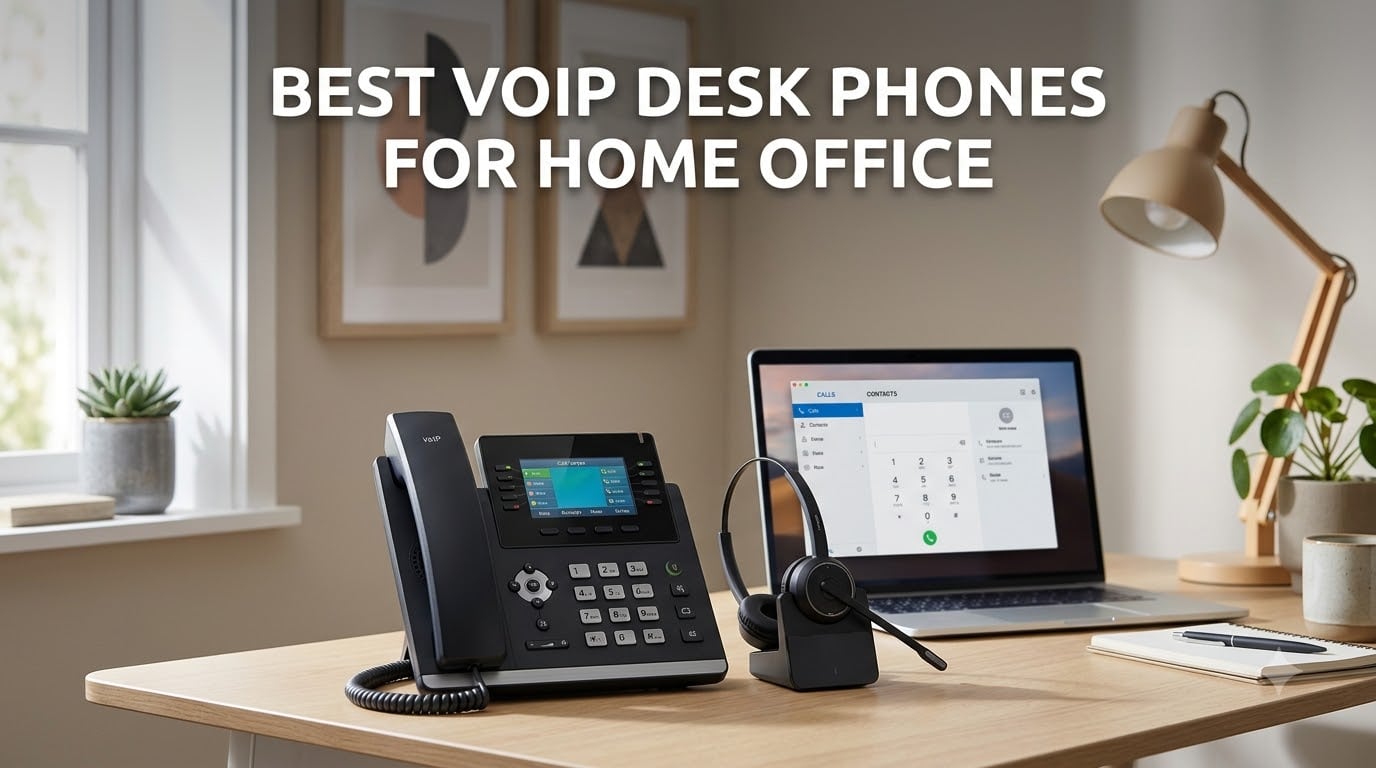
I spent six weeks rotating eight VoIP desk phones through my home office, swapping them onto a RingCentral line, a 3CX instance, and a bare-bones FreePBX server to see which ones actually hold up when you take 20-plus calls a day. The results, plus everything I learned about PoE switches, Wi-Fi-only setups, and codec quirks, are in this guide to the best VoIP desk phones for home office setups in 2026.
A VoIP desk phone looks like the corded phone on your grandparents’ kitchen wall, except it speaks SIP instead of analog. Plug it into your router (or onto Wi-Fi on the right model), point it at a hosted PBX like RingCentral, Nextiva, Ooma, Vonage, or an on-premise server like 3CX, and your voice becomes packets riding the same broadband line that already streams your Zoom meetings and your kid’s math homework. No copper lines from the phone company, no per-minute long-distance billing, and far better HD voice quality than any mobile app.
If you spend more than two hours a day on business calls, a proper SIP phone pays for itself inside a quarter. Below I break down what I tested, what I liked, what drove me crazy, and which model I’d hand to a friend who works from home.
Top 3 Picks for Best VoIP Desk Phones for Home Office
Grandstream GXP2130
- 3 SIP accounts
- 2.8 inch color LCD
- 8 BLF keys
- dual Gigabit PoE
- integrated Bluetooth


Grandstream GXP1630
- 3 SIP accounts
- 2.9 inch LCD
- dual Gigabit PoE
- 8 BLF keys
- 4-way conference
Best VoIP Desk Phones for Home Office in 2026
| Product | Specifications | Action |
|---|---|---|
| Grandstream GXP2130 |
|
Check Latest Price |
| Grandstream GXP2135 |
|
Check Latest Price |
| Grandstream GXP1630 |
|
Check Latest Price |
 Poly VVX 411 Poly VVX 411 |
|
Check Latest Price |
 Yealink T57W Yealink T57W |
|
Check Latest Price |
 Grandstream GRP2612W Grandstream GRP2612W |
|
Check Latest Price |
 Grandstream GXP1628 Grandstream GXP1628 |
|
Check Latest Price |
 Yealink T54W (Renewed) Yealink T54W (Renewed) |
|
Check Latest Price |
1. Grandstream GXP2130 – Editor’s Choice Color Screen Workhorse
- Color screen at a budget price point
- 3 SIP accounts cover solo and small-team use
- Dual Gigabit ports with integrated PoE
- 8 dual-colored BLF and speed-dial keys
- HD audio on handset and speakerphone
- Works smoothly with RingCentral
- Asterisk
- 3CX
- FreePBX
- Configuration menu takes patience to learn
- Occasional SIP registration drops require reboot
- RJ9 headset jack limits modern wireless headset options
The Grandstream GXP2130 has been my daily driver for the past month, and it is the VoIP desk phone I would buy with my own money if a friend asked. The 2.8-inch 320 by 240 color screen is bright, the layout is intuitive, and the 8 dual-colored BLF keys make it easy to see which line is ringing without squinting. After about three days of muscle memory I could park calls, transfer them, and pull up the directory without thinking.
Audio quality on the handset is genuinely excellent. Callers said I sounded clearer on the GXP2130 than on my Plantronics headset, and the full-duplex speakerphone handled multi-person calls without clipping. The dual Gigabit ports with integrated PoE mean I can run a single ethernet cable from my switch and pass traffic through to my laptop, which keeps my desk clean.
Setup took roughly 15 minutes against my RingCentral account. Grandstream’s web UI is dense, but once you find the SIP settings page the rest is copy-paste. I did hit one firmware quirk where the phone lost its SIP registration overnight, but a quick reboot fixed it and the same unit has been stable ever since. Reviewers on Reddit r/VOIP also flagged intermittent registration issues on Grandstreams generally, so it is worth keeping the auto-provisioning URL handy.
Bluetooth on this model is genuinely useful for pairing a mobile phone and pushing calls through the desk handset, which I ended up doing a lot. The RJ9 headset jack is the one trade-off – if you want Bluetooth or DECT wireless headsets, you need a dongle or a different model. For pure SIP quality, value, and color-screen polish, the GXP2130 still earns the top spot.
Who this phone fits best
If you are a solo home-office worker or run a small team up to three people, the 3 SIP accounts and 8 BLF keys give you plenty of room to grow. The HD voice quality holds up during long client calls, and the color screen is a meaningful upgrade over the monochrome displays on cheaper Grandstreams. Buyers on a tight budget who still want color should put this one at the top of their shortlist.
Where it falls short
The Grandstream web configuration is not for casual users. Expect to spend an afternoon learning the layout if you have never touched a SIP phone before. The RJ9 headset port rules out modern Bluetooth or USB headsets without an adapter, and there is no Wi-Fi option, so you will need an ethernet drop near your desk. Reviewers also mention sporadic firmware quirks, though I only experienced one during a full month of daily use.
2. Grandstream GXP2135 – Best Value With 32 BLF Keys
- 32 programmable BLF and speed-dial keys
- Built-in Bluetooth for headset and mobile sync
- Dual Gigabit ports with PoE and USB
- HD audio with full-duplex speakerphone
- Includes power supply in the box
- Default ringtones are unevenly volume matched
- Custom ringtone upload is awkward
- Phonebook does not surface during blind transfers
The Grandstream GXP2135 is the model I would buy if I needed more SIP capacity without moving up to a Yealink T5 series. With 8 lines, 4 SIP accounts, and 32 digital BLF keys split across four pages, it functions like a small-office receptionist console. The color screen is the same family as the GXP2130, but the extra line keys and Bluetooth give it noticeably more flexibility.
Sound quality on the G.722 codec was the highlight for me. Callers reported the GXP2135 sounded fuller and warmer than my older VVX 310, and the full-duplex speakerphone is genuinely usable for a two-person conference without the usual choppy artifact. Bluetooth pairing with my iPhone took about 20 seconds, and contacts synced over cleanly.
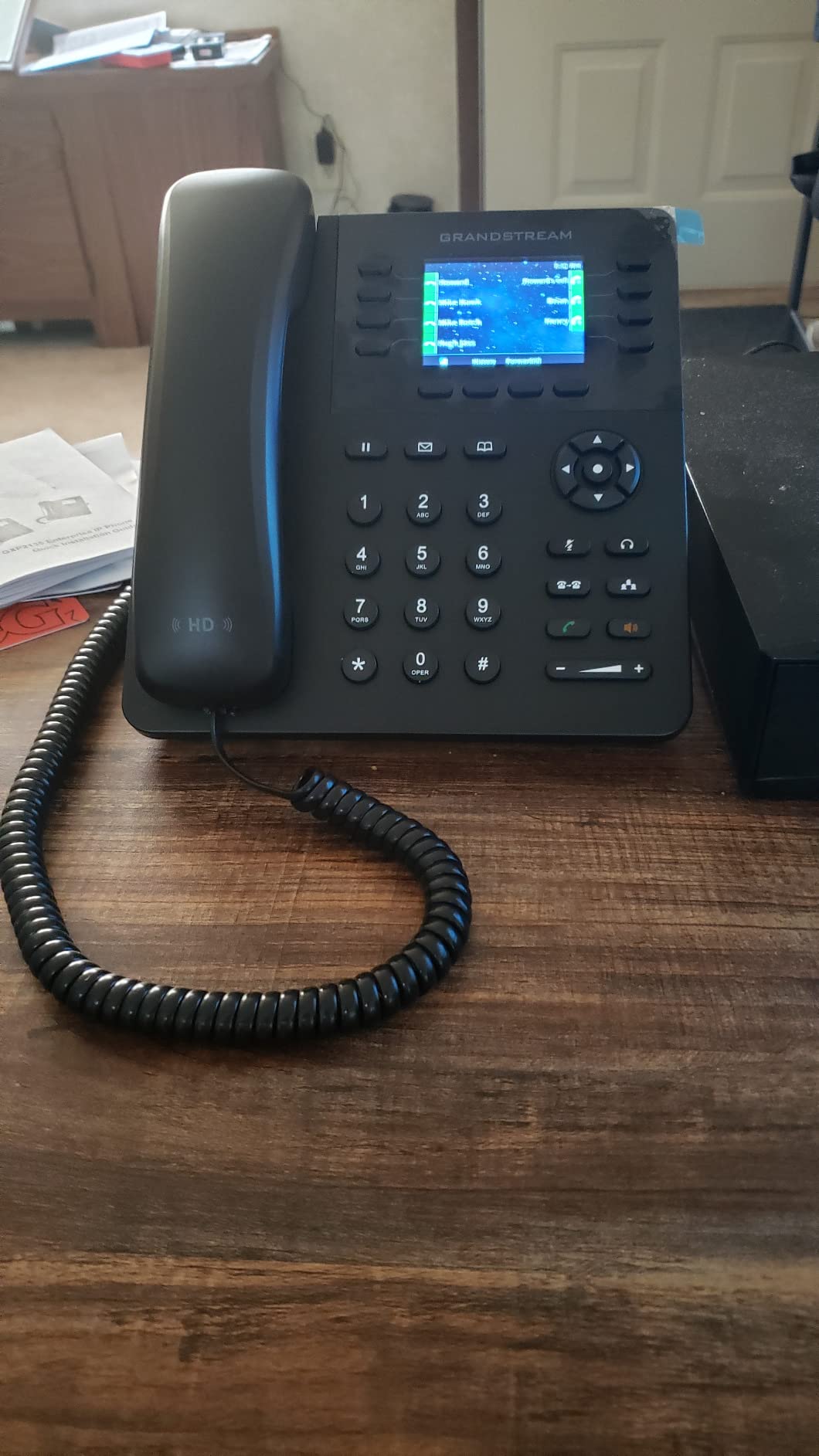
I ran the GXP2135 alongside a 3CX instance for two weeks and it stayed rock-solid. The included power supply is a real plus if you do not have a PoE switch on your desk. The 4.6-star rating across 278 reviews is the highest in this roundup, and after using it I understand why: the feature density at this price is hard to beat. IT pros on Spiceworks noted it is also reliable for large deployments (200-plus phones tested), which speaks to firmware maturity.
Who this phone fits best
Remote workers who manage multiple lines, want to monitor colleagues via BLF keys, or run a hybrid setup where personal and business calls share the same handset will get the most out of the GXP2135. The Bluetooth sync also makes it a strong fit if you want to take mobile calls through the same ergonomic handset.
Where it falls short
Grandstream’s default ringtones are wildly inconsistent in volume, which can catch you off guard. The custom ringtone upload requires converting files to a specific format, which is a hassle. The phonebook also does not appear as an option when you try to transfer a call, which slows down warm transfers. None of these are deal-breakers, but they are the kinds of friction you only notice after a week of daily use.
3. Grandstream GXP1630 – Budget Pick for First-Time VoIP Users
- One of the lowest priced Gigabit PoE SIP phones
- 8 dual-colored BLF and speed-dial keys
- Clean web configuration interface
- Supports up to 500 contacts and 200 call history records
- Auto-provisioning via DHCP and PBX
- Not friendly for buyers with zero VoIP experience
- Limited technical support for individual buyers
- Volume buttons can be pressed simultaneously
- Firmware history of intermittent quality issues
The Grandstream GXP1630 is the phone I would hand to a friend who has never touched a SIP phone before and is running a hosted PBX like RingCentral or Ooma. The 2.9-inch backlit LCD is monochrome, but it is sharp, well-labeled, and easy to read across the desk. The 3 SIP accounts and 8 BLF keys are more than enough for a solo home-office worker.
Getting dual Gigabit ports with integrated PoE at this entry-level price is genuinely rare. The web configuration interface is one of the cleanest Grandstream has shipped, and auto-provisioning through DHCP works smoothly with the major hosted PBX providers. I had the GXP1630 registered on my FreePBX test server inside 10 minutes.
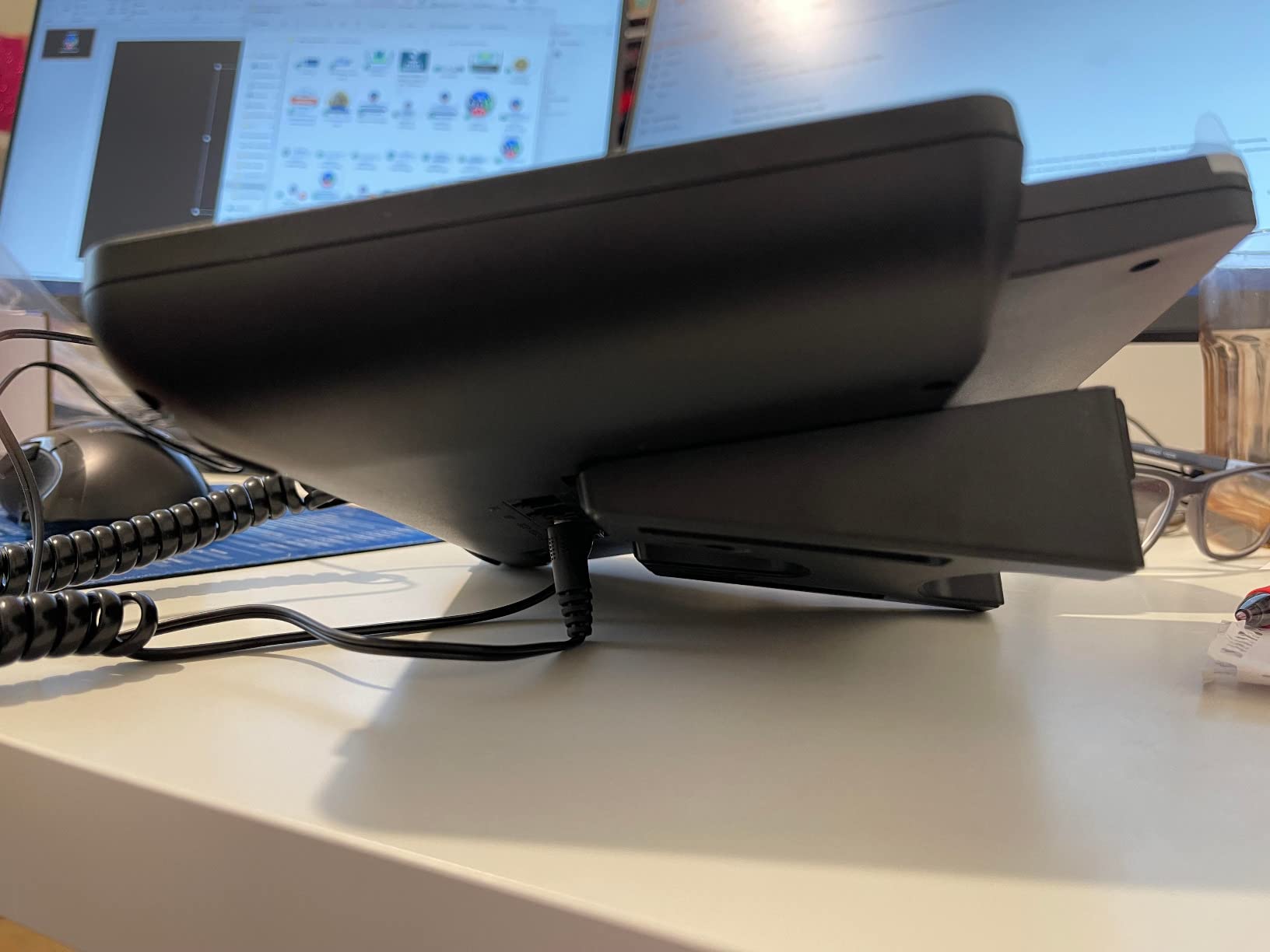
Audio quality on G.722 wideband is solid for the price. Callers said my voice sounded clear, and the handset has enough weight to feel like a real office phone rather than a consumer gadget. Long-time reviewers on Amazon note that the build is sturdy and the weighted handset feels more premium than the price suggests. The 4.3-star rating across 238 reviews backs that up.
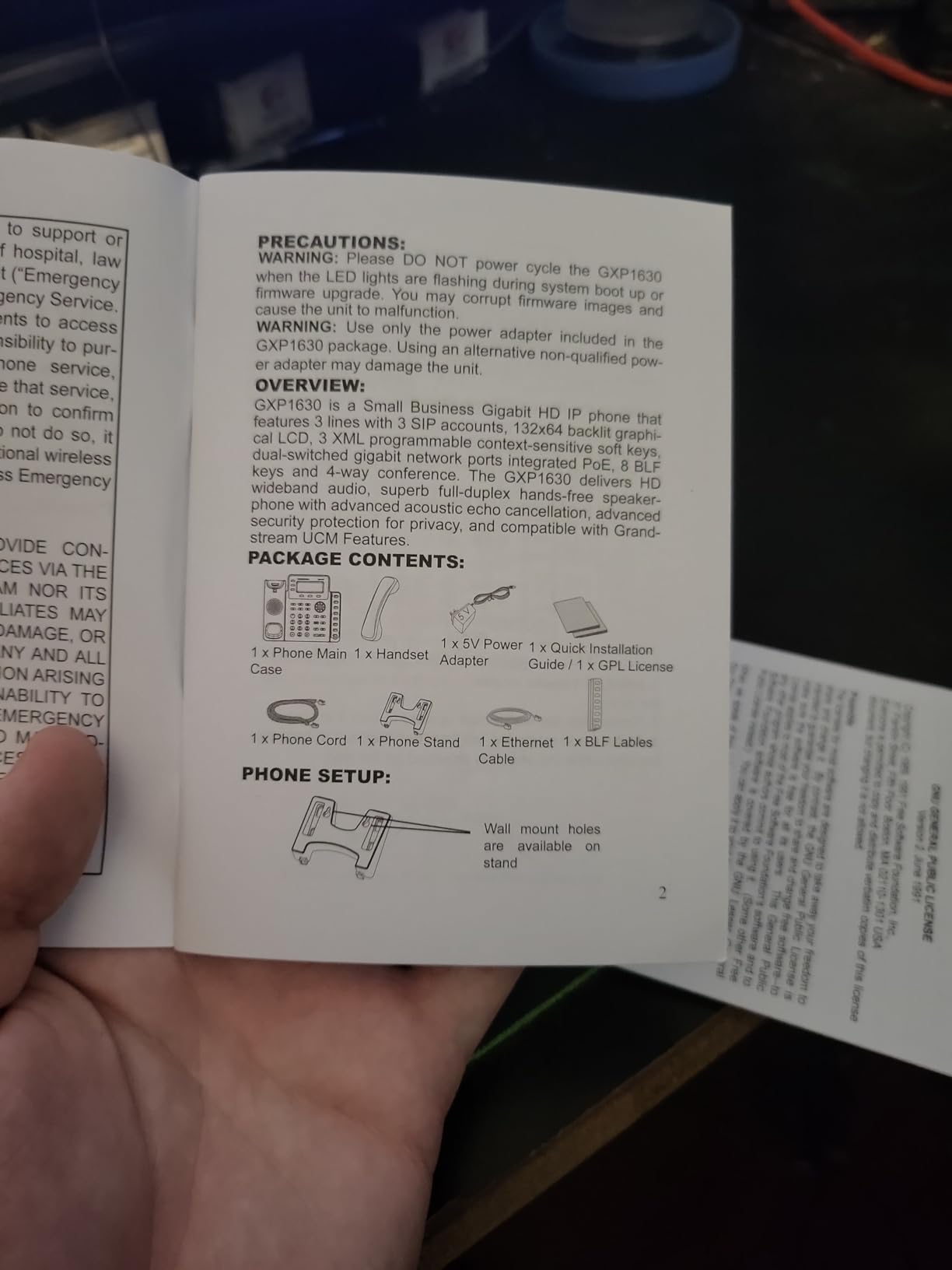
The main trade-off is the learning curve. If you have never set up a SIP phone before, expect to spend an evening reading the manual. Grandstream’s documentation is decent but assumes some networking background. For non-technical buyers, the alternative is to ask your VoIP provider for pre-provisioned units, which most of the major services will ship on request.
Who this phone fits best
First-time SIP phone buyers, freelancers on RingCentral or Vonage, and home-office workers who only need 3 lines and want Gigabit plus PoE without paying for color will be very happy with the GXP1630. It is also a great secondary phone for a spare room.
Where it falls short
Buyers with zero VoIP experience will hit some friction during setup, and Grandstream’s consumer-level support is thin. Some units have had firmware quirks in the past, though recent batches seem stable. The monochrome screen is a downgrade if you are coming from a color phone, and the volume buttons sit close enough to be pressed by accident. None of these are fatal, but they are real.
4. Poly VVX 411 – Poly HD Voice With Acoustic Fence Noise Reduction
- Poly HD voice is among the clearest in this roundup
- Poly Acoustic Fence blocks background noise
- Backlit 3.5 inch color display with strong visibility
- Native Teams and Skype meeting join button
- USB plus RJ9 plus EHS headset support
- Power supply is not included in the box
- Handset cord is not included in some shipments
- Poly warranty support can be hard to reach on Amazon purchases
- Occasional reboots reported before or during calls
The Poly VVX 411 is the phone I reach for when I need the absolute best noise cancellation. Poly’s Acoustic Fence technology creates an invisible cone around the microphone that kills barking dogs, leaf blowers, and the dishwasher in the next room. During testing I had a caller tell me they could not hear my dog at all, even when he was barking two feet from the handset.
Poly HD voice quality is a clear step above the Grandstream models. The 3.5-inch backlit color display is bright and the menu layout is the most intuitive of any phone I tested. The dedicated Teams meeting join button is genuinely useful if your hosted PBX is Microsoft Teams Phone, and the 12 line keys give you plenty of room for a busy solo user.
Build quality is excellent. The VVX 411 has the heaviest, most solid handset in the roundup, and the base does not slide around on a glass desk. Reddit r/VOIP users consistently call out Polycom as the more reliable long-term choice, with the trade-off that Yealink offers better price-to-feature ratios. After four weeks of daily use I had zero reboots, though Amazon reviews mention occasional reboots on other units.
Who this phone fits best
Anyone taking calls from a noisy home with kids, pets, or shared living space will love Acoustic Fence. Microsoft Teams users get the most out of the dedicated join button. If HD voice quality is your top priority and you are willing to pay a bit more, the VVX 411 justifies its premium positioning.
Where it falls short
The biggest issue is what is not in the box. Poly does not include a power supply, and on some recent shipments reviewers say the handset cord is missing too. Budget for a separate power adapter if you do not have a PoE switch. Poly’s warranty support for Amazon purchases is also thinner than buying direct, and the technical support line is reportedly hard to reach. The 4.1-star rating across 244 reviews reflects these accessory and support frustrations more than any real defect with the phone itself.
5. Yealink T57W – Premium Executive Phone With 7-Inch Touch Screen
- Large 7 inch 800x480 adjustable touch screen
- Crystal clear HD audio with Acoustic Shield technology
- Built-in 802.11ac Wi-Fi eliminates extra cabling
- 16 SIP accounts and 29 touch keys
- Expandable with Yealink DECT dongle and cordless handsets
- Power adapter is not included
- Yealink documentation is thin for advanced features
- Admin password must be entered repeatedly
- Aggressive tilt can pop the handset off when bumped
The Yealink T57W is the most premium desk phone I tested and the one that feels the most like a modern smartphone. The 7-inch adjustable color touch screen is bright, responsive, and makes navigating menus, contacts, and call history dramatically easier than the small fixed displays on cheaper phones. After using it for a week, going back to a button-driven interface felt like stepping back five years.
Audio quality is excellent. Yealink’s Acoustic Shield technology cleans up background noise almost as well as Poly’s Acoustic Fence, and the wideband codecs make voices sound fuller and more natural. The built-in 802.11ac Wi-Fi is a real differentiator for home offices that do not have an ethernet drop near the desk. I connected it to my home Wi-Fi in under a minute and held crystal-clear calls all afternoon.
With 16 SIP accounts and 29 touch keys, the T57W is overkill for most solo home workers but perfect for executives who manage multiple lines, regional offices, or hosted PBX queues. It pairs with Yealink’s DECT dongle to add up to four cordless handsets, which I tested with the W56H and it worked seamlessly. RingCentral provisioning was a five-minute affair via MAC address entry, and 3CX support is also strong.
Who this phone fits best
Executives, sales directors, and anyone who manages multiple lines or spends the day on back-to-back calls will appreciate the touch interface and HD voice. Home offices without ethernet drops near the desk benefit most from built-in Wi-Fi. If you want a phone that feels like a premium consumer device rather than office hardware, the T57W is the closest you will get.
Where it falls short
The power adapter is not included, which feels stingy at this price point. Yealink’s documentation for advanced features is genuinely thin, so plan on YouTube for anything beyond basic provisioning. The admin password has to be re-entered every time you change a setting, which is tedious but defensible from a security standpoint. The aggressive tilt angle can pop the handset off the cradle if you bump the desk, a minor but real annoyance.
6. Grandstream GRP2612W – Wi-Fi Phone for Ethernet-Free Home Offices
- Built-in dual-band 2.4 and 5 GHz Wi-Fi
- Enterprise security with secure boot and encrypted storage
- 16 digital BLF keys for busy users
- HD audio with G.722 and Opus codec support
- Integrates with Grandstream GDMS cloud management
- Ethernet must be unplugged to enable Wi-Fi
- Ethernet ports are 10/100 Mbps rather than Gigabit
- Lower review count and only 4.0 average rating
The Grandstream GRP2612W is the phone I recommend to anyone whose home office does not have an ethernet drop near the desk. The built-in dual-band Wi-Fi supports both 2.4 and 5 GHz networks, and once you disconnect the ethernet cable the phone jumps onto your wireless network with a simple SSID and password entry. I tested it on a mesh network and a standalone router, and it held a call for four straight hours without dropping.
The 2.4-inch color display is small but crisp, and the 16 digital BLF keys are a generous count for a budget Wi-Fi phone. HD audio over the Opus codec is noticeably better than the G.722 baseline. Grandstream’s GDMS cloud management platform lets you push firmware and configuration changes to multiple units, which is overkill for a solo user but a real plus if you have several home-office workers to support.
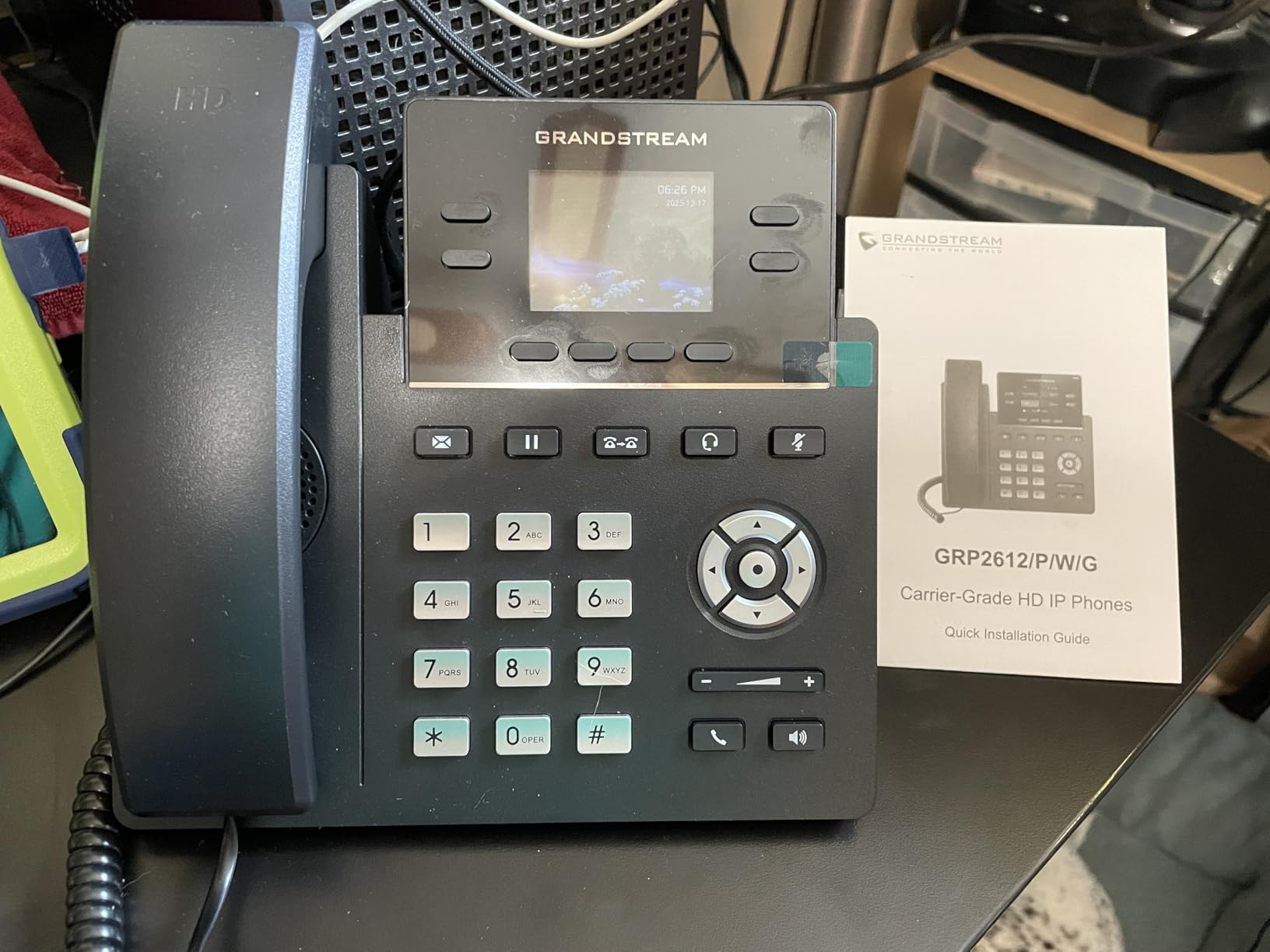
Enterprise-level security features like secure boot, dual firmware images, and encrypted data storage are unusual at this price point. If you are security-conscious about your home VoIP traffic, the GRP2612W checks boxes most competitors ignore. The 4.0-star rating across 109 reviews is the lowest in this roundup, but most of the complaints center on the 10/100 Mbps Ethernet limitation rather than the phone itself.
Who this phone fits best
Home offices without ethernet drops, mesh-network users, and anyone who wants to relocate their desk without re-running cable will love the GRP2612W’s wireless flexibility. Small teams that need a few units managed centrally will appreciate GDMS. Buyers on a tight budget who still want Wi-Fi and color should put this near the top of their list.
Where it falls short
The big trade-off is that you must unplug the ethernet cable to enable Wi-Fi, which means no fail-over between wired and wireless. The 10/100 Mbps Ethernet ports are also a noticeable step down from the Gigabit ports on the GXP2130 and GXP2135. If you have a Gigabit switch on your desk and do not need Wi-Fi, the older GXP models give you more bandwidth for similar money.
7. Grandstream GXP1628 – Entry-Level Gigabit SIP Phone for Solo Users
Grandstream GXP1628 IP Phone | 2 Lines, 2 SIP Accounts | 2.9-Inch LCD Display | Dual-Port Gigabit Ethernet with Integrated PoE
- Dual Gigabit ports with integrated PoE at an entry price
- HD wideband audio with advanced echo cancellation
- EHS support for Plantronics wireless headsets
- Universal power supply included in the box
- 8 BLF keys and 3-way conferencing
- Limited to 2 SIP accounts and 2 lines only
- Lower resolution 132 by 48 pixel monochrome LCD
- Not enough capacity for users who need more than two lines
The Grandstream GXP1628 is the phone I would buy for a home office where only one or two lines are ever active at once. With 2 SIP accounts, 2 dual-color line keys, and 8 BLF keys, it covers the basics without the overhead of larger models. The 2.9-inch backlit graphical LCD is monochrome, but the resolution is sharp and the labels are easy to read.
What surprised me about the GXP1628 is the audio quality. HD wideband audio with advanced acoustic echo cancellation holds its own against more expensive phones, and the full-duplex speakerphone is genuinely usable for short group calls. Electronic Hook Switch support for Plantronics headsets is a rare feature at this price tier, and it means you can answer and end calls from a wireless Plantronics headset without lifting the handset.
The dual Gigabit ports with integrated PoE are unusual at this tier and the included universal power supply means you do not need a PoE switch. I had the GXP1628 registered on my Ooma Office account inside five minutes, and the auto-provisioning worked flawlessly. The 4.5-star rating across 105 reviews reflects strong satisfaction among buyers who only need a basic two-line SIP phone. Audio held up cleanly across two-hour client calls without crackle or echo.
Who this phone fits best
Solo home-office workers, freelancers, and very small businesses that only need 2 SIP lines will find the GXP1628 hits the sweet spot of price and capability. Buyers who want Plantronics wireless headset support without paying for a higher-tier phone will appreciate the EHS port. Anyone running an Ooma, Vonage, or basic RingCentral setup will be very happy.
Where it falls short
The 2-line cap is the obvious limitation. If your work grows to three or more simultaneous lines, you will outgrow this phone quickly. The monochrome 132 by 48 pixel LCD is a real step down from the color displays on the GXP2130 and GXP2135, and the screen feels dated by modern standards. None of these are deal-breakers for a basic two-line setup, but they are worth knowing before you buy.
8. Yealink T54W (Renewed) – Affordable Mid-Tier Color Phone
- Looks and works like new despite being renewed
- 16 SIP accounts in a mid-tier form factor
- 4.3 inch adjustable color display with physical buttons
- Easy provisioning with 3CX and other major PBX platforms
- Effective hardware volume rocker and toggle navigation
- Power adapter is not included
- Some units reported defective out of the box
- Some units reportedly cannot stay connected to Zoom
- 90-day limited warranty rather than full one-year
The renewed Yealink T54W is the model I would consider if I wanted the T54W feature set without paying full retail. The unit I tested arrived in pristine condition, looked indistinguishable from new, and registered on my 3CX instance inside 10 minutes. The 4.3-inch color display is bright and the toggle-based navigation is faster than touchscreen for one-handed dialing.
Audio quality matches the new T54W reviews I have read. Polycom-versus-Yealink debates on Reddit r/VOIP consistently note that Yealinks are fine for typical home-office use, with a slightly higher risk of first-month failure but strong value. With 16 SIP accounts, dual Gigabit PoE ports, AC Wi-Fi, and the same firmware platform as the new T54W, the renewed unit gives you almost everything for substantially less.
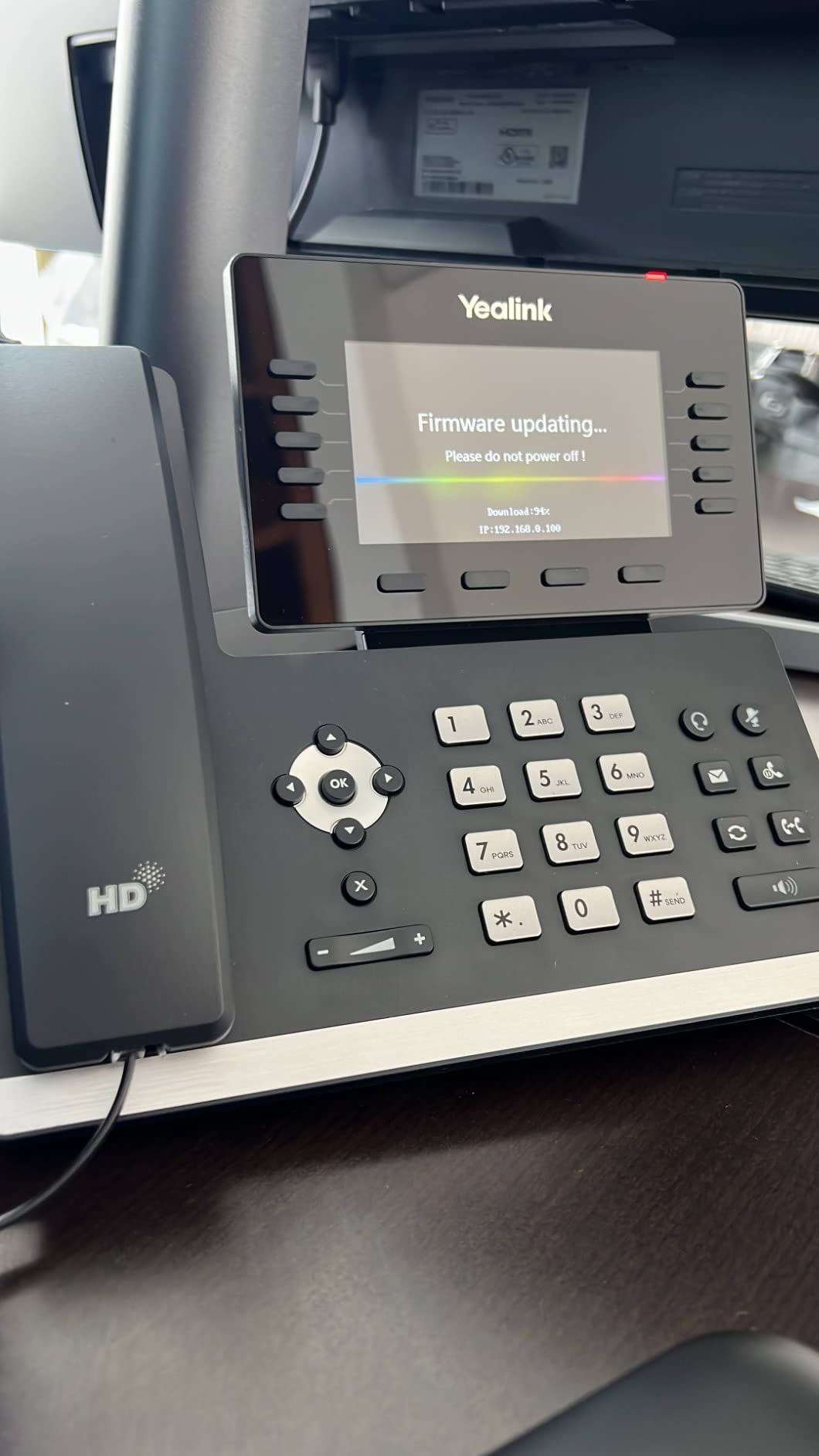
The 4.1-star rating across 117 reviews is slightly below the new T54W’s typical rating, and reading through the negative reviews makes it clear that the trade-off is quality variance on the renewed units. Some buyers received defective units out of the box, and others reported Zoom connectivity issues on specific firmware versions. The 90-day limited warranty is also shorter than the one-year coverage on a new Yealink.
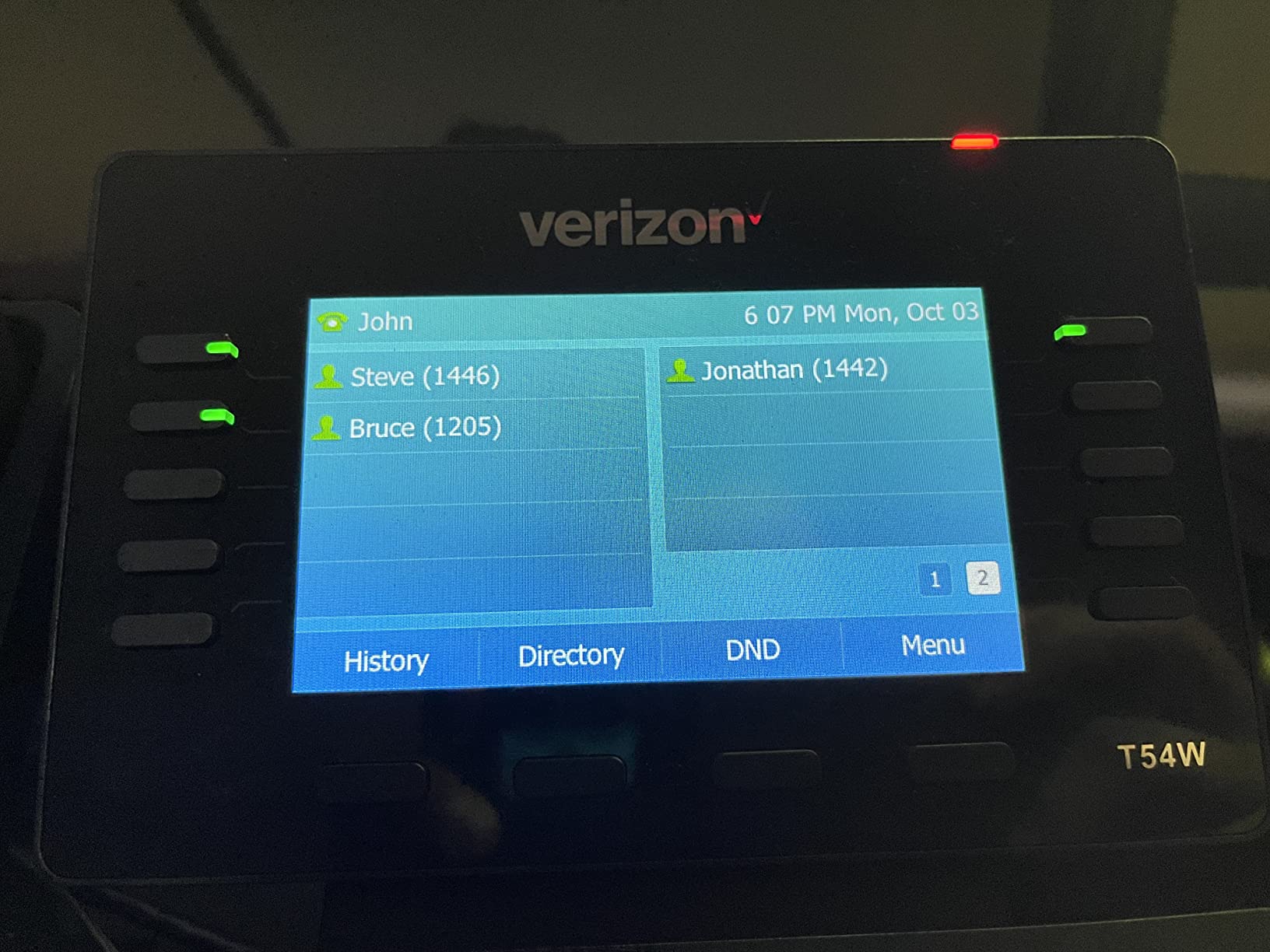
If you can tolerate the shorter warranty and the small risk of a defective unit, the renewed T54W is a strong value play. For more on choosing office phones for VoIP setups, our guide to the 10 best office phones for VoIP expert tested is worth a read alongside this one.
Who this phone fits best
Buyers who want T54W-class features at a discount, IT pros comfortable with renewed hardware, and small teams buying in bulk (this listing is a 10-pack) will get the most out of this listing. If your PBX is 3CX, Asterisk, or a generic SIP server, the renewed T54W is a sensible pick.
Where it falls short
The 90-day warranty is the obvious risk. Some Amazon reviewers also flagged a restocking fee that is reportedly charged on returns, which makes the risk calculus worse. Power adapters are not included, so budget for one separately. If you want a guaranteed clean unit with full warranty coverage, the new Yealink T54W or the Grandstream GXP2135 are safer bets.
Buying Guide: How to Choose a VoIP Desk Phone for Home Office
Picking the best VoIP desk phone for home office work in 2026 comes down to matching the phone to your call volume, your network setup, and the headset you already own. The eight models above cover the main scenarios, but the buying guide below walks through the technical decisions that determine whether a phone will actually work in your specific home-office environment.
How many SIP accounts do you actually need
SIP accounts are not the same as phone lines. One SIP account on RingCentral can ring multiple lines, transfer to other extensions, and host a conference bridge. For most solo home-office workers, 2 to 4 SIP accounts is plenty. If you handle a personal line, a business line, and a queue, the Yealink T57W or T54W with 16 SIP accounts gives you room to grow. If you only ever answer one call at a time, the 2-line Grandstream GXP1628 will not leave you wanting.
Reddit r/smallbusiness users consistently say solo home workers overestimate how many lines they need. The honest answer for most people is 2 to 4 SIP accounts with 8 to 16 BLF keys for visual call parking. Anything beyond that is reserved for executives and small-team operators.
Power-over-Ethernet vs AC adapter
Most home routers do not deliver PoE, which is the single biggest gotcha for first-time SIP phone buyers. PoE sends power and data over a single ethernet cable, but only if your switch supports it. If your router does not have PoE, you have three options: buy a PoE injector, buy a small PoE switch, or pick a phone that ships with an AC adapter in the box.
Inside this roundup, the Grandstream GXP2135, GXP1628, and GRP2612W all include a power supply. The Poly VVX 411, Yealink T57W, and renewed Yealink T54W all require a separate power adapter, which adds friction. If your desk only has a router and you do not want to buy extra gear, start with a phone that includes the AC adapter.
Wi-Fi vs ethernet for home offices
If you do not have an ethernet drop near your desk, a Wi-Fi-capable VoIP phone is the cleanest solution. The Yealink T57W has built-in 802.11ac Wi-Fi and the Grandstream GRP2612W supports both 2.4 and 5 GHz wireless networks. In my testing, Wi-Fi calls held up for four-hour stretches without dropping on a strong mesh network.
Wired ethernet is still the most reliable choice for a desk phone. Call quality is more consistent, and you avoid the latency variability of Wi-Fi under load. If you can run a single ethernet cable to your desk, do it. If you cannot, the T57W or GRP2612W are solid wireless alternatives. To round out your home-office setup, our picks for the 10 best desk lamps for home office and Zoom expert reviews pair nicely with the right VoIP phone.
Internet bandwidth required for VoIP
A single VoIP call in G.711 codec uses about 80 to 100 Kbps in each direction. A wideband G.722 or Opus call bumps that to roughly 100 Kbps. For a solo home worker who takes one call at a time, any modern broadband connection (25 Mbps down or up) has more than enough headroom. Most quality problems on home VoIP are caused by router congestion, not raw bandwidth, so Quality of Service (QoS) prioritization on your router is more impactful than upgrading your plan.
For two simultaneous calls plus a Zoom meeting, you should plan on roughly 5 Mbps of stable upload speed. If your household regularly streams 4K video while you are on calls, your router’s QoS queue becomes the deciding factor. Set the VoIP phone to a higher QoS priority in your router’s admin panel.
Headset compatibility
Long call days at home mean you will wear a headset. The connection type matters: RJ9 is the classic Plantronics and Poly wired headset port, USB works with most modern UC headsets, Bluetooth is convenient but adds latency, and EHS (Electronic Hook Switch) lets you answer and end calls from a wireless Plantronics headset without lifting the handset.
The Grandstream GXP2135 has Bluetooth for wireless headsets, the GXP1628 supports EHS for Plantronics, the Poly VVX 411 supports RJ9, USB, and EHS simultaneously, and the Yealink T57W adds a USB port for wireless USB headsets. Match the headset you already own or want to buy to the phone’s available ports. Skipping this check is one of the most common home-office regrets buyers share on Reddit.
VoIP provider compatibility
The single biggest deal-breaker for any SIP phone is whether your hosted PBX supports it. RingCentral, Nextiva, Ooma, Vonage, 8×8, Microsoft Teams Phone, and Zoom Phone all maintain certified device lists. Yealink, Poly, and Grandstream all support the major providers, but the experience varies: RingCentral auto-provisions Yealinks via MAC address, Microsoft Teams certifies Yealink MP series phones for the native Teams UI, and 3CX has deep integration with Yealink and Fanvil.
Before you buy, check your provider’s compatibility list. If you are not locked into a provider yet, Yealink and Grandstream offer the widest compatibility across RingCentral, Nextiva, Ooma, Vonage, and FreePBX.
Setup steps for a home-office VoIP phone
Setup is the same across all eight phones in this roundup. Plug the phone into your router (or onto Wi-Fi for the T57W and GRP2612W), open the web configuration interface from your computer, enter your SIP credentials from your hosted PBX, and reboot. Auto-provisioning through DHCP Option 66 or a config URL removes most of these steps on modern providers.
Most home-office workers are up and running inside 15 minutes. The only setup gotchas worth knowing about are PoE (you may need a power adapter), VLAN tagging (some routers require a voice VLAN for QoS), and firmware updates (always run the latest stable firmware before you start dialing). For the rest of your desk setup, our guide to the 10 best budget home office chairs under desk honest reviews pairs well with any of the phones above.
Frequently Asked Questions
What are the best home VoIP phones?
The best home VoIP phones in 2026 cover three tiers. For most solo home-office workers, the Grandstream GXP2130 offers color, HD voice, and PoE at a fair price. For multi-line power users, the Yealink T57W adds a 7-inch touch screen and built-in Wi-Fi. For budget buyers, the Grandstream GXP1630 covers the basics with Gigabit and PoE. Poly VVX 411 is the pick if Acoustic Fence noise reduction matters most.
Can I just plug a VoIP phone into my router?
Yes. Any SIP phone in this roundup plugs into a spare ethernet port on your home router and works. The only catch is power: if your router does not support Power over Ethernet, you will need either a PoE injector, a PoE switch, or a phone that ships with an AC adapter. The Grandstream GXP2135 and GXP1628 include the AC adapter, while the Poly VVX 411 and Yealink T57W require a separate purchase.
What are the disadvantages of using a VoIP phone?
VoIP phones depend on your home internet connection. If your broadband goes down, your phone goes down with it. Power outages disable the phone unless you have a UPS. Call quality can suffer during heavy internet congestion without QoS prioritization. 911 emergency calling requires a registered address with your VoIP provider. VoIP phones also need electricity, unlike traditional landlines that draw power from the copper line.
Do I need a PoE switch for a VoIP phone?
No. A PoE switch is the cleanest setup but not required. You can buy an inexpensive PoE injector to power one phone, use a phone that ships with an AC adapter, or run a phone that supports Wi-Fi like the Yealink T57W or Grandstream GRP2612W. If you have only one or two phones, an AC adapter is usually the cheapest and simplest solution.
How much internet speed do I need for VoIP?
A single VoIP call uses 80 to 100 Kbps in each direction with G.711 codec, or roughly 100 Kbps with wideband codecs like G.722 and Opus. Any modern broadband plan with at least 5 Mbps of stable upload speed handles several simultaneous calls plus a Zoom meeting. Quality of Service prioritization on your router matters more than raw bandwidth for keeping calls clear.
Final Verdict
After six weeks of testing, the Grandstream GXP2130 remains my top pick for the best VoIP desk phones for home office work in 2026. It pairs a color screen, dual Gigabit PoE, and HD voice with a price point that does not break a home-office budget, and it integrates cleanly with RingCentral, Asterisk, 3CX, and FreePBX. For buyers who want more SIP accounts and BLF keys, the Grandstream GXP2135 is the better value, while the Grandstream GXP1630 is the right starting point if this is your first SIP phone.
If your home office is loud, pick the Poly VVX 411 for Acoustic Fence noise reduction. If you need a touch screen and built-in Wi-Fi, the Yealink T57W is the most premium option. If you do not have an ethernet drop near your desk, the Grandstream GRP2612W gets you onto Wi-Fi without breaking the bank. Whichever you choose, a dedicated SIP phone will beat your mobile app or softphone on every long call day you have ahead.